- Back to Artica Meta main section
From a Meta server, you can centrally manage the DHCP service running on a node.
You can view active DHCP leases, manage reservations, and configure the DHCP server settings.
- If the DHCP service is installed, you can see a blue “DHCP server” on the type column
- From the main Network Agents table, click on the DHCP server label
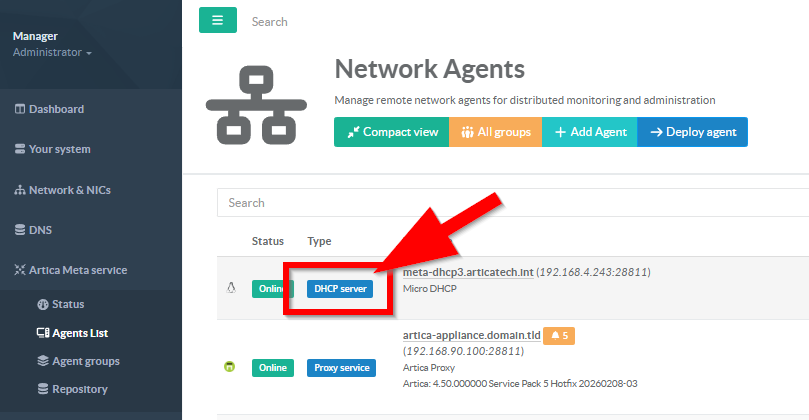
The principle is as follows:
- Through the configuration interface, define your DHCP settings (scopes, reservations, and DHCP relay agents).
- When finish, go to “Configuration” tab

- Once completed, the configuration engine will indicate that some parameters have been modified and must be applied.
- The left section displays the configuration currently in production.
The right section shows the pending configuration that is ready to be applied. - Click Validate config to ensure that the new parameters are accepted by the system.
Artica Meta will send the new configuration to the agent and request a validation check. - If the configuration is valid, click Apply settings to deploy it to production.
Artica Meta will then transmit the configuration to the agent, which will apply the new settings and reload the DHCP service.
