Create A DHCP service remotely
Install the DHCP package and deploy the DHCP service on the remote node to provide DHCP functionality.
Through Meta and its agent, you can remotely deploy and activate the DHCP service.
This allows you to transform your remote node into a fully operational DHCP server, capable of distributing network addresses to the devices within its managed environment.
- On the Agent list, click on the desired node.
- Select the features tab.
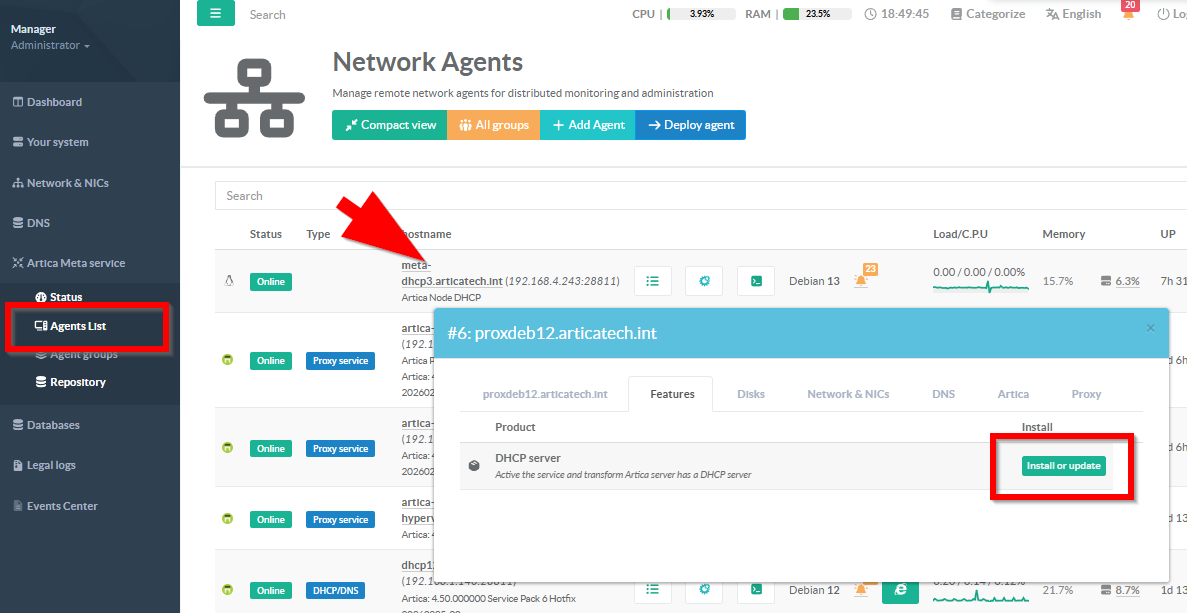
- If the DHCP software is not installed on the remote node, an Install button will be available, allowing you to remotely deploy the DHCP service to that node.
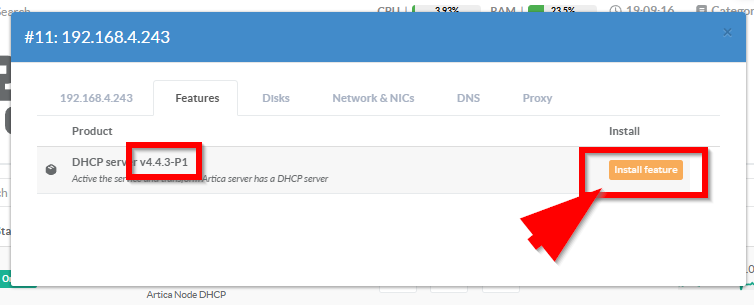
- If the software is already installed (you can see the version) , the button will appear in yellow and will allow you to install the feature.
- After a few seconds, the button will turn red and offer the option to uninstall the feature.
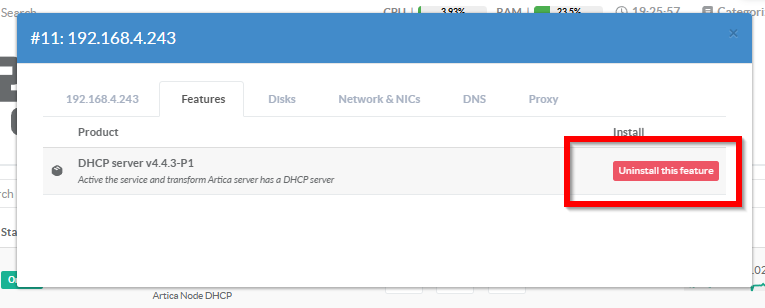
- This indicates that the DHCP service is now installed and fully manageable from the interface.