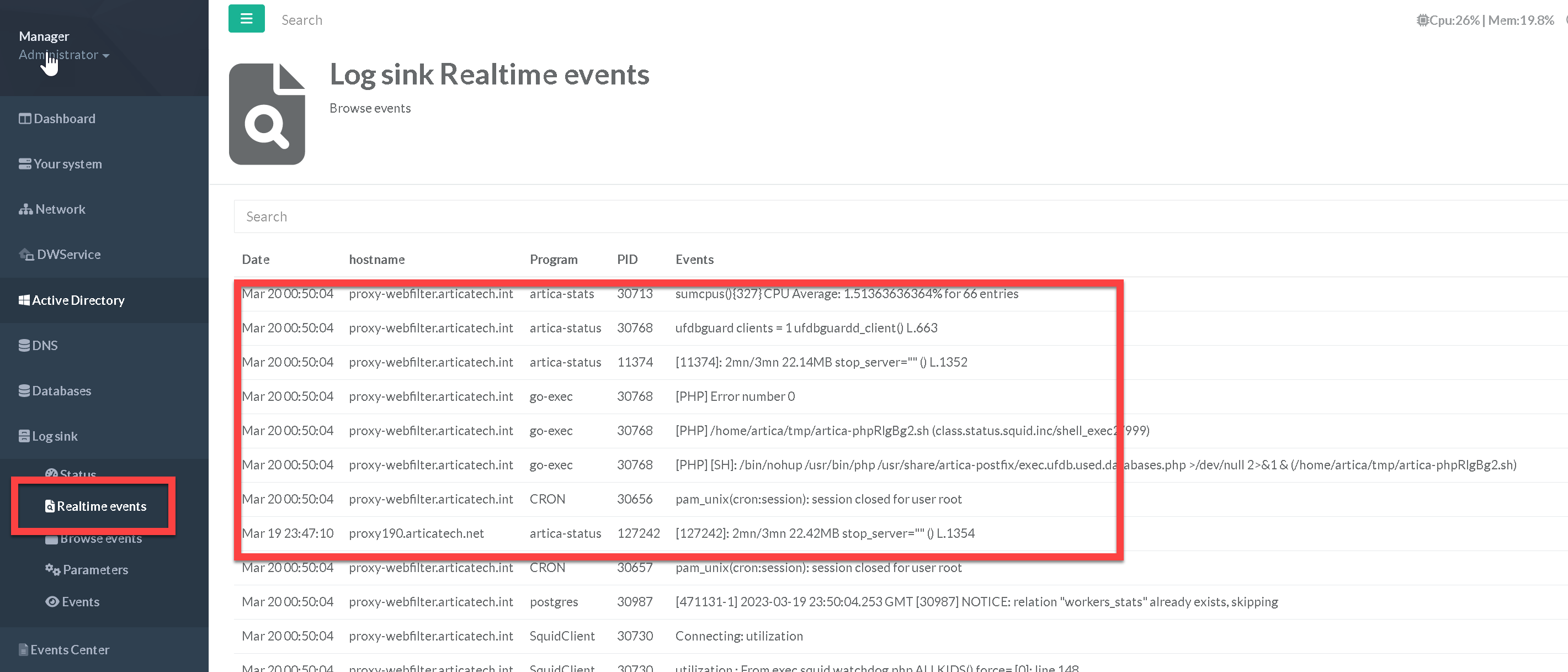
Real-time log visualization
If you need to view or search events received by the server in real time, use this feature
The visualization process uses a raw log file that is not compressed in real time, so the event stream can be large depending on what clients send as data.
That is why it is important to measure the maximum size of the temporary log file in order to destroy it without impacting the hard disk.This feature is available on Artica 4.40 Service Pack 110
A) Enable the real-time log visualization
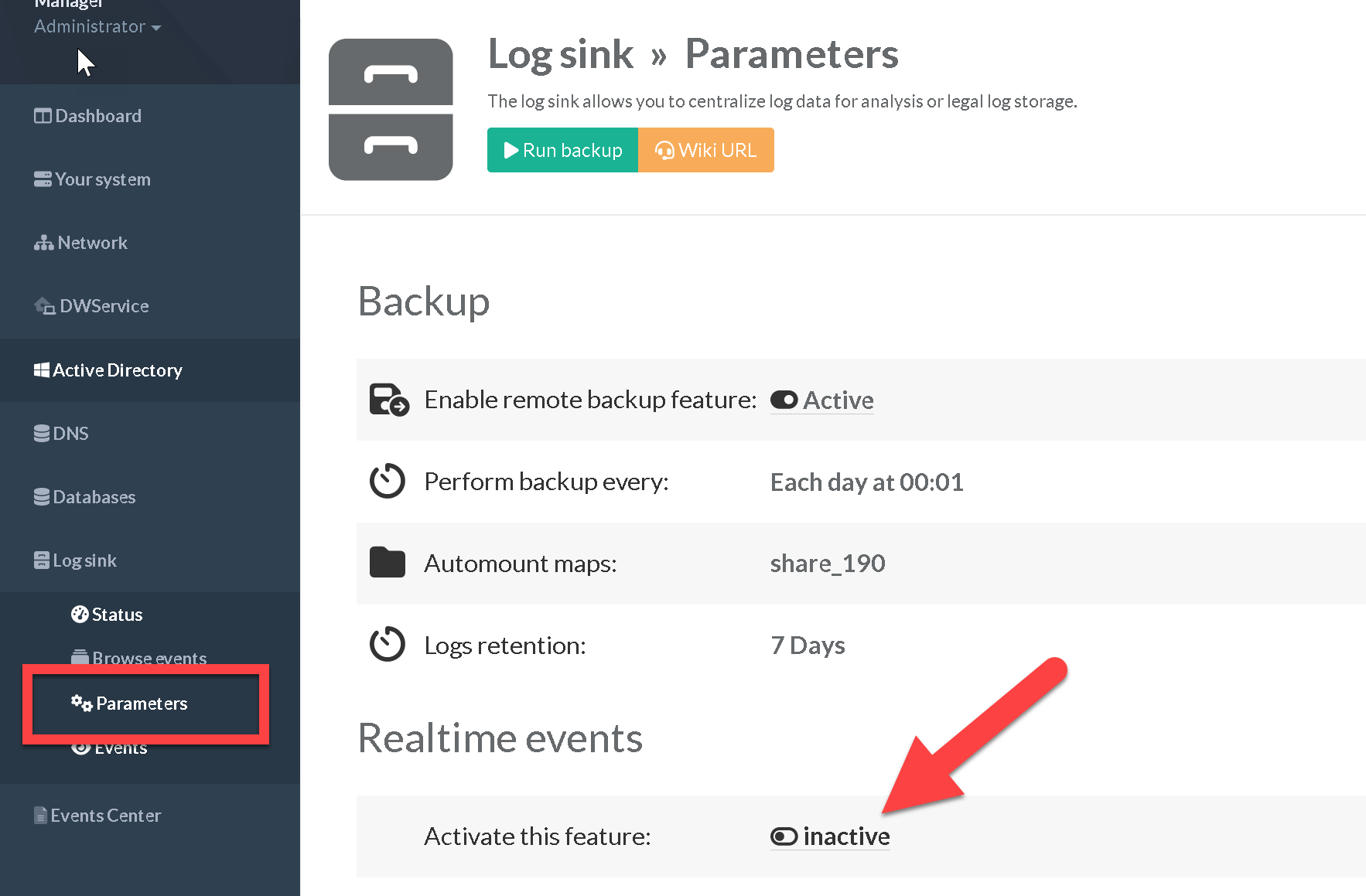
- On the left menu, choose “
Log Sink” > “Parameters” - Click on the Activate this feature row on the Realtime events section
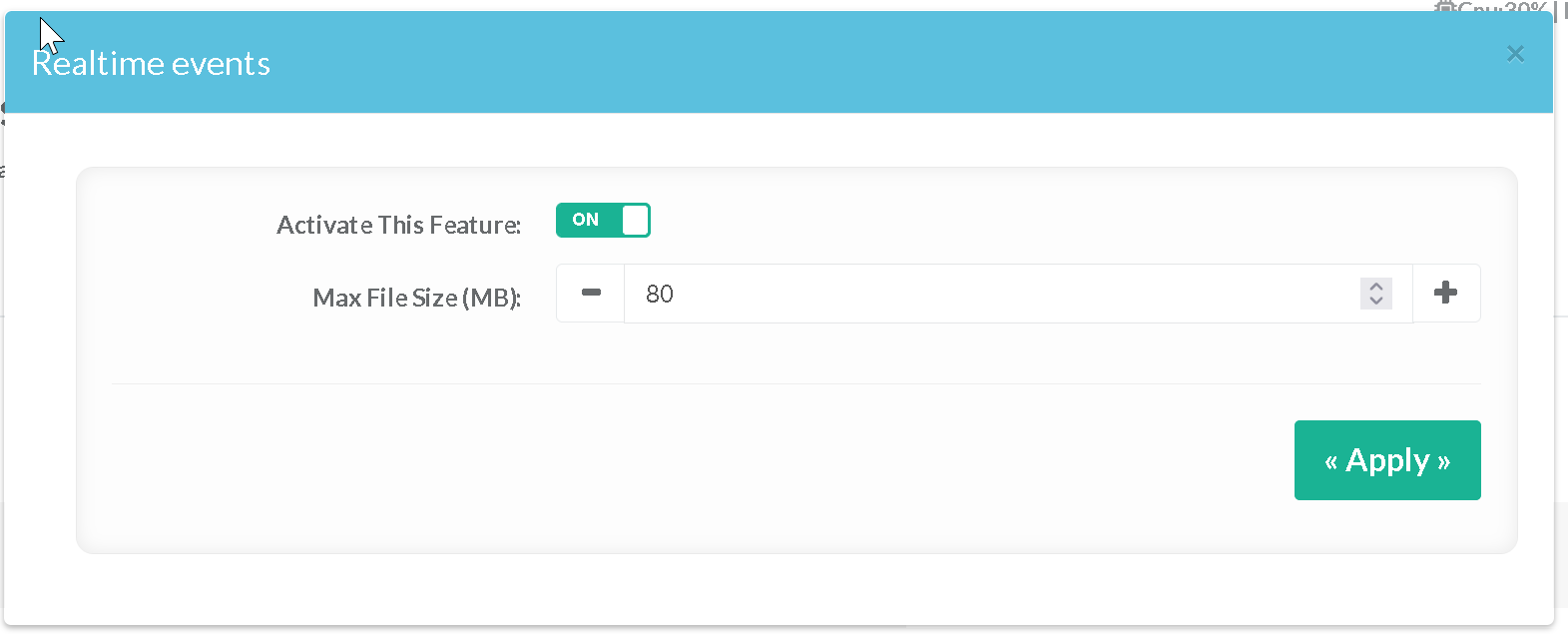
- Turn on the feature and the the maximal size of log file for monitoring.
B) Display the monitor
- After enabled the feature, on the left menu a new section is displayed “Real-time events” that allows you to display all events received by the Log Sink