CIS Benchmark turns the recognised CIS Debian Linux hardening benchmark into a first-class, self-service feature of the Artica appliance.
Once enabled, the appliance automatically downloads the upstream ovh/debian-cis audit scripts, runs a full compliance audit once a day, and produces a dated, self-contained HTML report showing exactly which controls pass and which fail.
The whole workflow is read-only:
The audit inspects the system and scores it, but it never modifies your configuration.
It is a measurement tool, not a remediation tool — you stay in full control of what you change.
The feature lives under Your system → Security → CIS Benchmark
¶ Why use it — Benefits
- Continuous compliance visibility.
A fresh conformity score (percentage of controls passed) every single day, without anyone having to remember to run anything.
- Zero risk to production.
The audit is strictly read-only. It is executed with--audit-all --batchand the remediation mode of debian-cis is never invoked, so it cannot break a running service or lock you out.
- Audit-ready evidence.
Every run is archived as a dated HTML report and a machine-readable JSON file under/home/artica/cisbenchmarks/.
These are exactly the artefacts an external auditor or a security team asks for.
- No manual tooling.
No need to install, patch or maintain the CIS scripts by hand.
The appliance fetches a pinned upstream release, verifies it, and refreshes it only when a newer official release is published.
- Actionable output.
Failed controls are listed first, each with a human-readable reason (e.g. “/var is not a partition”, “PermitRootLogin no is not present in /etc/ssh/sshd_config”), so you know precisely what to fix.
- Trend tracking.
Because reports are dated and retained, you can follow your hardening posture over time and prove that it is improving.
¶ Use cases
- Regulatory / policy compliance.
Organisations that must demonstrate adherence to a hardening baseline (PCI-DSS, ISO 27001, ANSSI, internal security policy) get dated, downloadable proof out of the box.
- Pre-production hardening gate.
Run an on-demand audit before putting an appliance into production and remediate the failed controls until the score is acceptable.
- Drift detection.
A daily score that suddenly drops flags that something changed the system’s posture (a package update, a manual edit, a restored backup).
- Security review preparation.
Hand the latest HTML report to an auditor or to your CISO instead of running ad-hoc scripts during the review.
- Fleet baselining.
Compare the conformity score across several appliances to identify the least-hardened hosts first.
¶ The Status tab
The default view summarises the current state of the feature.
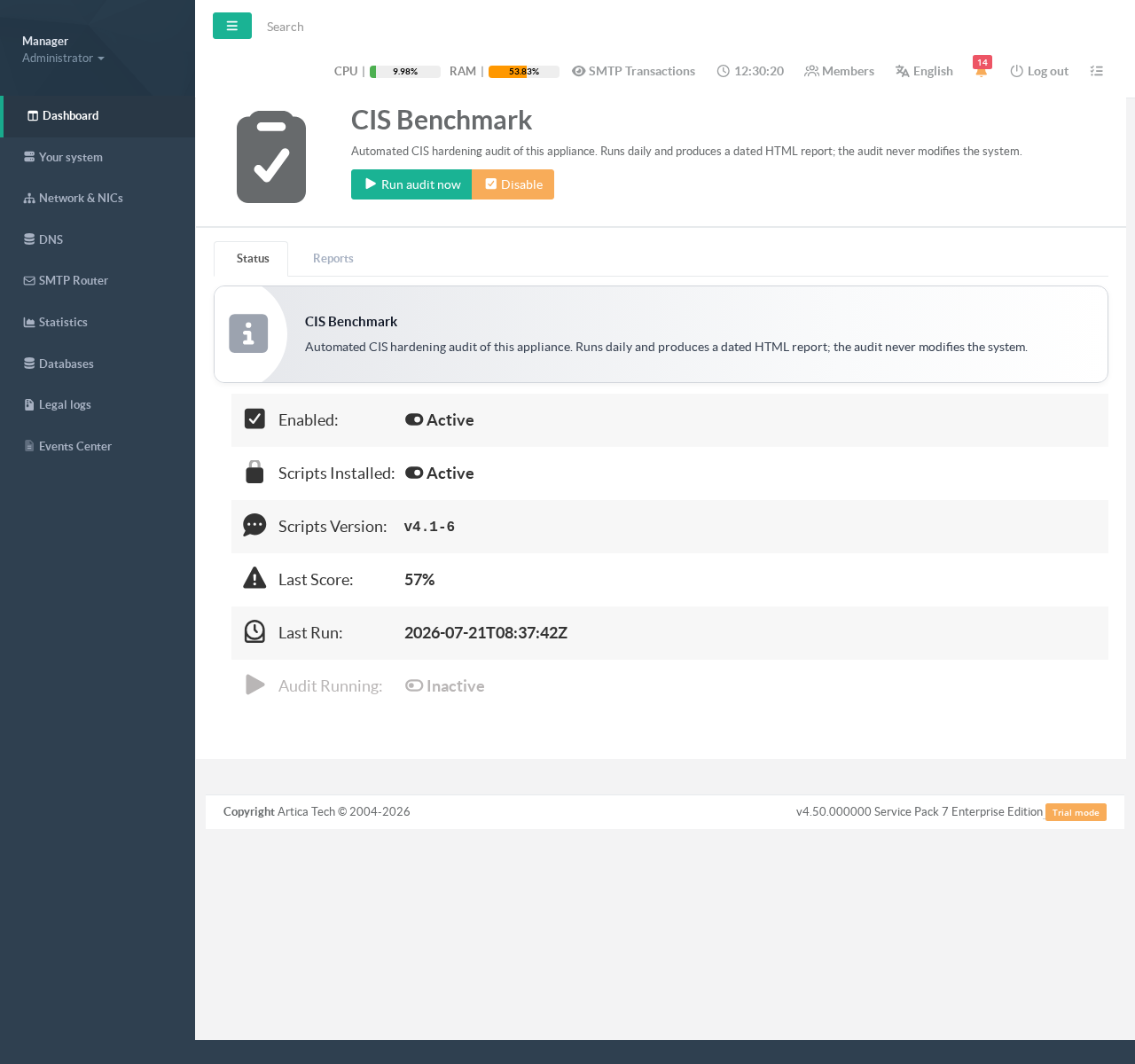
It reports, at a glance:
- Enabled — whether the daily audit is active.
- Scripts Installed — whether the debian-cis audit scripts are present on the appliance.
- Scripts Version — the pinned upstream release in use (e.g.
v4.1-6). - Last Score — the conformity percentage of the most recent run.
- Last Run — the timestamp of the most recent audit.
- Audit Running — whether an audit is in progress right now.
Two buttons sit at the top of the page:
- Run audit now — triggers an audit immediately, without waiting for the daily schedule. A second audit requested while one is already running is politely refused, so runs never overlap.
- Enable / Disable — installs and activates the feature, or disables it. Disabling stops the daily schedule and removes the scripts, but keeps all previously generated reports (they are compliance evidence).
¶ Enabling the feature and running the first audit
- Open
Your system → Security → CIS Benchmark.
- Click Enable.
The appliance downloads and verifies the pinned debian-cis release;
Scripts Installed turns to Active and the version is displayed.
- Click Run audit now
To produce the first report immediately (a full audit typically takes about a minute), or simply wait for the automatic daily run.
From then on, the audit runs automatically once a day at 02:30. The schedule is deliberately offset from the other heavy nightly jobs (file-integrity scan, database backup) so the audits never contend for I/O.
¶ The Reports tab
The Reports tab lists every archived audit, most recent first, with its date and conformity score.
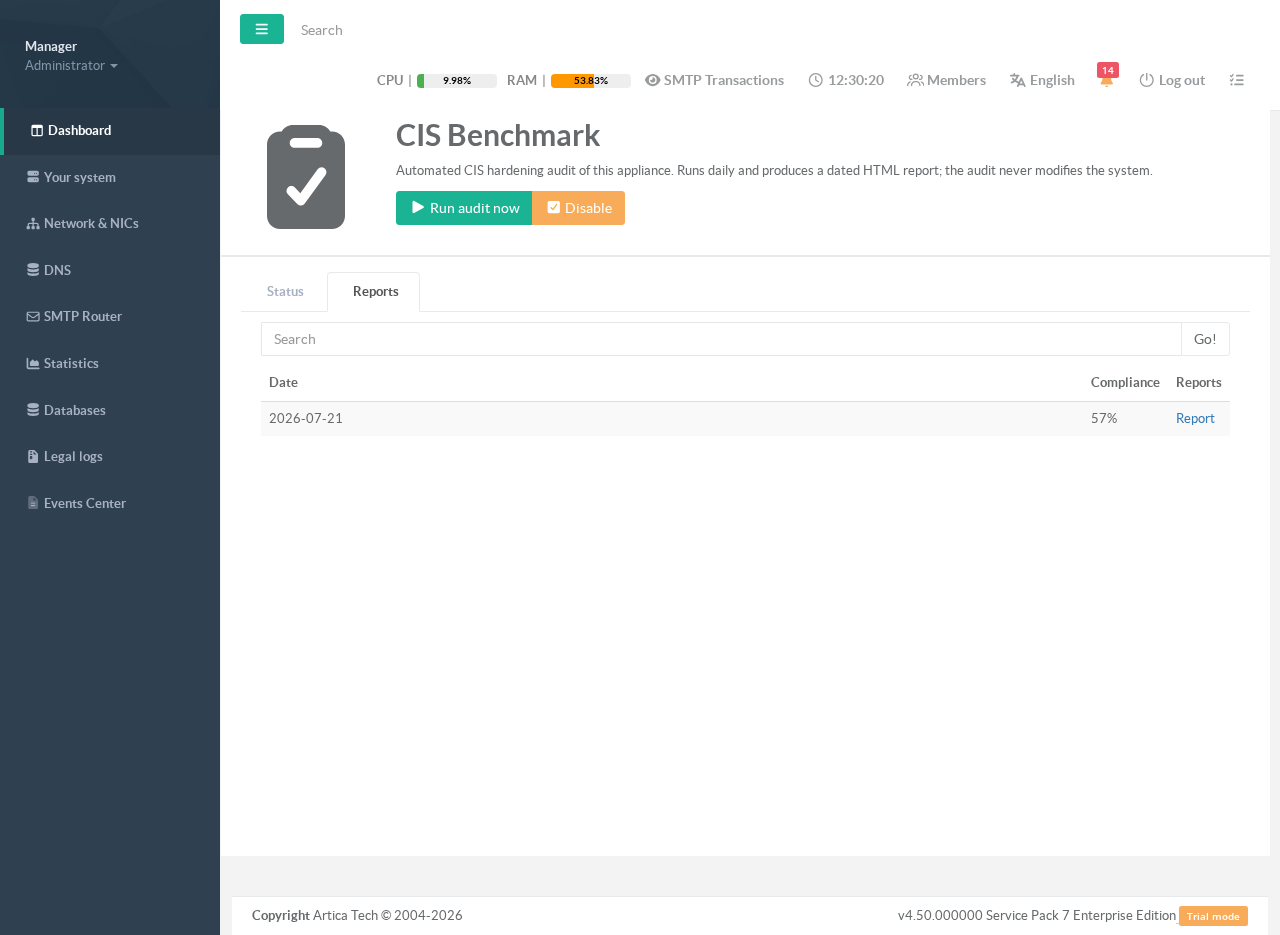
Click Report on any row to open that day’s full HTML report in a pop-up window.
¶ Reading a report
Each report opens with a summary banner: the conformity percentage, the number of controls that passed, failed, and were run, plus the audited distribution, the debian-cis release used, and the audit duration.
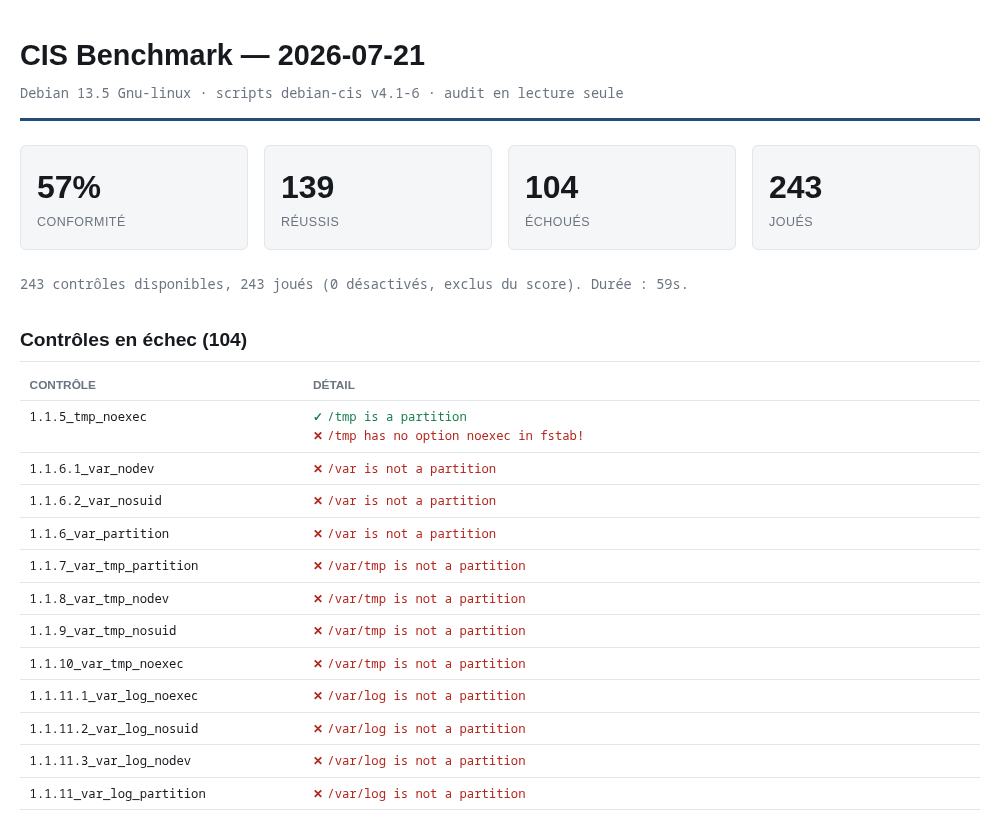
Below the summary, failed controls are listed first — these are the items to act on. Every sub-result is rendered on its own colour-coded line: a red ✗ for a failed check and a green ✓ for a passed one, followed by a plain-language explanation of what was expected versus what was found.
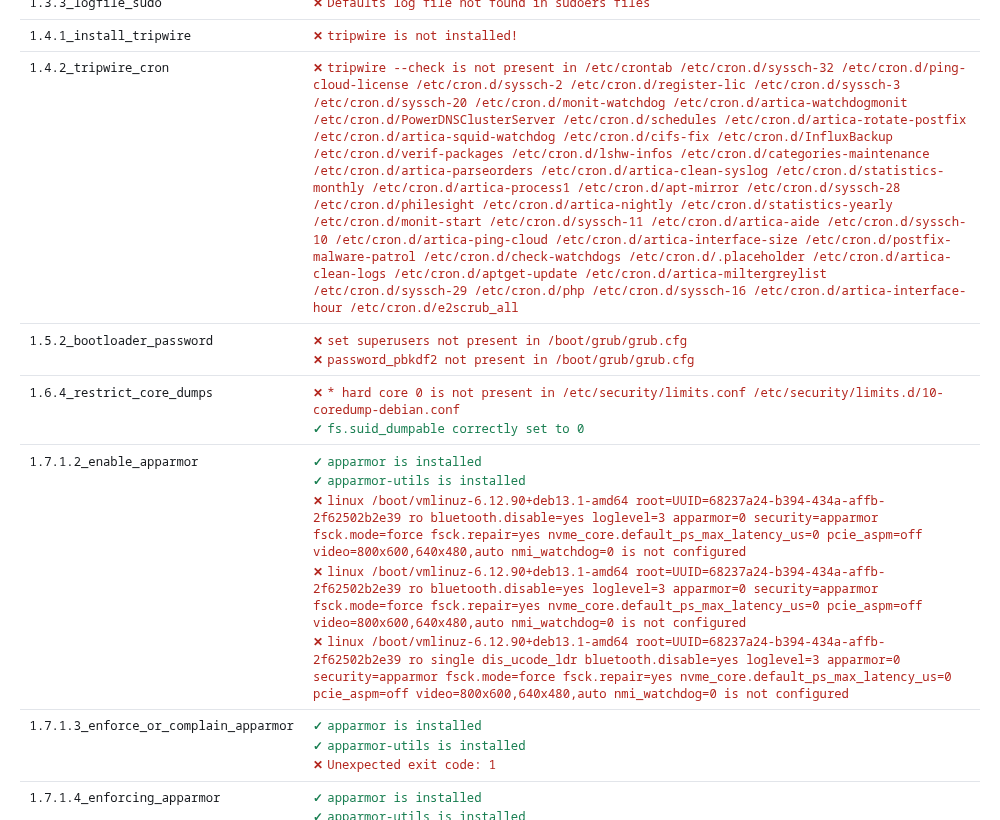
The report is fully self-contained (all styling is inline, no external resources) so it can be saved, e-mailed or archived and it will render identically anywhere.
¶ How it works
- Source.
The audit engine is the upstreamovh/debian-cisproject (Apache-2.0). The appliance pins a specific published release rather than tracking a moving branch, and refreshes only when a newer official release appears.
- Read-only by design.
Onlybin/hardening.sh --audit-all --batchis executed.
The remediation flag is never added, so the audited system is left untouched — verified on every run.
- Scoring.
Conformity = passed controls ÷ controls actually run × 100. Controls that are not applicable/disabled are excluded from the score.
- Storage & retention.
Reports are written to/home/artica/cisbenchmarks/asYYYY-MM-DD.htmlandYYYY-MM-DD.json.
Old reports are pruned automatically after the configured retention period (90 days by default).
¶ REST API reference
The feature is driven by a small REST API on the local ArticaREST socket.
These endpoints are what the web page calls; they can also be used for automation.
| Method & path | Purpose |
|---|---|
GET /system/cisbenchmark/status |
Current state: enabled, installed, version, last run, last score, running. |
POST /system/cisbenchmark/install |
Download & install the pinned scripts and enable the feature. |
POST /system/cisbenchmark/uninstall |
Disable the feature and remove the scripts (reports are kept). |
POST /system/cisbenchmark/scan |
Run an audit now (returns 202; 409 if one is already running). |
POST /system/cisbenchmark/update |
Force-refresh the scripts to the latest published release. |
GET /system/cisbenchmark/reports |
List archived reports (date, score, size). |
GET /system/cisbenchmark/report/{date} |
Fetch one report’s HTML ({date} = YYYY-MM-DD). |