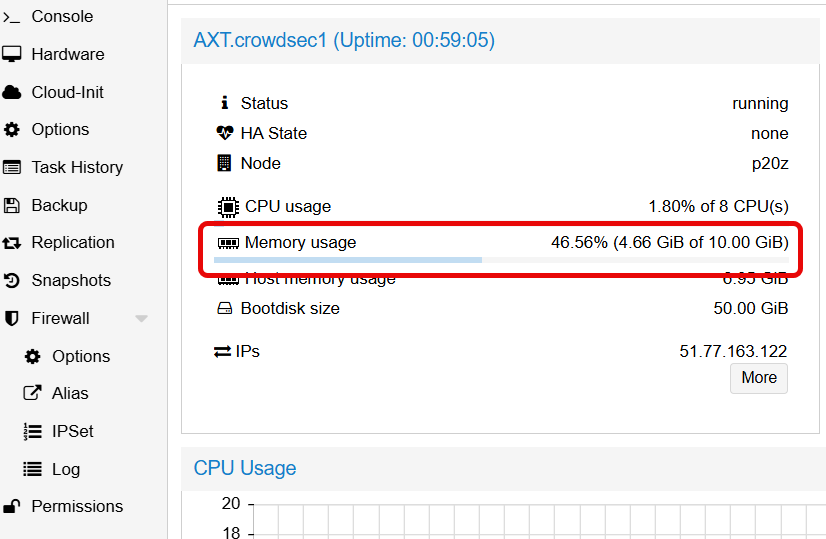
Proxmox reports memory usage as
Total - Free, which includes Linux disk cache.
This makes VMs appear to use more memory than applications actually need.
Although this is a Proxmox feature designed to ensure disk I/O performance (memory used by the ZFS volume, zvol),
Proxmox may pause the virtual machine if it considers that the VM is consuming too much memory.
Actual application memory: 1.1 GB
Disk cache (reclaimable): 3.56 GB
¶ Understanding Linux Memory
total used free shared buff/cache available
Mem: 9.8Gi 1.1Gi 4.1Gi 733Mi 4.6Gi 7.7Gi
| Column | Description |
|---|---|
| used | Memory used by applications |
| free | Completely unused memory |
| buff/cache | Disk cache (automatically freed when needed) |
| available | Memory available for applications (free + reclaimable cache) |
Proxmox calculates: Total - Free = 9.8 - 4.1 = 5.7 GB "used" Actual app usage: 1.1 GB
High "used" memory in Proxmox often reflects extensive caching (especially with ZFS), not a memory leak.
Instead of dropping caches, monitor available memory and swap pressure—if applications perform well and swap usage is low, the system is functioning as intended.
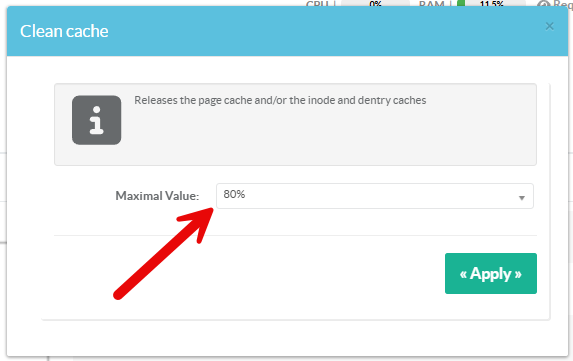
To prevent Proxmox from freezing or pausing the virtual machine, you can define a maximum cache memory threshold as a percentage of total memory.
This will instruct Artica to proactively flush the cache.
When this feature is enabled, Artica checks the memory reported by Proxmox every 10 minutes.
If the memory usage exceeds the configured percentage, the cache is automatically cleared.
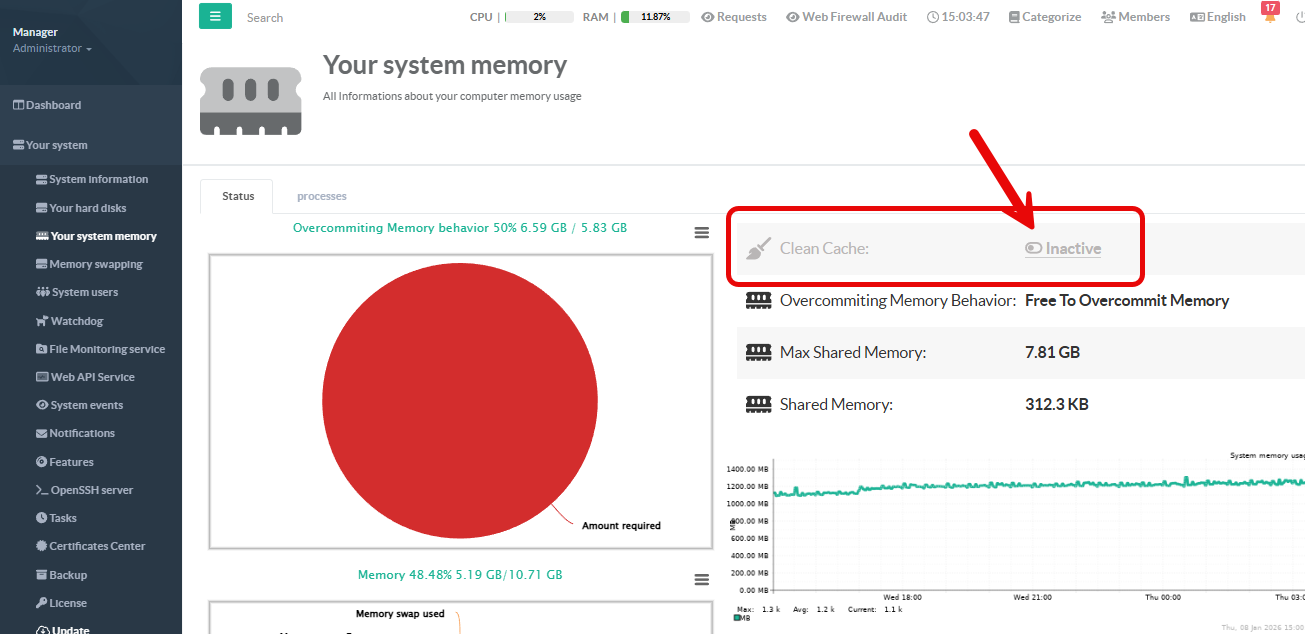
- On the left menu go to
Your System > Your system memory - Select the “Clean Cache” option
- Select the trigger threshold as a percentage