PostScreen is Postfix's front-line filter. It sits in front of the real SMTP engine and weeds out the bulk of botnet / zombie spam sources before they are ever allowed to talk to your mail server — using a handful of cheap, fast tests (IP reputation + SMTP protocol behaviour) instead of expensive content scanning.
Think of it as a bouncer at the door: obvious spambots are turned away on the doorstep, so only legitimate (or at least well-behaved) clients reach the MTA, the antispam engine and the mailboxes behind it.
¶ Why use PostScreen — the benefits
- Stops spam at the cheapest possible point. A botnet client is rejected during the TCP/greeting phase, before the message body, the queue, or the antispam engine are ever touched. On an internet-facing relay this is typically the single biggest reduction in junk your server will ever see.
- Massive load relief. Because most botnet traffic never reaches Rspamd/content filtering, the MTA and the antispam engine spend their CPU only on mail that has a real chance of being legitimate. Fewer connections, fewer queued messages, lower latency.
- Catches spambots without false positives on real mail. The tests target behaviour that only broken/hostile clients exhibit — talking before the greeting, pipelining commands illegally, sending bare newlines, or appearing on multiple reputation lists. Well-behaved mail servers pass silently.
- Reputation-based scoring you control. Multiple DNSBL/RBL lists are combined into a weighted score, so a single list is never solely responsible for a rejection — you decide how much each list counts and what score triggers an action.
- A permanent allow/deny list. Trusted partner relays can be whitelisted so they are never tested, and known-bad networks can be blocked outright — independently of the reputation tests.
- Safe to roll out. Monitor mode lets you watch exactly what PostScreen would block before it blocks anything, so you can tune confidently on a production server.
¶ Typical use cases
- An internet-facing MX / relay drowning in botnet spam. Enable PostScreen to shed the bulk of the junk at the front door and give your antispam engine breathing room.
- Protecting a mail gateway. Put PostScreen in front of a downstream Exchange / Zimbra / internal mail system so zombie traffic never reaches it.
- A trusted partner or application relay that must never be filtered. Whitelist its IP range so it always bypasses every test, even during an aggressive reputation-list episode.
- Reacting to a specific abusive source. Blacklist a network immediately, without waiting for it to appear on a public reputation list.
- Tuning before enforcing. Run in Monitor mode on a busy server for a day, review what would have been blocked, then switch to Balanced or Strict with confidence.
¶ The dashboard
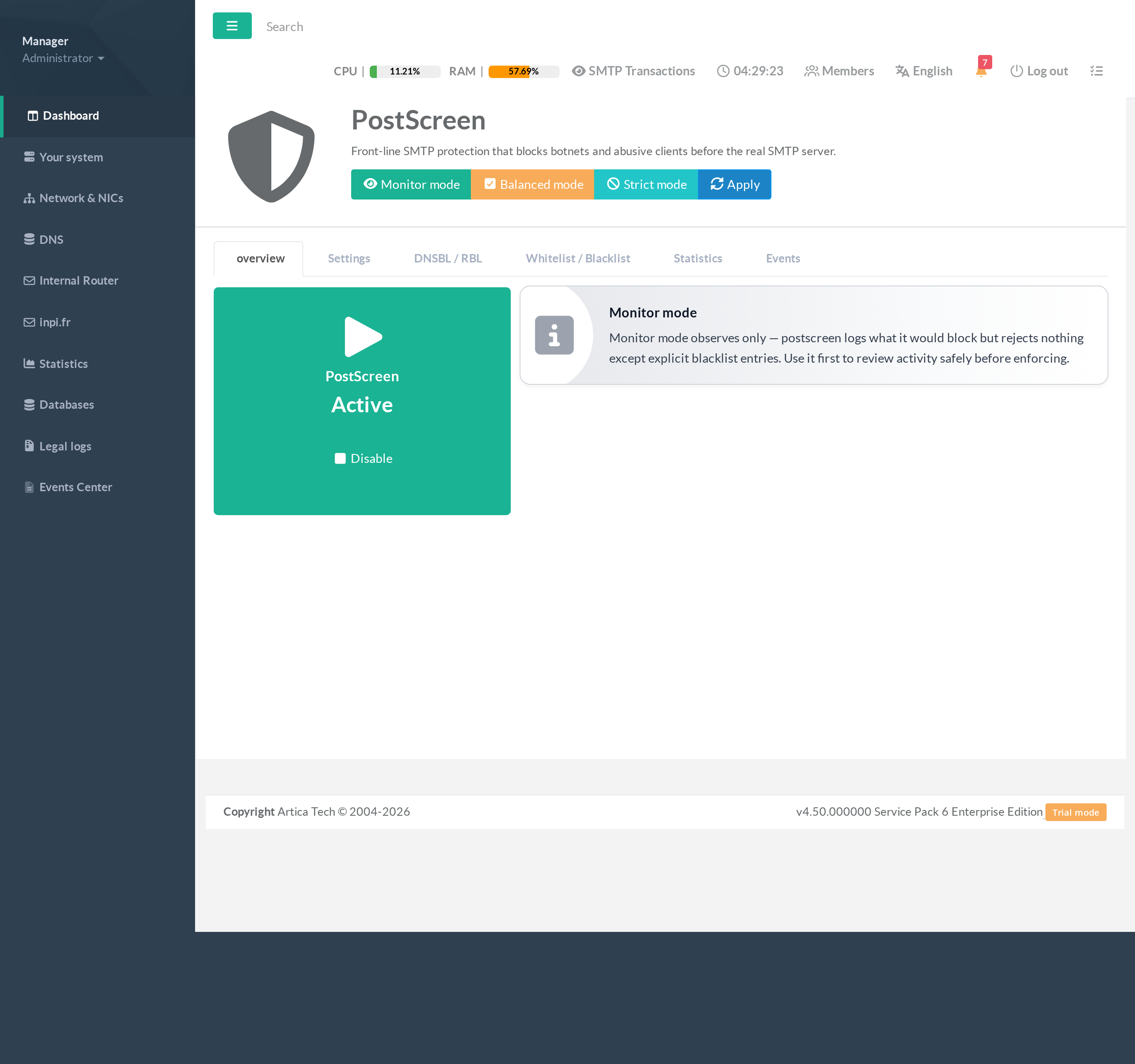
On the left menu, open SMTP Router / PostScreen. The overview shows whether the service is active, the current enforcement mode, and the quick mode switches. Six tabs organise the feature: overview, Settings, DNSBL / RBL, Whitelist / Blacklist, Statistics and Events.
¶ 1. Choose an enforcement mode
PostScreen ships three ready-made profiles; pick one from the top toolbar, then Apply:
- Monitor mode — observe only.
PostScreen logs what it would block but rejects nothing except explicit blacklist entries.
Always start here on a production server to review activity safely.
- Balanced mode — the recommended everyday setting.
Blocks clear offenders (bad reputation, protocol abuse) while staying tolerant of quirky-but-legitimate servers.
- Strict mode — maximum protection.
Enforces every test aggressively; use it once you have confirmed in Monitor/Balanced that legitimate senders are not affected.
¶ 2. The protocol tests (Settings)
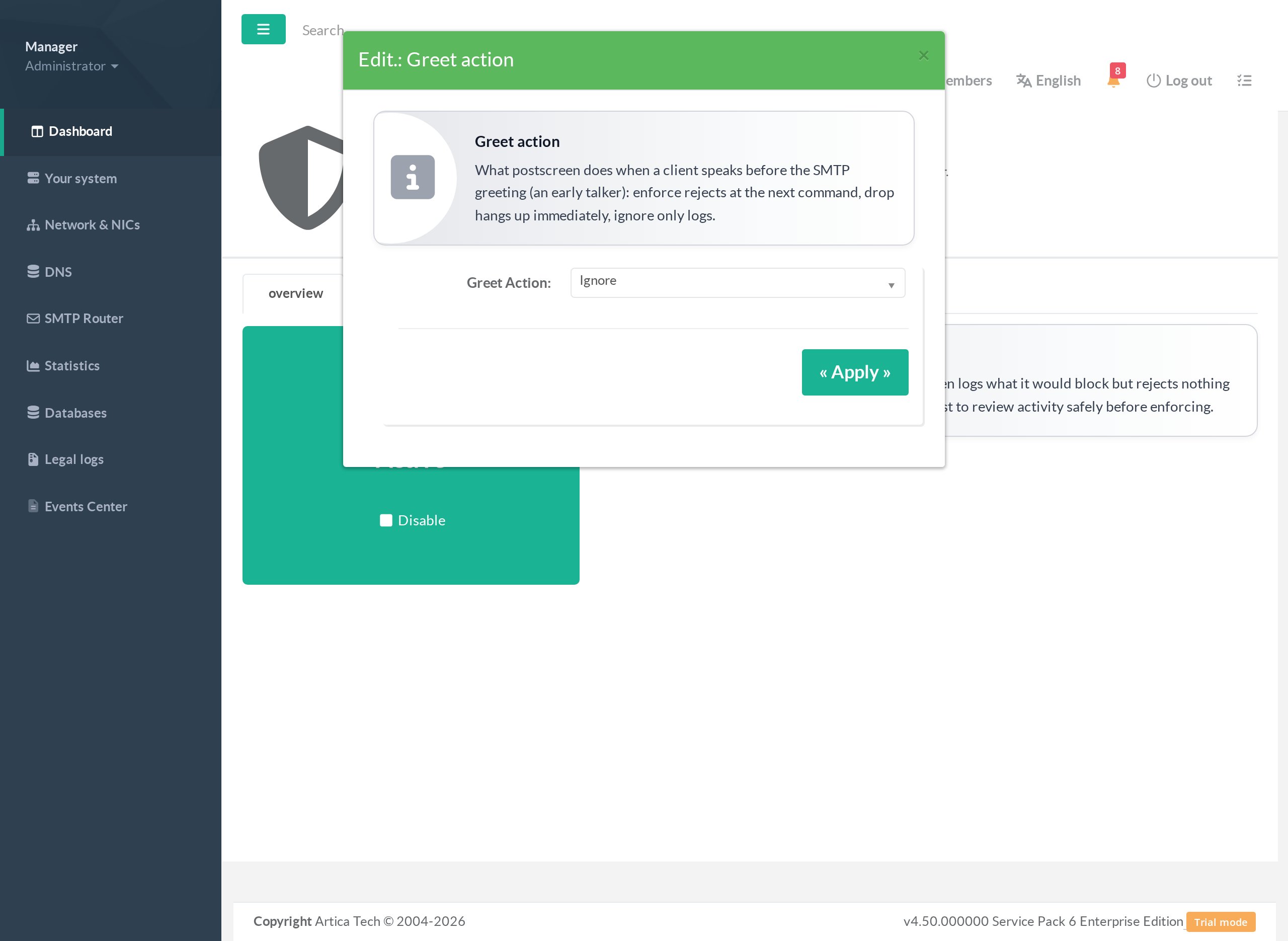
The Settings tab exposes the individual tests. Each has a clear explanation and an action (ignore = log only, enforce = reject at the next command, drop = hang up immediately). The main ones:
- Greet action — what to do with an early talker: a client that speaks before the SMTP greeting has finished. Real servers wait; spambots do not.
- Pipelining — catches clients that illegally send multiple commands at once to blast mail faster.
- Non-SMTP command — catches clients that send junk / non-SMTP data on the SMTP port.
- Bare newline — catches clients that violate the line-ending rules of the SMTP protocol.
¶ 3. Reputation lists (DNSBL / RBL)
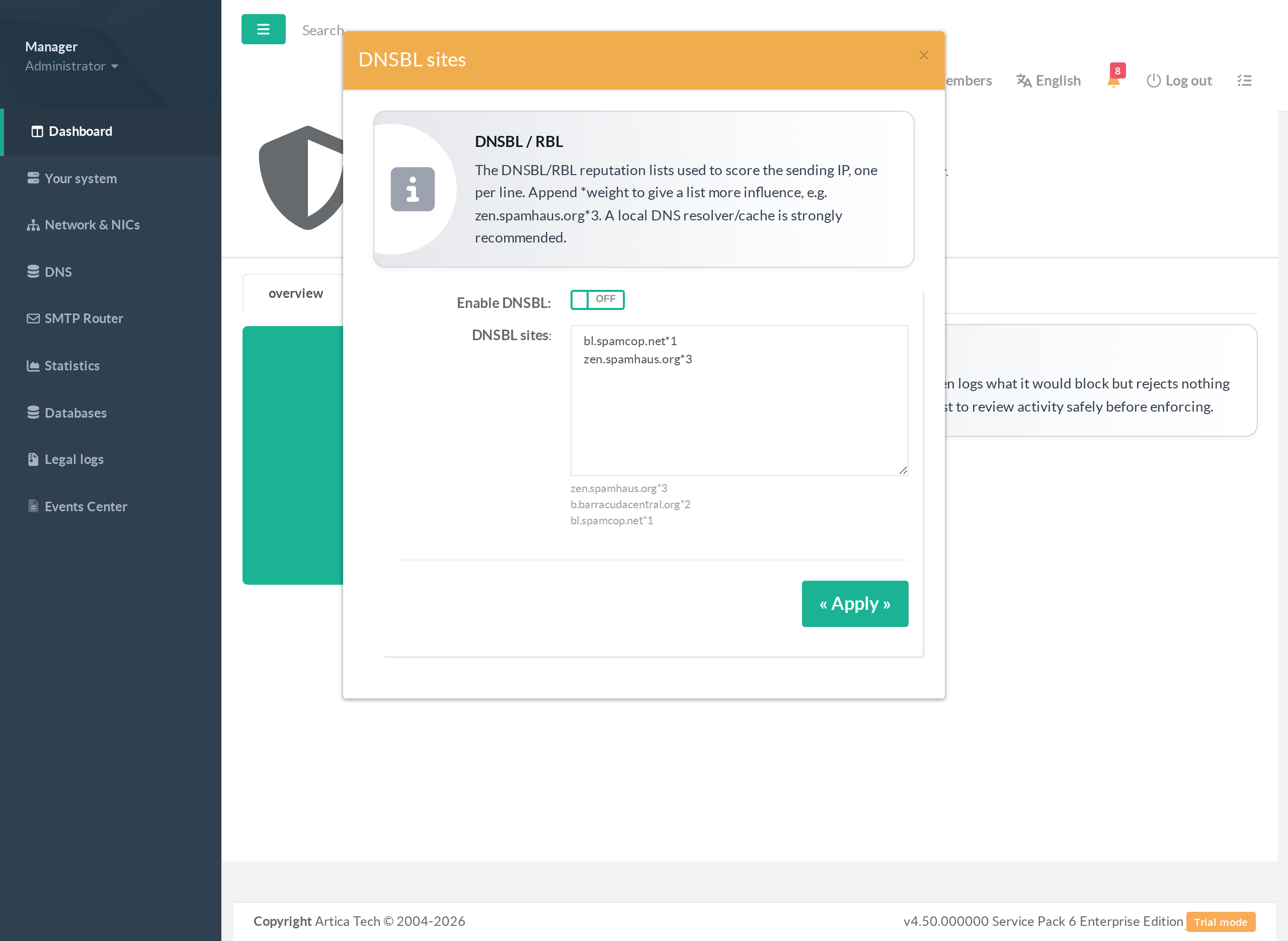
On the DNSBL / RBL tab, list the reputation services to consult, one per line. Append *weight to give a list more influence in the combined score (for example zen.spamhaus.org*3 counts three times as much as a *1 list). When the summed score of a sending IP crosses the threshold, the DNSBL action is taken.
Run a local DNS resolver/cache. PostScreen makes a DNS lookup per list per client; a local caching resolver is strongly recommended so reputation checks stay fast and you do not hammer the public list operators (who may rate-limit you).
¶ 4. Whitelist & Blacklist
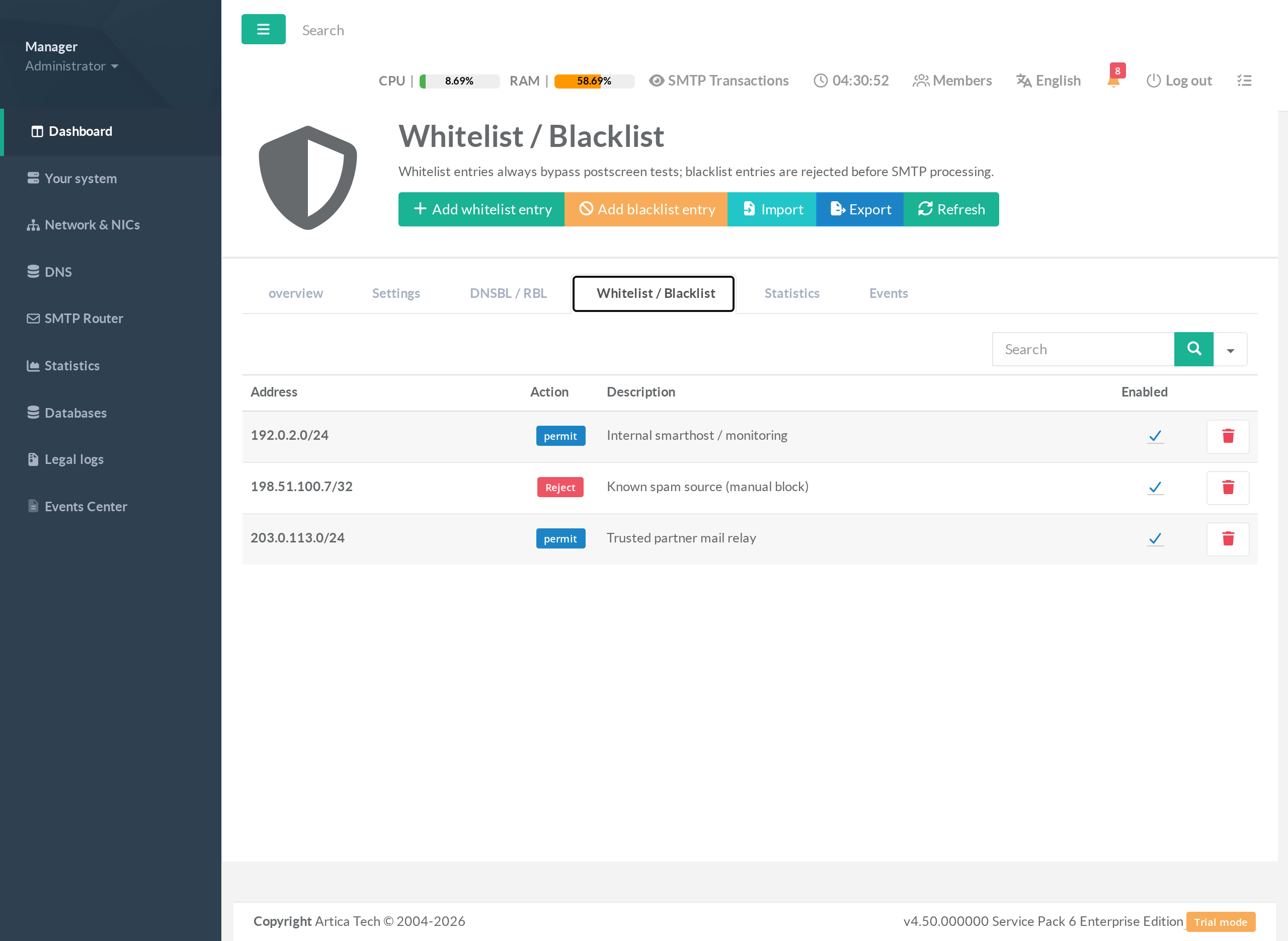
On the Whitelist / Blacklist tab you keep a permanent list of networks that bypass or are refused by PostScreen, independently of the reputation tests:
- Whitelist (permit) — the address/CIDR always bypasses every PostScreen test. Use it for trusted partner relays, your own smart-hosts, and monitoring probes.
- Blacklist (reject) — the address/CIDR is refused before SMTP processing, even in Monitor mode. Use it to block a specific abusive source at once.
Entries take a full address (198.51.100.7) or a CIDR range (203.0.113.0/24), a description, and can be individually enabled/disabled. The Import / Export buttons move the whole list in and out as text.
¶ 5. Apply, then watch
Click Apply to write the configuration into Postfix and reload it. The Statistics tab then shows how much traffic each test is catching, and the Events tab lists the individual connections PostScreen acted on — the two views you use to confirm the impact and to tune the thresholds.
¶ Recommended rollout
- Enable PostScreen in Monitor mode and Apply.
- Whitelist your trusted partners / smart-hosts first, so they can never be affected.
- Leave it in Monitor for a representative period; review Statistics / Events to see what would have been blocked.
- Switch to Balanced mode and Apply; keep watching Events for any legitimate sender caught.
- Only move to Strict mode once you are confident legitimate mail is unaffected.
¶ Troubleshooting
A legitimate server is being blocked
Whitelist its IP/CIDR on the Whitelist / Blacklist tab (permit) — whitelisted clients bypass every test. If it was caught by reputation, also lower the offending list's weight or the DNSBL threshold.
PostScreen seems to do nothing
Check the mode: in Monitor mode nothing is rejected except explicit blacklist entries. Switch to Balanced/Strict and Apply to enforce.
Reputation checks are slow or intermittent
Install and point the system at a local DNS resolver/cache; public DNSBL operators rate-limit heavy direct users.
Changes have no effect
Every change becomes live only after Apply (which rewrites master.cf and reloads Postfix).
- Rspamd anti-spam — content filtering behind PostScreen
- Back to main SMTP service section