Some senders cannot authenticate.
A copier that scans to email, a monitoring probe, an industrial controller, an application whose SMTP client predates SASL:
They are legitimate, they are yours, and they have no way to present a password.
This page lists the client addresses that are allowed to send mail without authenticating.
The page is SMTP authentication whitelist, reachable from the SMTP service menu. It governs one Postfix instance at a time.
¶ Why you would use it
- It unblocks a device you cannot fix.
Firmware that cannot do SASL is not going to change.
The alternative — widening the trusted networks — grants far more, to far more machines, with no record of who was let in or why.
- One address at a time, not a whole network.
You name the copier, not the subnet the copier happens to sit on.
- Each entry can be switched off without being lost.
The device goes to maintenance for a week: disable the entry, re-enable it on return. The description, the author and the date survive.
- Every entry is documented and attributable.
A description is required, and the list records who added it and when — so the entry nobody remembers can still be judged in a year.
- It excuses authentication and nothing else.
A whitelisted sender still faces every other control: blocklists, HELO and sender checks, the antivirus and the antispam filters.
- It refuses to become an open relay.
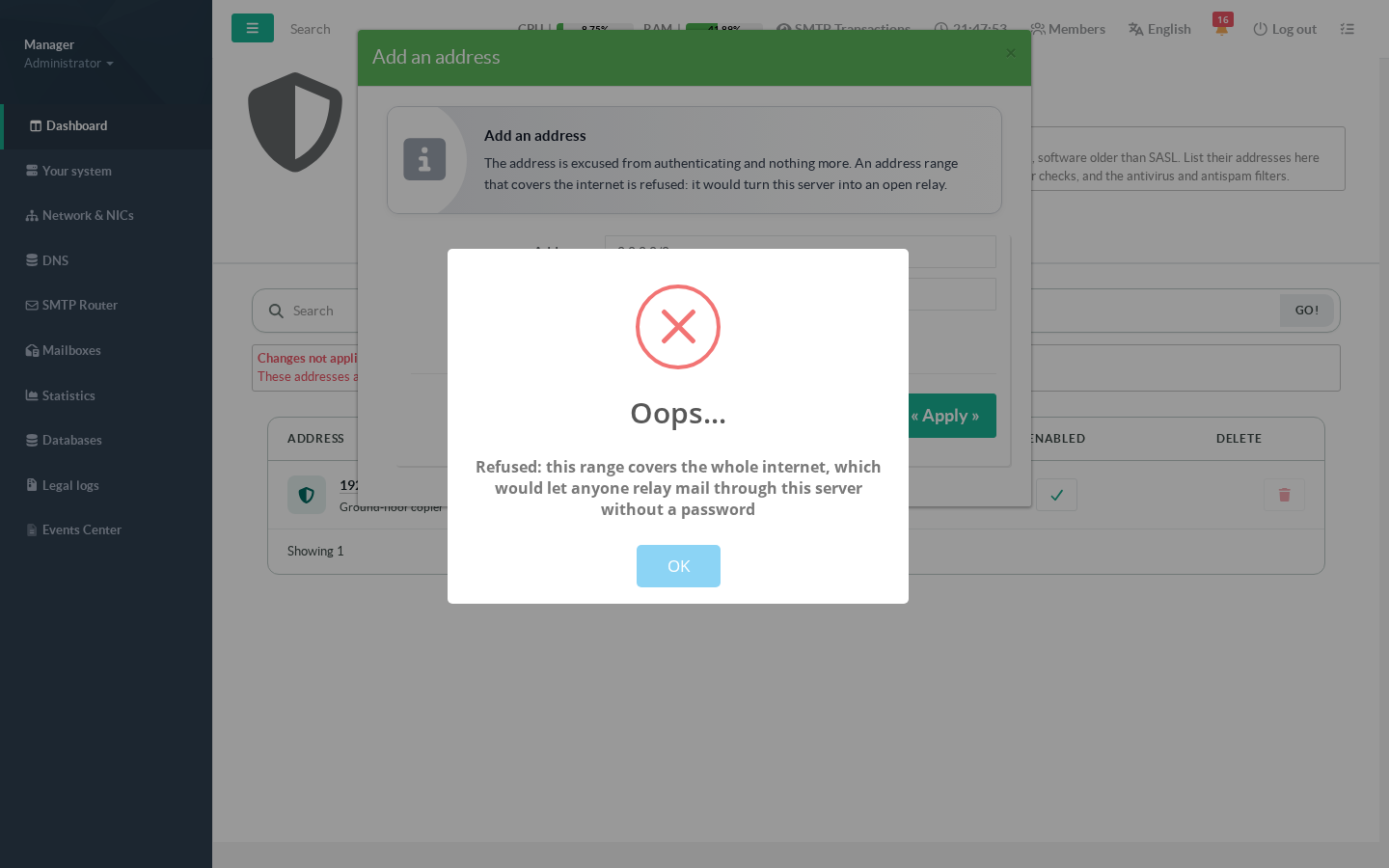
An entry covering the whole internet is rejected outright, not accepted with a warning.
¶ Typical use cases
- Multifunction printers and copiers that email scanned documents.
- Monitoring and backup systems that send alerts from a fixed machine.
- Industrial or building-management controllers with a minimal SMTP client.
- Legacy in-house applications nobody can rebuild, sending from a known server.
- A remote site's device reaching the mail server across the internet from a fixed public address.
- Not for your users. People with a mailbox and a password authenticate; who may do so is decided on the companion page, Addresses allowed to authenticate.
¶ What the whitelist does not change
It is a narrow permission, deliberately. A whitelisted address is excused from authenticating and that is all — it does not become trusted for anything else:
- Blocklists (DNSBL/RBL) still apply.
- HELO, sender and recipient checks still apply.
- The antivirus and antispam filters still apply.
- Rate limits and the other client-level controls still apply.
¶ Step by step
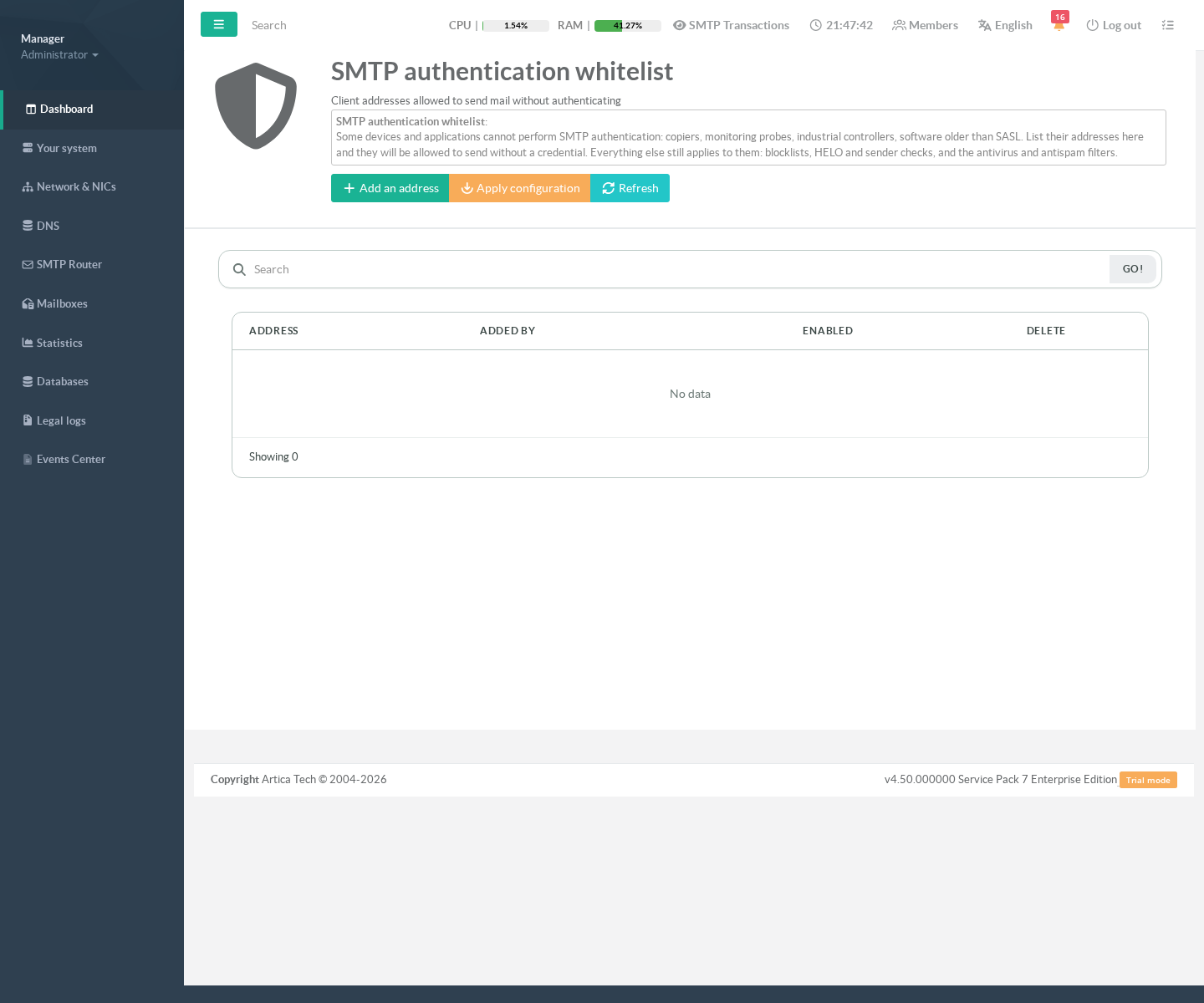
¶ 1. An empty list changes nothing
Before you add anything, the appliance behaves exactly as it did. There is no switch to turn on: the list itself is the switch.
¶ 2. Add the device
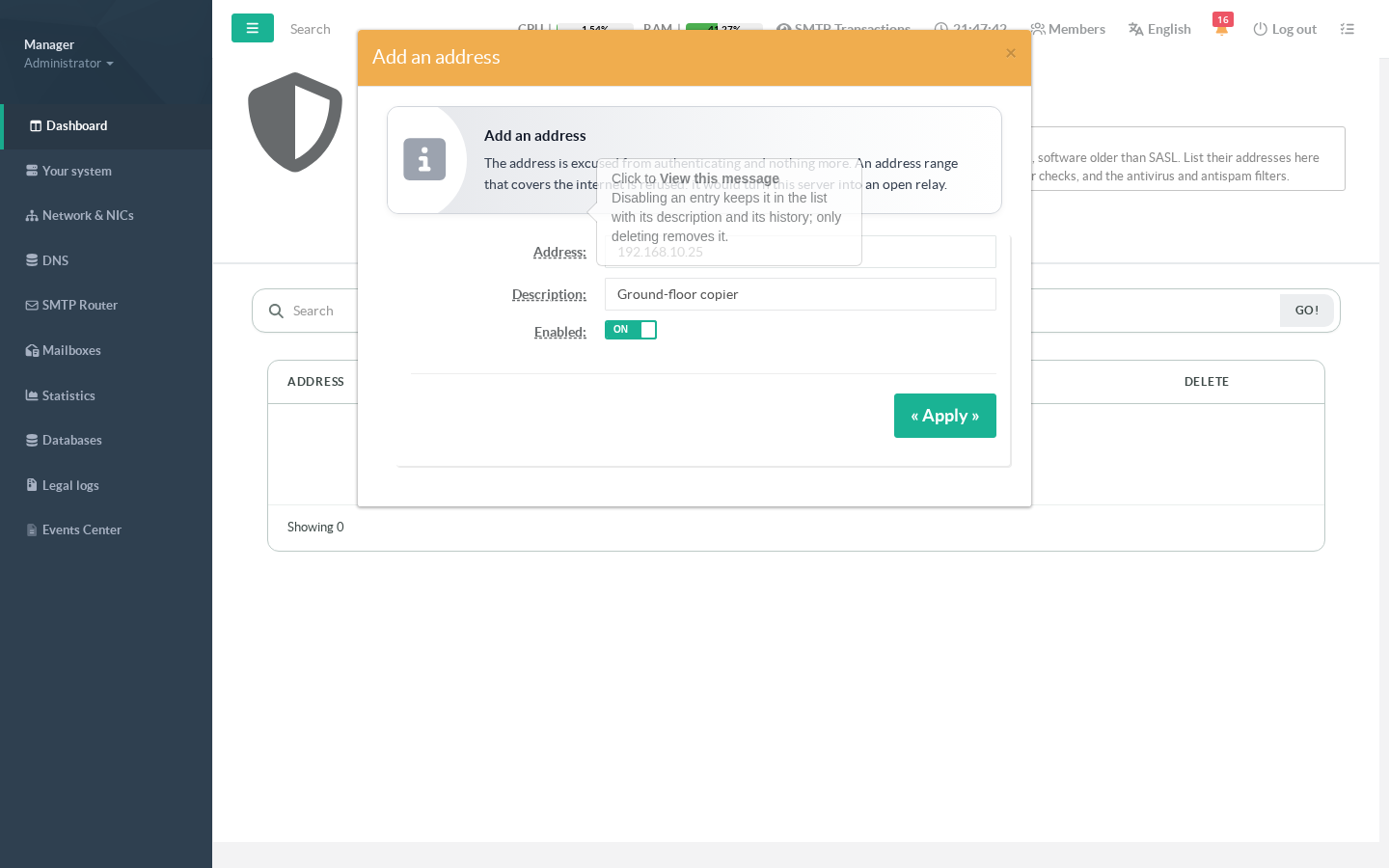
Add an address opens the form. Enter a single address (192.168.10.25) or a range in CIDR notation (203.0.113.64/26), and a description.
The description is required on purpose: in six months, an entry nobody can explain is an entry nobody dares remove. Host names are refused — a name could change what is permitted without anyone editing anything.
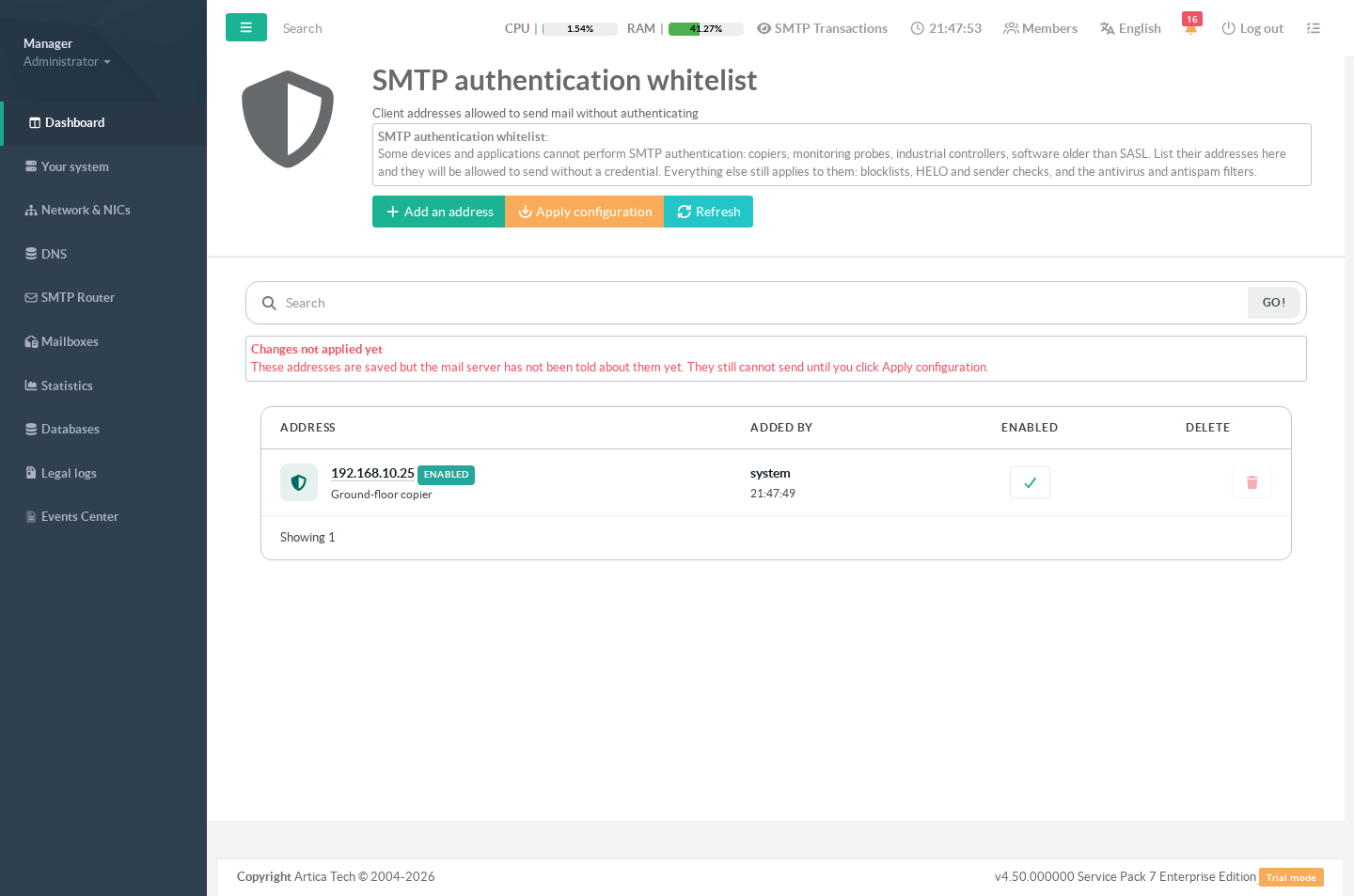
¶ 3. Saved is not applied
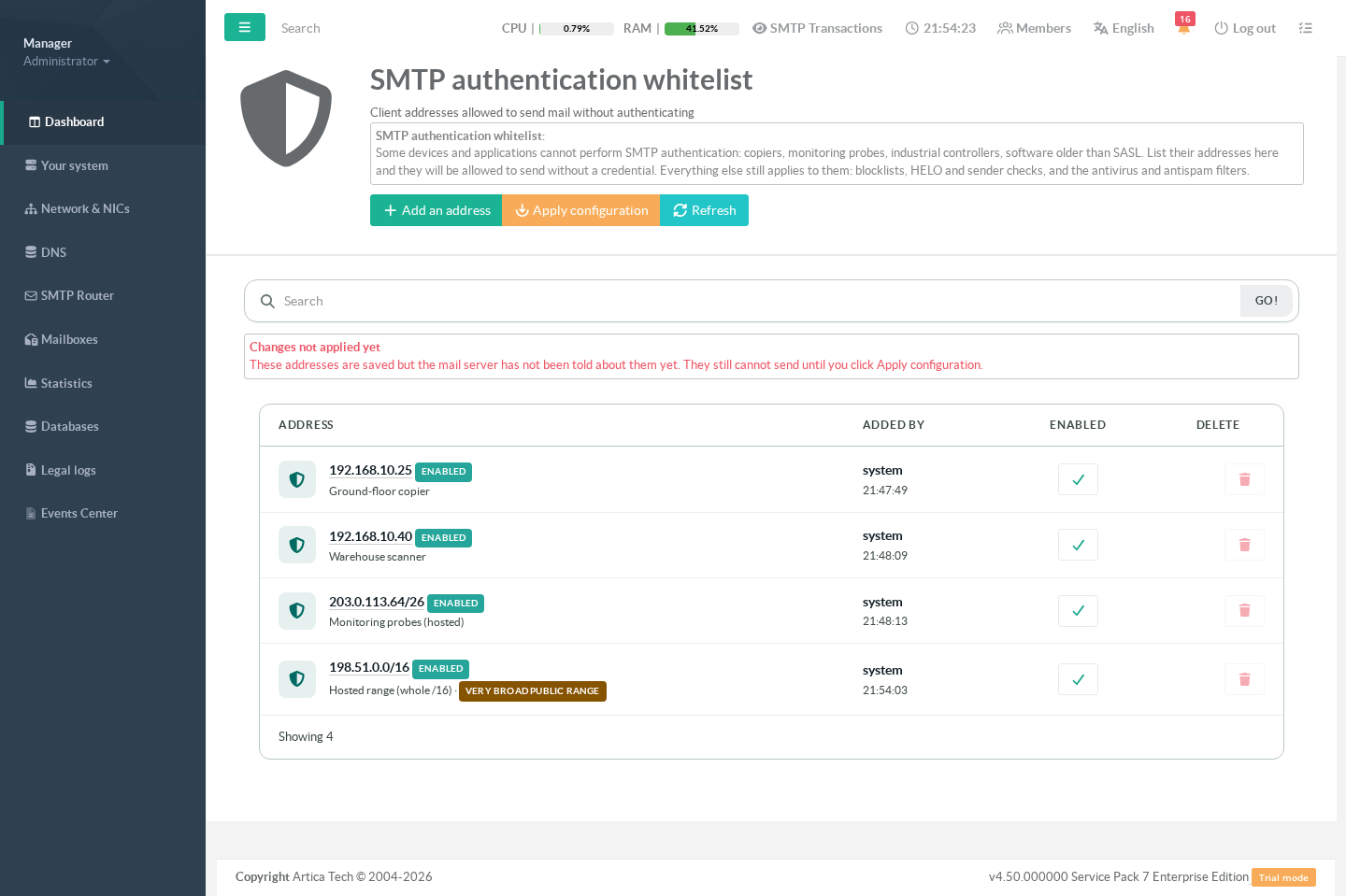
Adding an address stores it; the mail server has not been told yet. The page says so, and the device still cannot send until you click Apply configuration. If a newly added device is still being refused, this banner is the first thing to check.
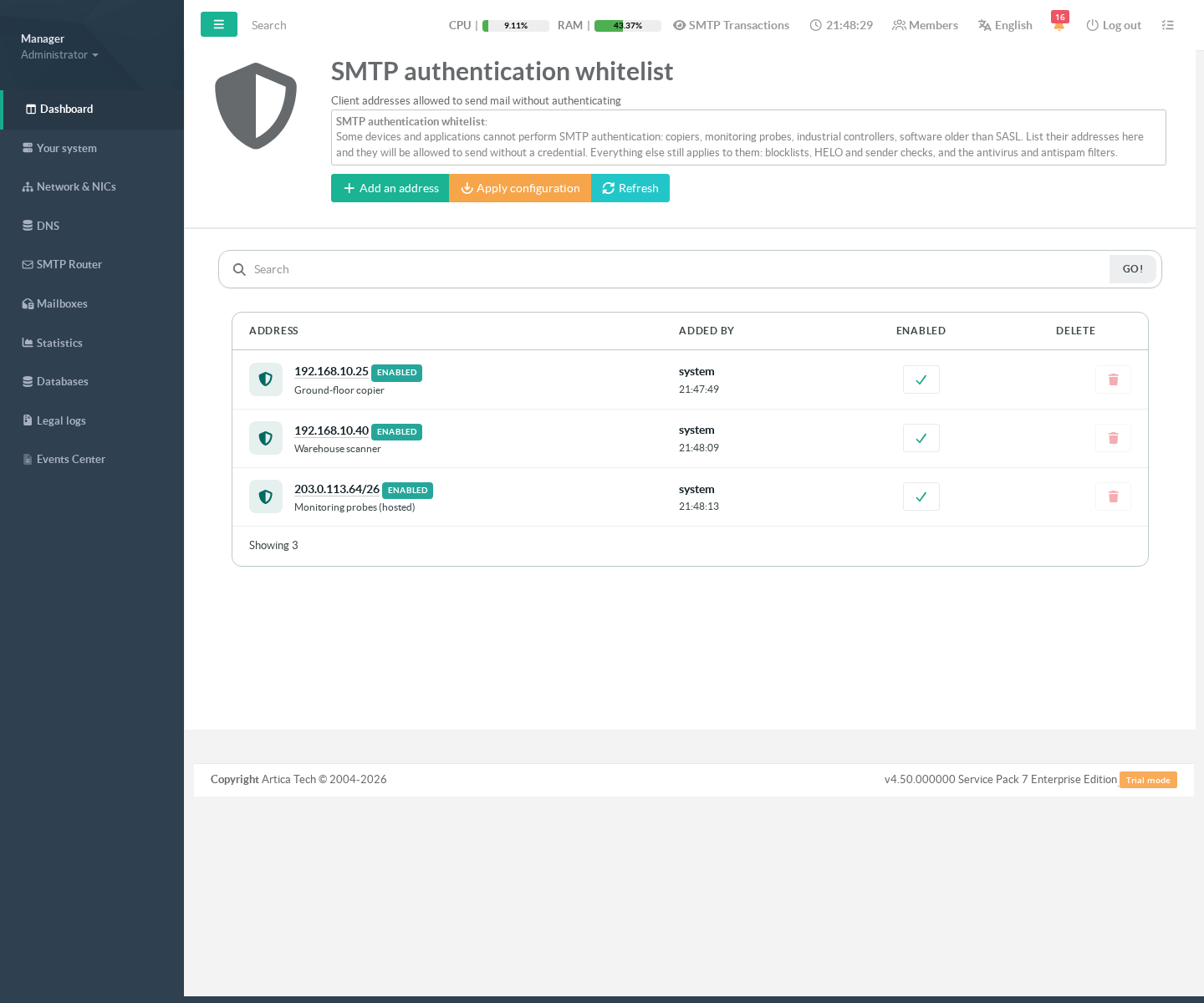
¶ 4. Apply
Apply configuration hands the list to Postfix and reloads it. Mail in flight is not interrupted, and the change takes effect immediately.
¶ Safety rails
¶ An entry covering the internet is refused
0.0.0.0/0 — or its IPv6 equivalent — would let anyone in the world relay mail through your server without a password. That is the textbook definition of an open relay, and it would be found and abused within hours. The page refuses it rather than warning about it: no legitimate device needs "the whole internet".
¶ A very broad public range is flagged, and stays flagged
A large public range — anything wider than a /24 — is accepted, because an organisation that owns the range may legitimately want it, but it is marked on the list from then on. The warning does not disappear after you click past it: it stays visible so that a broad entry added months ago cannot quietly become permanent furniture.
Private ranges are never flagged: they are not reachable from the internet, and warning about them would train you to ignore the warning that matters.
¶ Everyday operations
¶ Taking a device out of service
Use the Enabled switch rather than deleting the entry, then apply. Deleting is for devices that are gone for good; disabling is for everything else, and it is reversible in one click.
¶ Replacing a device
Add the new address, apply, check that it sends, then disable the old entry. Doing it in that order means the service is never interrupted, and the old entry is still there if the replacement turns out to be misconfigured.
¶ How this works with the authentication restriction
The appliance has a second, complementary list: Addresses allowed to authenticate, which confines SMTP authentication to addresses you name.
The two do not overlap. An address on this whitelist never authenticates, so that restriction has nothing to apply to it. In practice:
- A copier that cannot authenticate → this page.
- A user with a mailbox and a password → the authentication page.
- A site with both → the copier's address here, the site's address there. They do not interfere.
¶ Troubleshooting
| Symptom | Most likely cause |
|---|---|
| The device is in the list but still cannot send | The change was saved and never applied. Look for the red Changes not applied yet banner and click Apply configuration. |
| Adding the address changed nothing — it was already working | The device is inside your trusted networks, which are allowed before this list is even consulted. Check postconf -h mynetworks. |
| The device sends to internal recipients but not to the outside | Relaying to external domains is exactly what this list grants, so confirm the entry is enabled and applied, and that the address you listed is the one Postfix sees A device behind a NAT or a proxy arrives with a different address. |
| Mail from the device is accepted then rejected or filed as spam | Not this list: it only excuses authentication. Blocklists, the antivirus and the antispam filters still apply, and are the place to look. |
| The address is refused when you try to add it | Host names are not accepted, and a range covering the whole internet is refused. The message names which rule applies. |
¶ Notes
- The list belongs to the Postfix instance you are editing. On a multi-instance appliance, each instance has its own list and one never affects another.
- IPv4 and IPv6 addresses and ranges are both supported.
- Every change records who made it and when.