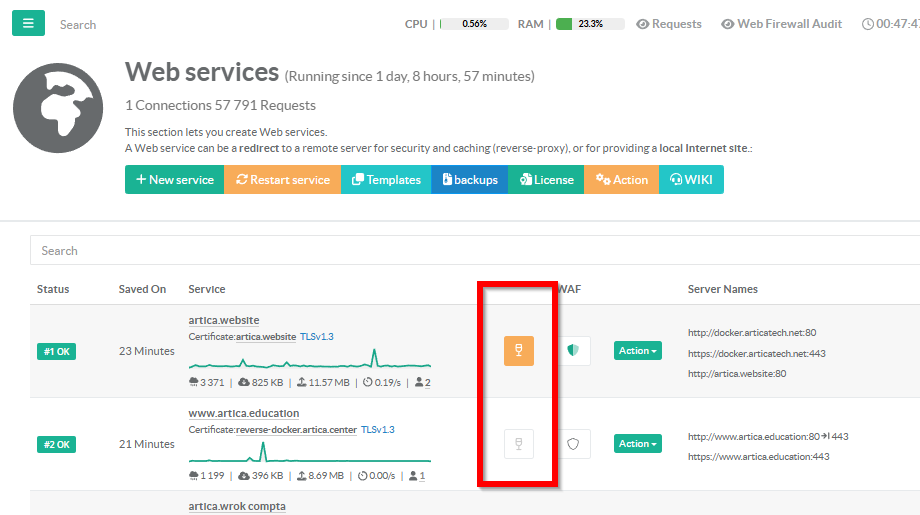
The main table allows you to quickly see which websites are currently being served from the local vitrified copy.
In the main table, to the left of the WAF column, a glass icon indicates whether the site has the vitrification feature enabled.
- When the icon is greyed out, vitrification mode is enabled but the reverse proxy is still serving content from the backend servers.
- When the icon is orange, vitrification mode is active and the reverse proxy is serving the local static copy.
- You can click on the icon to directly access the vitrification settings for that site.