WebDav Access for Static HTML site
This feature provides direct access to the working directory, allowing you to upload content to the Artica appliance and generate the web pages you require
Using WebDAV (Web Distributed Authoring and Versioning) for shared folders provides several benefits
- Remote Access and Management:
WebDAV allows users to access and manage files in a shared folder over the internet. This makes it easy to work remotely. - Collaboration:
Multiple users can access and edit files simultaneously, facilitating collaboration. It supports file locking to prevent overwriting of concurrent edits. - Compatibility and Ease of Use:
WebDAV is supported by many operating systems and applications, making it easy to integrate into existing workflows. It integrates seamlessly into file systems, making it appear like local file storage, which is user-friendly even for non-technical users - Direct Editing: Unlike standard file transfer protocols, WebDAV allows users to open, edit, and save files directly on the server without needing to download and upload.
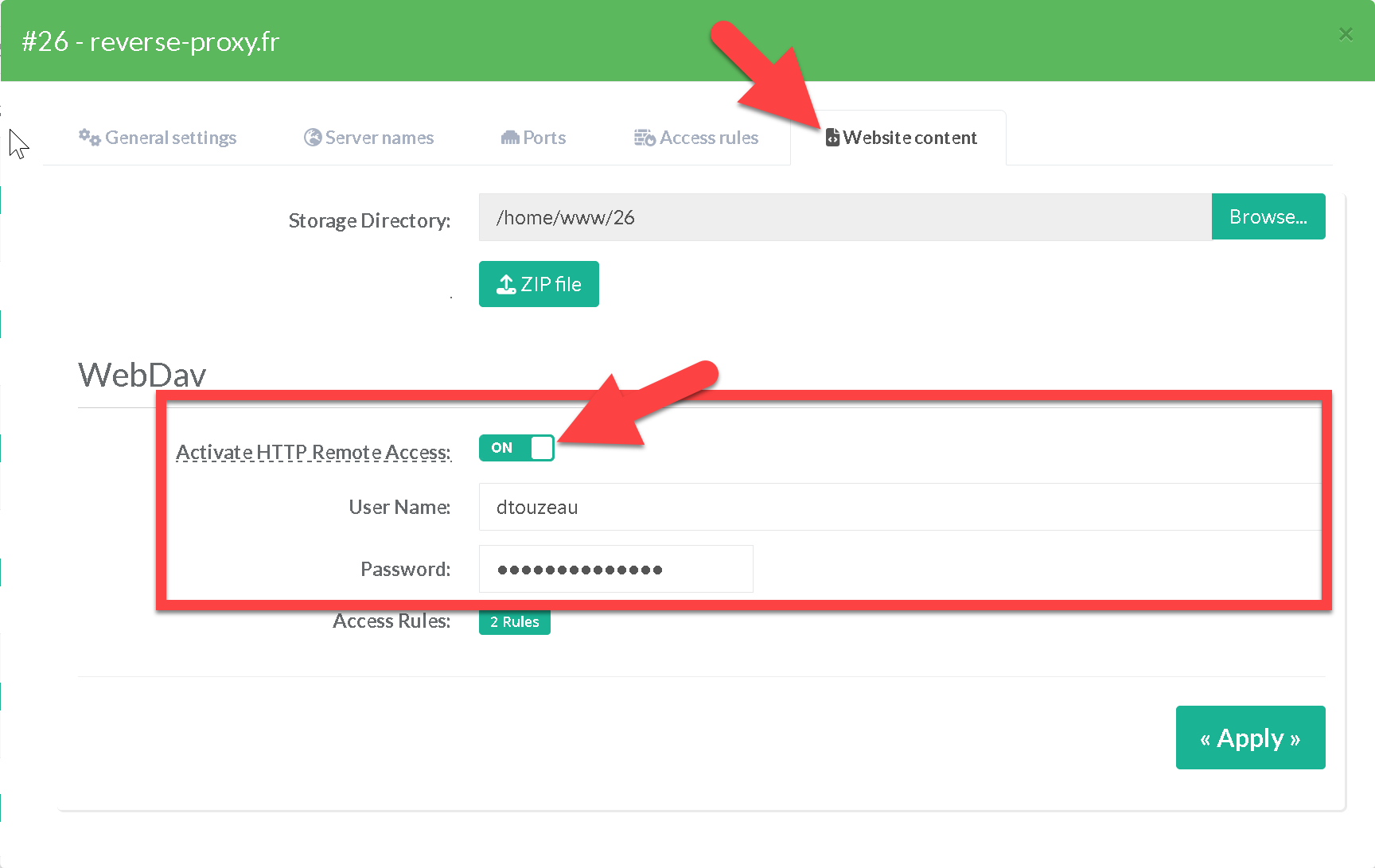
Enable WebDav Access on your HTML site.
- Open your Web site property and click on the “Website content” tab.
- Turn on the “Activate HTTP remote access” option.
- Set the username and password in order to access to the shared directory.
Secure your Webdav access
To guarantee the security of WebDav access, you can restrict access according to the source IP address of the connection.
- Click on the "Rules" button next to the “Access Rules” label.
- Rules are created in the same way as a firewall.
Authorized and banned rules are read in order of display.
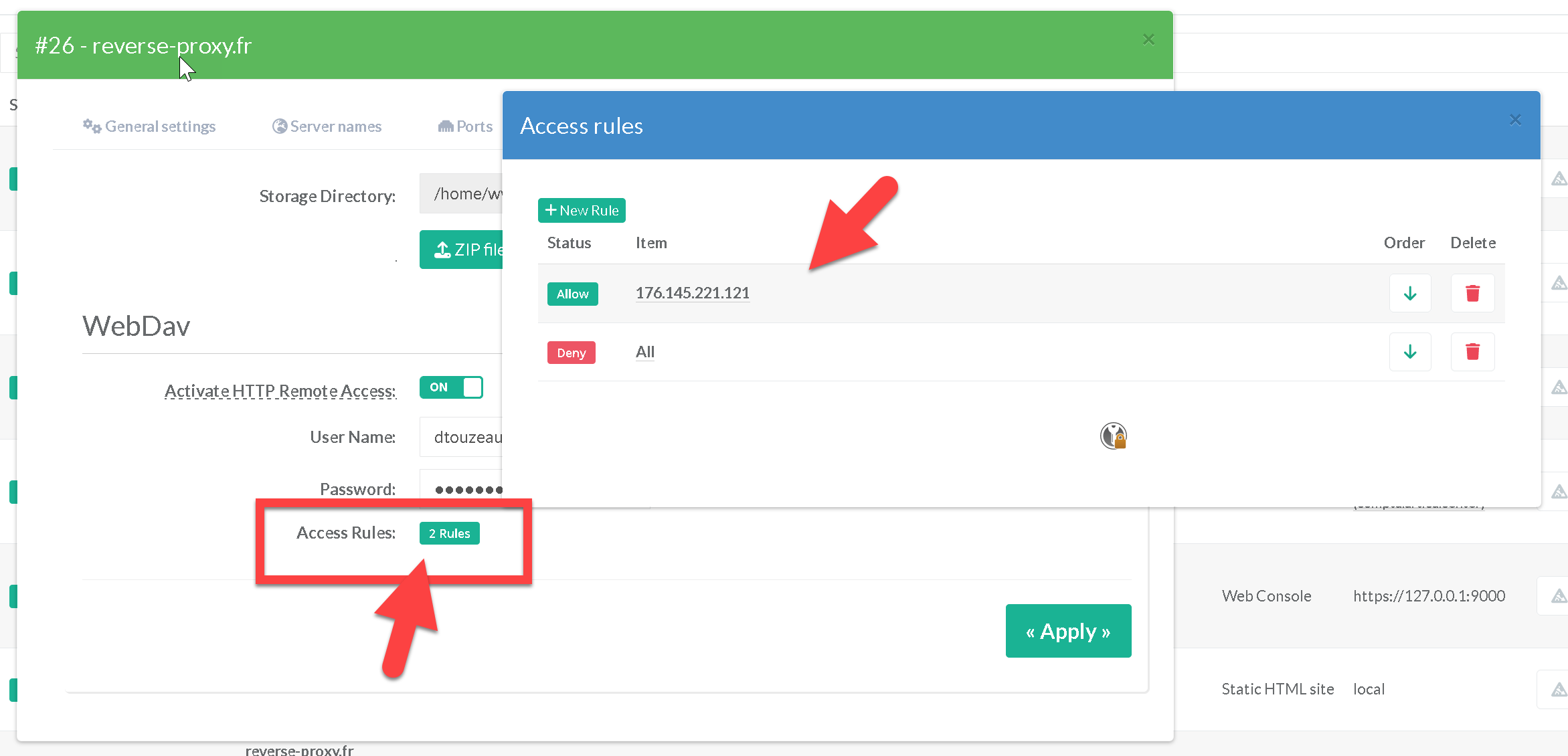
At the end, don't forget to add a rule that prohibits all access.