Assign a reputation rule inside your reverse-proxy website
You can modify the behavior of your website according to the reputation of the IP address connecting to your reverse proxy.
Appropriate website security not only protects against potential attacks by cybercriminals, but also boosts user confidence, which is essential for any online activity.
A secure website is one that offers protection against various types of attack, such as phishing, SQL injection, cross-site scripting (XSS) and man-in-the-middle (MitM) attacks.
The implementation of robust security measures, such as the verification of user IP addresses, helps prevent data breaches that can damage reputation.
A) Create your reputation rules.
The reputation service uses the principle of RBL lists.
The aim is to query DNS servers set up for this purpose.
There are many public DNS servers that can be used to find out whether an address is valid or not.
The first thing to do is to set up your reputation rules : Take a look of this section to setup your reputation rule.
However, you can build your own reputation server with Artica Community Edition ( See this section for more details.)
B) Assign your reputation rule to reverse-proxy rule
- On your Reverse-proxy rule, click on the link to open settings.
- Click on the link
Reputation service
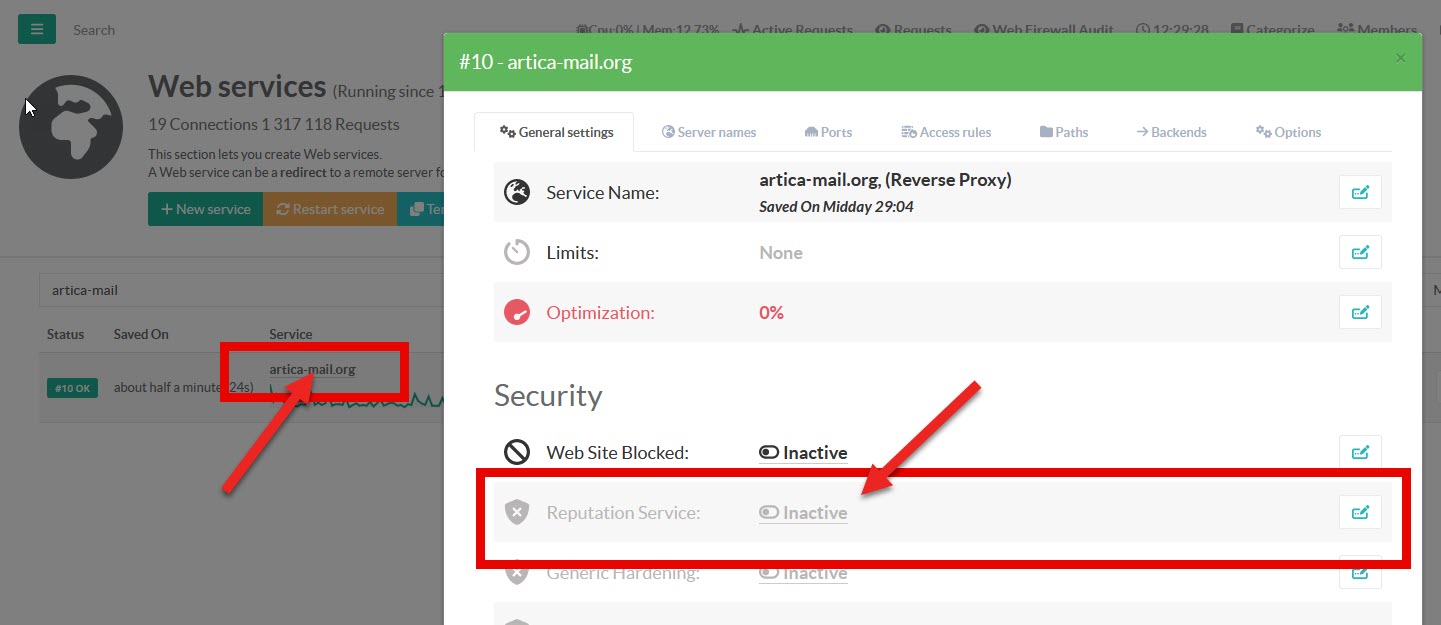
- A new screen appears, allowing you to select two rules.
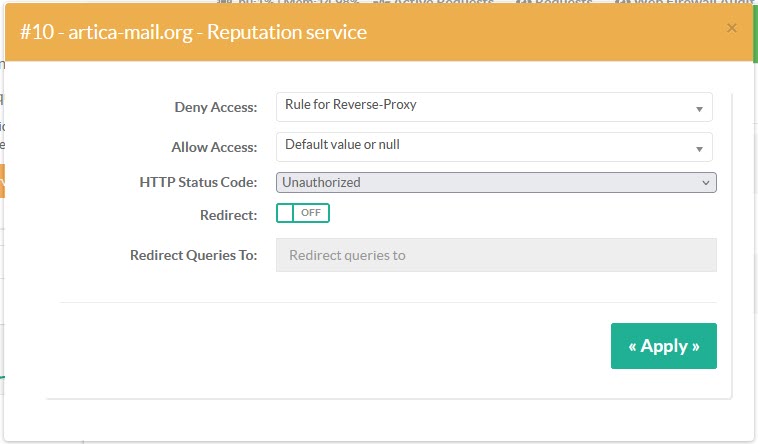
- Deny Access:
If an IP address matches, the reverse-proxy stops the connection with the remote IP address and returns the error code indicated in the "HTTP Status Code" drop-down list.
- Allow Access:
If an IP address matches, the reverse-proxy considers the IP address to be legitimate and continues routing connections to the website.
- Redirect:
If an IP address matches and this option is enabled, then the reverse-proxy will ask the remote browser to bounce to another address specified in theRedirect Queries Tofield, where you can enter a complete address.
This address must be external to your domain, because if you redirect to part of your website, the address will be banned and redirected to your entire site.