¶ Windows
¶ Installation
Download and run the installer as Administrator.
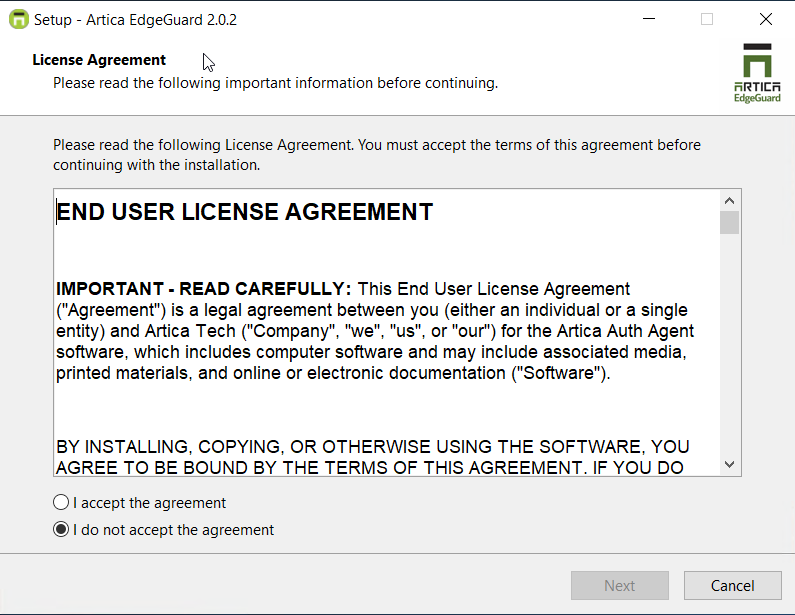
¶ Accept the License Agreement
Read and accept the End User License Agreement to continue.
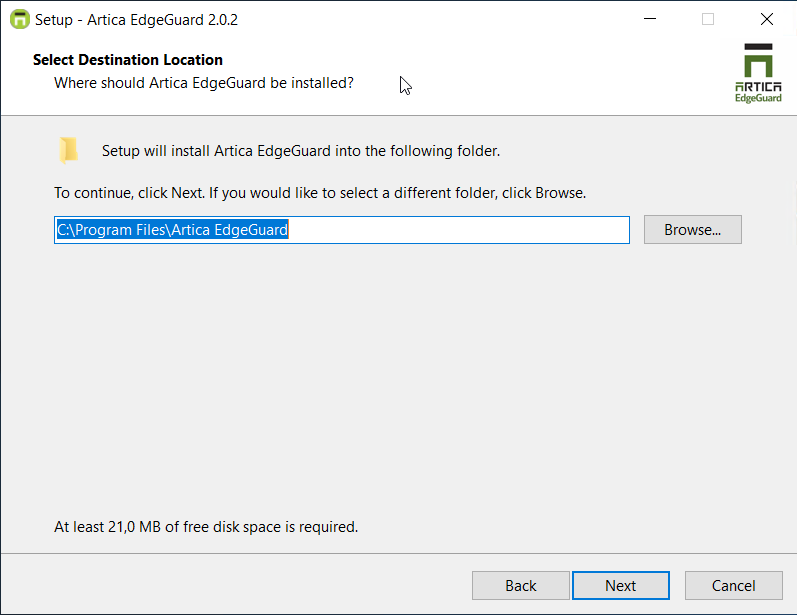
¶ Choose Installation Directory
Select the installation directory. The default is C:\Program Files\Artica EdgeGuard.
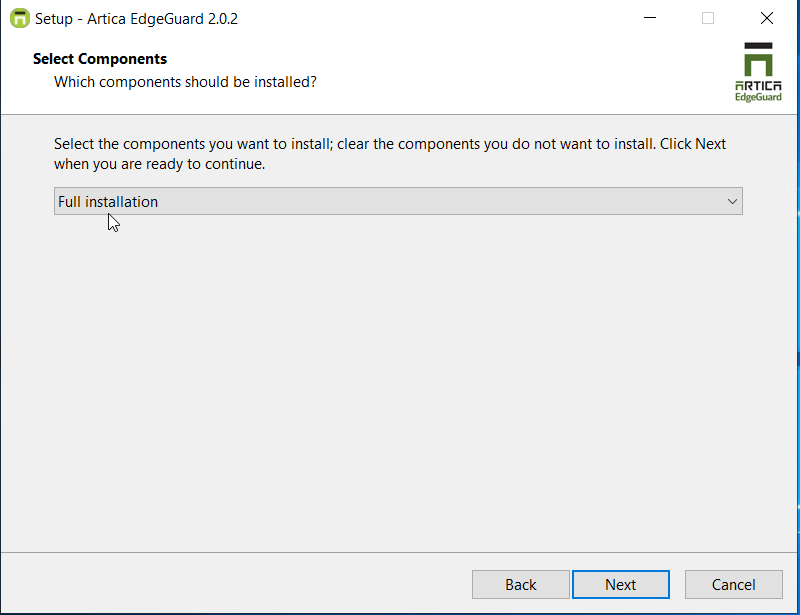
¶ Select Components
- Full Installation (required) — Installs all mandatory components, including the dashboard, system tray and central API.
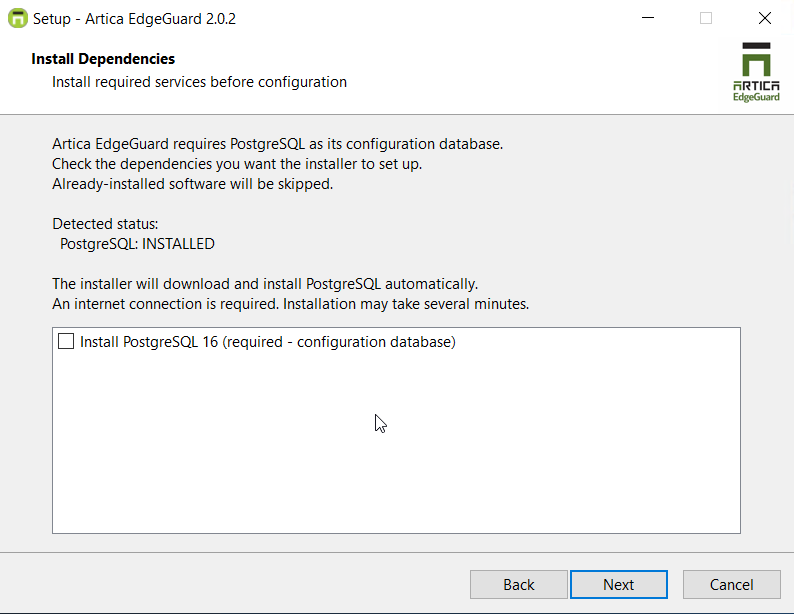
¶ Install Dependencies
- Install PostgreSQL locally or use a remote server. The wizard automatically detects existing installations.
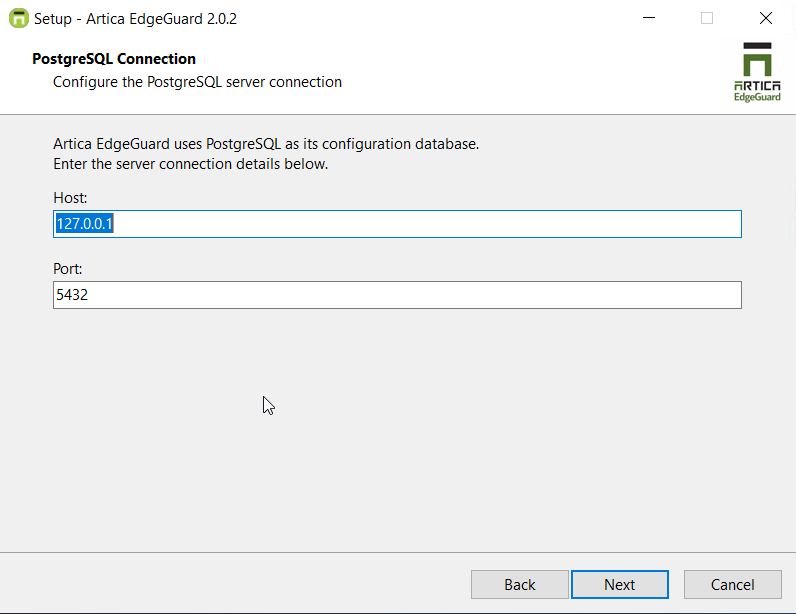
¶ PostgreSQL Connection
- Specify the PostgreSQL host and port
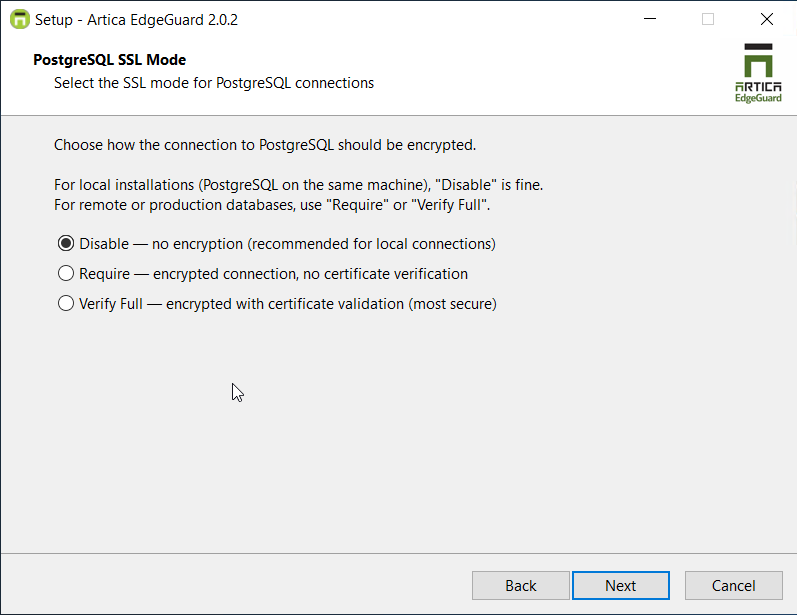
¶ PostgreSQL SSL Mode
- Choose how the PostgreSQL connection is secured
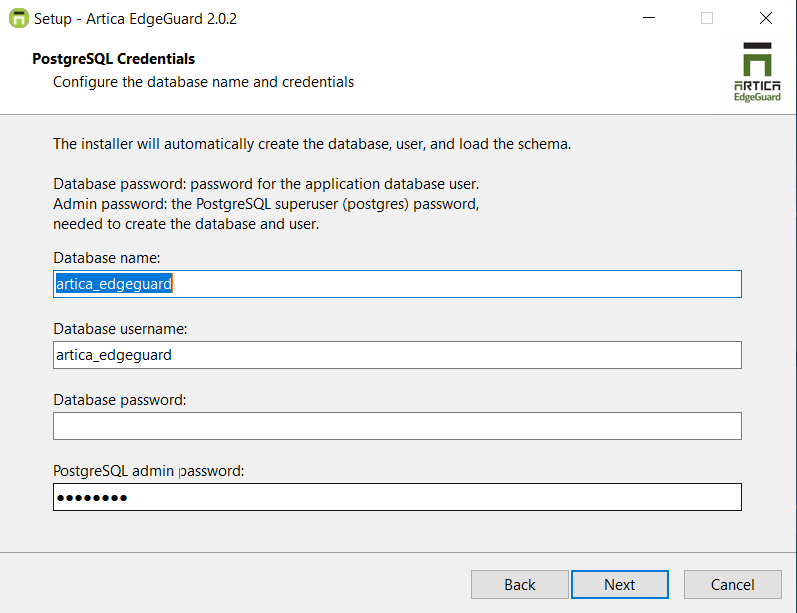
¶ PostgreSQL Credentials
- Set the PostgreSQL administrator password. The installation wizard automatically creates the required EdgeGuard database schema.
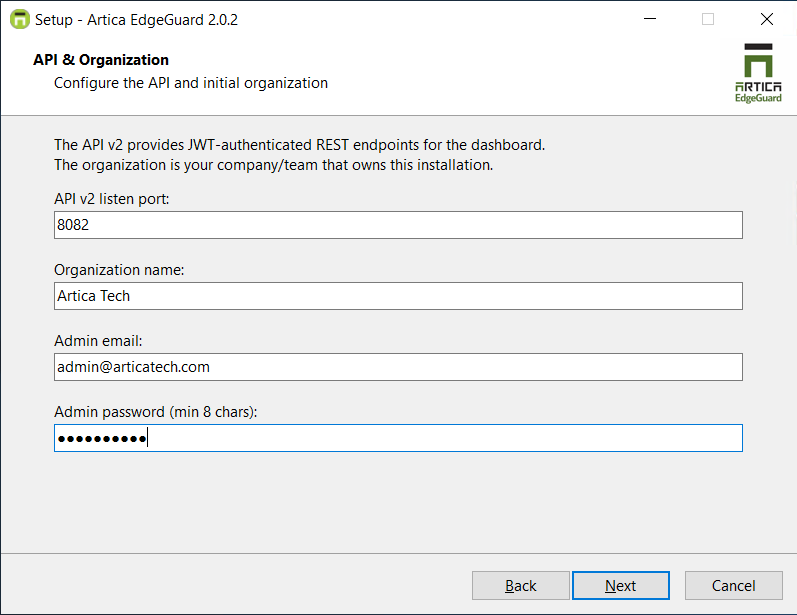
¶ API & Organization
- Define the Central API port and the administrator account credentials.
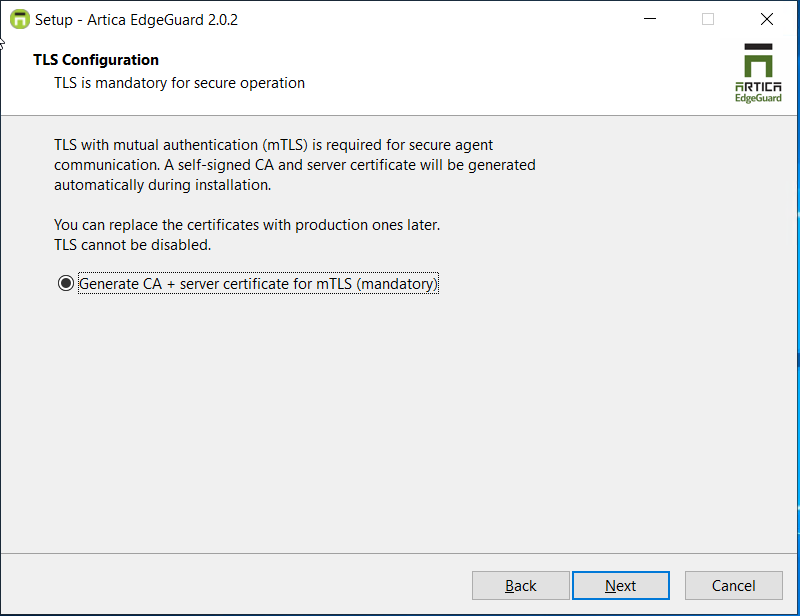
¶ TLS Configuration
- Generate the root Certificate Authority (CA) for secure mTLS communication.
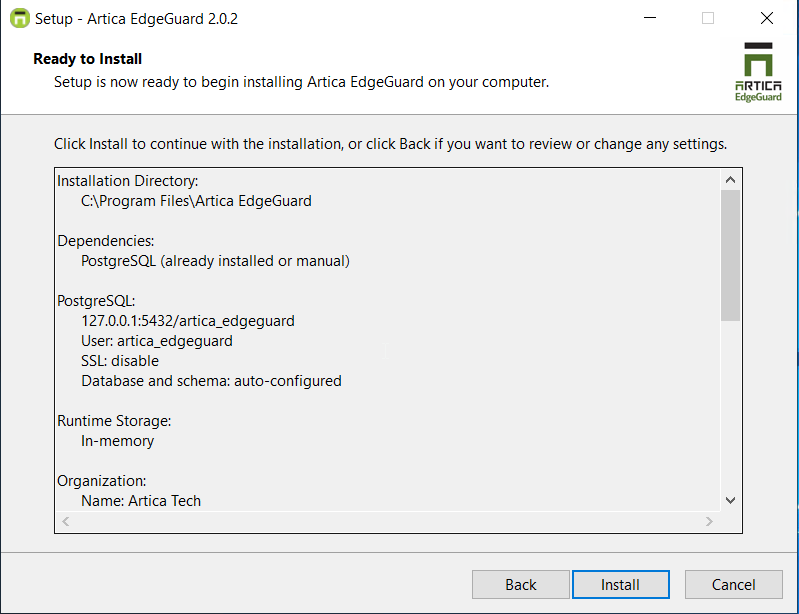
¶ Review & Install
- Review the installation parameters and start the installation
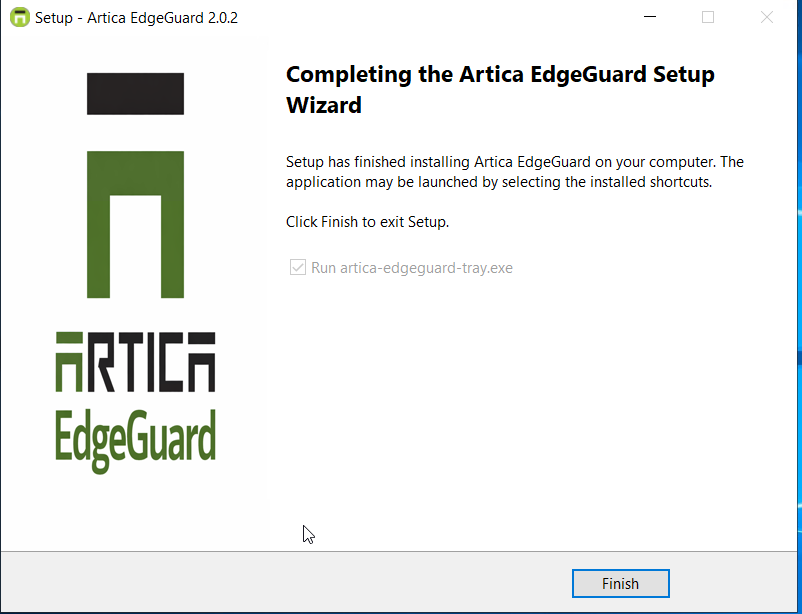
¶ Tray Application
The tray application provides a graphical interface for monitoring and managing the central. It runs in the Windows system notification area and starts automatically on Windows login.
¶ System Tray Icon
The tray icon color indicates the agent's current health status:
| Status | Description |
|---|---|
 |
Central is running |
 |
Cannot connect to the central service. |
 |
Initial state while the tray application is checking connectivity. |
¶ Tray Menu
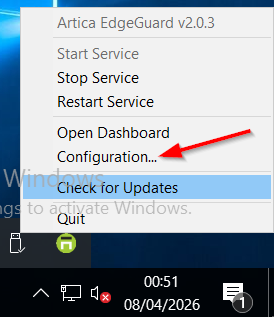
Right-click the tray icon to access the menu:
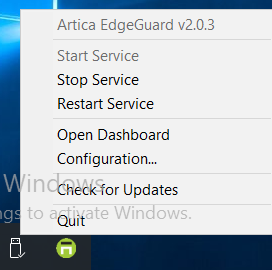
- Version information - informational, not clickable
- Start Service - Start Artica EdgeGuard Service
- Stop Service - Stop Artica EdgeGuard Service
- Restart Service - Restart Artica EdgeGuard Service
- Open Dashboard - Open Central Dashboard
- Configuration - Open configuration GUI
- Check for Updates - Check for new Artica EdgeGuard updates
- Exit - Closes the tray application (does not stop the central service)
¶ Configuration
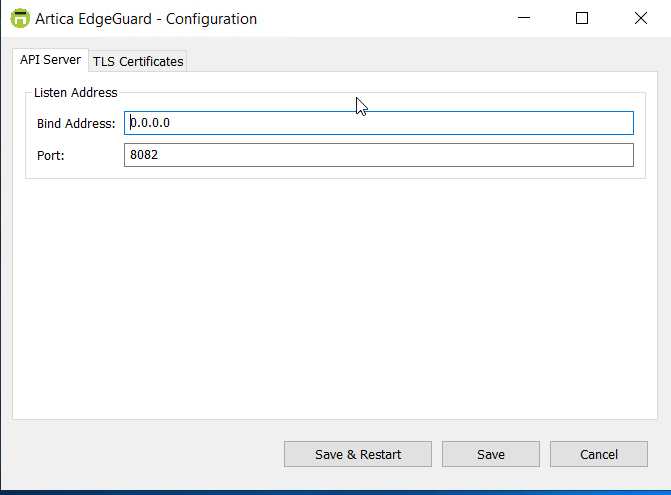
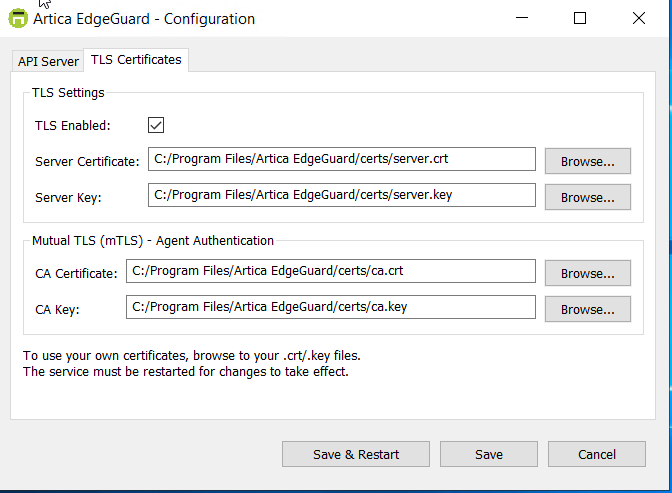
To override the default port, bind interface, or current CA certificate, open the tray icon and click Configuration.
¶ Update
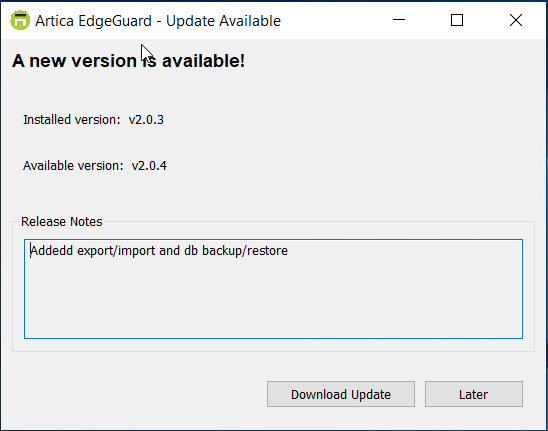
- From the tray menu, click Check for Updates.
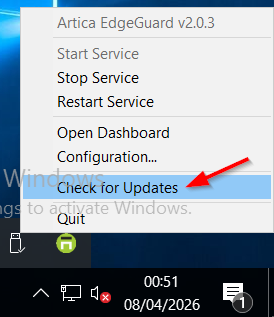
- If a new version is available, you will be prompted to download it.
Before the wizard starts, the installer detects the existing service and displays a confirmation dialog:
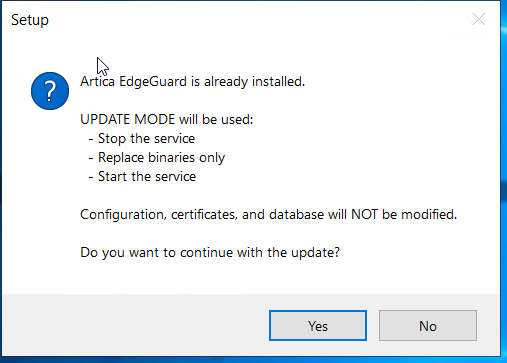
The update process only replaces the binaries. All configuration, certificates, service account, and firewall rules are preserved.
Tip: After the update, check the tray icon tooltip or the Dashboard to verify the new version number and confirm the agent is healthy.
¶ Linux (APT)
¶ Installation
-
Add the ArticaTech GPG key to verify package authenticity:
curl -fsSL https://packages-articatech-com.b-cdn.net/gpg.key | gpg --dearmor | sudo tee /etc/apt/keyrings/articatech.gpg >/dev/null -
Add the ArticaTech APT repository:
echo 'deb [signed-by=/etc/apt/keyrings/articatech.gpg] https://packages-articatech-com.b-cdn.net/apt stable main' | sudo tee /etc/apt/sources.list.d/articatech.list -
Update package lists:
sudo apt update -
Install Artica EdgeGuard:
sudo apt install artica-edgeguard-central -
Run the setup wizard:
sudo /opt/artica-edgeguard/artica-edgeguard-central -setup
═══════════════════════════════════════════════════════
  Artica EdgeGuard Central — Setup Wizard
═══════════════════════════════════════════════════════

── PostgreSQL Configuration ──
  PostgreSQL host [127.0.0.1]:
  PostgreSQL port [5432]:
  Database name [artica_edgeguard]:
  Database username [artica_edgeguard]:
  Database password:
  SSL mode (disable/require/verify-full) [require]:

── PostgreSQL Database Setup ──
  [OK] PostgreSQL peer authentication available (no password needed)
  Create database and user automatically? (yes/no) [yes]:
  Setting up PostgreSQL...
    Creating role... done
    Creating database... done
    Granting schema privileges... done
    Setting default privileges... done
    Setting sequence privileges... done
    Setting table ownership... done
    Loading schema from schema_postgres.sql...
    Schema loaded (owned by artica_edgeguard).

── API Server ──
  API port [8082]:

── TLS Certificates ──
  Generate TLS certificates? (yes/no) [yes]:
  Generating certificates...
Generating self-signed TLS certificates...
  Hostname: debian13
  Generating CA key and certificate...
  Generating server key and certificate...
Certificate files created:
  CA Certificate:     /opt/artica-edgeguard/certs/ca.crt
  CA Private Key:     /opt/artica-edgeguard/certs/ca.key
  Server Certificate: /opt/artica-edgeguard/certs/server.crt
  Server Private Key: /opt/artica-edgeguard/certs/server.key
  DNS SANs:           localhost, debian13
  IP SANs:            127.0.0.1, 192.168.60.147, 192.168.60.147
Certificate generation completed successfully.

── Organization ──
  Organization name: ArticaTech

── Admin User ──
  Admin email: admin@articatech.com
  Admin password (min 8 chars):

── Writing Configuration ──
  Config written to: /opt/artica-edgeguard/config.json

── Bootstrapping ──
  Creating organization 'ArticaTech'...
2026/04/07 17:59:52 INFO Bootstrap organization created name=ArticaTech slug=articatech id=1
Organization created successfully:
  ID:   1
  Name: ArticaTech
  Slug: articatech
  Plan: enterprise
  Creating admin user 'admin@articatech.com'...
2026/04/07 17:59:55 INFO Bootstrap admin created email=admin@articatech.com id=d5a1028d-4c14-4762-9a2a-6f0b7c5b25ae
Admin user created successfully:
  ID:    d5a1028d-4c14-4762-9a2a-6f0b7c5b25ae
  Email: admin@articatech.com
  Role:  admin
  OrgID: 1

═══════════════════════════════════════════════════════
  Setup Complete!
═══════════════════════════════════════════════════════

  Config:     /opt/artica-edgeguard/config.json
  Dashboard:  https://localhost:8082
  Admin:      admin@articatech.com

  Start the service:
    systemctl start artica-edgeguard-central
- Start the sevice
systemctl start artica-edgeguard-central
¶ Update
-
Update to the latest version:
sudo apt update && sudo apt upgrade artica-edgeguard-central -
If the update fails, run the migration wizard:
sudo artica-edgeguard-central -config /opt/artica-edgeguard/config.json -migrate -
Restart the service:
sudo systemctl restart artica-edgeguard-central
¶ Logging
- View Artica EdgeGuard logs
artica@debian13:/var/log/artica-edgeguard$ sudo journalctl -u artica-edgeguard-central -f
[sudo] password for artica:
Apr 07 18:00:39 debian13 artica-edgeguard-central[581535]: {"time":"2026-04-07T18:00:39.398090105-04:00","level":"INFO","msg":"Service is ready","dashboard":"https://localhost:8082"}
Apr 07 18:00:39 debian13 artica-edgeguard-central[581535]: {"time":"2026-04-07T18:00:39.398109462-04:00","level":"INFO","msg":"API v2 server starting with TLS","addr":":8082"}
¶ Linux (YUM)
¶ Installation
- Add the ArticaTech YUM repository:
  sudo rpm --import https://packages-articatech-com.b-cdn.net/gpg.key
  cat <<'EOF' | sudo tee /etc/yum.repos.d/articatech.repo
  [articatech]
  name=Artica EdgeGuard
  baseurl=https://packages-articatech-com.b-cdn.net/yum
  enabled=1
  gpgcheck=1
  gpgkey=https://packages-articatech-com.b-cdn.net/gpg.key
  EOF
- Install Artica EdgeGuard:
sudo dnf install artica-edgeguard-central - Run the setup wizard:
sudo /opt/artica-edgeguard/artica-edgeguard-central -setup
═══════════════════════════════════════════════════════
  Artica EdgeGuard Central — Setup Wizard
═══════════════════════════════════════════════════════

── PostgreSQL Configuration ──
  PostgreSQL host [127.0.0.1]:
  PostgreSQL port [5432]:
  Database name [artica_edgeguard]:
  Database username [artica_edgeguard]:
  Database password:
  SSL mode (disable/require/verify-full) [require]:

── PostgreSQL Database Setup ──
  [OK] PostgreSQL peer authentication available (no password needed)
  Create database and user automatically? (yes/no) [yes]:
  Setting up PostgreSQL...
    Creating role... done
    Creating database... done
    Granting schema privileges... done
    Setting default privileges... done
    Setting sequence privileges... done
    Setting table ownership... done
    Loading schema from schema_postgres.sql...
    Schema loaded (owned by artica_edgeguard).

── API Server ──
  API port [8082]:

── TLS Certificates ──
  Generate TLS certificates? (yes/no) [yes]:
  Generating certificates...
Generating self-signed TLS certificates...
  Hostname: debian13
  Generating CA key and certificate...
  Generating server key and certificate...
Certificate files created:
  CA Certificate:     /opt/artica-edgeguard/certs/ca.crt
  CA Private Key:     /opt/artica-edgeguard/certs/ca.key
  Server Certificate: /opt/artica-edgeguard/certs/server.crt
  Server Private Key: /opt/artica-edgeguard/certs/server.key
  DNS SANs:           localhost, Red Hat
  IP SANs:            127.0.0.1, 192.168.60.147, 192.168.60.147
Certificate generation completed successfully.

── Organization ──
  Organization name: ArticaTech

── Admin User ──
  Admin email: admin@articatech.com
  Admin password (min 8 chars):

── Writing Configuration ──
  Config written to: /opt/artica-edgeguard/config.json

── Bootstrapping ──
  Creating organization 'ArticaTech'...
2026/04/07 17:59:52 INFO Bootstrap organization created name=ArticaTech slug=articatech id=1
Organization created successfully:
  ID:   1
  Name: ArticaTech
  Slug: articatech
  Plan: enterprise
  Creating admin user 'admin@articatech.com'...
2026/04/07 17:59:55 INFO Bootstrap admin created email=admin@articatech.com id=d5a1028d-4c14-4762-9a2a-6f0b7c5b25ae
Admin user created successfully:
  ID:    d5a1028d-4c14-4762-9a2a-6f0b7c5b25ae
  Email: admin@articatech.com
  Role:  admin
  OrgID: 1

═══════════════════════════════════════════════════════
  Setup Complete!
═══════════════════════════════════════════════════════

  Config:     /opt/artica-edgeguard/config.json
  Dashboard:  https://localhost:8082
  Admin:      admin@articatech.com

  Start the service:
    systemctl start artica-edgeguard-central
- Start the sevice
systemctl start artica-edgeguard-central
¶ Update
- Update to the latest version:
sudo dnf upgrade artica-edgeguard-central - If the update fails, run the migration wizard:
sudo artica-edgeguard-central -config /opt/artica-edgeguard/config.json -migrate - Restart the service:
sudo systemctl restart artica-edgeguard-central
¶ Logging
- View Artica EdgeGuard logs
artica@debian13:/var/log/artica-edgeguard$ sudo journalctl -u artica-edgeguard-central -f
[sudo] password for artica:
Apr 07 18:00:39 debian13 artica-edgeguard-central[581535]: {"time":"2026-04-07T18:00:39.398090105-04:00","level":"INFO","msg":"Service is ready","dashboard":"https://localhost:8082"}
Apr 07 18:00:39 debian13 artica-edgeguard-central[581535]: {"time":"2026-04-07T18:00:39.398109462-04:00","level":"INFO","msg":"API v2 server starting with TLS","addr":":8082"}
¶ Linux (Source)
¶ Installation
- Download
wget https://artica-ad-agent.b-cdn.net/artica-edgeguard-central-linux-amd64.tar.gz - Extract
tar -xf artica-edgeguard-central-linux-amd64.tar.gz - Run Installer
cd artica-edgeguard-central-linux
sudo ./install.sh
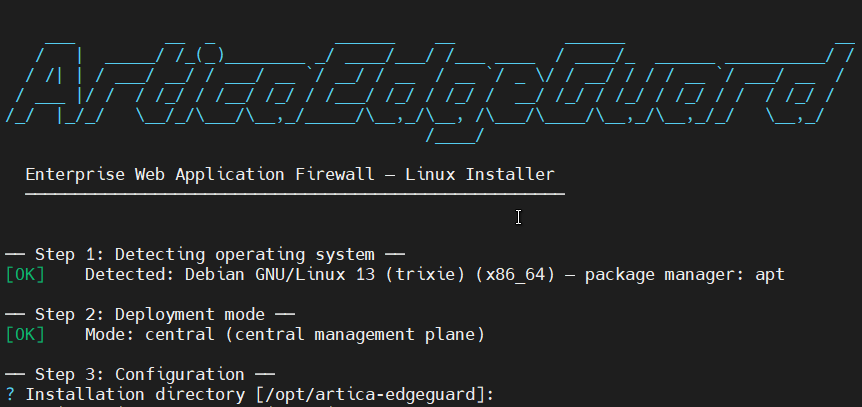
- Select Installation directory
Press enter to keep the default location
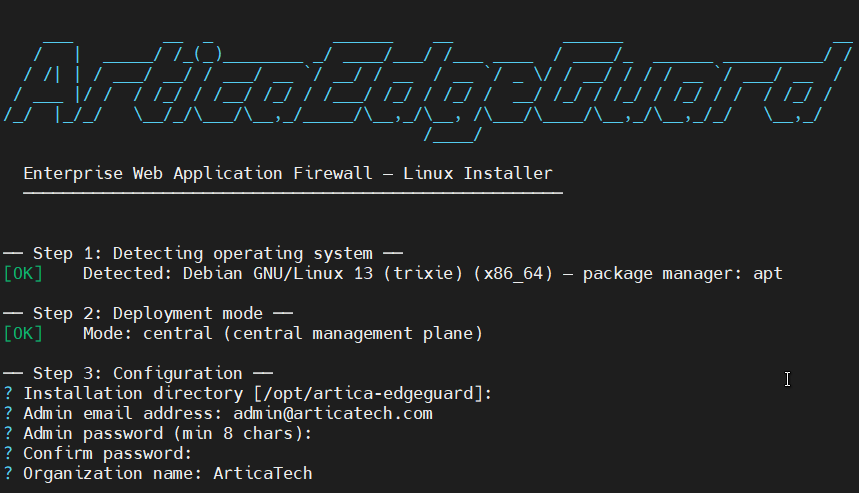
- Create Organization
Set the admin user account, password, and organization name.
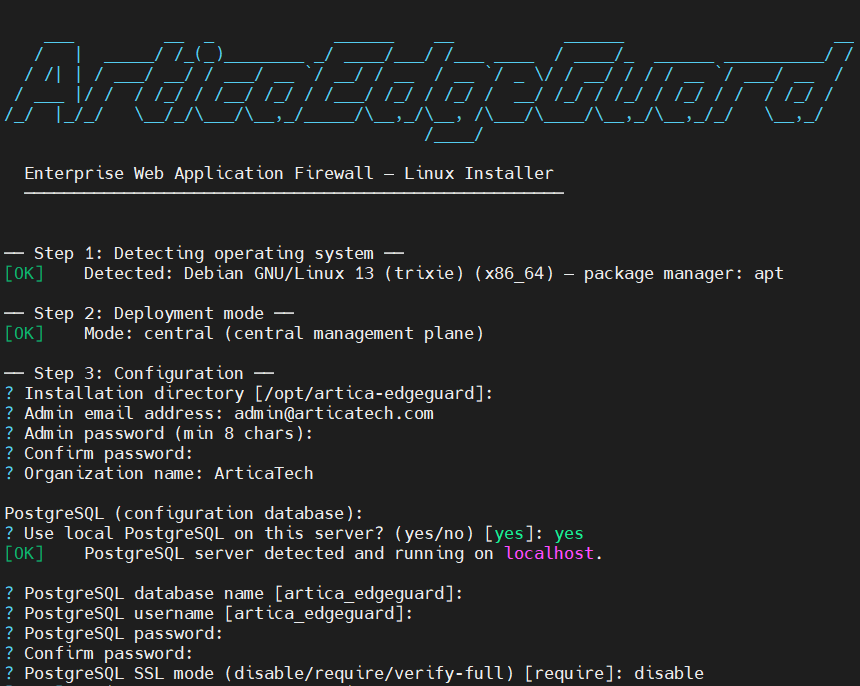
- Install & Configure PostgreSQL
Select whether you want to use a local or remote PostgreSQL instance. Then, specify the database name, database user, PostgreSQL admin password, and SSL mode. The installer will automatically create all required schemas for Artica EdgeGuard.
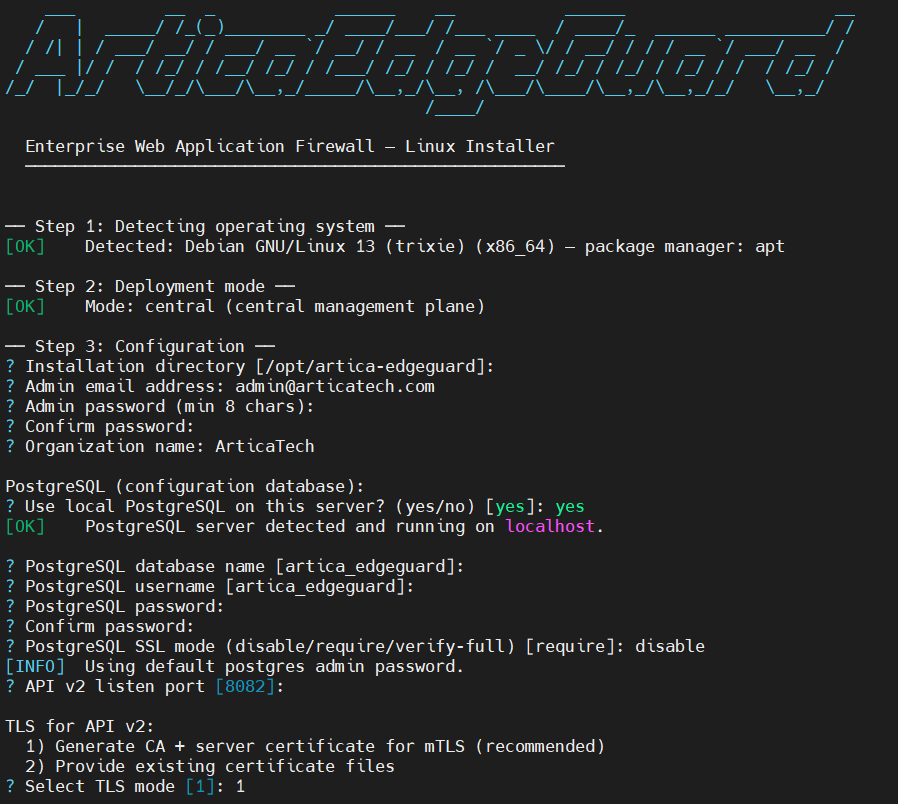
- Configure API & TLS
Set the API listen port (default: 8082).
Then, choose whether to generate a new CA certificate or use an existing one.
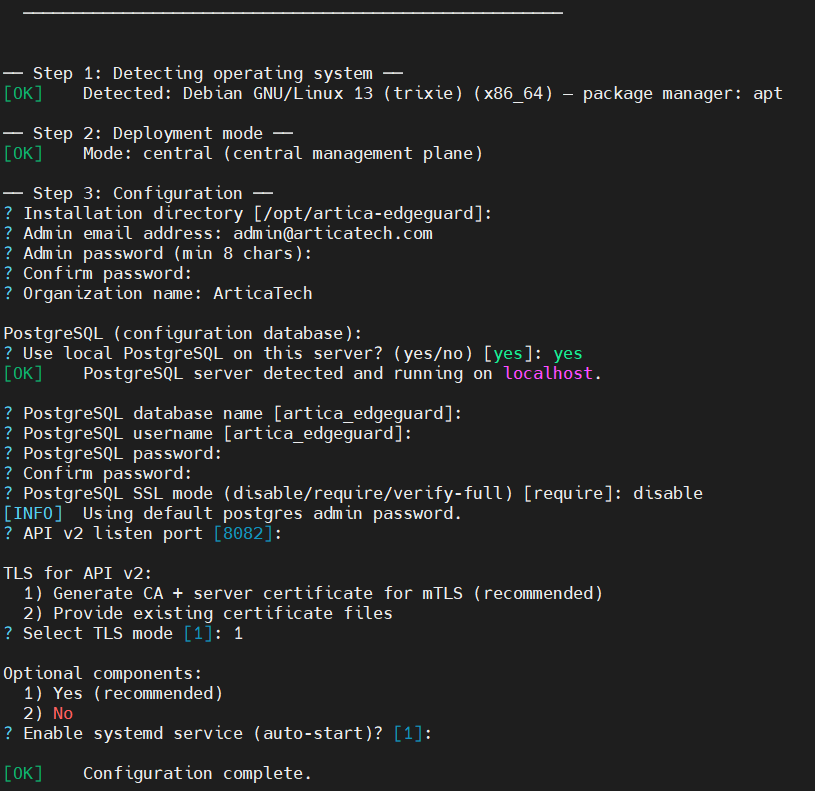
- Optional components
Choose whether to automatically start the service on system boot.
¶ Update
- Download the new package from
wget https://artica-ad-agent.b-cdn.net/artica-edgeguard-central-linux-amd64.tar.gz - Extract
tar -xf artica-edgeguard-central-linux-amd64.tar.gz - Run the installer. The system will automatically detect the existing version and update only the binaries. No data is modified.
cd artica-edgeguard-central-linux
sudo ./install.sh
¶ Logging
- View Artica EdgeGuard logs
artica@debian13:/var/log/artica-edgeguard$ sudo journalctl -u artica-edgeguard-central -f
[sudo] password for artica:
Apr 07 18:00:39 debian13 artica-edgeguard-central[581535]: {"time":"2026-04-07T18:00:39.398090105-04:00","level":"INFO","msg":"Service is ready","dashboard":"https://localhost:8082"}
Apr 07 18:00:39 debian13 artica-edgeguard-central[581535]: {"time":"2026-04-07T18:00:39.398109462-04:00","level":"INFO","msg":"API v2 server starting with TLS","addr":":8082"}
¶ Supported Platforms
¶ Linux — APT Repository (Debian/Ubuntu)
| Distribution | Versions | Install |
|---|---|---|
| Debian | 11 (Bullseye), 12 (Bookworm), 13 (Trixie) | apt install artica-edgeguard-central |
| Ubuntu | 20.04 LTS, 22.04 LTS, 24.04 LTS | apt install artica-edgeguard-central |
| Linux Mint | 20, 21, 22 | apt install artica-edgeguard-central |
| Pop!_OS | 22.04+ | apt install artica-edgeguard-central |
| Elementary OS | 7+ | apt install artica-edgeguard-central |
| Zorin OS | 16+ | apt install artica-edgeguard-central |
¶ Linux — YUM/DNF Repository (RHEL/Fedora)
| Distribution | Versions | Install |
|---|---|---|
| RHEL | 8, 9 | dnf install artica-edgeguard-central |
| CentOS Stream | 8, 9 | dnf install artica-edgeguard-central |
| Rocky Linux | 8, 9 | dnf install artica-edgeguard-central |
| AlmaLinux | 8, 9 | dnf install artica-edgeguard-central |
| Oracle Linux | 8, 9 | dnf install artica-edgeguard-central |
| Fedora | 38, 39, 40, 41 | dnf install artica-edgeguard-central |
| Amazon Linux | 2, 2023 | dnf install artica-edgeguard-central |
¶ Linux — Shell Installer (Other Distributions)
| Distribution | Versions | Install |
|---|---|---|
| openSUSE Leap | 15.x | sudo ./install.sh |
| openSUSE Tumbleweed | rolling | sudo ./install.sh |
| SLES | 15 | sudo ./install.sh |
| Arch Linux | rolling | sudo ./install.sh |
| Manjaro | rolling | sudo ./install.sh |
| EndeavourOS | rolling | sudo ./install.sh |
| Alpine Linux | 3.18+ | sudo ./install.sh |
¶ Windows
| Platform | Versions | Install |
|---|---|---|
| Windows Server | 2016, 2019, 2022, 2025 | artica-edgeguard-setup.exe |
| Windows | 10, 11 | artica-edgeguard-setup.exe |
¶ Architecture Support
| Architecture | APT/DNF | Shell Installer | Windows |
|---|---|---|---|
| x86_64 (amd64) | Yes | Yes | Yes |
| aarch64 (arm64) | — | Yes | — |
¶ Post-Install
| Method | Interactive Setup | Start Service |
|---|---|---|
apt install / dnf install |
Run sudo artica-edgeguard-central -setup |
sudo systemctl start artica-edgeguard-central |
install.sh |
Built-in (automatic) | Built-in (automatic) |
| Windows installer | Built-in (automatic) | Built-in (automatic) |