Setup a DoH gateway with Artica Reverse-proxy
The DoH gateway mode transforms a DNS service that only resolves UDP/TCP requests into a DNS Over HTTPs service.
DNS over HTTPS (DoH) is a protocol for performing remote Domain Name System (DNS) resolution via the HTTPS protocol.
It's a significant advancement in DNS privacy and security, providing several benefits over traditional DNS resolution methods.This feature is available on Artica v4.50 Service Pack 1 or Artica v4.50 Hotfix 20240222-20
For example, you can make sure that your Windows DNS service answering to DoH requests, which doesn't yet natively support DoH.
To implement DoH, you would typically set up Artica Reverse-proxy service that accepts DNS queries over HTTPS and forwards them to the Windows DNS server.
Here’s how you can achieve this:
Setup the front-end
- Prepare an SSL certificate using the Certificate center
- Ensure you using at least the Reverse-proxy engine 1.25.3.1
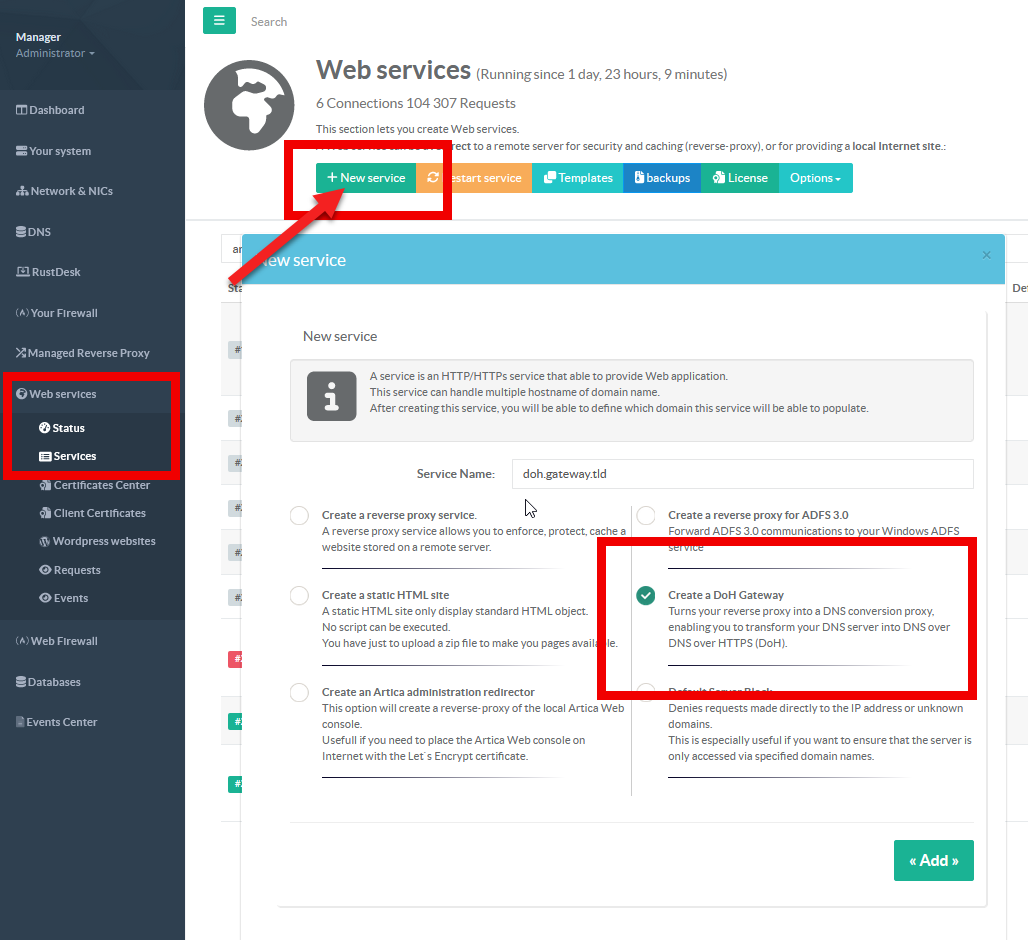
- On left menu, go to
Web services > Services - On the Reverse-Proxy service click on the
New servicebutton - Set your service name and select the option
Create a DoH Gateway
Set the certificate
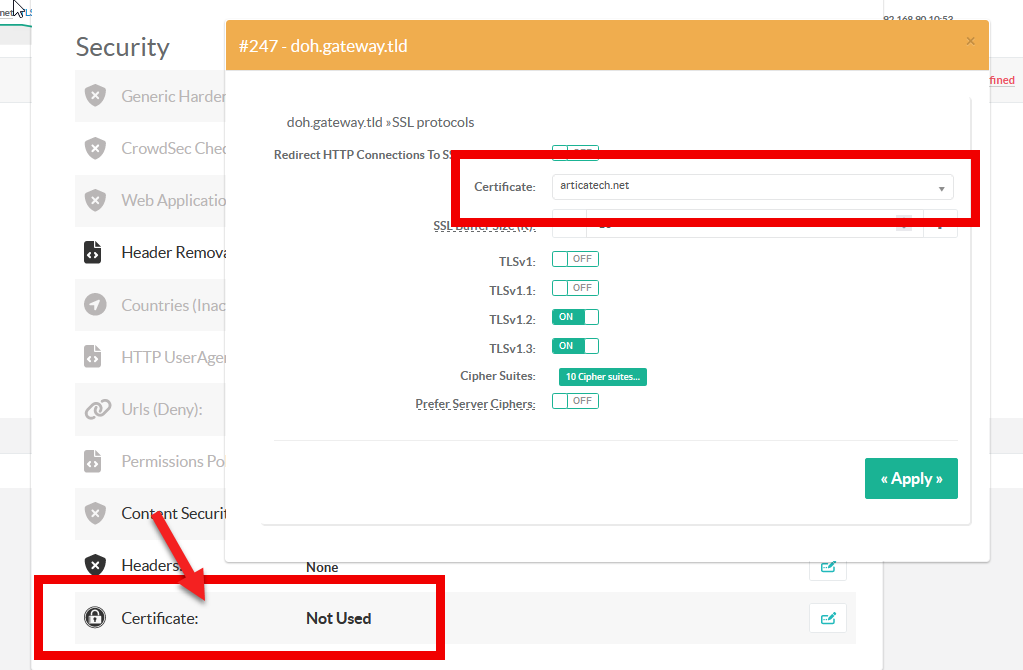
- Select the reverse-proxy rule and choose “
General settings”. - Click on the “Certificate” link
- Choose the certificate under the
Certificatedrop-down list
Set the hostname
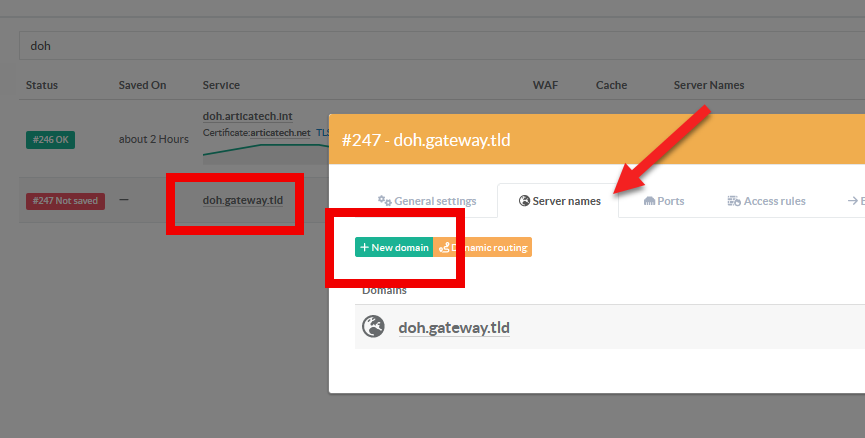
- Select the reverse-proxy rule and choose “
Server names”, add server names that will be used to query your gateway.
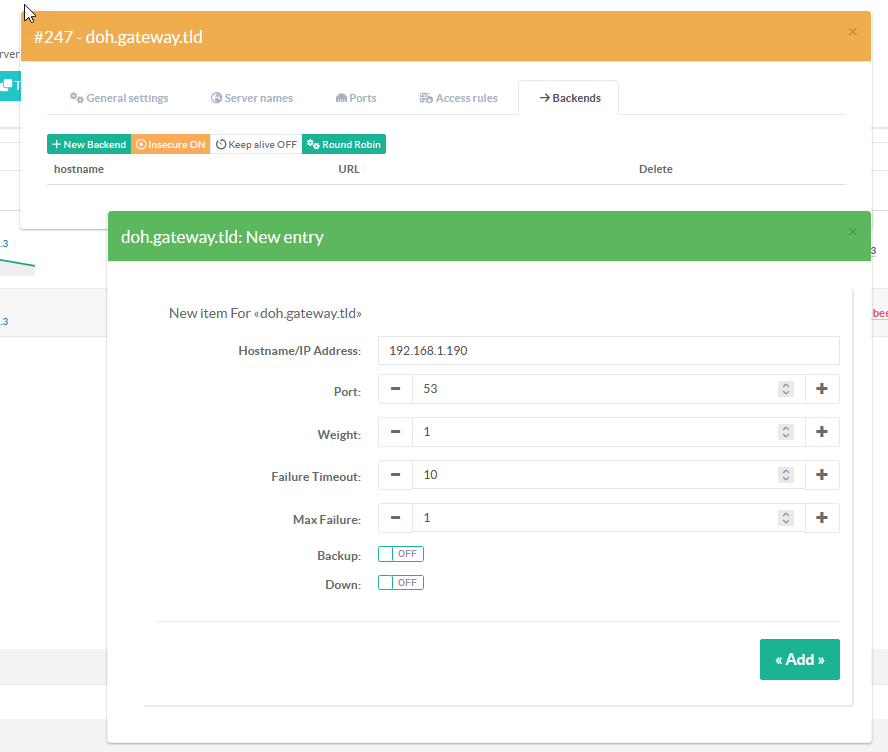
Add backends
- Select the “
Backends” tab - Add here your DNS servers that will be able to receive forwarded queries from the reverse-proxy.