Deny unknown domains via the proxy acls feature
This method shows you the negation and domain acls objects that allow you to ban all sites that are not listed in the object container
This method shows you the negation and domain acls objects that allow you to ban all sites that are not listed in the object container
The purpose of this rule, which should preferably be added at the end of your rules, is to prohibit access to Internet domains that are not listed in this last rule
- You need first enable Acls feature
- On the left menu got to
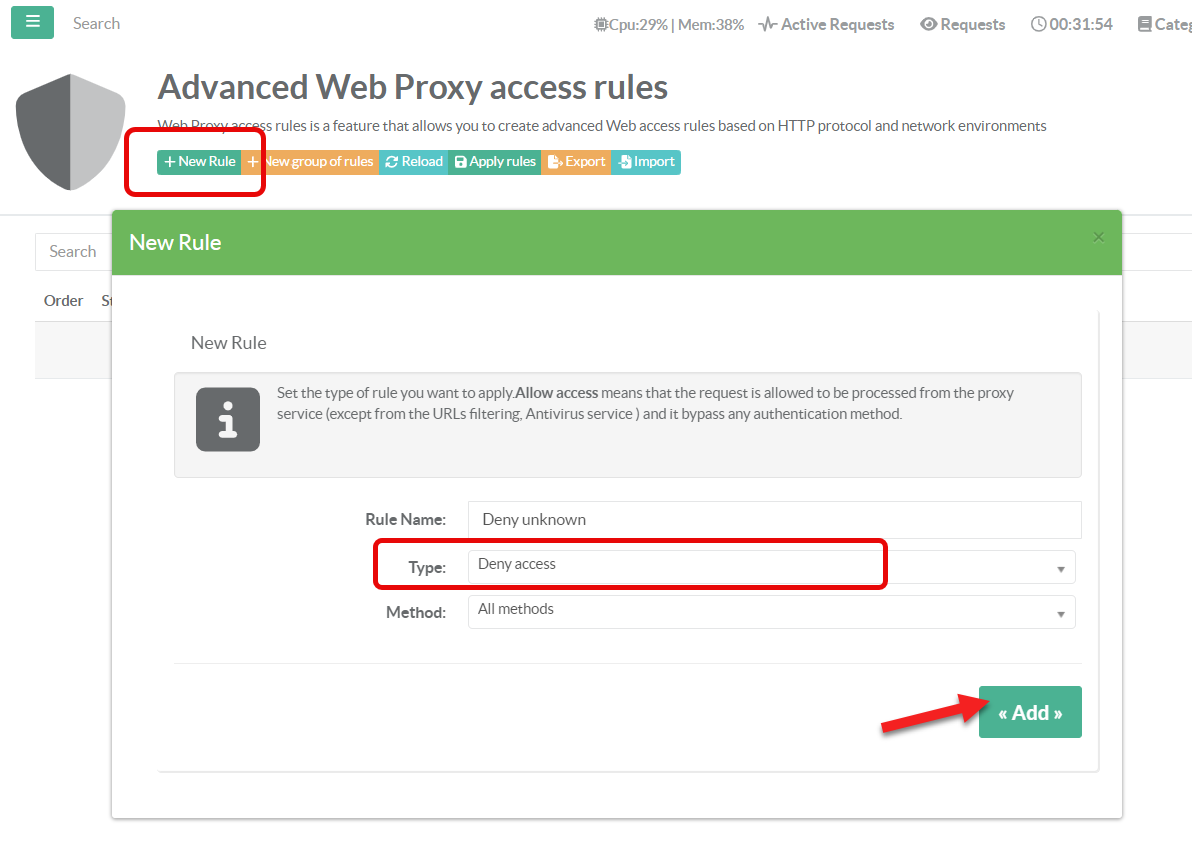
ACls Proxy > Access rules - Click on New rule button
- On the Type drop-down list, select “Deny Access”
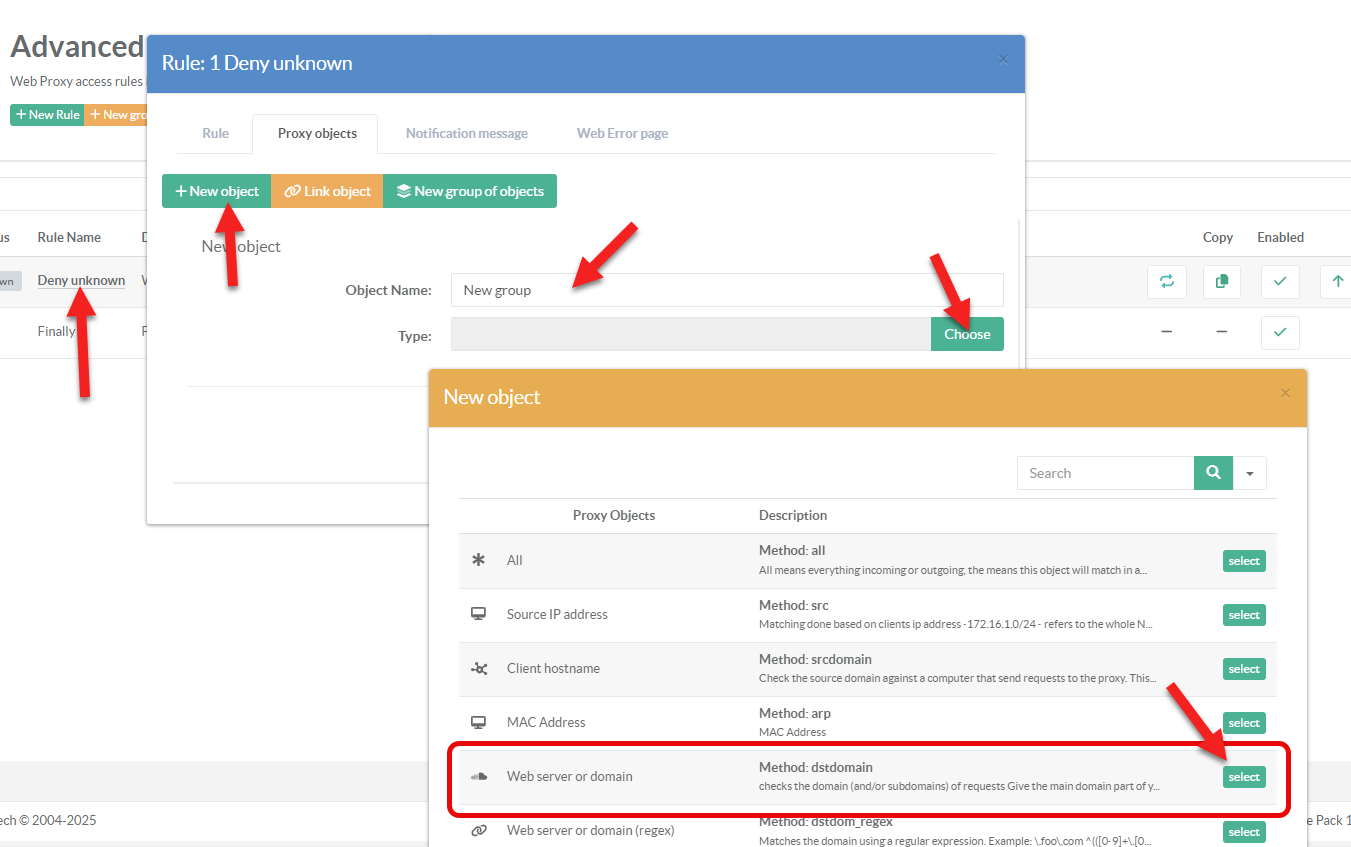
- Choose your Added rule and click on “Proxy objects” tab
- Click on Choose button and select the Web server or domain object
- We name this object “Allowed site”
- Click on Add button
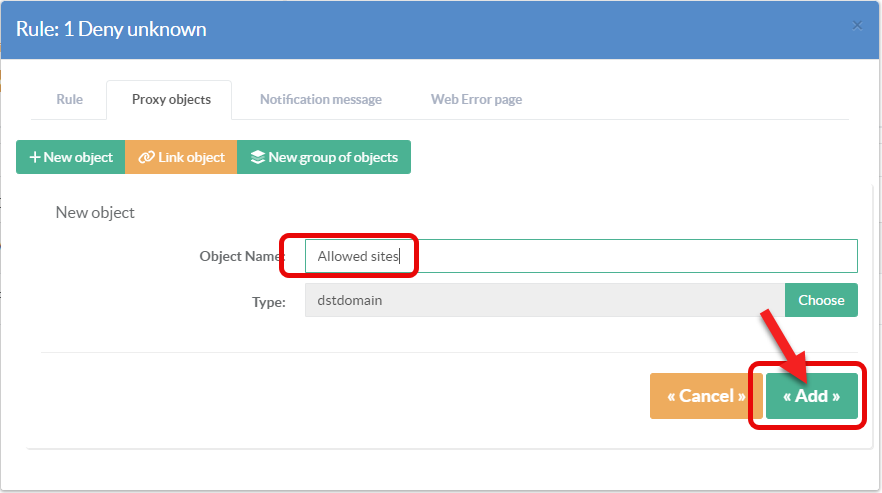
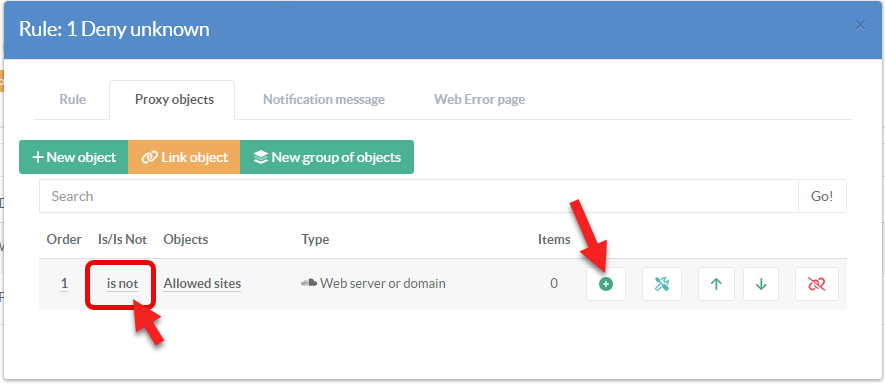
- The object is added inside your rule.
- On the Is/Is Not column, click on the link in order to switch to the “is not” method
- Click on the green cross on the items column
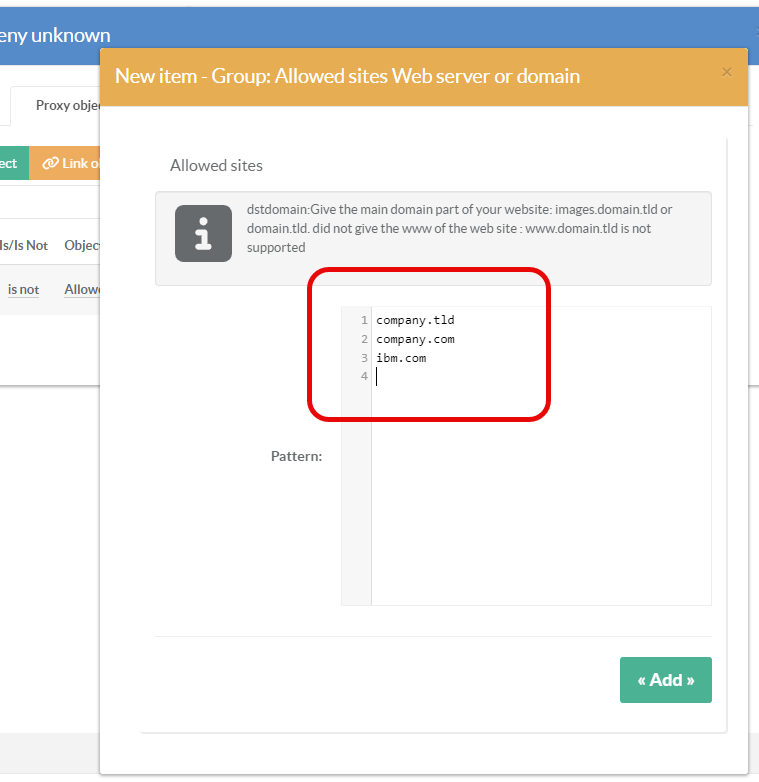
Add the allowed site or the set of sites
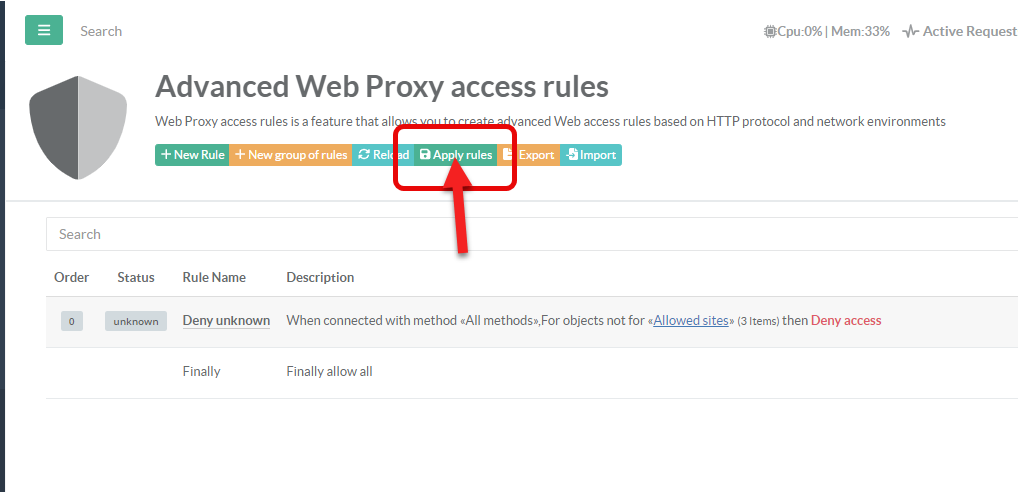
- Finally, click on Apply rules button to make your Acls in production mode.