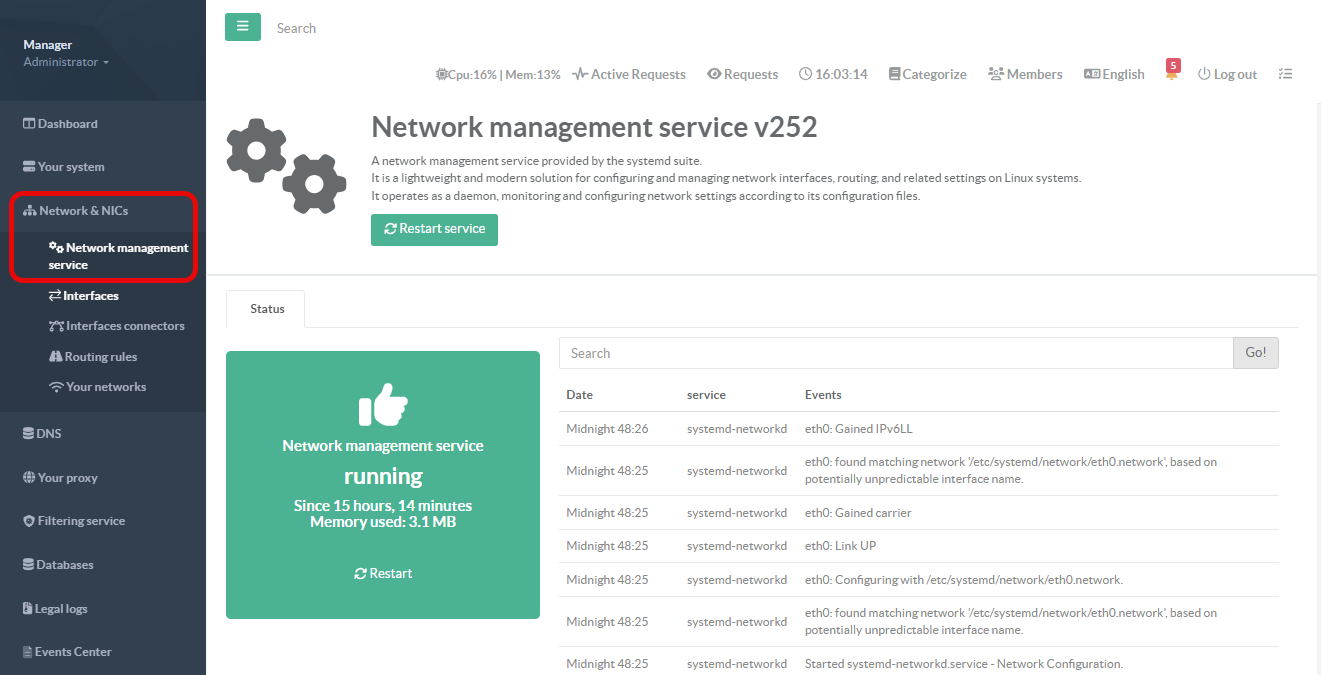
Network management service
network management service provided by the systemd suite.[br] It is a lightweight and modern solution for configuring and managing network interfaces, routing, and related settings on Linux systems.
Since the latest ISO versions on Debian 10 and Debian 12, Artica supports service management through Systemd.
Older distributions used the init system.
In this latest version (v4.50 Service Pack 1 or Hotfix 20250108-01 ), it is possible to use Systemd to configure the server's network.
The use of the old network configuration system still exists, but future Artica distributions will favor the new systemd method.
When you install the latest ISO versions of Artica or perform a manual installation, this network management system is installed by default.
For standard configurations, nothing really changes in the Artica interface, except for a faster server startup sequence when using Systemd.
When Systemd is enabled, additional information is available, such as the status of the network service and events related to the network configuration service.
How to disable the Network management service ?
Disabling the system’s native network-management service hands full control of the network stack to the Artica daemon.
The switchover is seamless: Artica stops the operating system’s own network manager and takes charge of all network configuration itself.
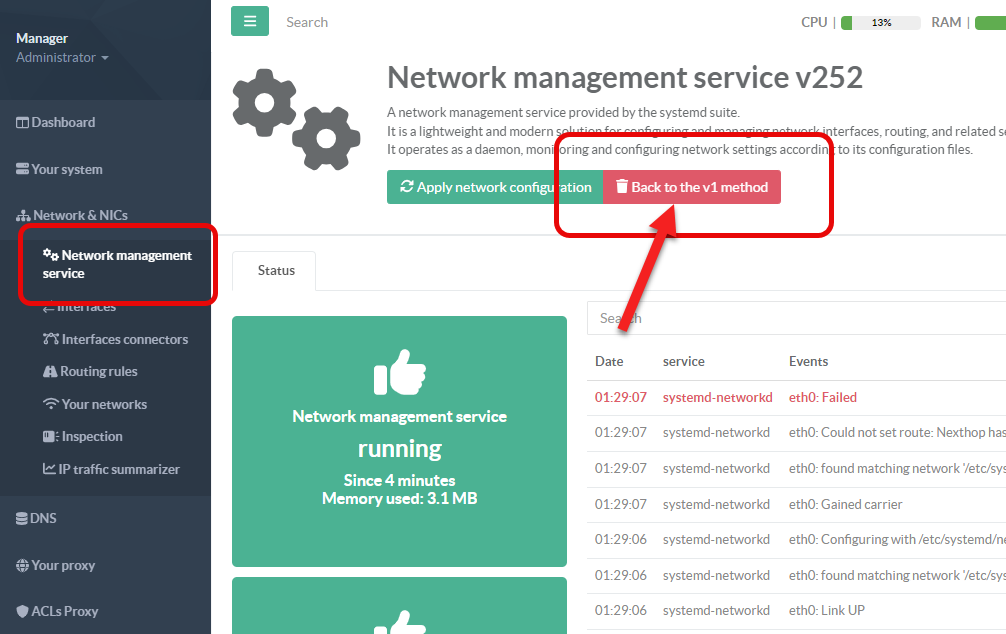
under the menu Network & NICs > Network Management service, click on Back to the v1 method button
How to Activate the Network management service ?
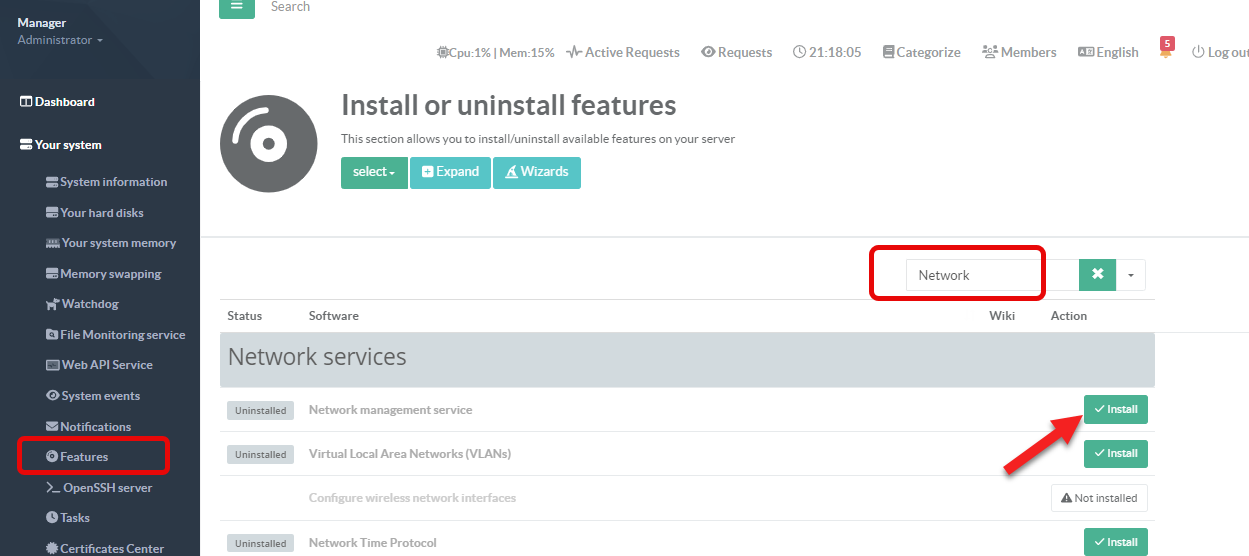
The Network management service can be installed using the features section
- Go into
Your System > Features - On the search box, type Network
- Click on Install button under the Network Management service row
- After installing the Network Management service, you can see it's status and check logs under the menu
Network & NICs > Network Management service