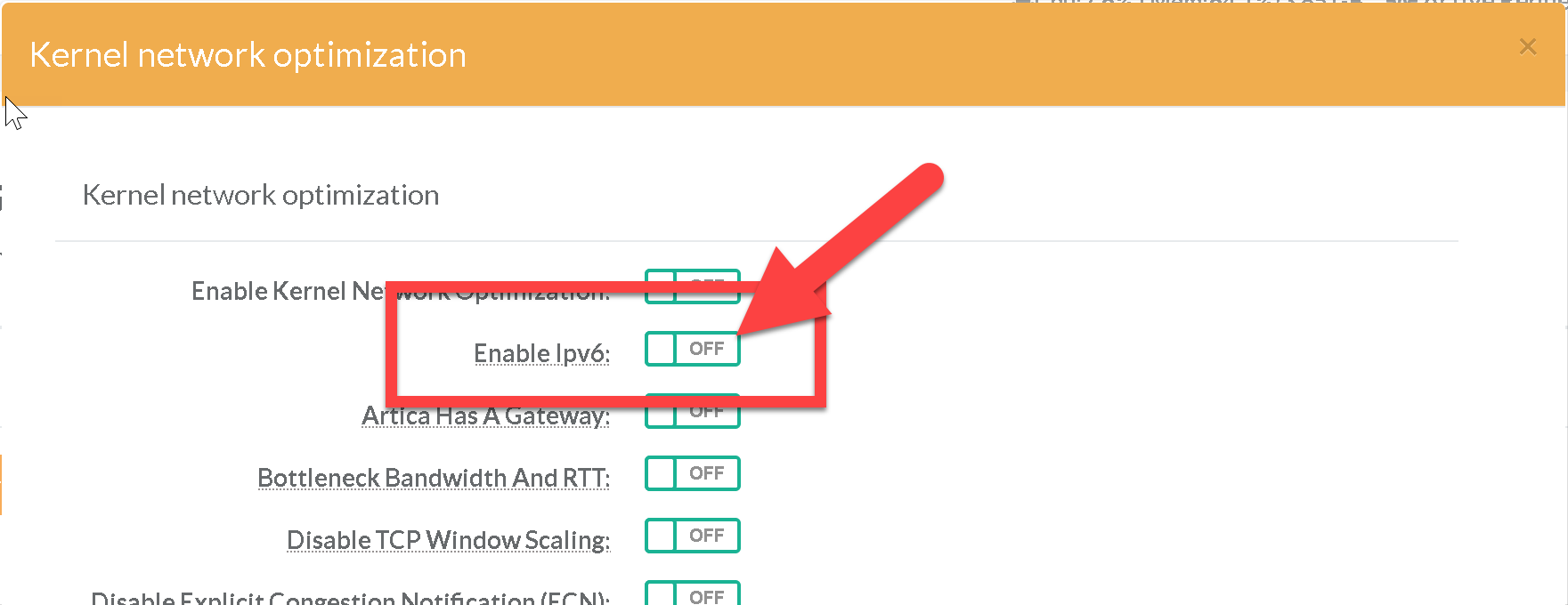
Enable or disable IPV6
By default, Artica disables IPv6, but ipv6 is also supported
By default, Artica disables IPv6, to enable it or to verify that ipv6 is active, follow this procedure
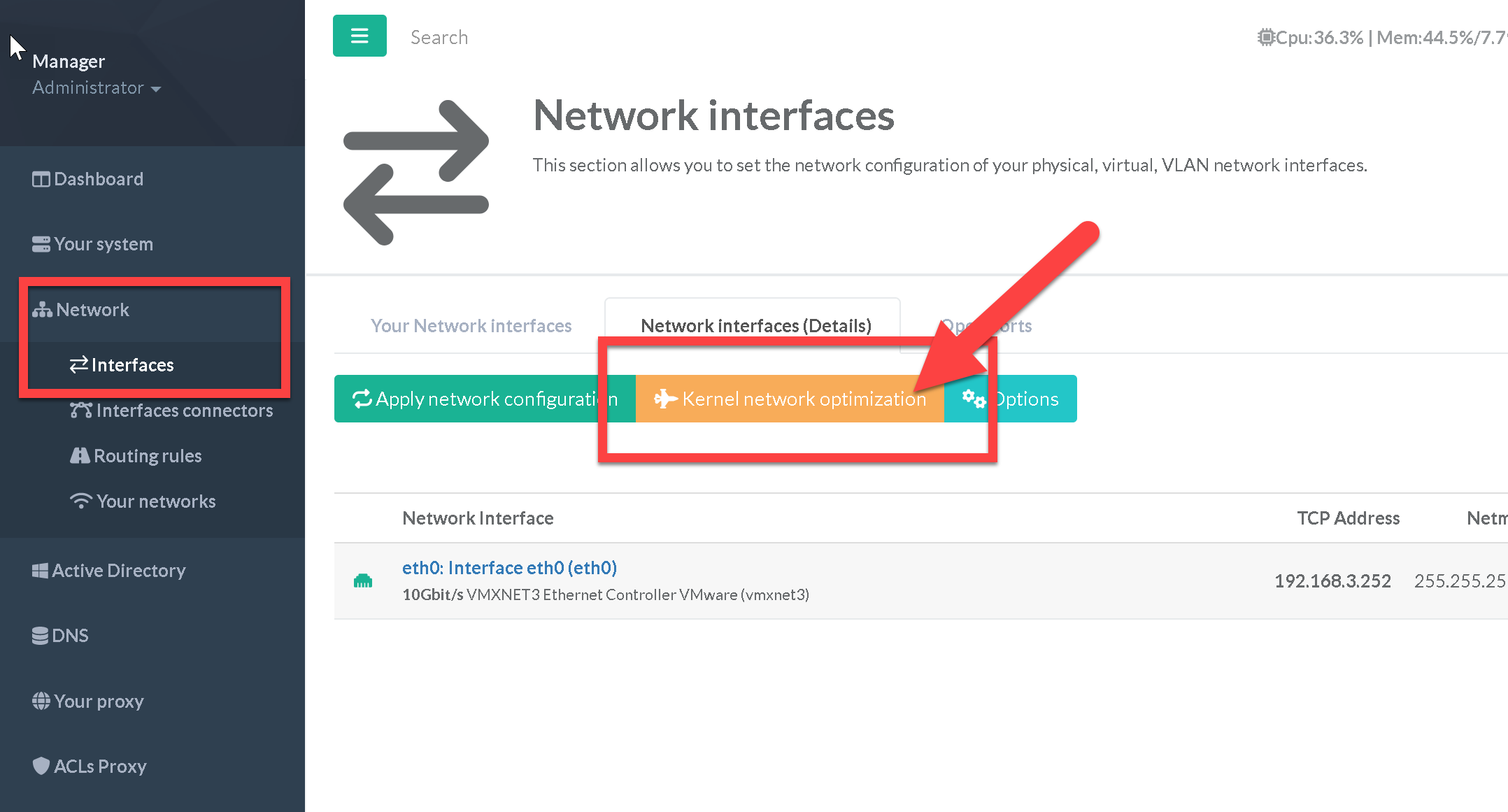
- On the left menu, go to “Network” / “Interfaces”
- Choose the tab “Network Interfaces (details)”
- Click on the “Kernel network optimization” button.
- Verify if Enable IPv6 option is active or not