VMware ESXi Standard Switch port mirroring
Procedure for VMware ESXi Standard Switch port mirroring so that one VM (your Artica sensor) receives a copy of the traffic from another VM or an entire Port Group
Mirror (SPAN) traffic from a Source Port Group or Source VM NIC to a Destination VM running Artica IDS.
This is done using Port Mirroring on a Standard vSwitch (vSS).
ESXi Standard Switches do not support native port mirroring.
Only vDS (vSphere Distributed Switch) has native SPAN / RSPAN.
Use “Promiscuous Mode + Forged Transmits
- Create a dedicated Port Group for Artica IDS VM Example:
IDS-PROMISC. - Go to:
ESXi Host > Networking > Virtual Switches > Select vSwitch > Port Groups > IDS-PROMISC > Edit - Under Security, set: Promiscuous Mode: Accept, MAC Address Changes: Accept, Forged Transmits: Accept
- Connect the physical NIC (uplink) used by the production Port Group also to the same vSwitch.
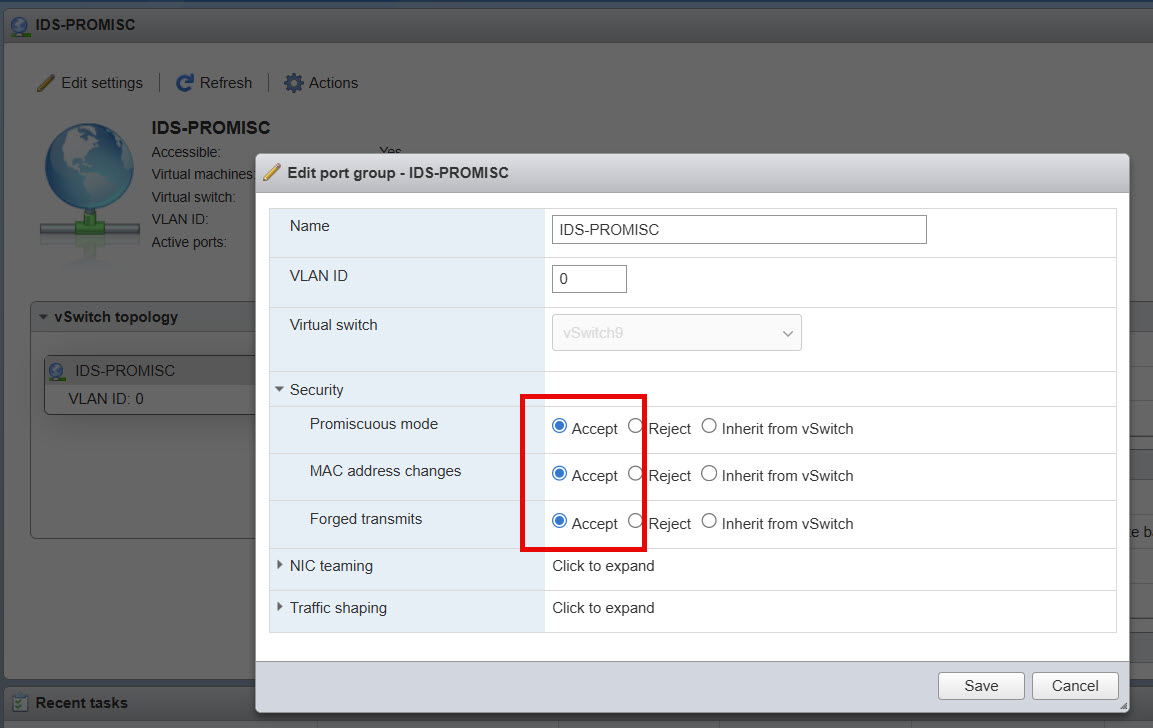
You will not find these options inside the VSphere client, use the direct host web console.
Promiscuous Mode lets a VM receive all traffic that flows through the vSwitch. But it does not create traffic.
If no traffic physically or virtually crosses that vSwitch, your Artica IDS VM sees nothing.
So the IDS-PROMISC port group must be on the same vSwitch as the production traffic.
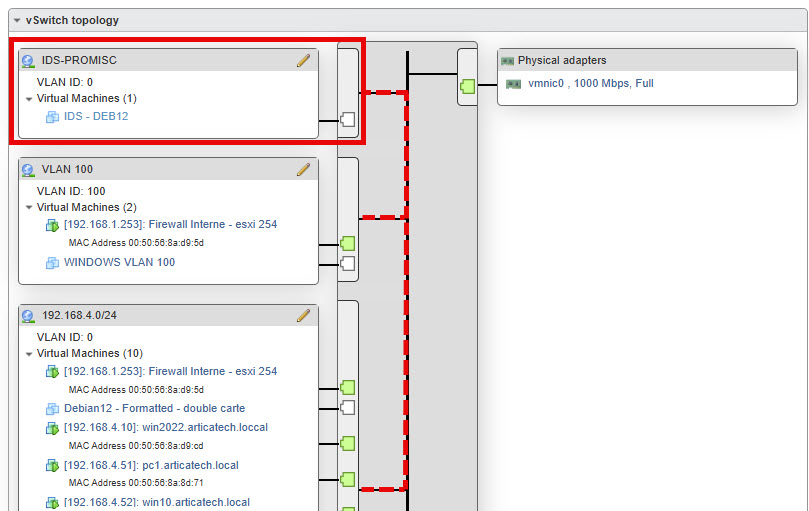
if your IDS-PROMISC port group is not attached to any physical NIC (uplink) or not connected to the same vSwitch that carries your source traffic, Artica IDS will receive zero packets
On the Artica IDS, select the network interface linked to the IDS-PROMISC switch and turn on the Free Mode (SPAN)
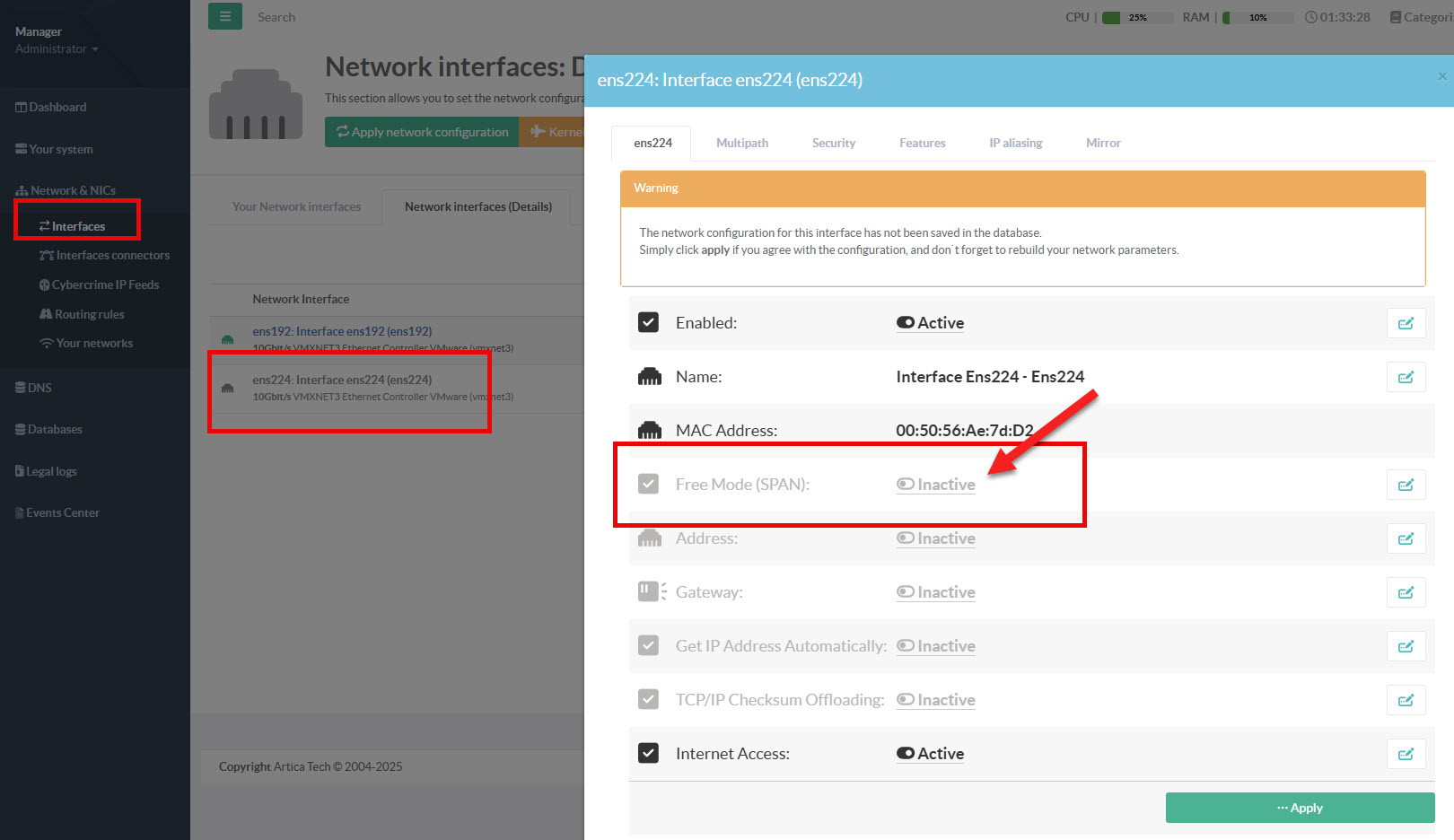
The IP address will disapears because a SPAN mode and a specific label Mirror will be displayed in the main table.
Your sniffing NIC must remain unconfigured (no IP).
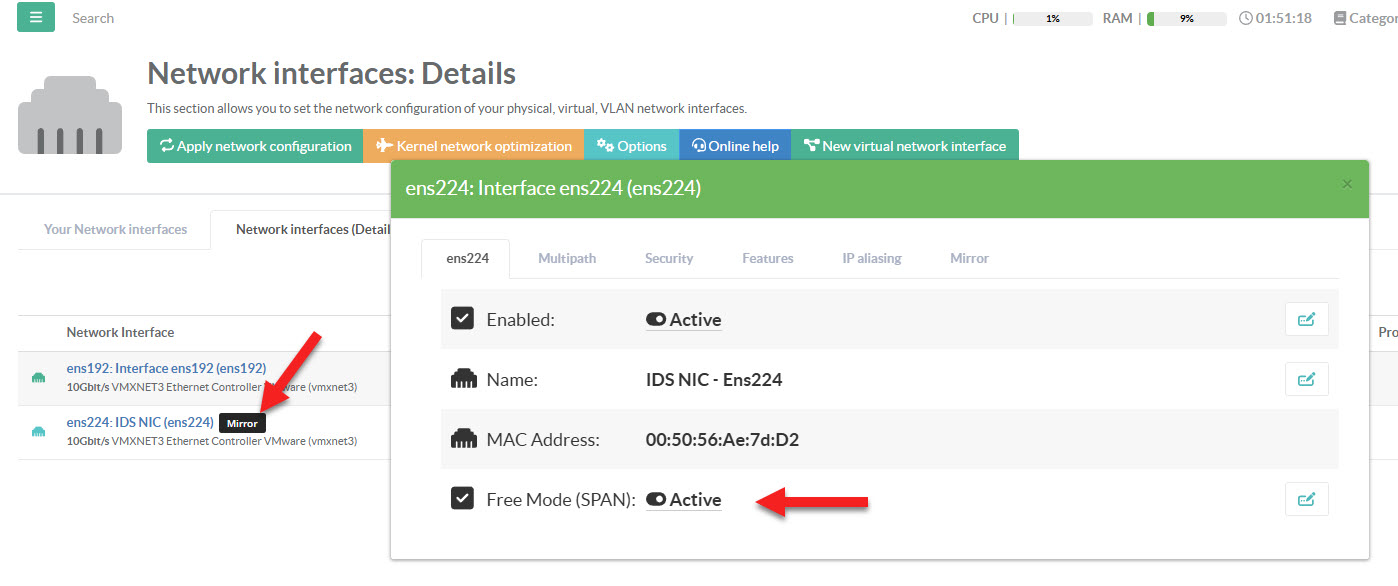
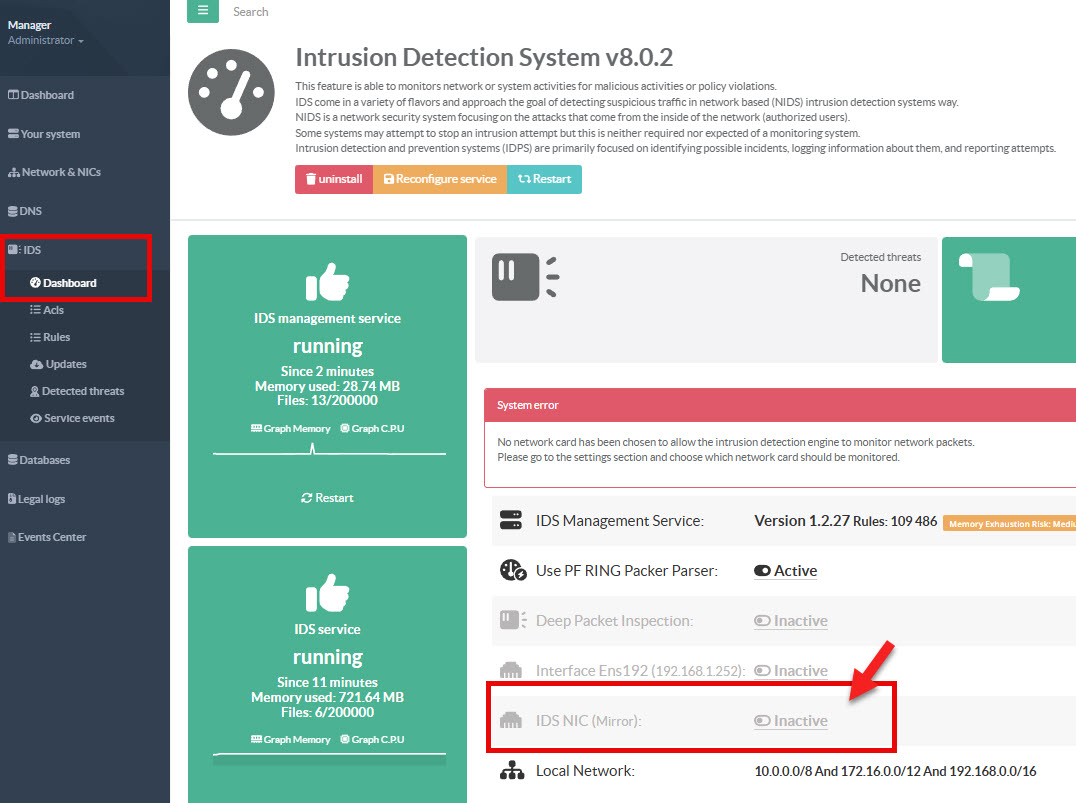
- On the IDS dashboard, enable the Interface switched to SPAN mode.