Duplicate traffic to a target address (MIRROR)
This rule allows you to duplicate traffic in real-time, sending a copy to a sensor for immediate analysis when Artica acts as a gateway in your network
This feature allows you to duplicate traffic in real-time, sending a copy to a sensor for immediate analysis.
This can be useful for monitoring suspicious behavior, detecting intrusions, or identifying unusual traffic patterns as they happen.
It is available with Artica v4.50 Service Pack 1 or Artica v4.50 HotFix 20241104-17
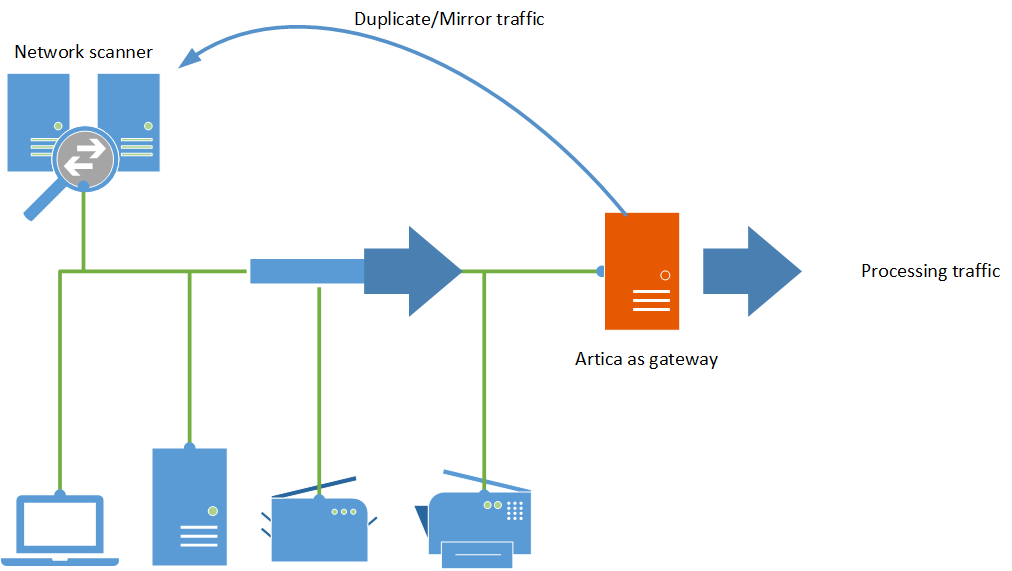
With traffic mirrored to a security tool (such as an IDS like Snort or Suricata or Artica IDS), you can monitor for threats without impacting the main traffic flow. These tools can analyze the mirrored data for known signatures or anomalies, helping to detect and prevent attacks early.
This rule enables the creation of a reliable traffic stream for real-time analysis, security monitoring, diagnostics, and compliance, all without disrupting normal network operations.
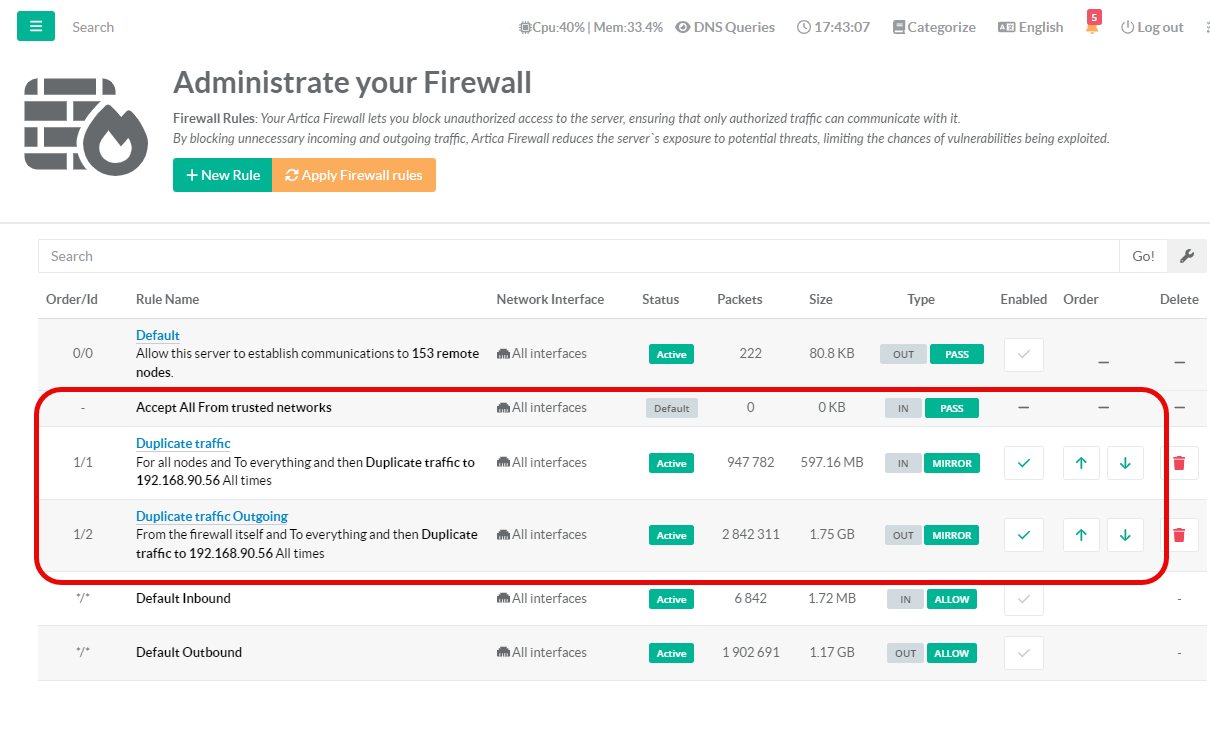
By routing copies of traffic to sensors, organizations gain deeper visibility and control over their networks, improving their ability to detect threats, diagnose issues, and maintain compliance.
Create a rule
Creating a rule is a two-step process: the first allows you to create the traffic rule, and the second allows you to specify the destination.
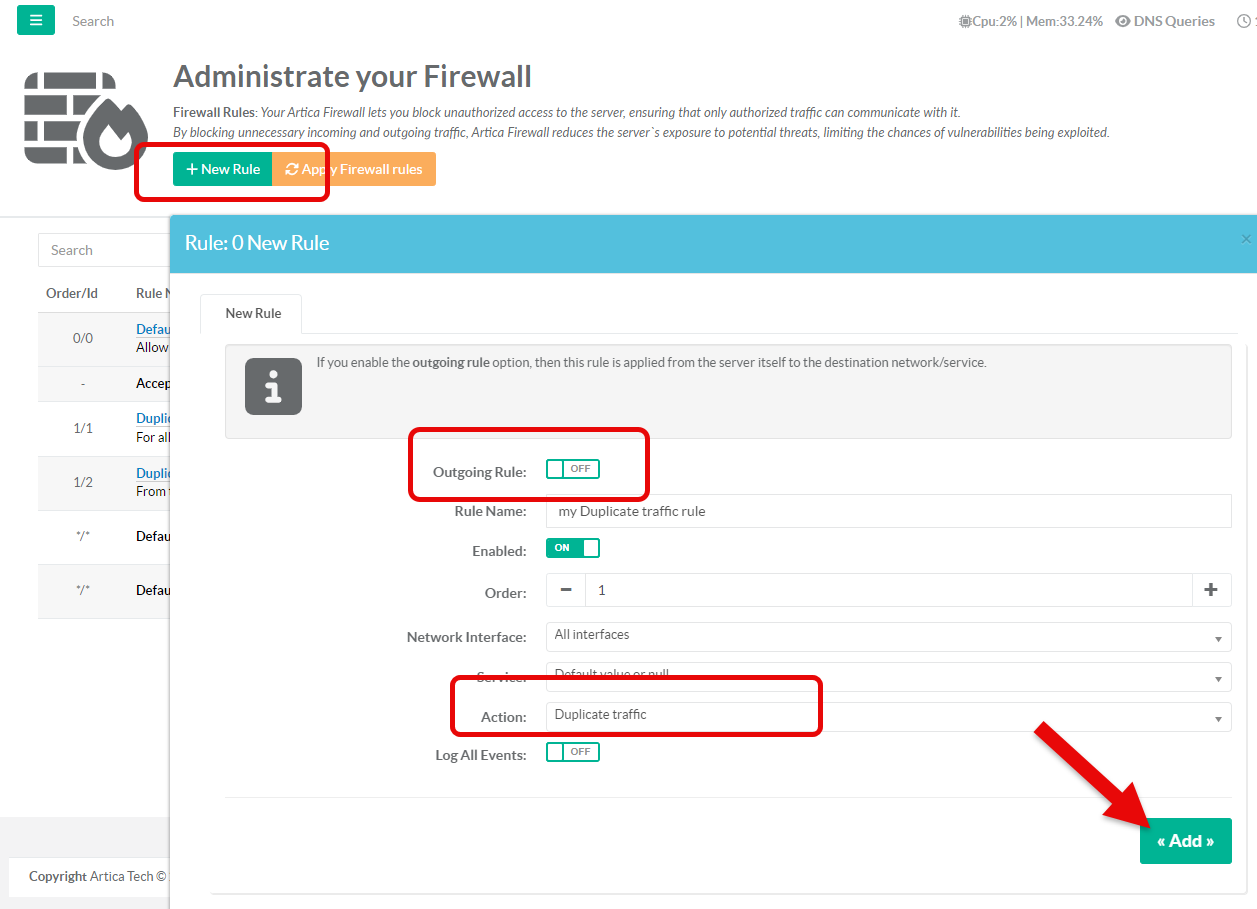
- In the main firewall section, click “New rule” button.
- Check the Outgoing rule checkbox if you want your rule to duplicate all output packets (leave it unchecked for the opposite).
- On the Action, choose “
Duplicate traffic” - Click the Add button
- The rule is added inside the table with the error “Error, no destination address”
- Click the rule name to add the address

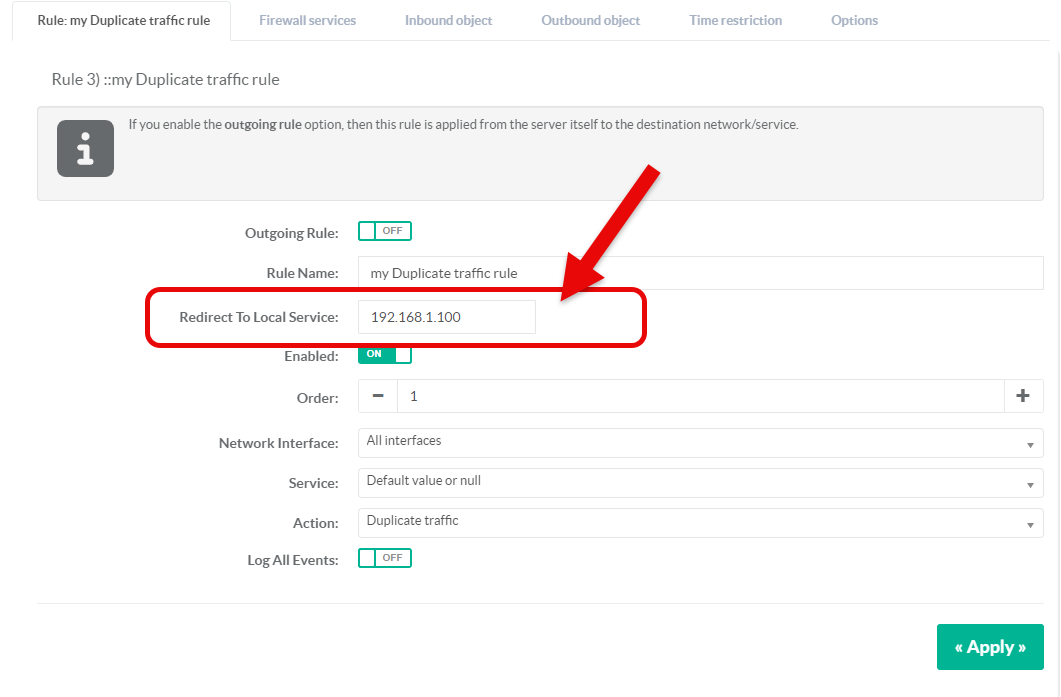
A new field “Redirect to local service” is added, set here the address of your remote sensor.
Click Apply and then the Apply firewall rules button.