Display web error page when blocking SSL sites (v4.30 LTS )
When access to a banned site, there are no generated error page
When access to a banned site, there is no generated error page
For v4.40+ see this ArticleThis feature is available on Artica 4.30 Service Pack 105
The Default behavior
By default, with or without decrypting SSL protocol, a denied SSL site generates a connection error on browsers.
This behavior is normal because the SSL protocol ( an encrypted tunnel ) cannot be redirected before any SSL certificates exchange.

How to display the web-filtering error page ?
- To display the web-filtering error page, you need:
- To decrypt SSL protocol ( create a port with certificate and install certificate on each browser ) using the MAN-IN-THE-MIDDLE connection method.
- Ensure you using Artica v4.30 Service Pack 105 or above
- Enable the option Pass first connection tunnel
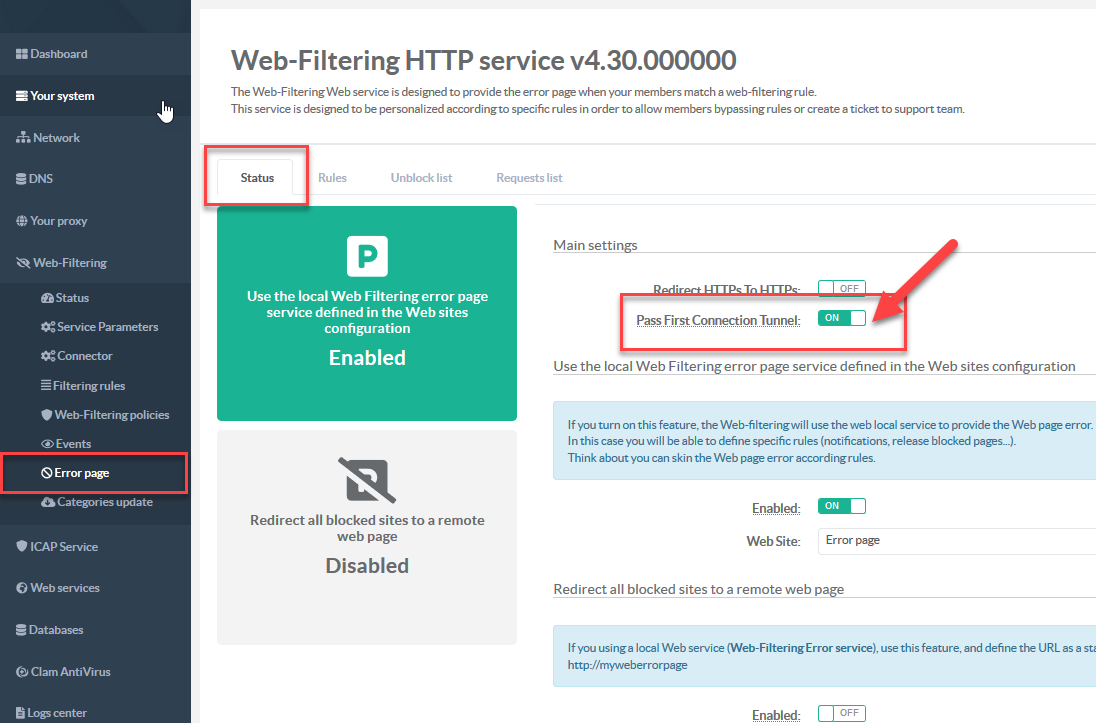
Notice: “Pass first connection tunnel” option must be only enabled if you “decrypt SSL protocol”, If you activate this option and did not perform any SSL decryption, then web filtering will not block SSL sites.