Install the DNS Firewall service
NS Firewall service is a highly DNS-, DoS- and abuse-aware load-balancer. Its goal in life is to route traffic to the best server, cache DNS responses and delivering top performance to legitimate users while shunting or blocking abusive traffic.
Before installing the service, check if there is a new version that can be upgraded.
- The Load-balancing service can be installed using the “Features” section under the "system" menu.
- Search the entry “DNS Firewall” and click on “Install” button
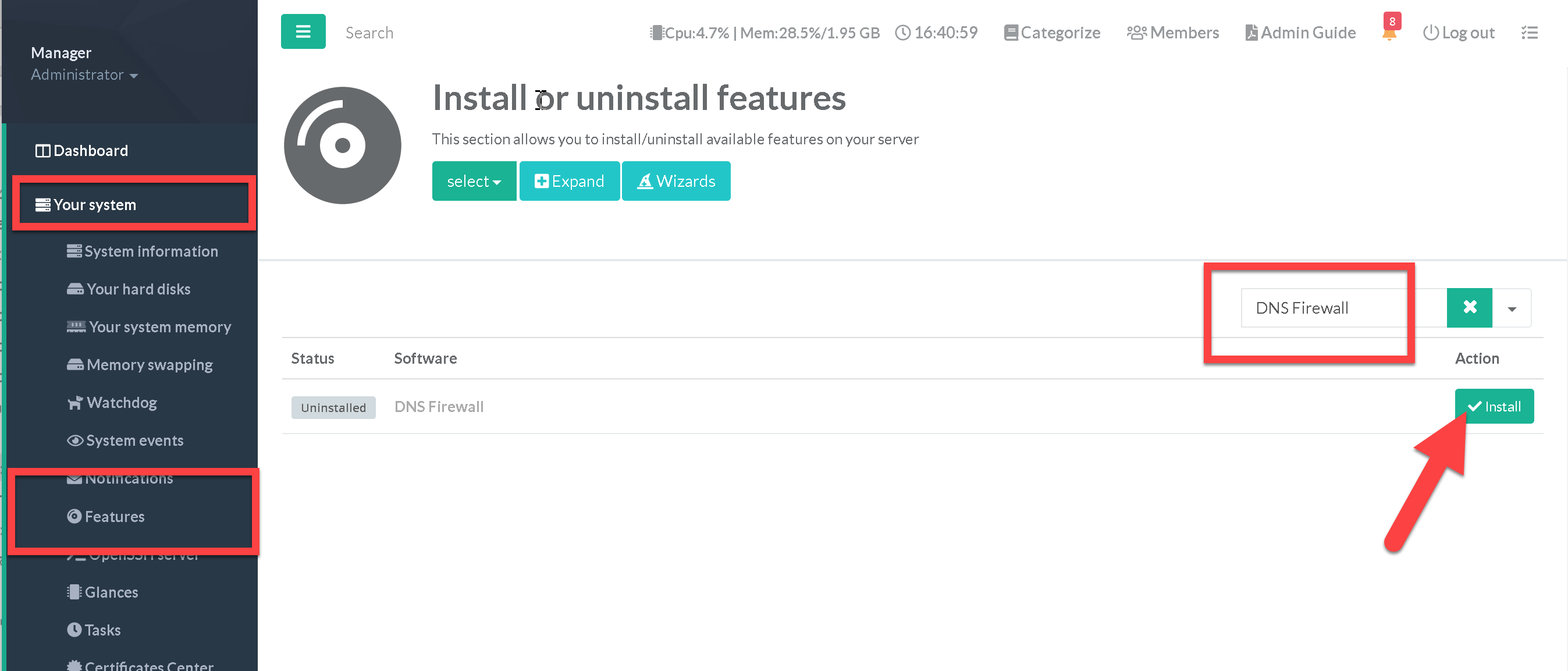
- This operation will uninstall any other DNS service you may have previously installed
- After installation, use the left menu in "DNS" / "DNS Firewall" to customize the service options.
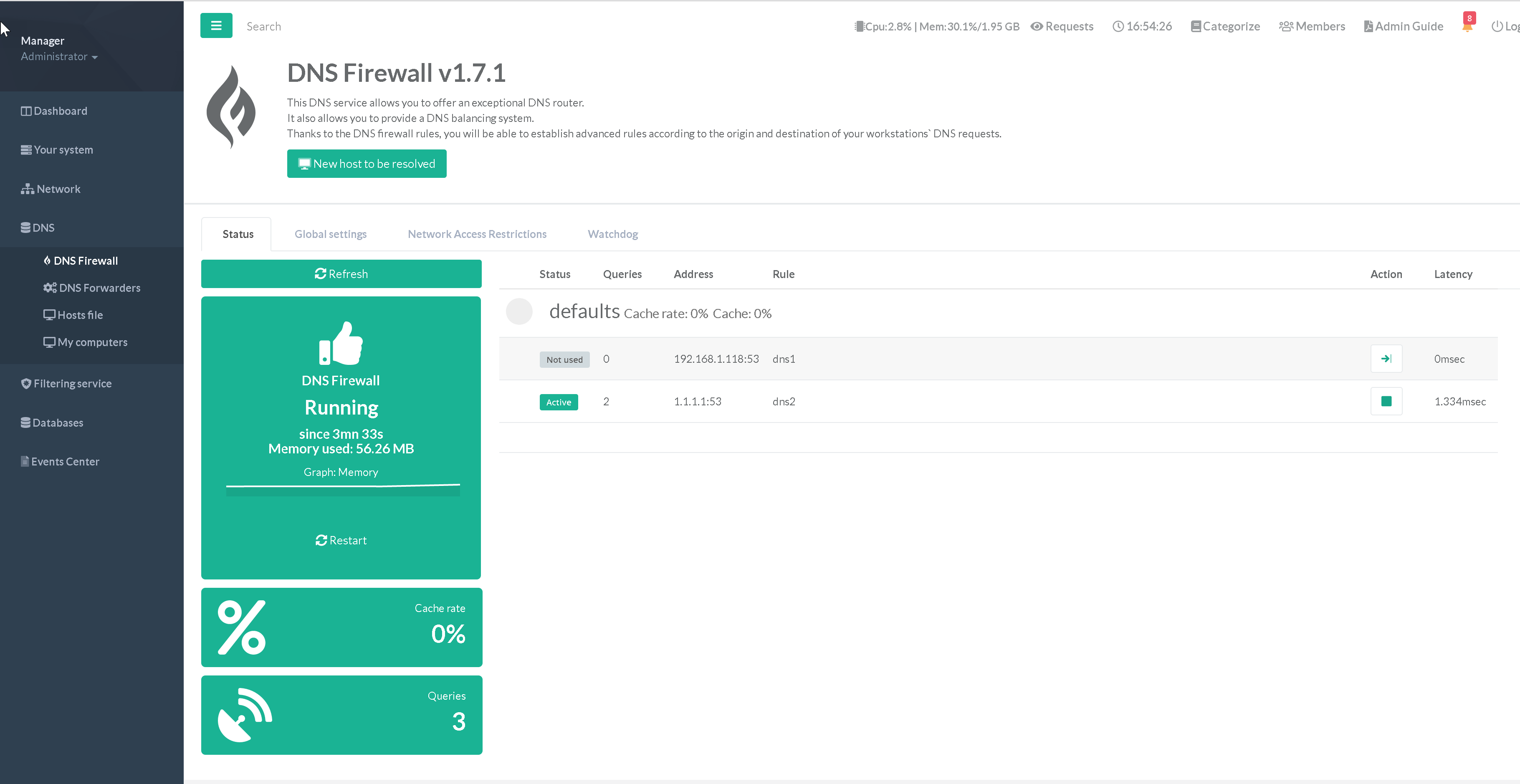
By default, the service is active and operational because Artica retrieves the public DNS servers that you have set in the general configuration.
The only difference is that the service will process them in a balancing manner rather than sequentially.