EDNS protocol
Play with the EDNS option to communicate properly with your remote sites
EDNS (Extension Mechanisms for DNS), specifically EDNS0, is an extension to the original DNS protocol.
It was defined in RFC 2671 and later updated by RFC 6891.
The purpose of EDNS is to overcome some limitations of the original DNS protocol, particularly in terms of payload size and support for new features.This feature is available on Artica v4.50 Service Pack 1 or Artica v4.50 Hotfix 20240605-14
Especially, the EDNS allows Client Subnet Information.
EDNS0 Client Subnet (ECS) is an option that allows DNS clients to include information about the subnet of the originating client.
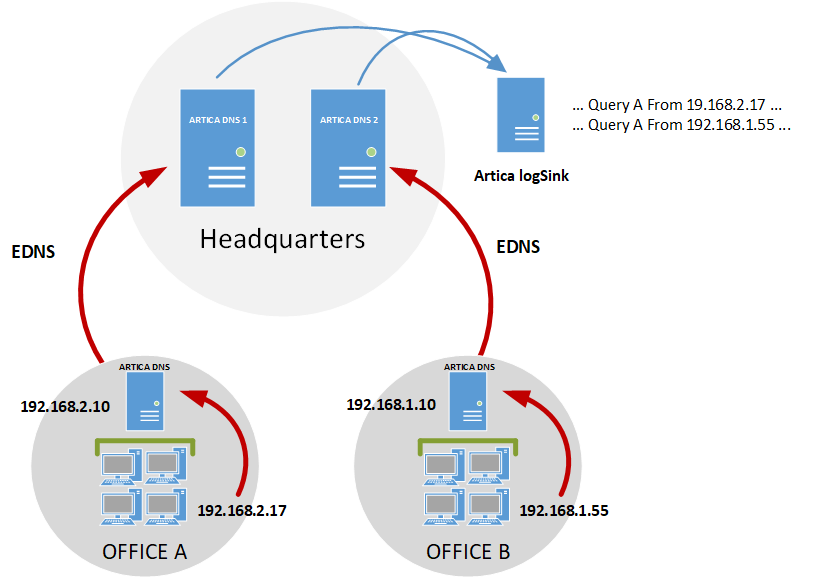
When you have a network with multiple remote sites and front-end servers, it is wise to use EDNS to communicate TCP/IP addresses about clients.
This way, you can store logs centrally, as the central servers have all the necessary information from the clients of the remote DNS servers.
The remote DNS servers located in remote sites will be able to send workstation IP to front-end servers using this protocol
Enable EDNS on remote sites
- On the main configuration of the DNS Cache service, click on the
EDNSlink.
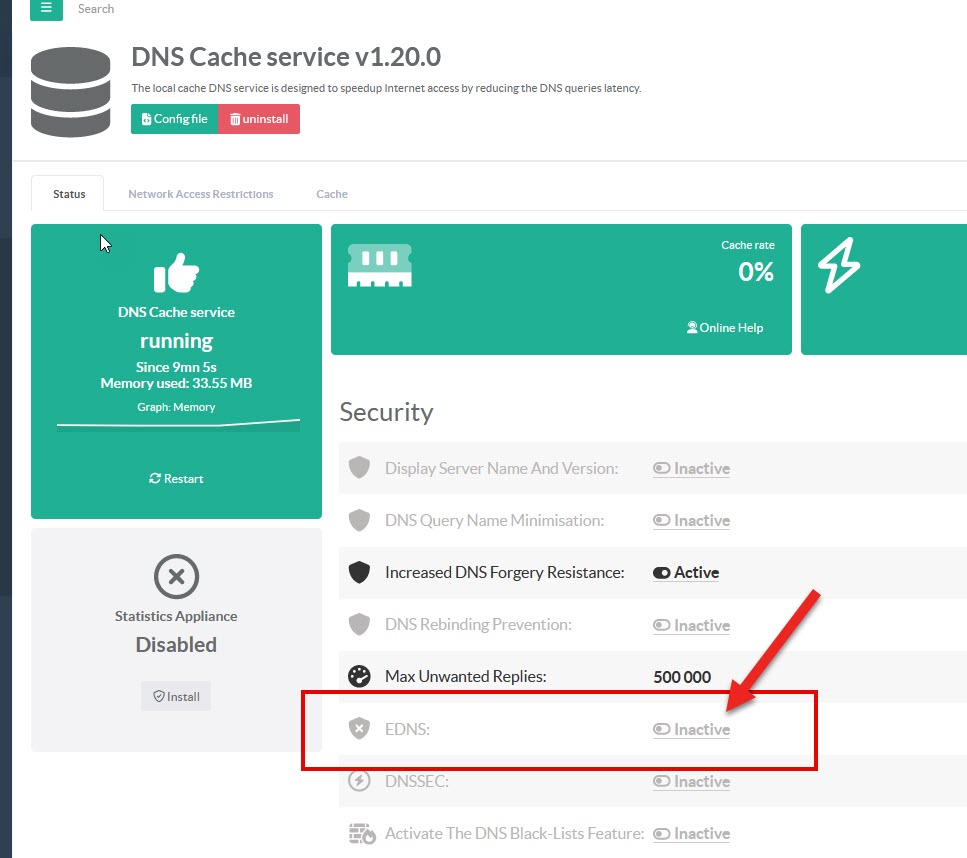
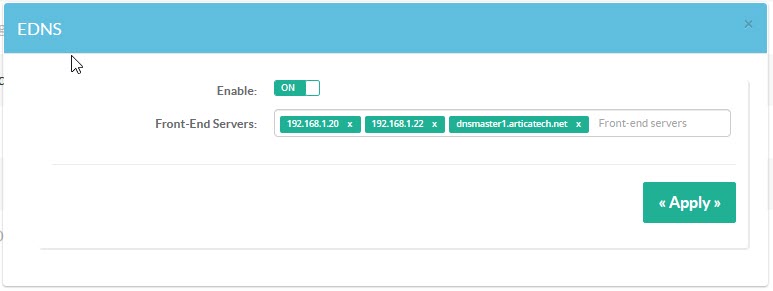
- Turn ON the feature.
- In
Front-End Serversfield, set addresses of the DNS servers able to receive extra EDNS information. - Click on
Applybutton.
-
Always send subnet:
Enabling this checkbox ensures that the DNS service will always include client subnet information in queries sent to upstream DNS servers.
This enables upstream DNS servers to provide optimized responses based on the end customer's geographic location, which can improve the performance and relevance of DNS responses for end users. -
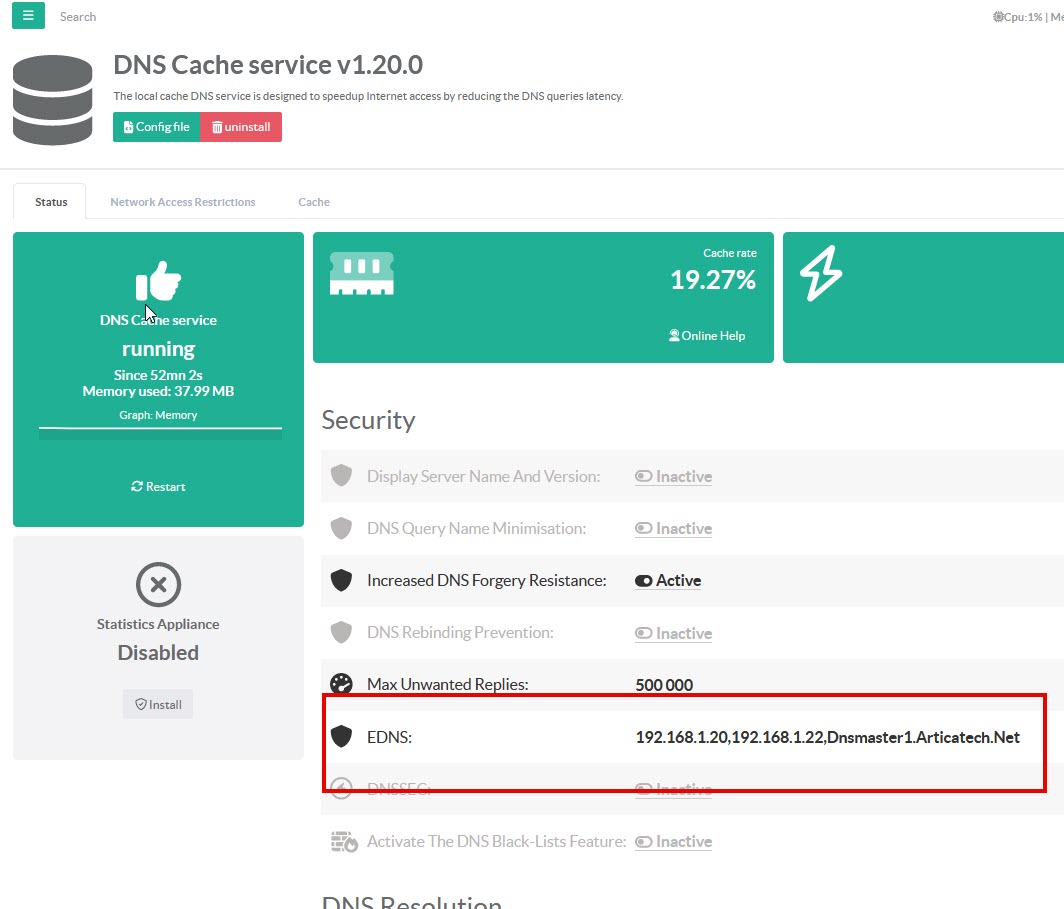
Your configuration will be changed inside the global status.
View DNS clients on Front-ends
On front-end servers, no special configuration is required.
EDNS exchanges are automatically included.
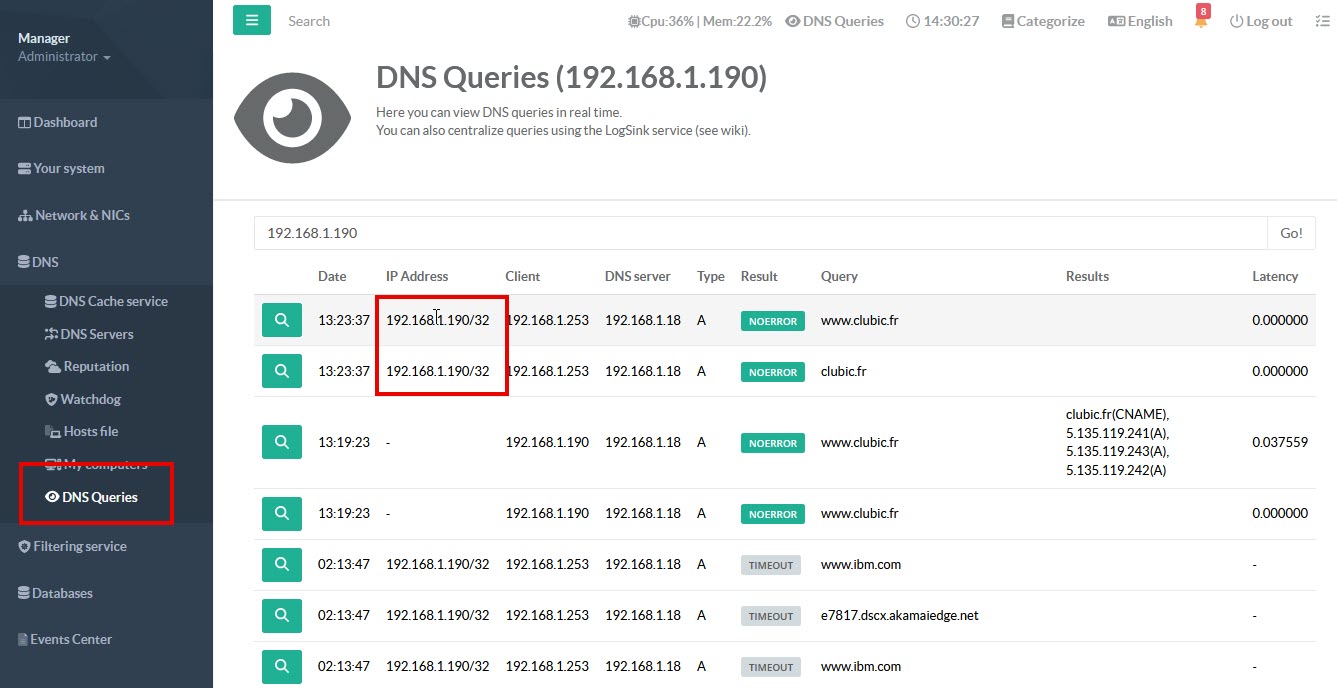
In real-time queries, the IP address column shows the source address of the query, while the client column shows the DNS server that forwarded the query to the front-end server.