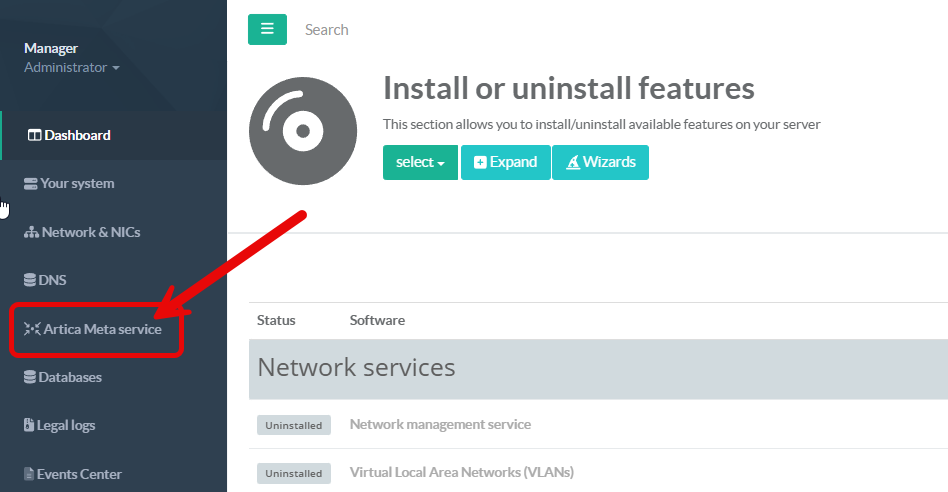
Activate the Artica Meta service
The installation of Artica Meta is performed via the Features section; it simply consists of enabling a feature.
The installation of Artica Meta is performed via the Features section; it simply consists of enabling a feature.
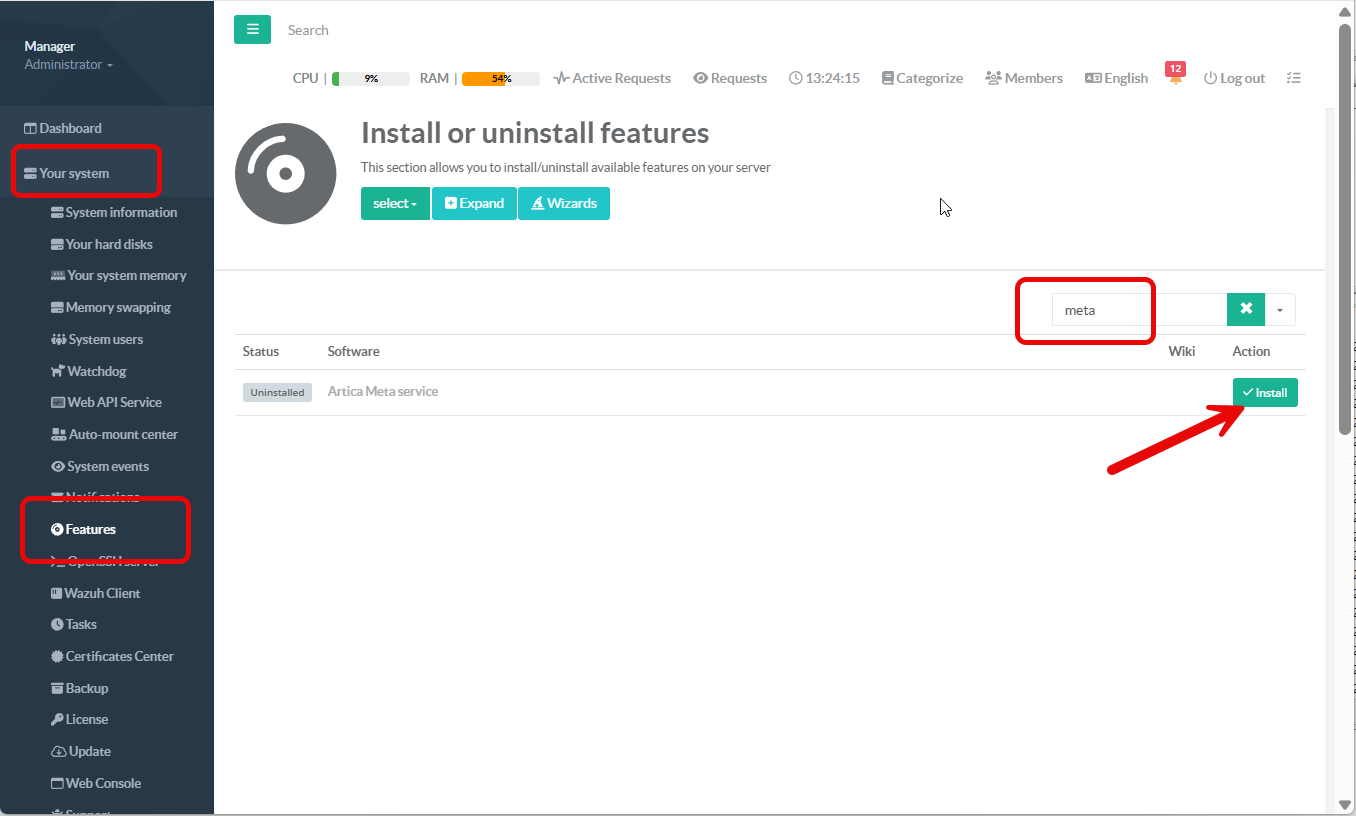
- On the left menu, go to
Your System > Features - On the search field, type
Meta - Click on Install button on the “Artica Meta service”
Once installed, you will see “Artica Meta service” on the left menu