How to Repair WordPress Database ?
Looking for ways to repair WordPress database using Artica ?
The WordPress database needs to be troubleshooted and repaired when you encounter the following errors: "Error when establishing database connection" or "No update required, your database is already up to date".
Other signs of database problems include sudden and unexplained changes to your site, such as missing content and images, plugins frequently malfunctioning, and inability to upload images.
Database problems are caused by reasons such as incorrect database IDs, corrupted files, hacked sites and PHP memory limits being exceeded, among others.
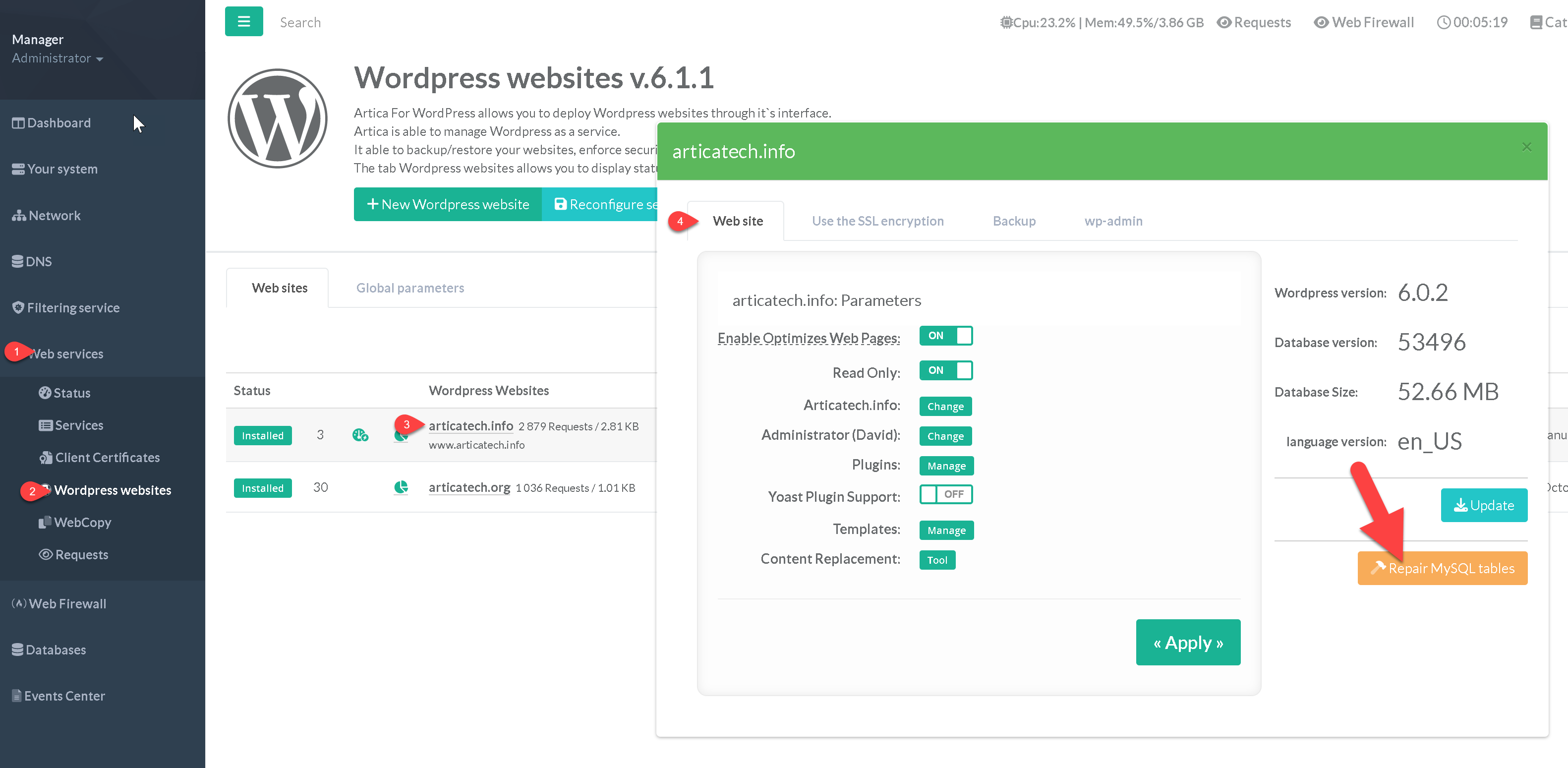
- On the left menu, go to “
Web services” > “Wordpress websites” - Choose your Wordpress website.
- On the “Web site section”, on the right pane, click on the button “Repair MySQL tables”