File Monitoring Service
File Monitoring Service allows you to monitor file movements in real time on the hard disk of the Artica server.
It was developed mainly to monitor in real time the Wordpress directories but it can be used for other things.
This feature is available in Artica v4.30 with Service Pack Instable 927 or Artica v4.40
Installing the service
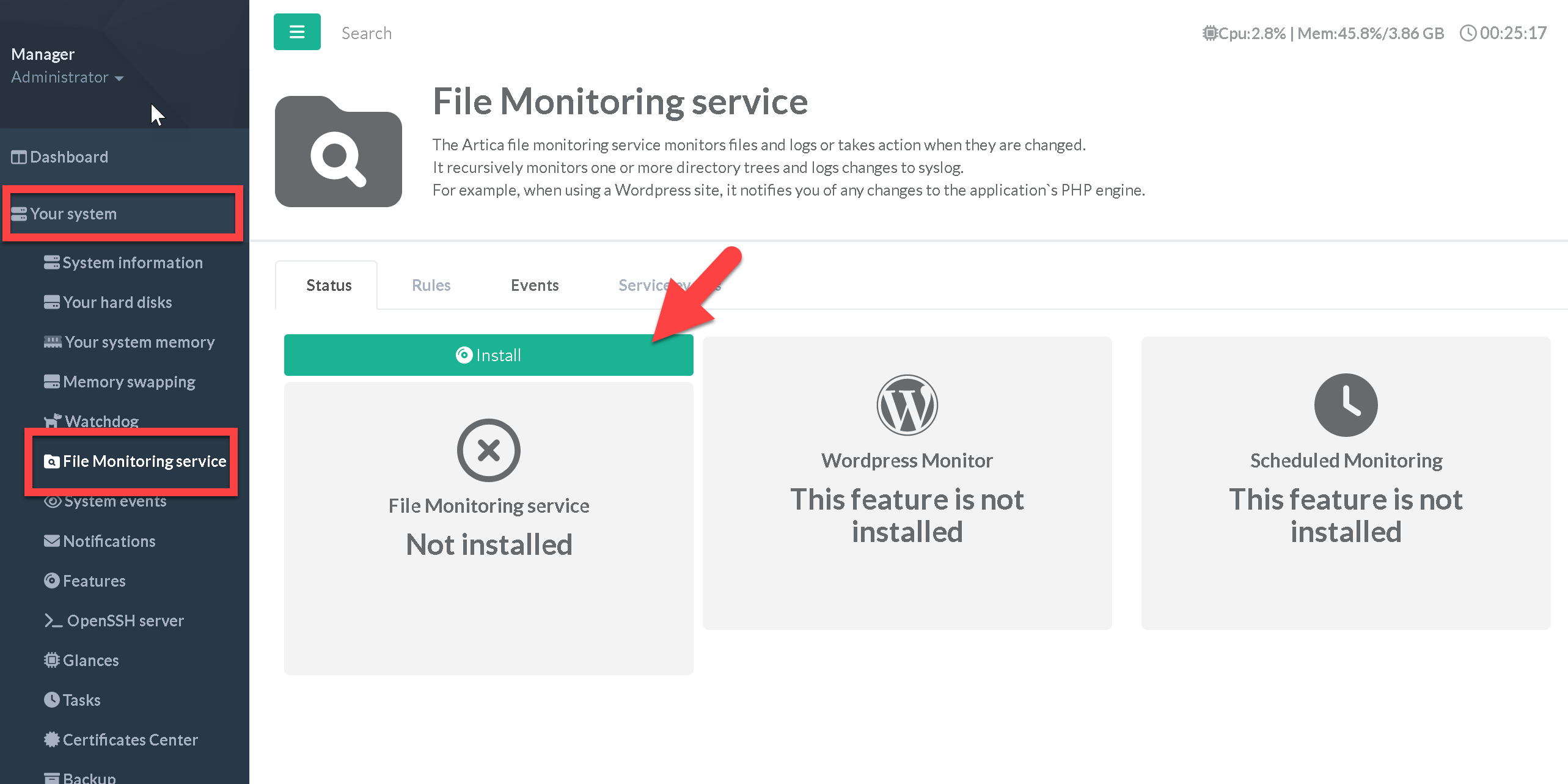
- The File Monitoring Service can be displayed in “Your system” / “File Monitoring Service”
- To install the service, click on Install button
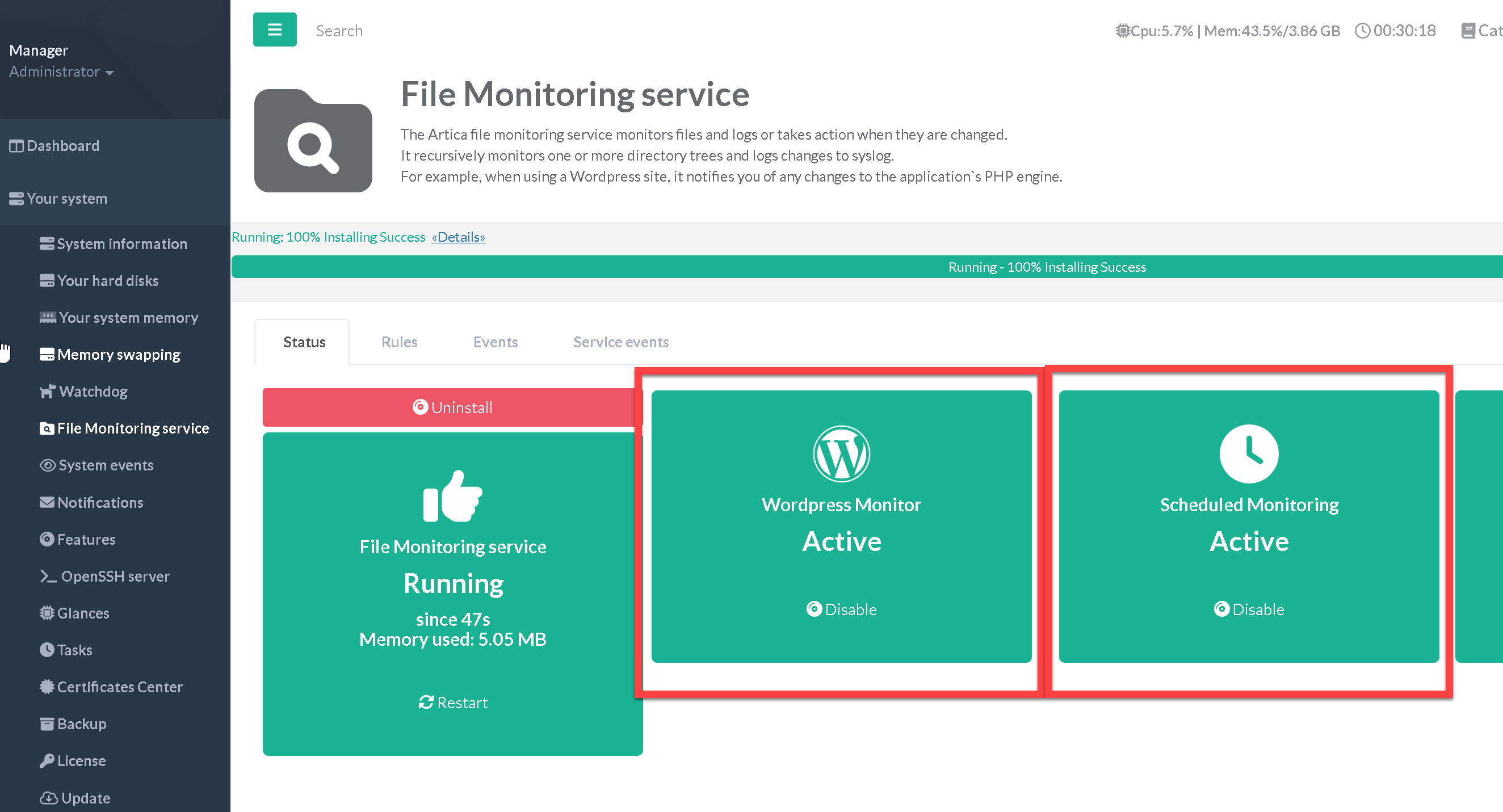
Once installed, you can enable 2 more feature :
- Wordpress Monitor: Monitor some specific changes in all wordpress directories sites.
- Sheduled Monitoring : Checks changes using CRC32 of all monitored directories.
Checks changes
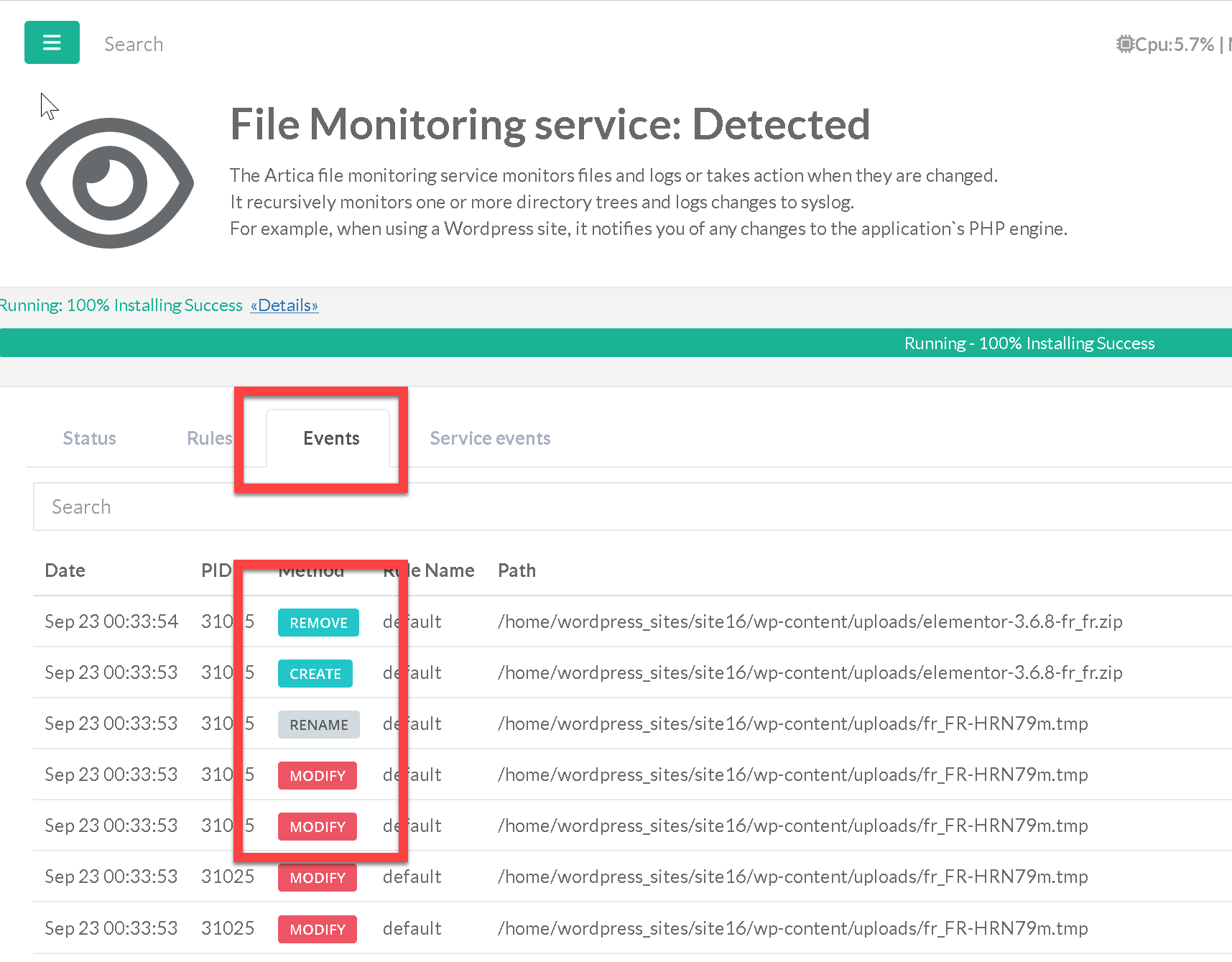
Use the “Events”tab to see all filesystem operations on monitored diectories.
You will filesystem operations and paths.
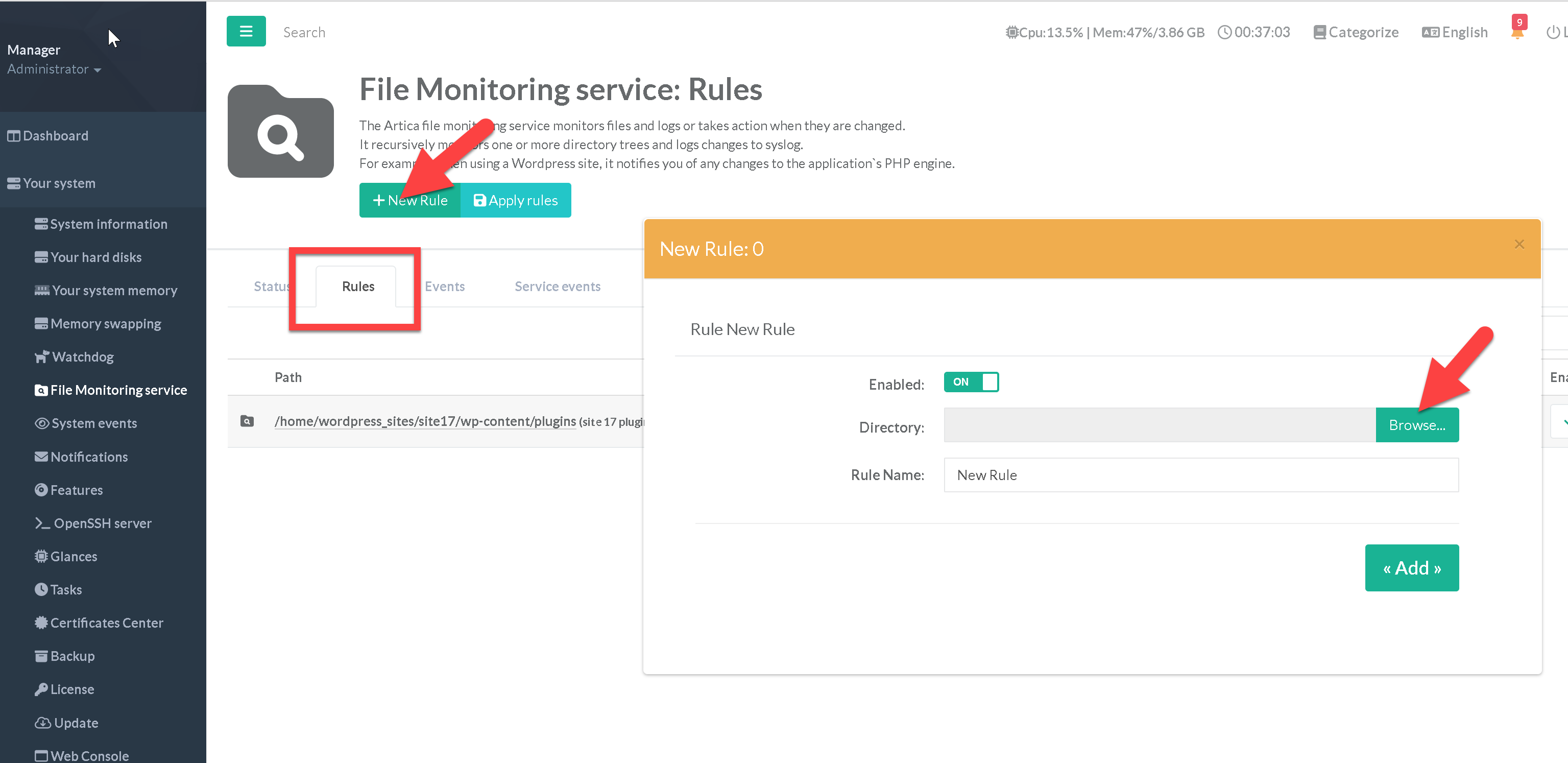
Add new directories to monitor
Use the “Rules” section in order to create new directories to monitor.
Note: you cannot add more than 5000 monitored directories