Back to Certificates Center main section
Artica renews Let's Encrypt certificates automatically, whether they were issued through the HTTP-01 challenge (port 80 validation) or the DNS-01 challenge (TXT record validation through a DNS provider such as Cloudflare, OVH, Route53…).
The Renewal events feature adds a persistent, queryable journal of every renewal attempt the appliance performs
Successes and failures, with the exact ACME error message — and automatically reloads the reverse-proxy websites that use a certificate once it has been renewed.
Before this feature, renewal outcomes were only visible in transient notifications and log files:
after a daemon restart, there was no way to answer “was my certificate renewed last night, and if not, why?”. The renewal journal answers that question for a full year of history.
¶ Benefits
- Full audit trail
Every attempt is recorded with its date, certificate, challenge type, DNS provider, duration and outcome. Entries are kept for 365 days and survive daemon restarts and reboots.
- Actionable error messages
When a renewal fails, the complete ACME error returned by Let's Encrypt is stored (for example a DNS NXDOMAIN on the _acme-challenge TXT record, or an HTTP 403 on the well-known challenge path). Hover the truncated message to read it in full.
- No more stale certificates on the reverse-proxy
when Reverse-proxy feature is enabled, each successfully renewed certificate triggers a rebuild of the websites that use it, followed by a single graceful reverse-proxy service reload.
The Websites reloaded column confirms it happened.
- Both renewal engines covered
The journal is fed by the HTTP-01 renewal task (scheduled) and by the DNS-01 auto-renewal manager (6-hour cycle), including renewals triggered manually from the console.
- API first
Everything shown in the console is available through the REST API for integration with your monitoring.
¶ Use cases
- Morning check after a certificate incident
A browser warning on a published website?
Open the renewal history and see in seconds whether the last renewal failed and with which exact ACME error, instead of grepping log files.
- Proving compliance
Export a year of renewal events through the REST API to demonstrate that certificates are rotated automatically and on time.
- Diagnosing a DNS provider misconfiguration
A revoked Cloudflare token or a deleted DNS zone shows up as a recurring failed entry with the provider name and the DNS error, several weeks before the certificate actually expires.
- Verifying the reverse-proxy picked up the new certificate
The Websites reloaded check mark tells you the vhosts were rebuilt and reverse-proxy service reloaded; no check mark on a success means nginx is disabled on that appliance or the reload is still pending.
- Watching Let's Encrypt rate limits
Repeated failed attempts are visible at a glance, letting you fix the root cause before hitting the Let's Encrypt per-domain limits.
¶ Where to find it
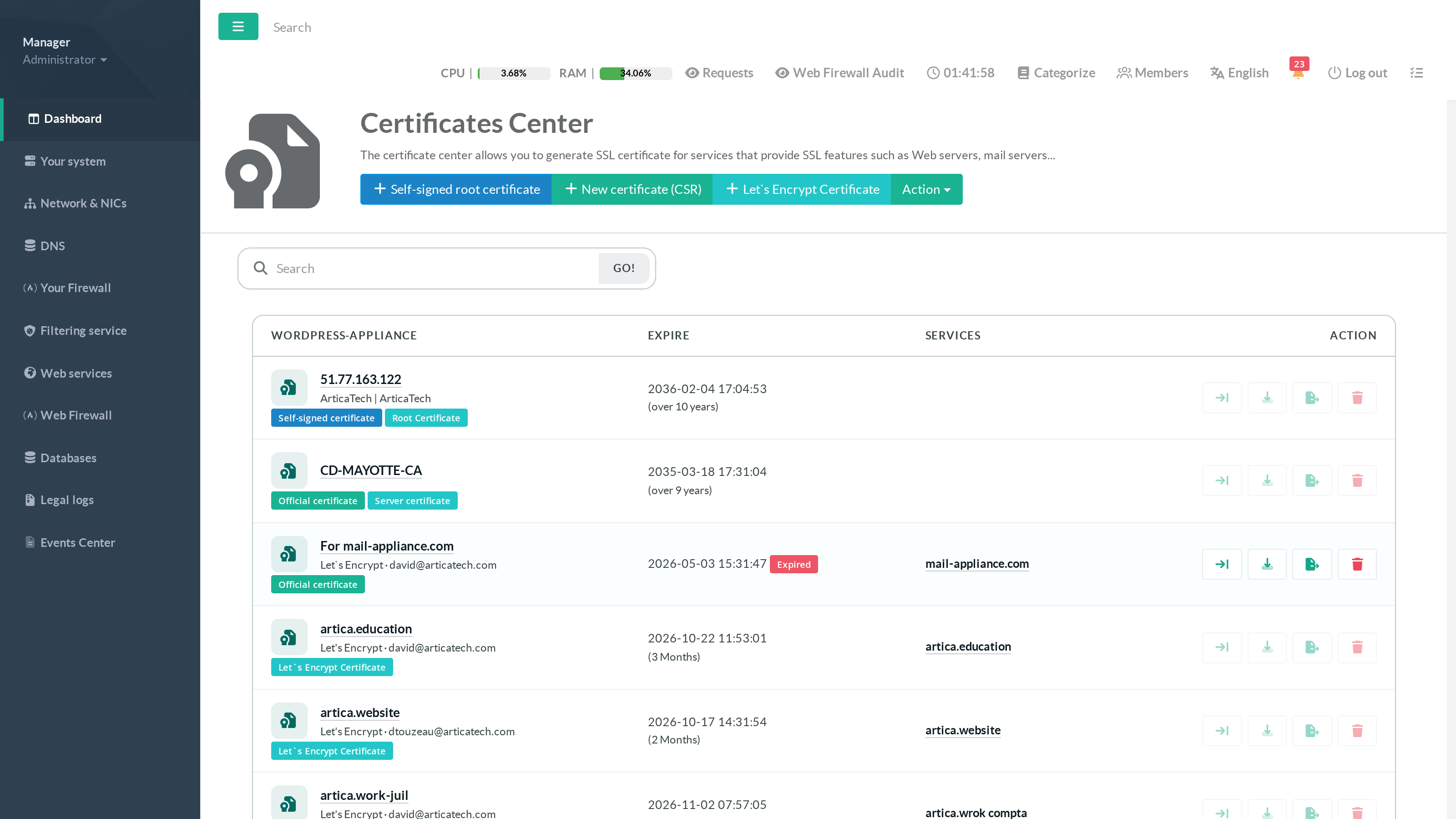
Open Your System → Certificates Center. The Let's Encrypt wizard is opened by the Let's Encrypt Certificate button:
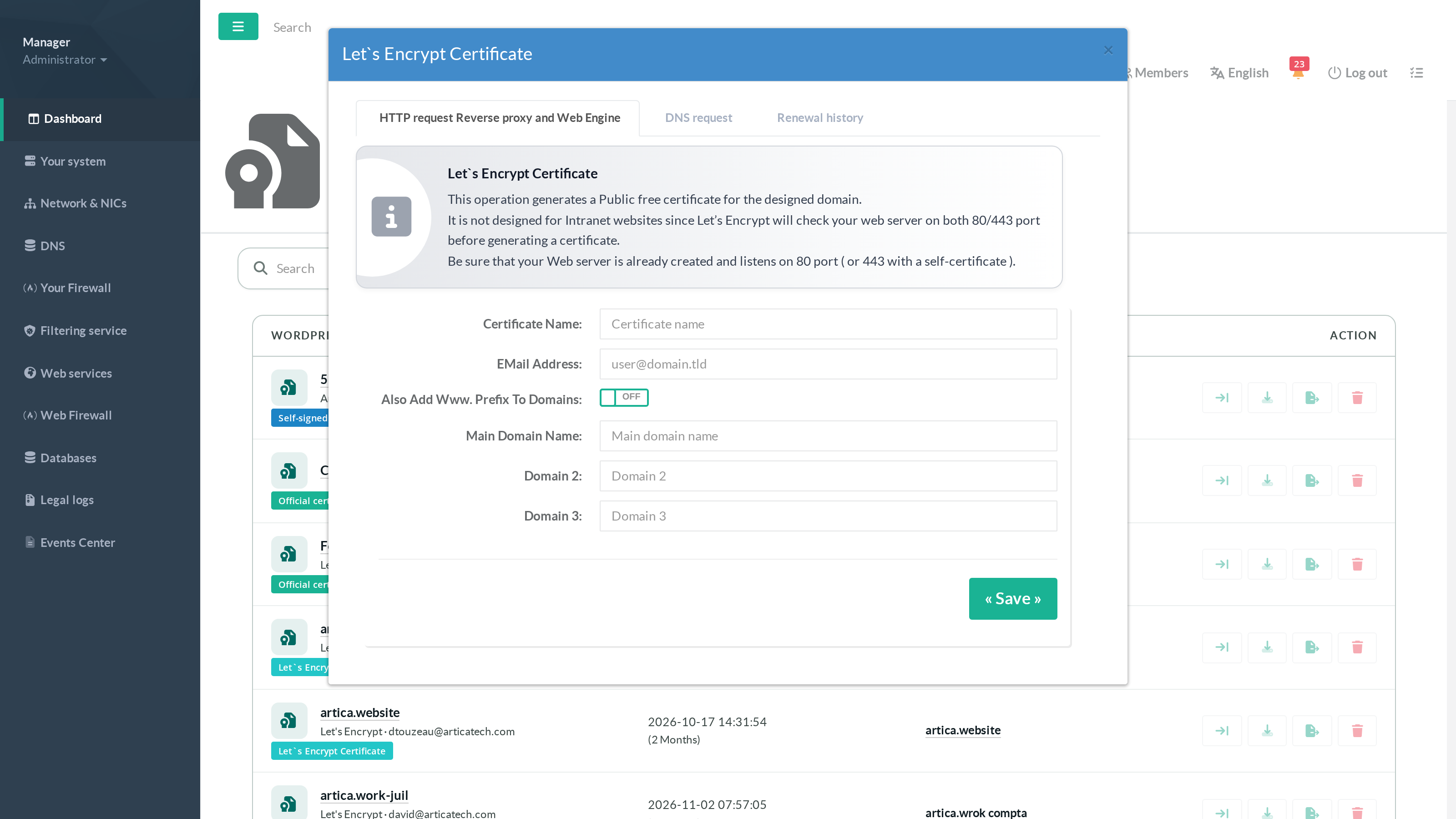
Inside the wizard, a new Renewal history tab sits next to the request tabs:
¶ Reading the renewal history
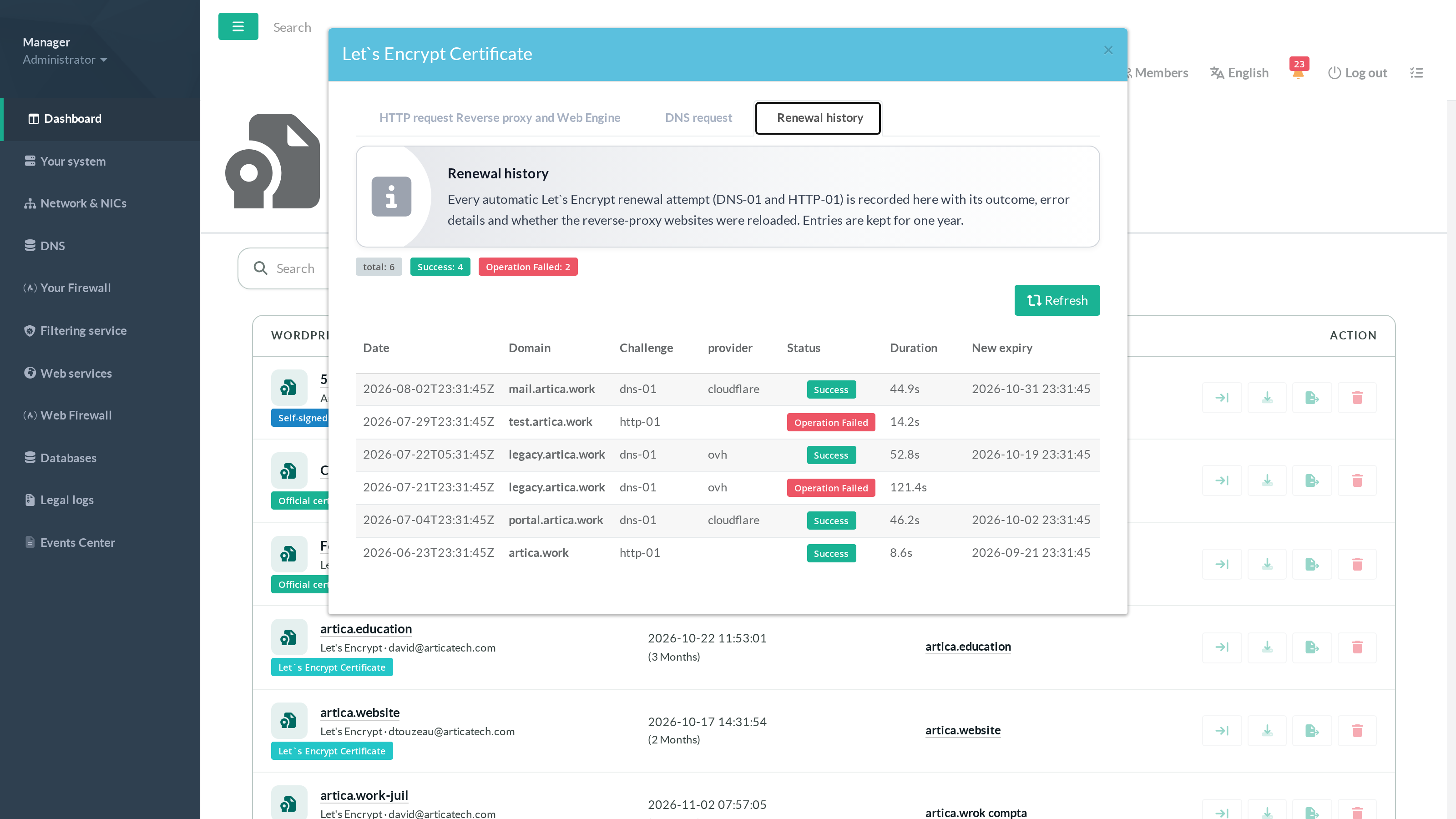
The header line shows the totals — and each label is a clickable filter: click Success or Failed to restrict the table, and the total to show everything again.
| Date | When the renewal attempt started. |
| Domain | The certificate CommonName. Hover it to see the full SAN list (all hosts covered by the certificate). |
| Challenge | http-01 (port-80 validation) or dns-01 (TXT record validation). |
| Provider | The DNS provider used for a DNS-01 renewal (cloudflare, ovh…). Empty for HTTP-01. |
| Status | Success or Failed. |
| Duration | Total time of the attempt. DNS-01 renewals typically take 40–60 seconds (TXT propagation), HTTP-01 a few seconds. |
| New expiry | The NotAfter date of the freshly issued certificate (successes only). |
| Websites reloaded | A green check when the reverse-proxy websites using this certificate were rebuilt and reverse-proxy service was gracefully reloaded after the renewal. |
| Error | The exact error for failed attempts, truncated for display — hover it to read the complete ACME message. |
¶ Understanding failures

Typical failure signatures:
urn:ietf:params:acme:error:dns :: DNS problem: NXDOMAIN looking up TXT for _acme-challenge.<host>
The DNS provider did not publish the validation record: check the provider credentials and that the zone still exists.urn:ietf:params:acme:error:unauthorized :: Invalid response from http://<host>/.well-known/acme-challenge/…: 404
The HTTP-01 challenge did not reach the appliance: check that the domain points to this server and that port 80 is reachable from the Internet.A certificate bound to the manual DNS provider cannot be renewed unattended
Assign an automated provider to it in the DNS providers tab.
A failed attempt is retried on the next cycle automatically;
the journal keeps one entry per attempt, so a recurring problem is immediately visible as a series of failed rows on the same domain.
¶ Automatic reverse-proxy reload
When the appliance runs the reverse-proxy, renewing a certificate is only half of the job: the websites using it must be rebuilt so reverse-proxy service serves the new certificate.
This is now automatic for both renewal engines:
- after each renewal batch, every renewed certificate triggers a per-certificate rebuild of the reverse-proxy websites bound to it;
- a single graceful reload of reverse-proxy service is then performed (no dropped connections, no restart);
- the corresponding journal entries are flagged in the Websites reloaded column.
If reverse-proxy service is not enabled on the appliance, the renewal is stored normally and no reload is attempted.
¶ REST API
The journal is exposed on the local articarest socket (and on the authenticated REST port):
SOCKET="/usr/share/artica-postfix/bin/run/articarest.sock"
# Last renewal events (most recent first)
curl -s --unix-socket $SOCKET "http://localhost/letsencrypt/renewals/logs?limit=100"
# Only failures for one domain
curl -s --unix-socket $SOCKET "http://localhost/letsencrypt/renewals/logs?domain=www.example.com&status=failed"
# Global counters
curl -s --unix-socket $SOCKET "http://localhost/letsencrypt/renewals/stats"
Parameters of /letsencrypt/renewals/logs:
- domain (exact CommonName),
- status (success or failed),
- limit (default 100, maximum 1000).
Each entry returns: date, common_name, domains, challenge, provider, status, error, duration_ms, new_expiry.
Example answer of /letsencrypt/renewals/stats:
{
"stats": {
"total": 6,
"success": 4,
"failed": 2,
"last_success": "2026-08-02 23:31:45",
"last_failure": "2026-07-29 23:31:45"
},
"success": true
}
¶ Notes
- Events are retained for one year; older entries are purged automatically.
- The journal is stored in a dedicated database on the appliance (/home/artica/SQLITE/letsencrypt_renewals.db) — it is not part of the certificates database and can be queried without impacting certificate operations.
- Journaling is best-effort by design: a storage problem never blocks or delays a certificate renewal.
- An empty history simply means no renewal attempt has occurred yet since the feature was installed — certificates are only renewed when they approach expiry.