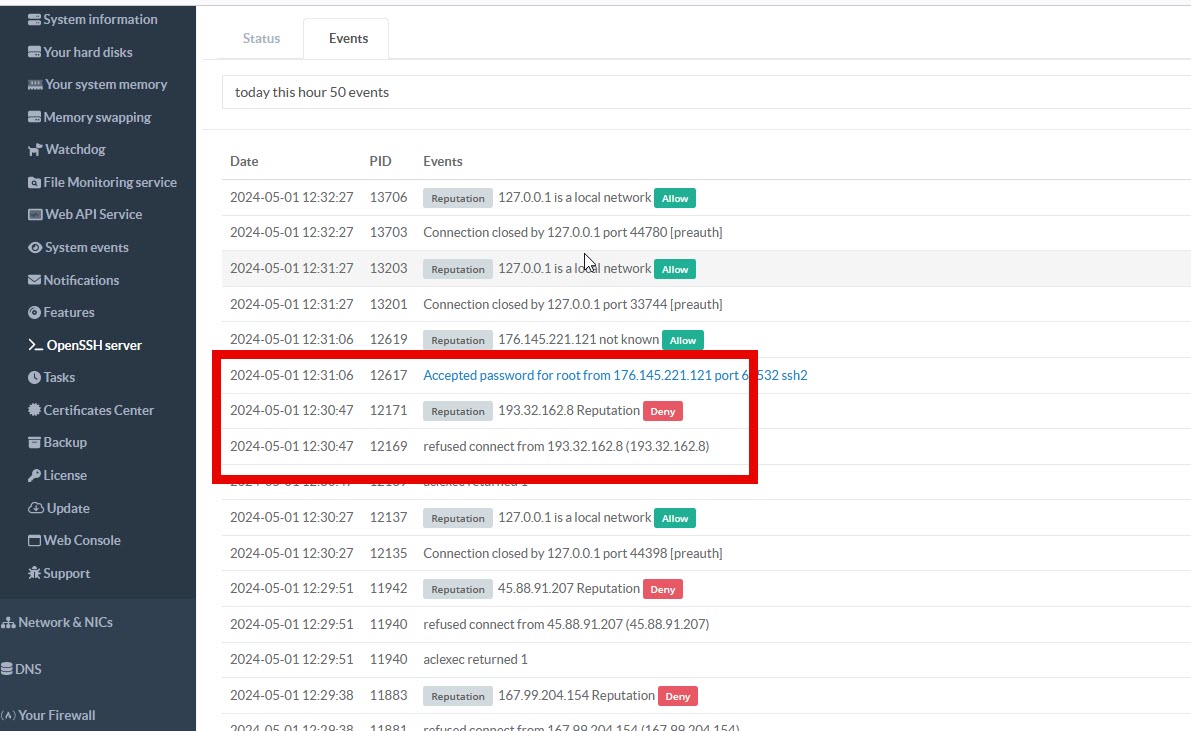
Assign reputation rule inside your OpenSSH service
The OpenSSH service is one of the most frequently scanned and attacked by the Internet community, and using a reputation service on it goes a long way to keeping it alive.
The OpenSSH service is one of the most frequently scanned and attacked by the Internet community, and using a reputation service on it goes a long way to keeping it alive.
This is true even if you change the listening port to another port.
- Create reputation rules:
Take a look of this section to setup your reputation rule.
Assign rules
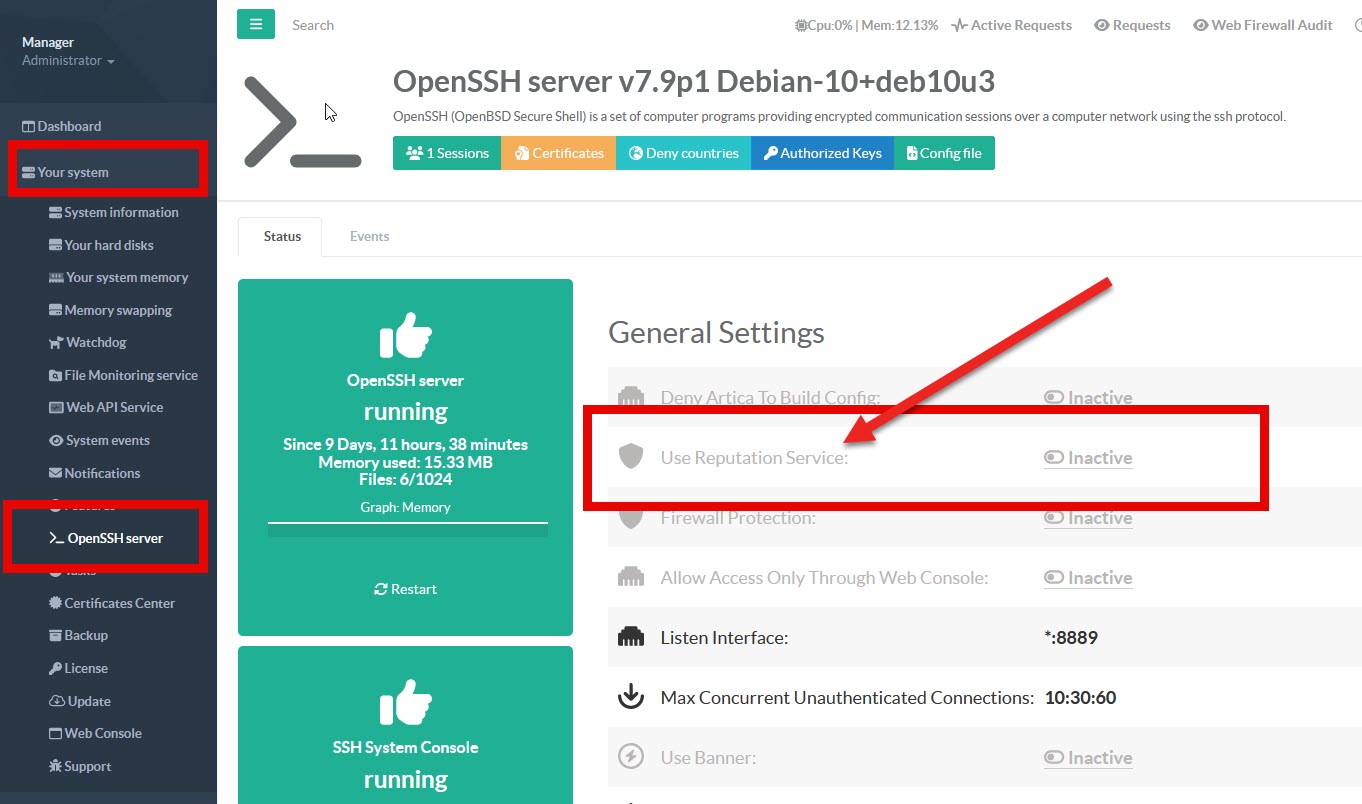
- On the left menu go to
Your System > OpenSSH server - Click on “
Use a reputation service” link
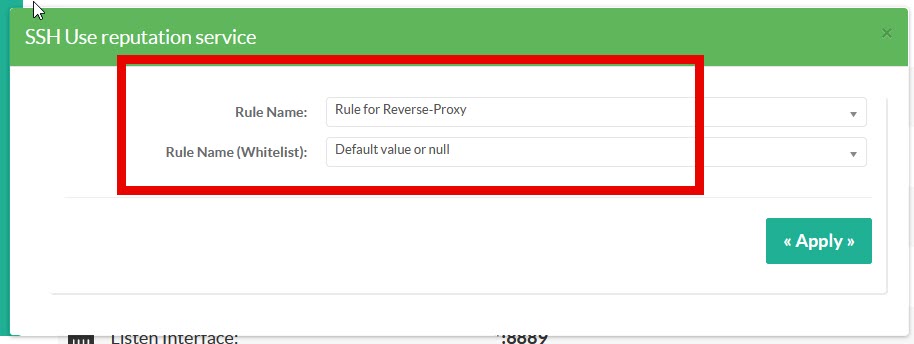
- Define the “Deny reputation” rule in “Rule name” drop-down list.
This rule will force the SSH server to refuse any access request to an address listed in reputation services. - Rule Name (Whitelist):
This rule is opposed to the blocking rule. If an address is listed in the reputation services, then the address will be considered authorized to identify itself on the service.
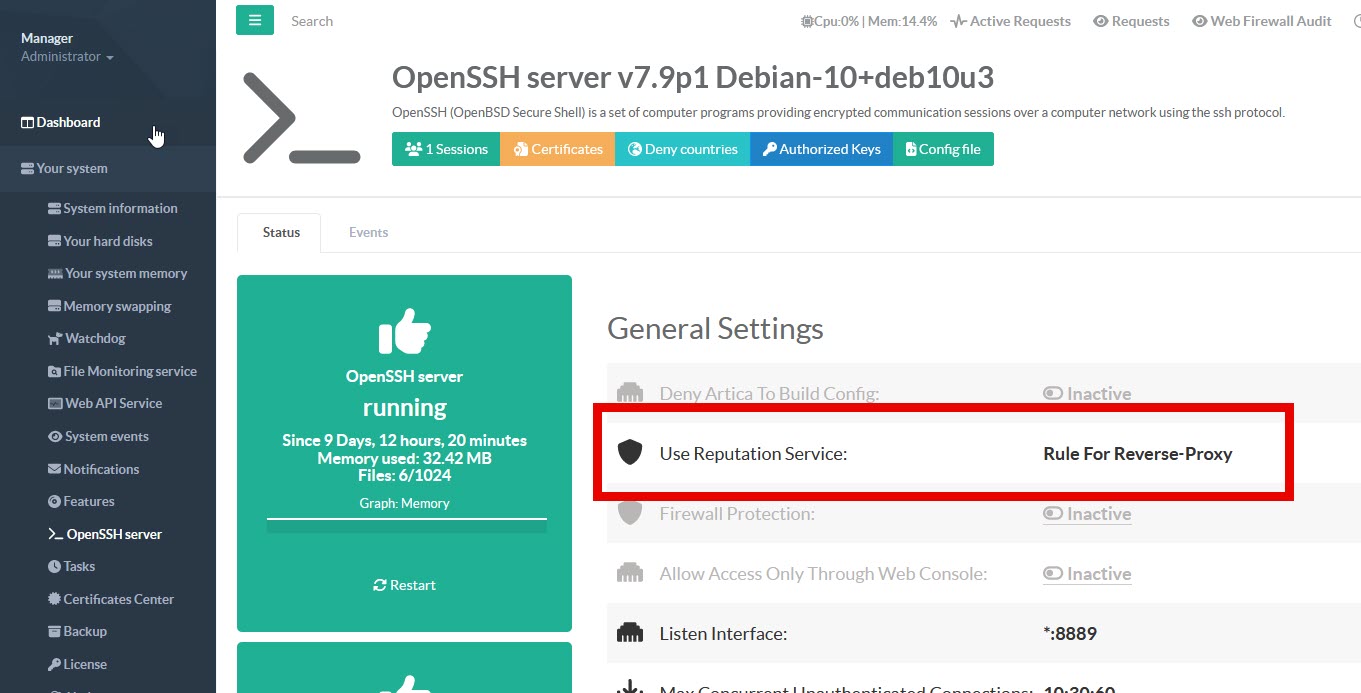
- Your settings will be displayed in the main status.
- On the OpenSSH event you can see events with the label “Reputation”