The Nginx Memory Guard watches, every minute, how much memory the reverse-proxy engine (nginx) really uses on the appliance: the heap of the master process, the private memory of each worker, the memory still available on the host and the Linux memory-pressure indicator.
It keeps 30 days of measurements, shows them as curves, and when the engine has visibly bloated and the host is running short of memory, it replaces the nginx master process on the fly, without dropping a single connection.
A preventive replacement also runs every night. Everything the watchdog does, or refuses to do, is written in an event journal and, for restarts, sent as a notification to the administrator.
The feature is enabled by default on every appliance running the reverse-proxy, and needs no configuration.
¶ Concept
Every time the reverse-proxy configuration is rebuilt (a site is added, a certificate is renewed, a rule is changed…), nginx is reloaded:
The master process re-reads the whole configuration and starts a fresh generation of workers.
This is the normal way to apply a change without downtime. It has a cost that grows silently over time:
- The master heap never shrinks.
The master process allocates the new configuration on top of the old one.
The C library only gives memory back to the kernel from the top of the heap, and something always stays allocated up there, so each reload stacks above the previous one.
On a busy appliance reloading a dozen times a day, a master that started at 45 MB was measured at 275 MB after two weeks, with the web application firewall accounting for only 13 MB of it. - Every worker inherits it.
Workers are forked from the master, so each new generation of workers starts with a copy of the whole master heap, then makes it private as it serves traffic.
Ten workers times 250 MB is 2.5 GB of memory that serves no request. - Old workers linger.
After a reload, the previous workers keep running until their last connection closes.
Long uploads, WebSocket sessions or slow clients keep them alive for many minutes, so two full generations of workers coexist, each with its own copy of the heap.
On an 8 GB appliance this is enough for the kernel's out-of-memory killer to start killing processes.
Only a new master process puts the heap back to its initial size.
Stopping and starting nginx would do that, at the price of an interruption.
The Memory Guard uses instead nginx's built-in binary-upgrade sequence, which was designed for zero-downtime upgrades:
- USR2 is sent to the running master.
It starts a second master process, which inherits the listening sockets:
New connections are accepted by both generations, nothing is refused. - Once the new master and its workers are up, WINCH asks the old master to gracefully shut down its workers.
They finish their current requests and exit. - QUIT then asks the old master to exit.
The new master, with a fresh heap, is the only one left.
Each step is bounded in time and verified:
The watchdog checks that the new master really appeared, that it is a master process (not a recycled PID), and that the old one really left.
If the sequence does not complete, the event is marked as failed and a severity 0 notification is raised, because two masters sharing the same sockets must never stay unnoticed.
¶ When does the watchdog act?
The watchdog is deliberately conservative:
A restart, even a hot one, is not free (a few seconds of double memory usage, a cold cache for the new workers), so it only acts on two independent witnesses out of three:
- The master heap has grown beyond a factor of its baseline (the heap measured right after the last fresh start, 3 × by default),
- and either the host's available memory has fallen below a percentage of the total (15 % by default),
- or the Linux memory-pressure indicator (PSI,
someover 60 s) exceeds a threshold (10 by default).
A bloated heap on a host that still has plenty of memory does nothing; a host under pressure because of another process does nothing either.
When both fire, a battery of safety guards is still consulted before anything happens, in this order:
- The module must have been running for at least 10 minutes (counters settle after a boot), no replacement may already be in progress,
the cooldown since the last attempt must have elapsed (60 minutes by default), the current configuration must pass (a replacement on a broken configuration would leave no engine at all), - and the 1-minute load must be known and below the number of CPUs.
Any guard that refuses is named in the Last watchdog decision field and, when the witnesses were red, in the event journal.
The cooldown starts at the attempt, not at the success: a replacement that fails because the host cannot fork a new master, which is precisely the situation the watchdog is meant for, is not retried every minute with a notification each time.
¶ Old workers
Independently of the memory thresholds, a worker of a previous generation that is still shutting down after the configured age (10 minutes by default) is asked to leave with an escalating sequence, one step per minute:
- A graceful
QUIT, - Then
TERM, - Then
KILL.
The master is never touched by this rule.
The connections still held by such a worker are, by definition, older than the threshold.
¶ Nightly preventive restart
Every night at 05:45, the same hot replacement is performed regardless of memory usage, so that the master heap returns to its baseline once a day and the daytime watchdog rarely has anything to do.
A notification Restarted reverse-proxy engine for cleaning memory is sent to the administrator with a memory report taken before and after the replacement.
If the hot replacement fails, the daemon falls back to a plain restart of nginx; if that fails too, a severity 0 notification nginx is DOWN after a failed nightly restart is raised.
¶ Worker sizing
Because each worker carries its own copy of the heap, the number of workers is now sized on memory as well as on CPUs:
The automatic value is the number of CPU cores, capped so that all workers together fit in a quarter of the host memory at 384 MB each, with a minimum of 2.
An 8-core, 8 GB appliance therefore runs 5 workers instead of 8.
The value can be pinned in the settings.
¶ Benefits
- No more out-of-memory kills.
The kernel's OOM killer picks the largest process, which on a reverse-proxy is an nginx worker or the daemon itself:
Connections are cut and the engine restarts cold.
The watchdog acts before that point, and does it without dropping connections. - Memory that reflects the traffic, not the number of reloads.
The engine's footprint goes back to its baseline every night, so a 4 GB appliance stays a 4 GB appliance after a year of configuration changes. - Visibility.
The curves make the effect of every reload visible (the heap steps up, the old-worker count spikes, then falls), which turns "nginx is using too much memory" from a guess into a measurement. - Auditable decisions.
Every restart, manual, automatic or nightly, is an event with the memory before and after, and a notification.
Every refusal names the guard that refused. - No tuning required.
The defaults are conservative, and every numeric setting is bounded:
A value outside its range is refused by the console and, if written by other means, ignored by the daemon with a warning rather than arming a 100 000-minute cooldown.
¶ Use cases
- Hosting platforms with frequent changes.
Dozens of published sites, certificates renewed by Let's Encrypt, rules edited during the day:
Each change is a reload. The nightly restart alone keeps the engine flat. - Small appliances.
A 4 GB virtual machine has no margin for two generations of bloated workers.
The memory-based worker sizing and the old-worker rule keep the engine inside its budget. - Long-lived connections.
Sites serving large uploads, downloads or WebSockets keep old workers alive for a long time after every reload.
The old-worker threshold ends them after a bounded delay instead of letting generations pile up. - Capacity planning.
The 30-day curves show the real footprint of nginx and of the reverse-proxy daemon, at rest and under load, before a memory upgrade is decided. - Post-incident analysis.
After an out-of-memory event, the event journal and the curves say whether the engine was bloated, whether the watchdog acted, and if not, which guard refused.
¶ Where to find it
In the left menu, open Web services and click Monitoring
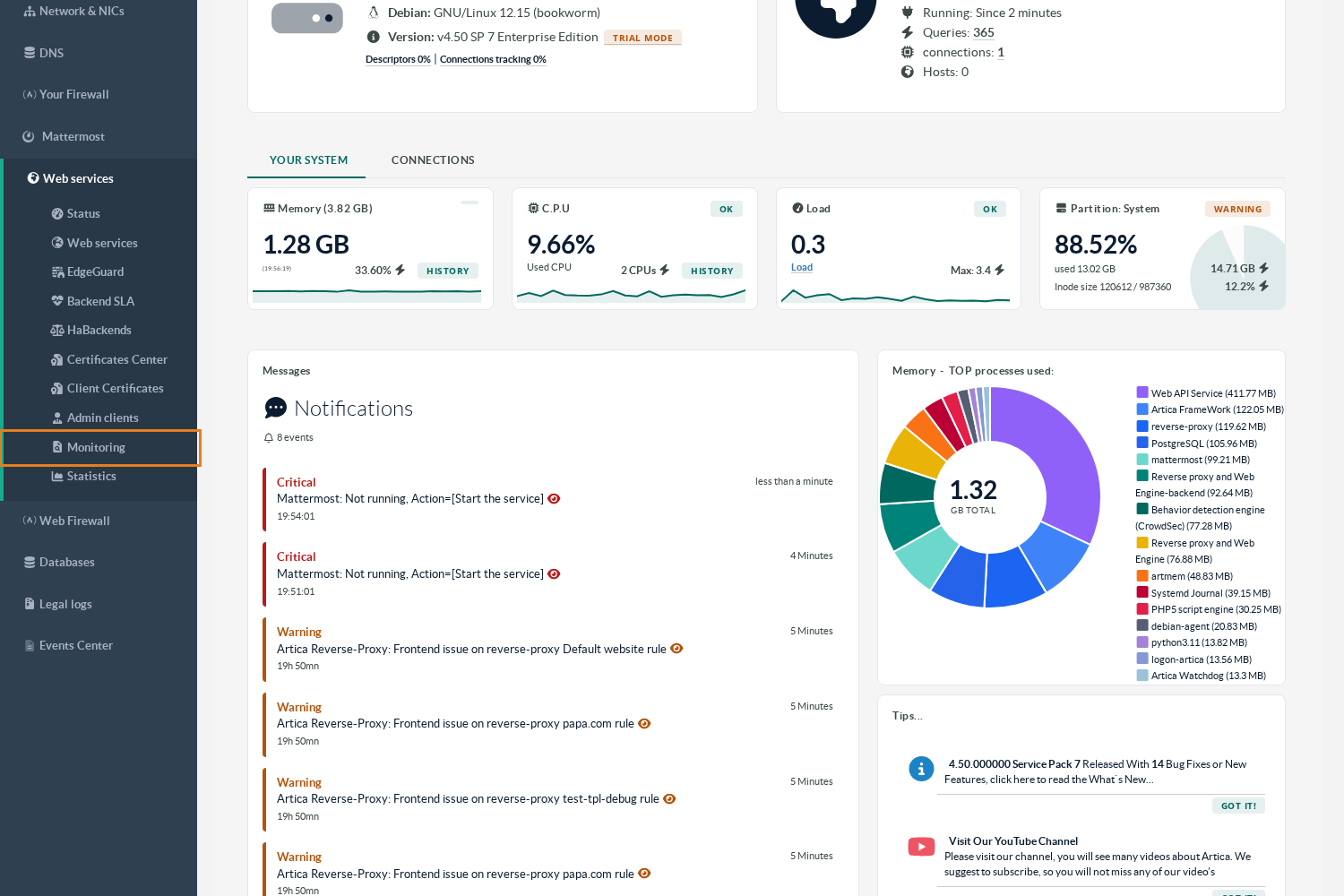
The page has three tabs:
- Statistics (the curves),
- Events (the watchdog journal)
- Status (the current measurements and the settings).
Three buttons are available from every tab: Refresh, Settings, and Restart now.
¶ Statistics tab
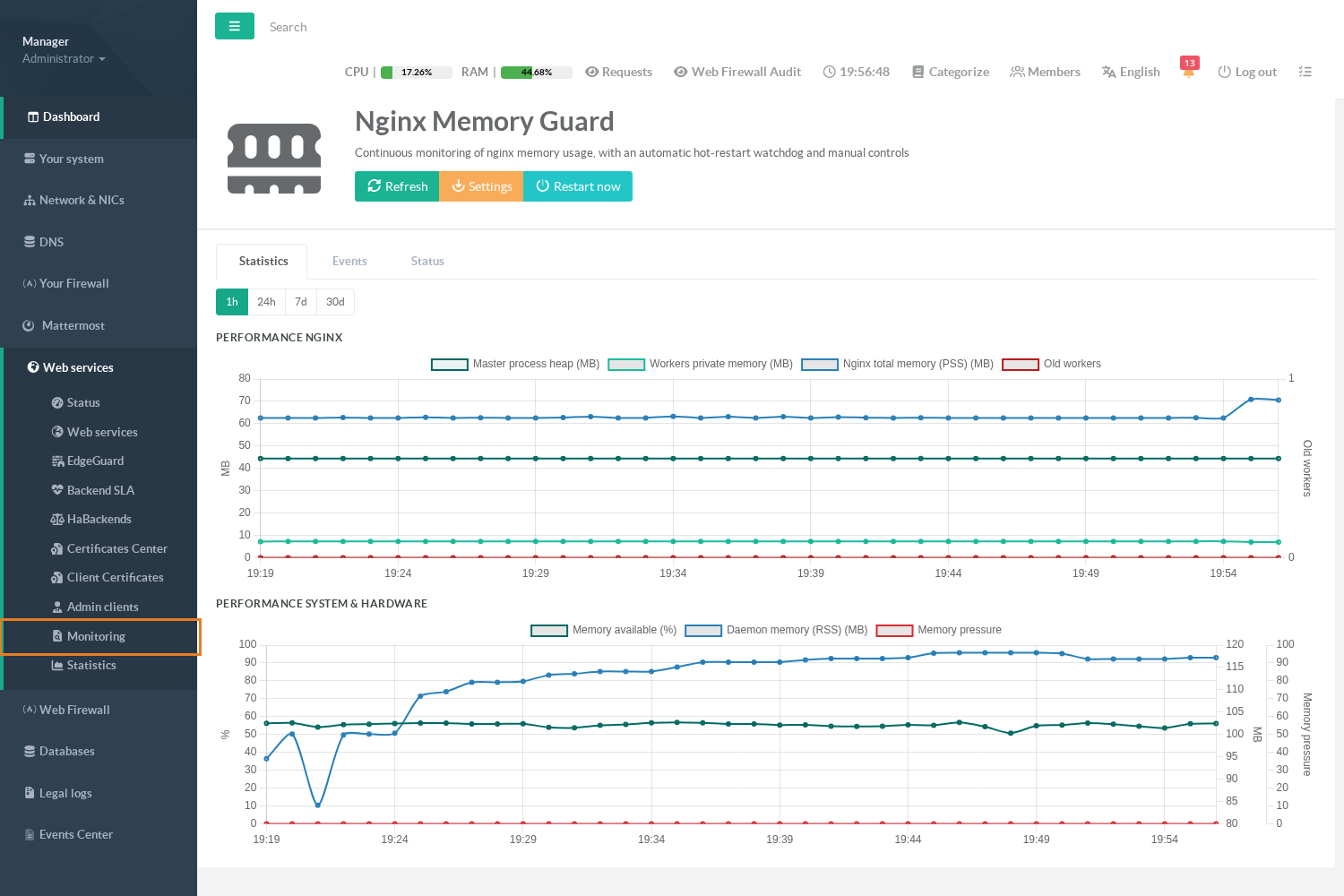
The range buttons select the last hour or the last 24 hours (one point per minute), the last 7 days (hourly averages) or the last 30 days (daily averages).
Older points are purged nightly; the database is compacted once a day.
The Performance nginx chart shows, in MB:
- Master process heap:
The value the watchdog compares to its baseline.
A staircase going up is the signature of successive reloads; a drop to the baseline is a restart. - Workers private memory:
Memory that belongs to the workers only, after the shared pages are excluded.
This is what a new generation of workers costs. - Nginx total memory (PSS):
The proportional share of every nginx process, master, workers, cache manager and old workers included.
This is the honest total: shared pages are counted once. - Old workers (right axis):
The number of workers from a previous generation still shutting down.
It should return to zero within minutes of every reload.
The Performance system & hardware chart shows the host side:
The percentage of memory still available, the memory of the reverse-proxy daemon itself, and the memory-pressure indicator.
A point is missing rather than drawn at zero when a measurement could not be taken.
¶ Events tab
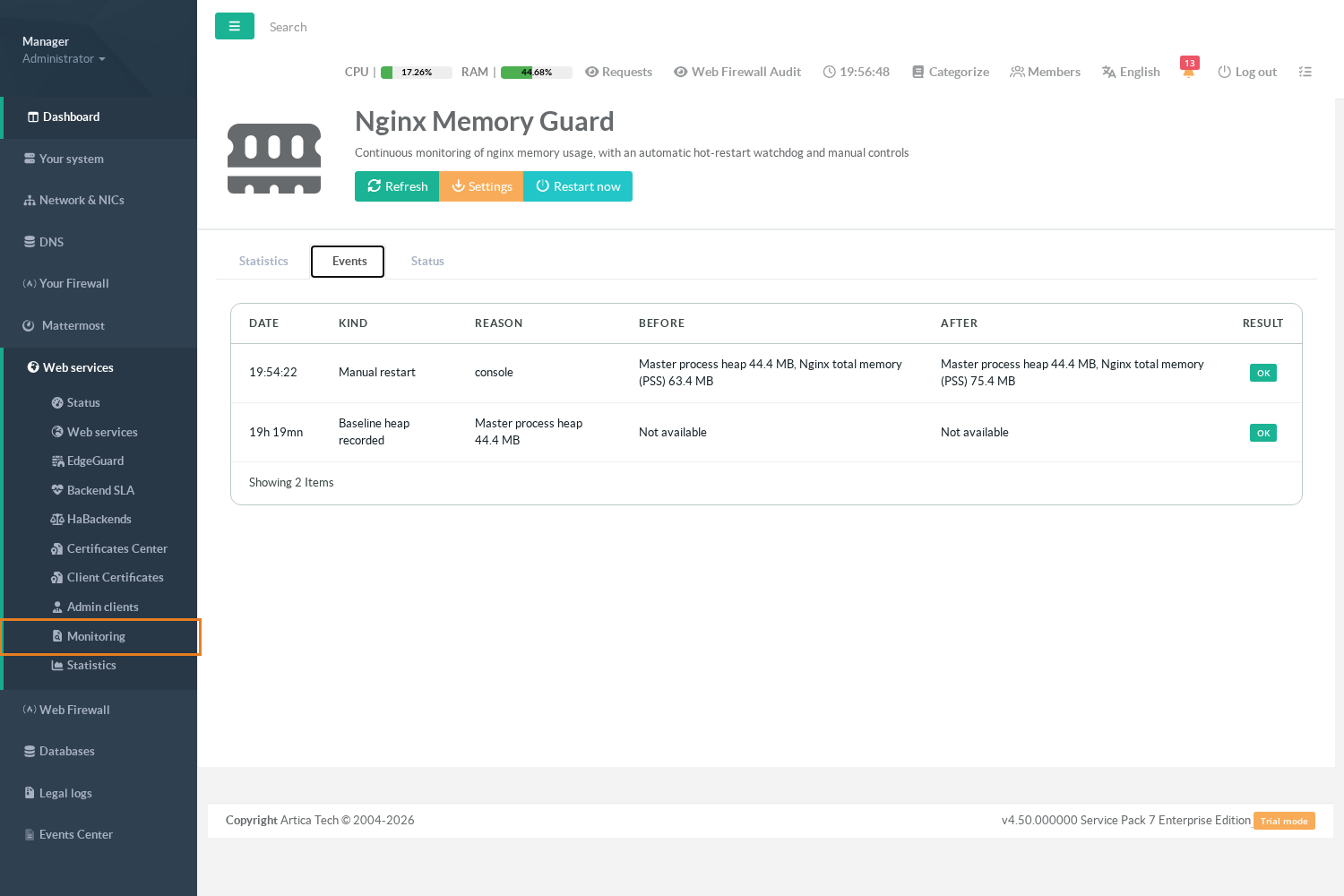
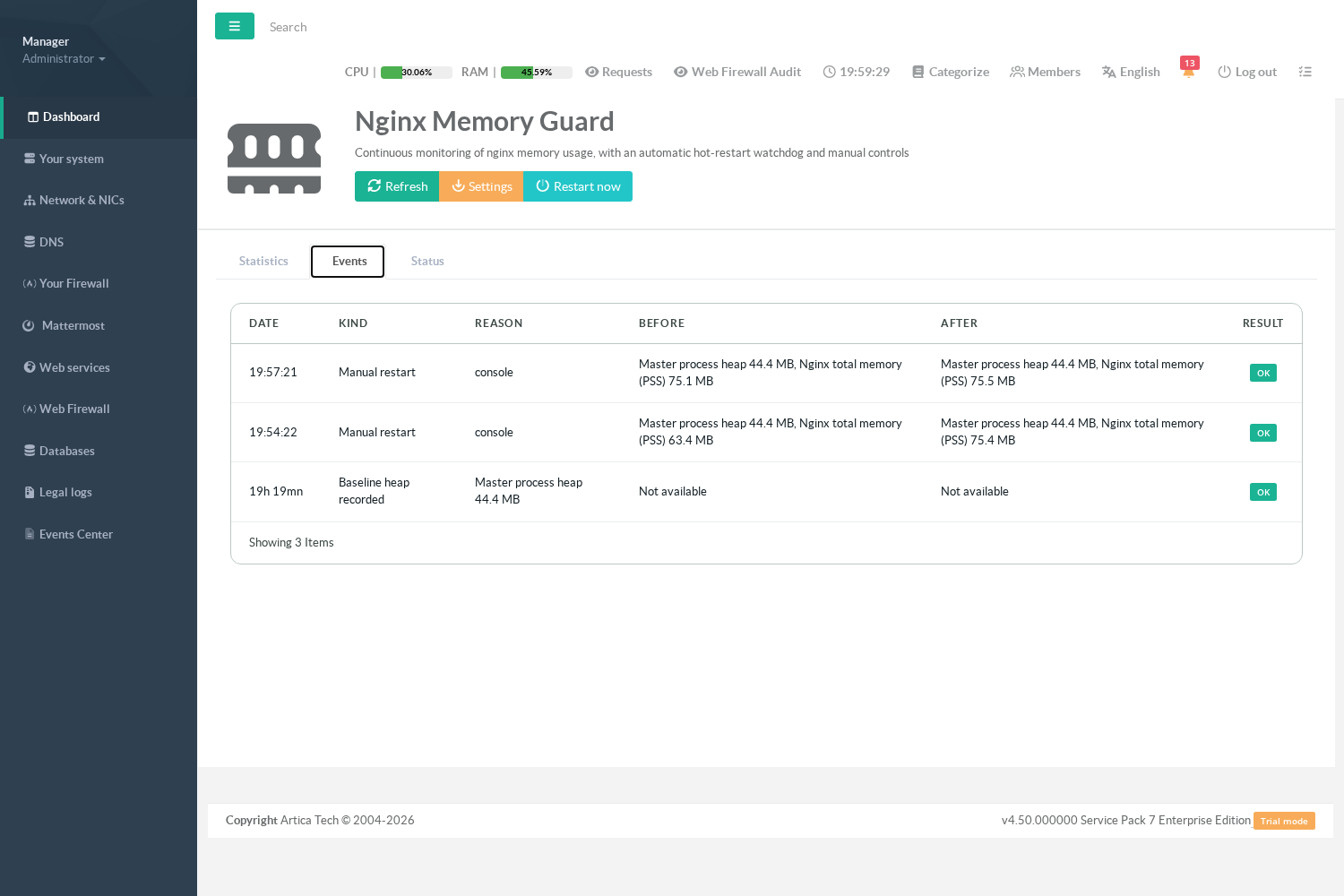
Each line is one decision of the watchdog, with its date, its kind, its reason, the memory before and after (master heap and nginx total) and its result:
| Kind | Meaning |
|---|---|
| Baseline heap recorded | The reference heap was measured on a fresh master. All later heap comparisons use this value. |
| Automatic hot restart (watchdog) | The two witnesses fired and every guard agreed: the master was replaced. |
| Hot restart refused by a safety guard | The witnesses fired but a guard refused (cooldown, replacement already in progress. The reason names the guard. Written once per distinct reason, not every minute. |
| Old workers terminated | Workers of a previous generation older than the threshold were signalled. The reason lists the PIDs and the signal used. |
| Nightly preventive restart | The 05:45 replacement, with its before/after report. |
| Nightly preventive restart failed | The hot replacement failed; the reason says whether the fallback restart succeeded. |
| Manual restart | A replacement started from the Restart now button. |
A result of Failed on a restart event means the sequence did not complete as verified:
Read the reason, and check the Status tab for an old master still alive.
¶ Status tab
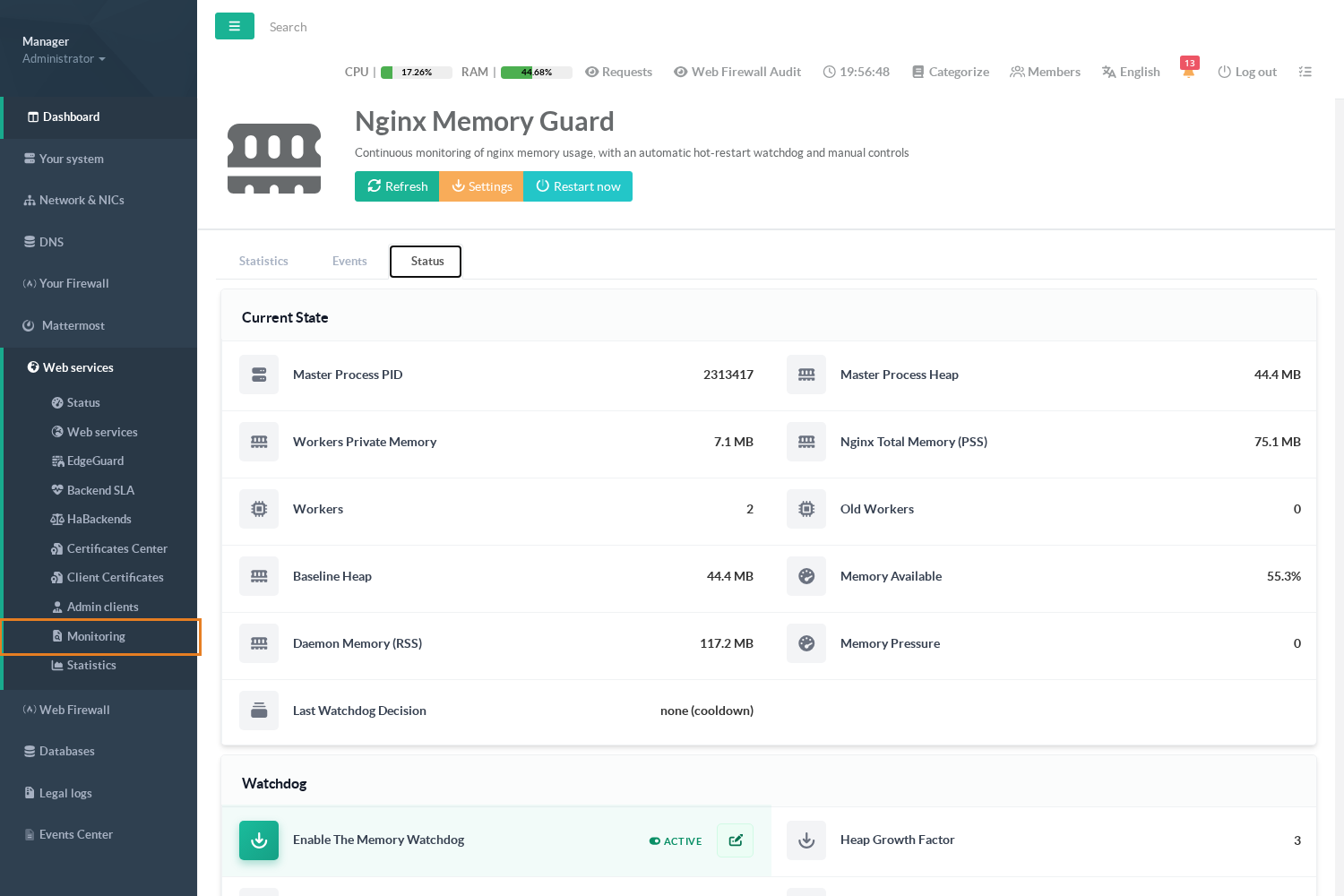
The Current state card is the latest one-minute measurement:
master PID and heap, workers private memory, nginx total, number of workers and of old workers,
The baseline heap, the available memory, the daemon memory, the memory pressure,
The last watchdog decision with its reason.
none (thresholds not reached) is the normal state of a healthy appliance.
Not available means the measurement could not be taken, which is different from zero.
The Watchdog card summarises the settings; the pencil opens the settings dialog.
¶ Settings
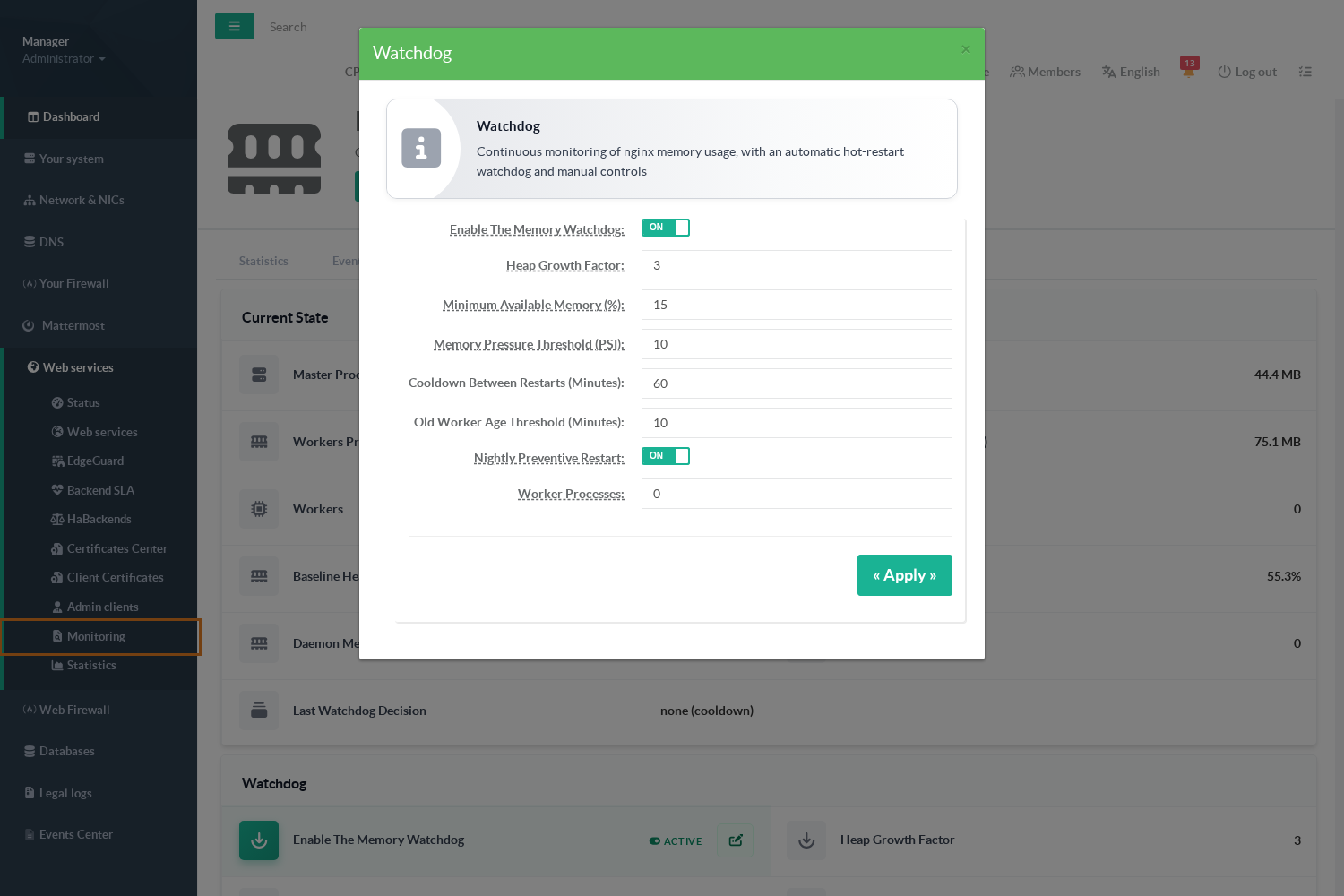
| Setting | Default | Range | Effect |
|---|---|---|---|
| Enable the memory watchdog | on | Off: measurements and curves continue, no automatic replacement is ever performed (the nightly restart and the manual button still work). |
|
| Heap growth factor | 3 | 2 – 10 | The master heap must exceed this multiple of its baseline for the first witness to fire. |
| Minimum available memory (%) | 15 | 1 – 90 | Second witness: available memory below this share of the total. |
| Memory pressure threshold (PSI) | 10 | 1 – 100 | Alternative second witness: PSI memory some average over 60 s above this value. |
| Cooldown between restarts (minutes) | 60 | 5 – 1440 | Minimum delay between two automatic attempts, counted from the attempt. |
| Old worker age threshold (minutes) | 10 | 1 – 120 | Age after which a shutting-down worker is signalled (QUIT, then TERM, then KILL, one step per minute). |
| Nightly preventive restart | on | The 05:45 hot replacement with its notification. | |
| Worker processes | 0 (automatic) | Pins the number of nginx workers. 0 lets the appliance size them on CPUs and memory. Changing it rebuilds the engine configuration. |
An out-of-range value is refused with the name of the field and its range, and nothing is written.
¶ Manual restart
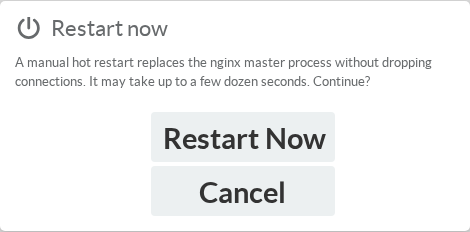
Follow it in the Events tab, where the Manual restart line appears with the memory before and after.
Restart now performs the same hot replacement as the watchdog, immediately, without waiting for the thresholds. It is refused only when a replacement is really in progress
(a previous master is still handing over).
¶ Notifications
Restarts are also reported through the appliance notification system (Events Center and administrator e-mail):
- Restarted reverse-proxy engine for cleaning memory (severity 1) after every nightly restart, with the before/after memory report.
- nginx is DOWN after a failed nightly restart (severity 0) when both the hot replacement and the fallback restart failed.
- hot restart incomplete (severity 0) when a replacement left the old master alive or no master at all.
¶ REST API
The console talks to the reverse-proxy daemon on its local Unix socket. The same routes can be used from the appliance shell:
curl --unix-socket /run/reverse-proxy.sock http://x/nginx-memory/statuscurl --unix-socket /run/reverse-proxy.sock "http://x/nginx-memory/series?range=24h"curl --unix-socket /run/reverse-proxy.sock "http://x/nginx-memory/events?limit=50"curl --unix-socket /run/reverse-proxy.sock -X POST http://x/nginx-memory/restart
GET /nginx-memory/status: the latest snapshot, the effective settings, the baseline heap and the last decision with its witnesses.GET /nginx-memory/series?range=1h|24h|7d|30d: the points of the selected range, in kB. A value of-1is a missing measurement.GET /nginx-memory/events?limit=N: the journal, newest first.POST /nginx-memory/restart: starts a hot replacement;started:truemeans started, not finished. Returns409while a replacement is in progress.
¶ Troubleshooting
- The last decision says "module started less than 10 min ago".
Normal for ten minutes after every start of the reverse-proxy daemon: the watchdog waits for the counters to settle. - The heap keeps growing and the watchdog never acts.
Check the second witness: as long as the host has more than 15 % of memory available and no memory pressure, a bloated heap alone is not a reason to restart.
The nightly restart will reset it. Lower the factor or the minimum available memory only if the appliance really runs out of memory before 05:45. - "Hot restart refused by a safety guard: nginx -t failed".
The current configuration on disk does not validate; the watchdog will not replace a working master with nothing.
Rebuild the configuration from the Web services page and read the error it reports. - Old workers stay above zero for a long time.
A site with long uploads, downloads or WebSocket sessions keeps them alive; the old-worker threshold ends them after the configured age.
Raisingworker_shutdown_timeoutis only needed when legitimate requests are longer than 30 seconds. - The baseline is very high.
The baseline is recorded on the first measurement after the daemon starts; if nginx was already bloated at that moment, the factor is measured against a bloated reference.
The next nightly restart records a fresh baseline from the new master. - A restart event is marked Failed.
Read its reason.
Check withpsthat a singlenginx: master processis running; if two are, the old one has not exited:
The daemon has already raised a severity 0 notification about it.