Prevent access to your web server using foreign domains
To prevent access to your web server through its public IP address or through unauthorized domain names, Artica can be configured with a default server that denies any request not targeting an explicitly configured domain.
To prevent access to your web server using its public IP address or any foreign domain with Artica, you can set up a server that denies requests made directly to unknown domains.
This is especially useful if you want to ensure that the server is only accessed via its domain name.Here's a step-by-step guide on how to configure this:
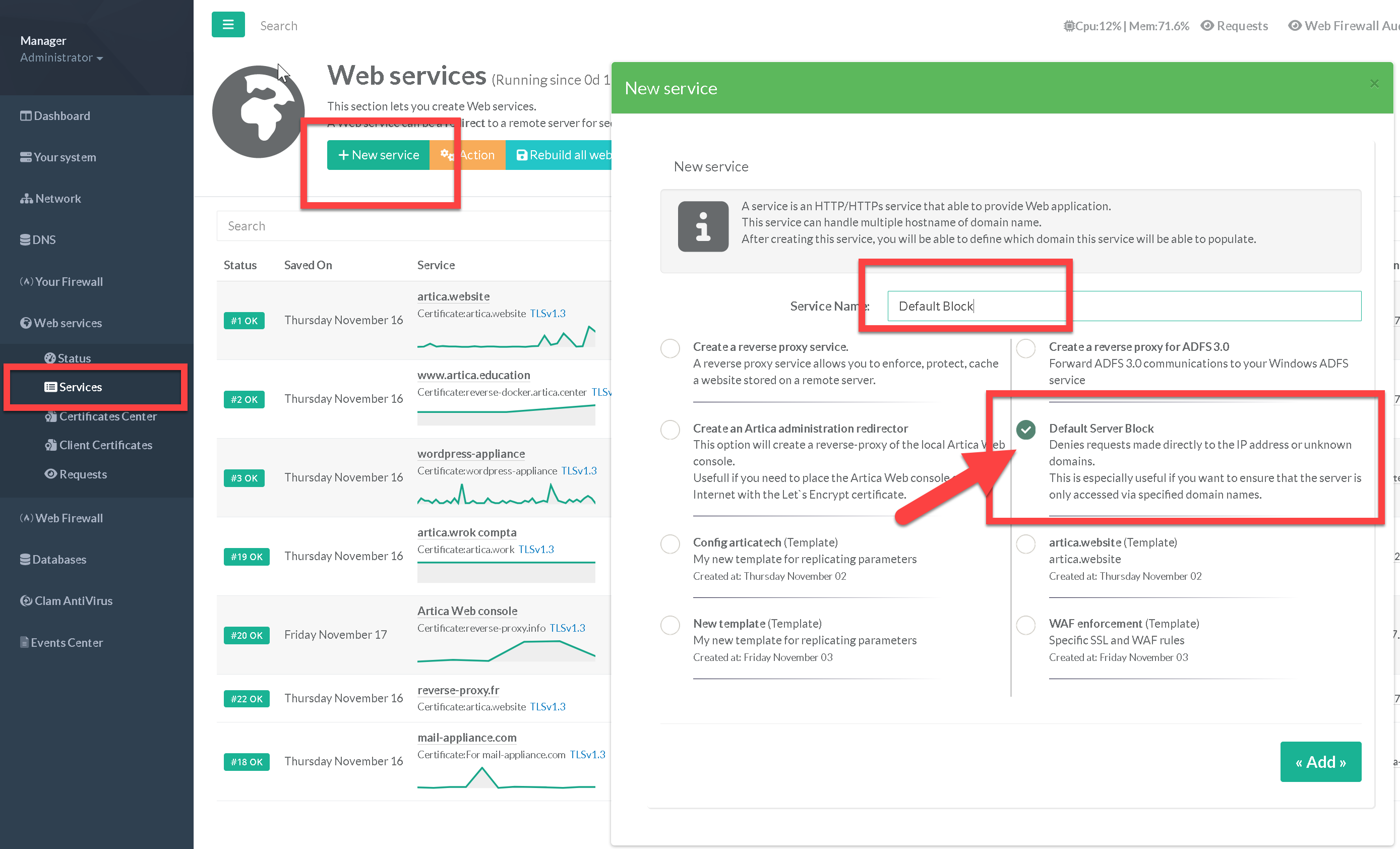
- On the left menu, go to
Web services > Services - Click on New service button
- Set you service name and choose the option “Default Server Block"
- Click on Add Button
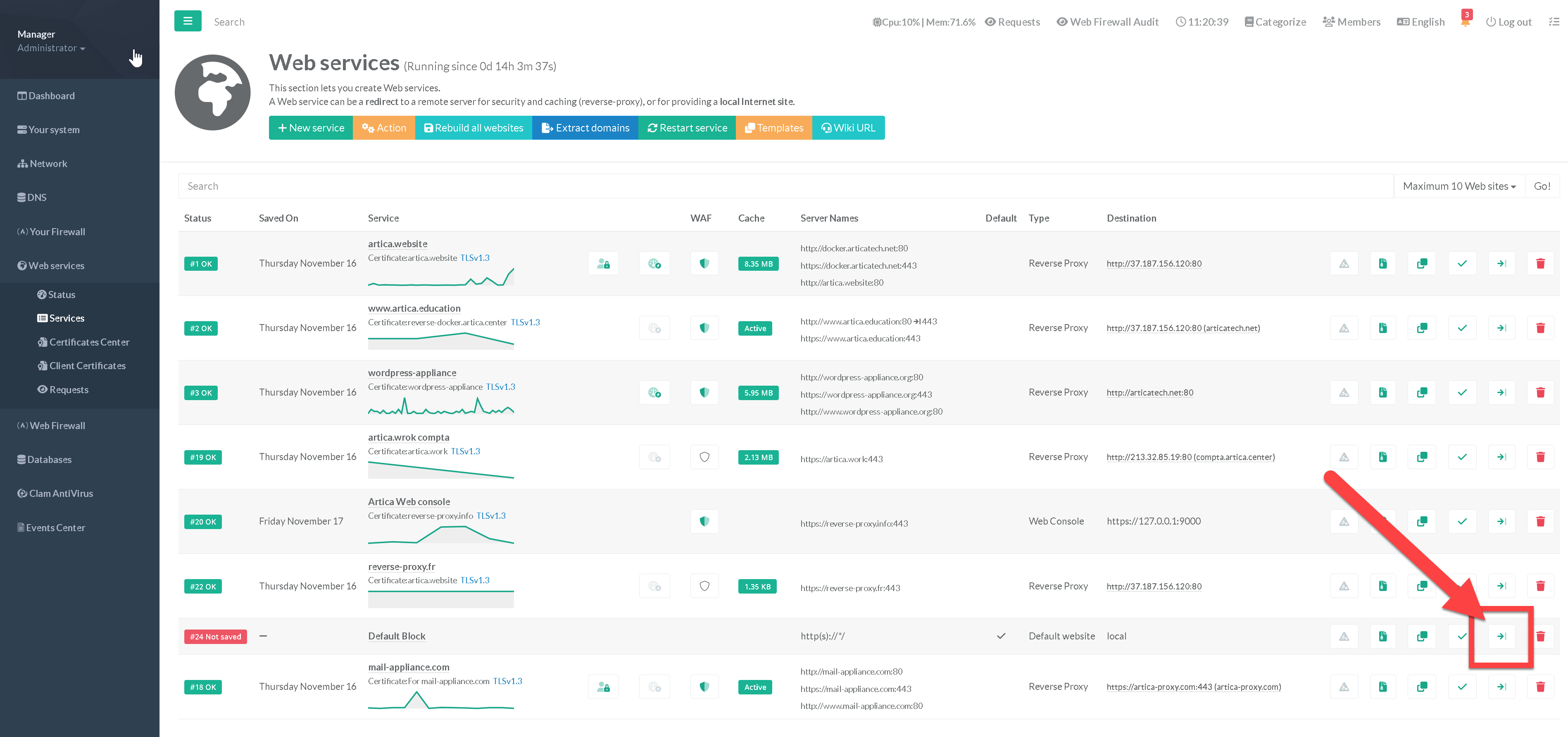
- You don't need to make any further configurations, just click on the column's compile button.
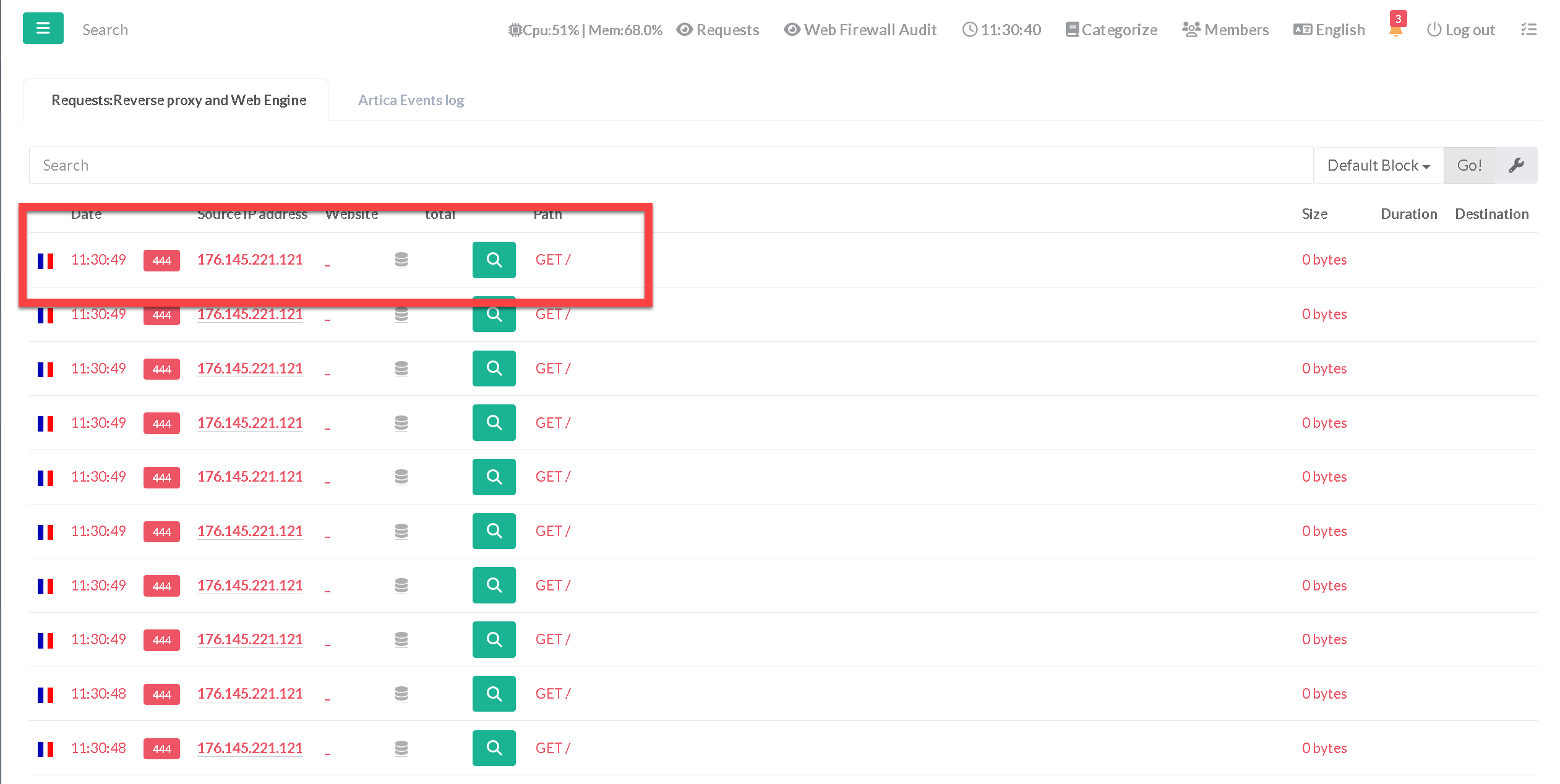
- In the real-time access, you will see a 444 error code, that means the reverse-proxy deny the connection