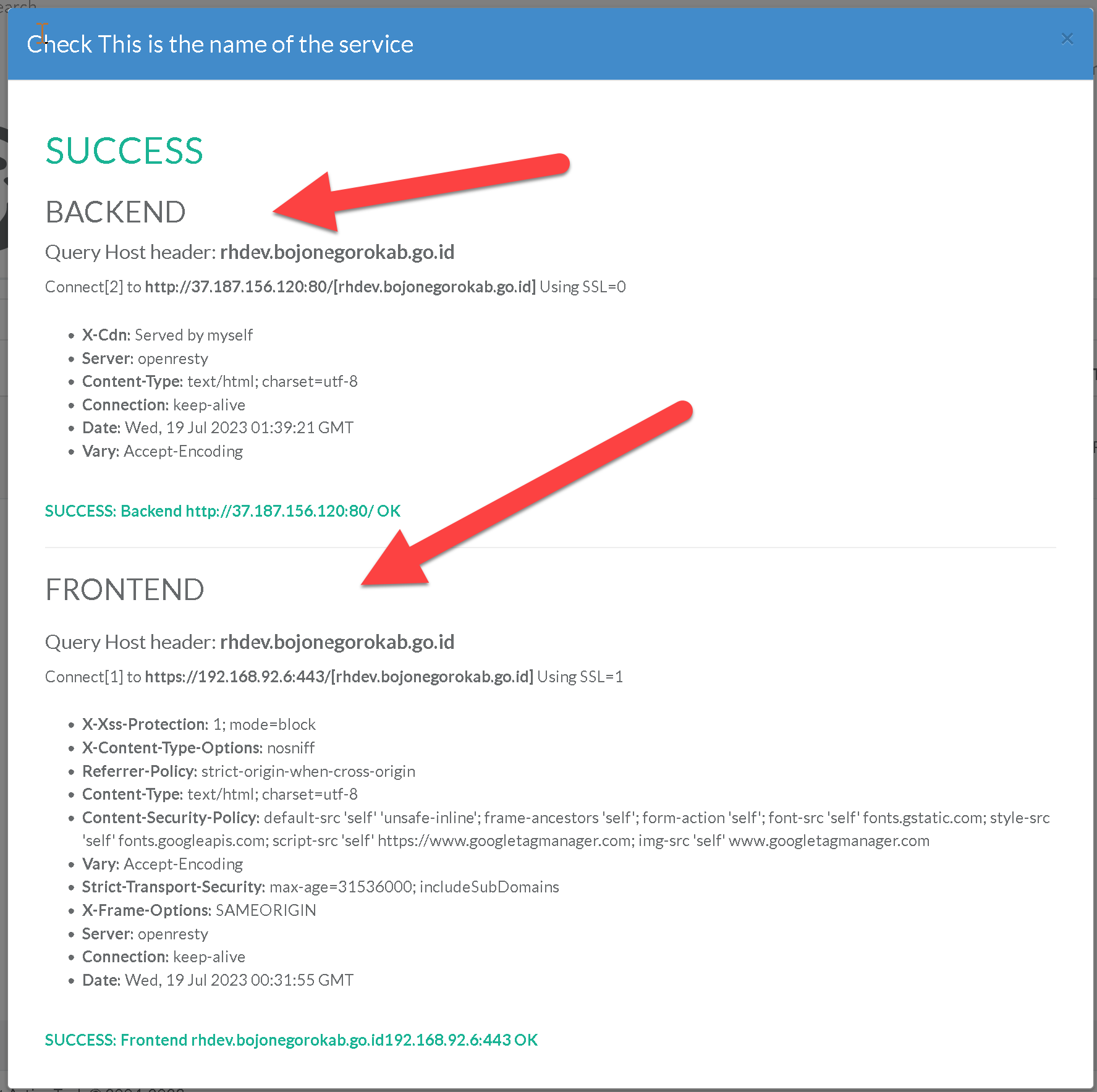
Check your reversed site
Artica can check access from the machine itself. Two checks take place, the first being the connection to the target server. The second is the connection from the reverse proxy to the target server.
Return back to the reverse-proxy main section
This feature allows you to check that exchanges with websites are taking place correctly from the reverse-proxy.
In fact, sometimes production errors come from the infrastructure (DNS, firewall, etc.) rather than from the reverse proxy's configuration.
This feature is available on Artica 4.50 SP1 or Artica 4.50 with Hotfix 20230719-02This feature was depreciated and be switched to the automatic watchdog.
- On the main table, you can see a column “Check”
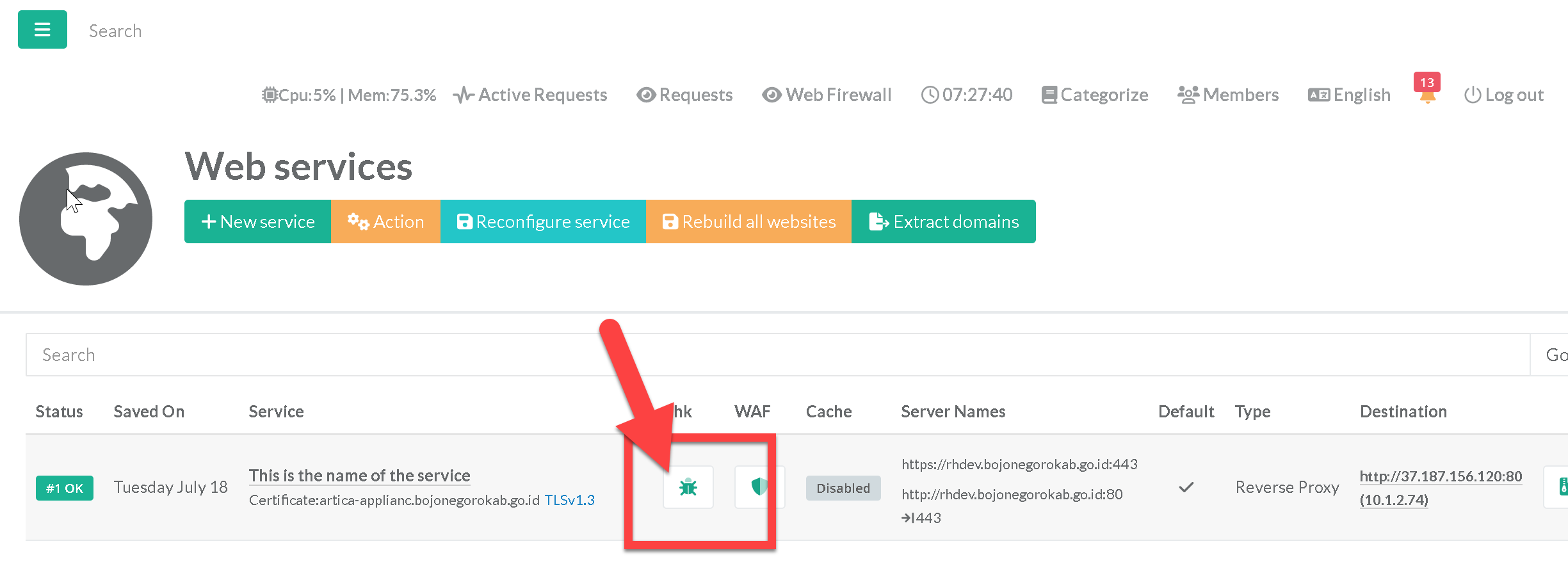
- When you click on it, Artica will check access from the machine itself.
Two checks take place:
- The first being the connection to the target server.
- The second is the connection from the reverse proxy to the target server.