Create a reverse-proxy service for the Artica Web console
The Artica Web console uses its own Web service (listening on port 9000). If you wish to access the console on port 443 and benefit from a Let's encrypt SSL certificate for example, use the reverse-proxy feature
With reverse-proxy feature, the Artica console has all the protection it needs to publish the Artica administration interface on the Internet and on port 443.
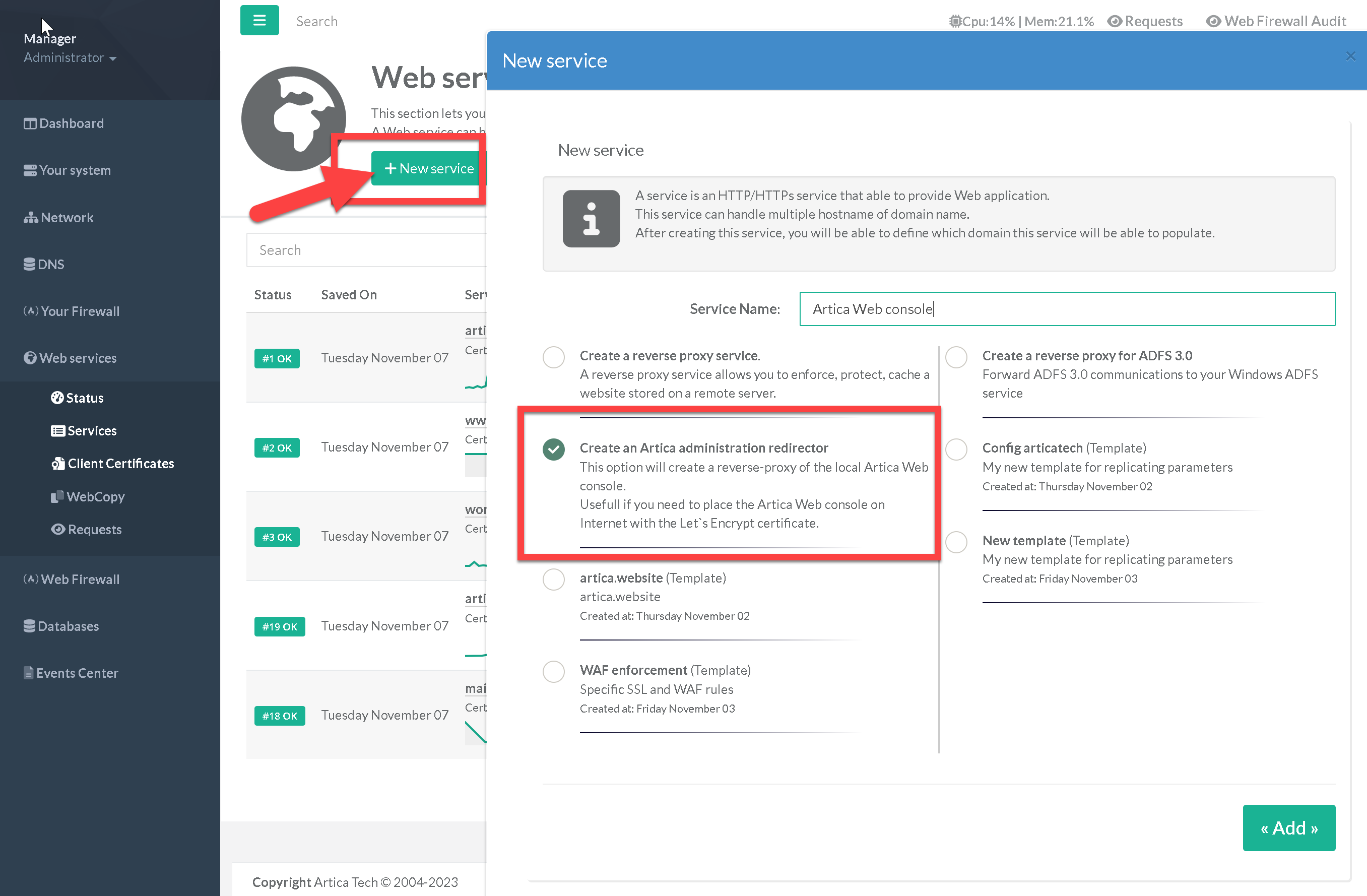
- To publish the console, simply select the "Create an Artica administration redirector" option when creating a new website.
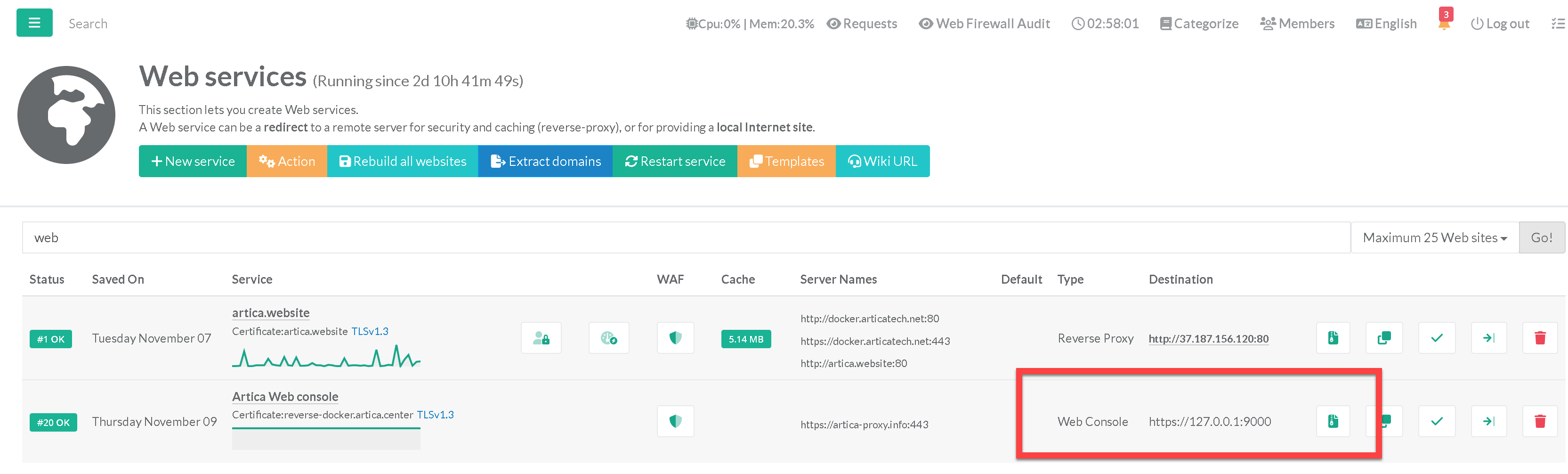
- Your website will be displayed as Web console in the main table.