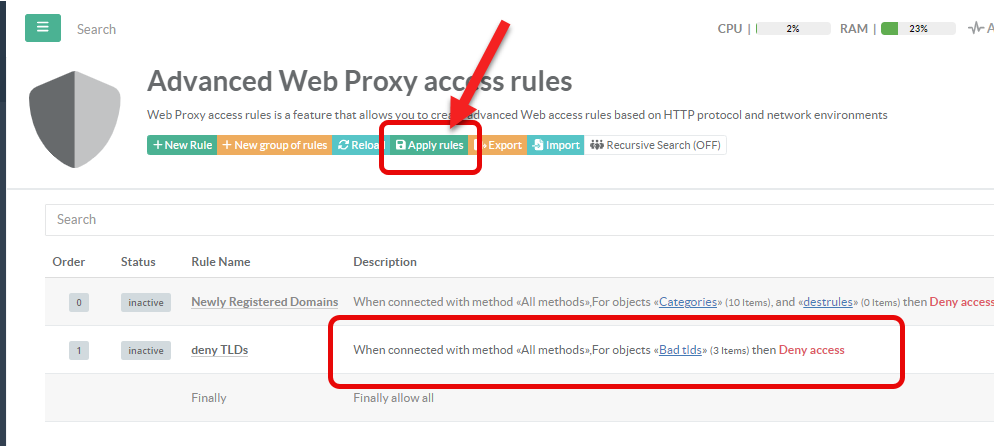
Block access to top-level domains (TLDs) like xyz or xxx or zip using the proxy
To block entire top-level domains (TLDs) like .xyz, .xxx, and .zip in Artica Proxy, you can create an ACL (Access Control List) based on the destination domain name.
Blocking specific top-level domains (TLDs) such as
.xyz,.xxx, and.zipusing Artica Proxy ACLs offers several key benefits, particularly in enterprise or tightly controlled environments.These TLDs are often associated with malicious activities like phishing, malware distribution, and spam. By blocking them, you significantly reduce exposure to untrusted or suspicious domains.
This approach also minimizes the attack surface by preventing employees or systems from inadvertently accessing domains registered under new or unregulated registries. It supports zero-trust security models, where access must be explicitly granted, ensuring stricter control over network traffic.
For this case, we will use the Web server or domain (regex) object
- On the left menu, choose “
ACLs Proxy > Advanced access rules” - Create a new rule that “Deny access”
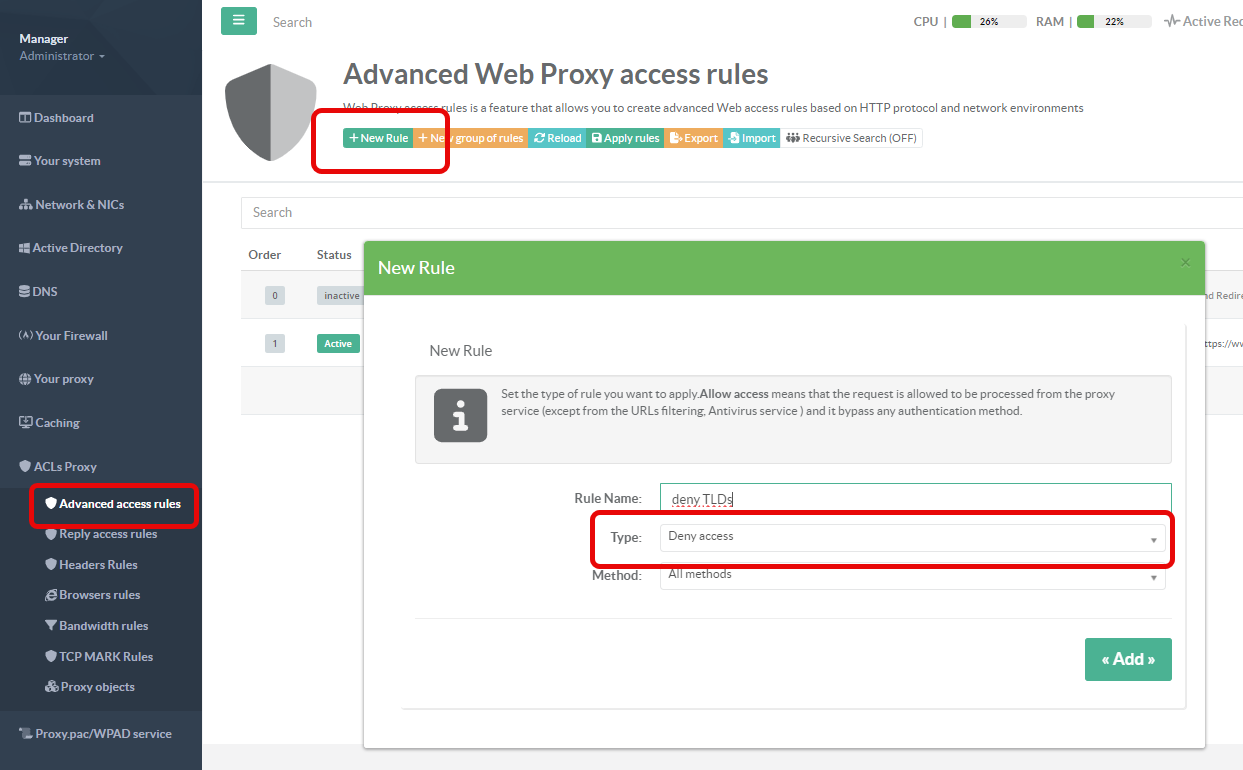
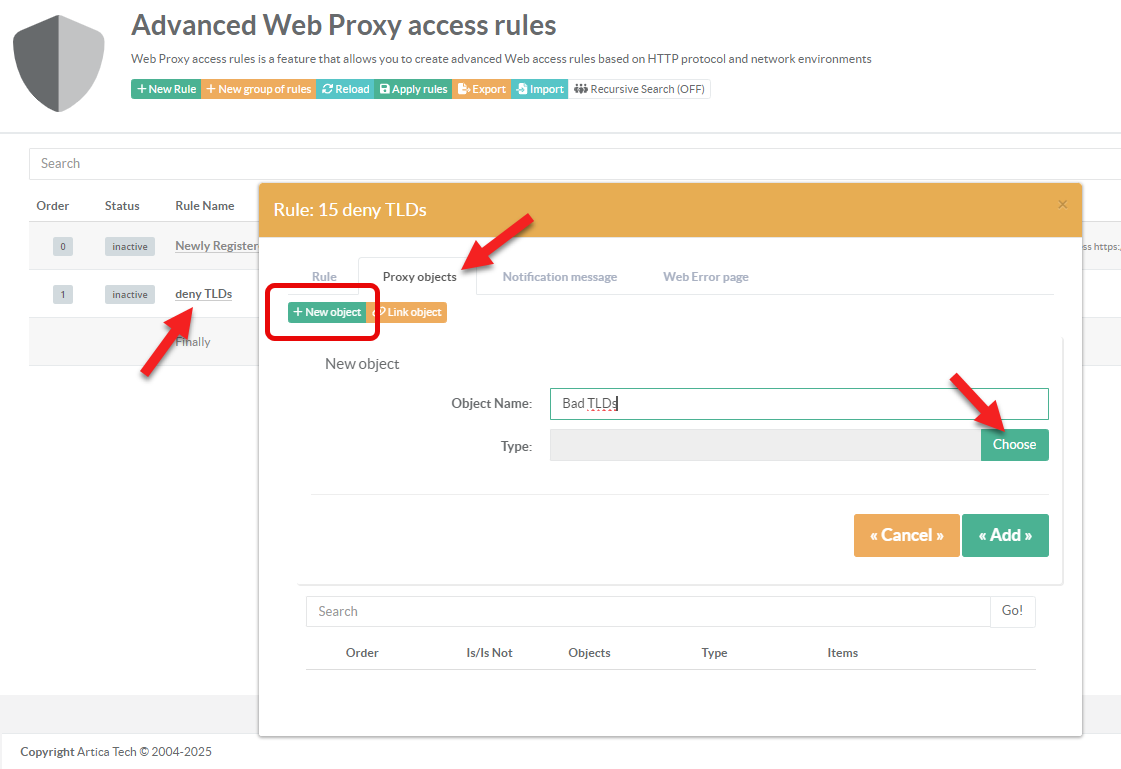
- Choose your new rule in the table.
- Select Proxy objects tab
- Click on the new object button.
- Give the object name and click on “Choose” button under the “Type” field
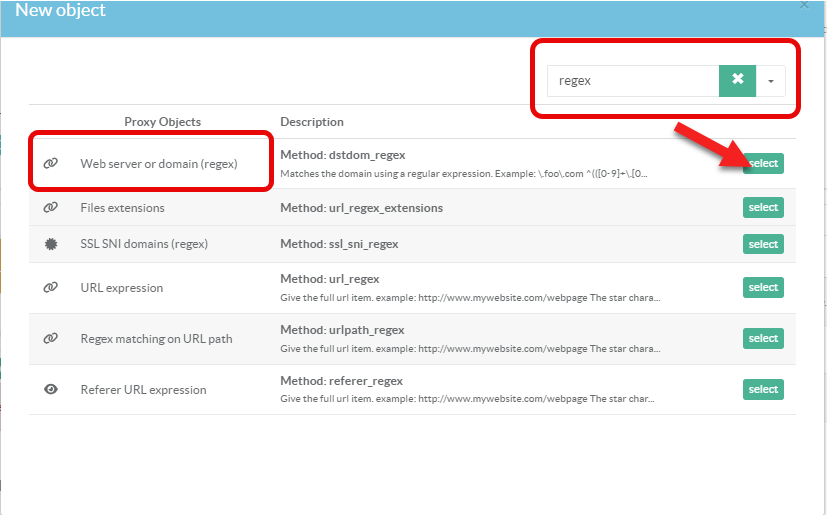
- On the ACL objects list, type “regex” in the search field.
- Choose the entry “Web server or domain (regex)”
- Finally, click on Add button
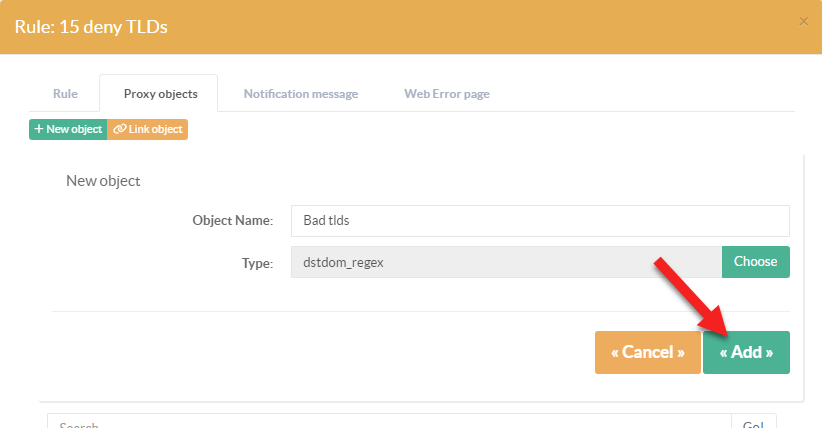
- The object is added in the list.
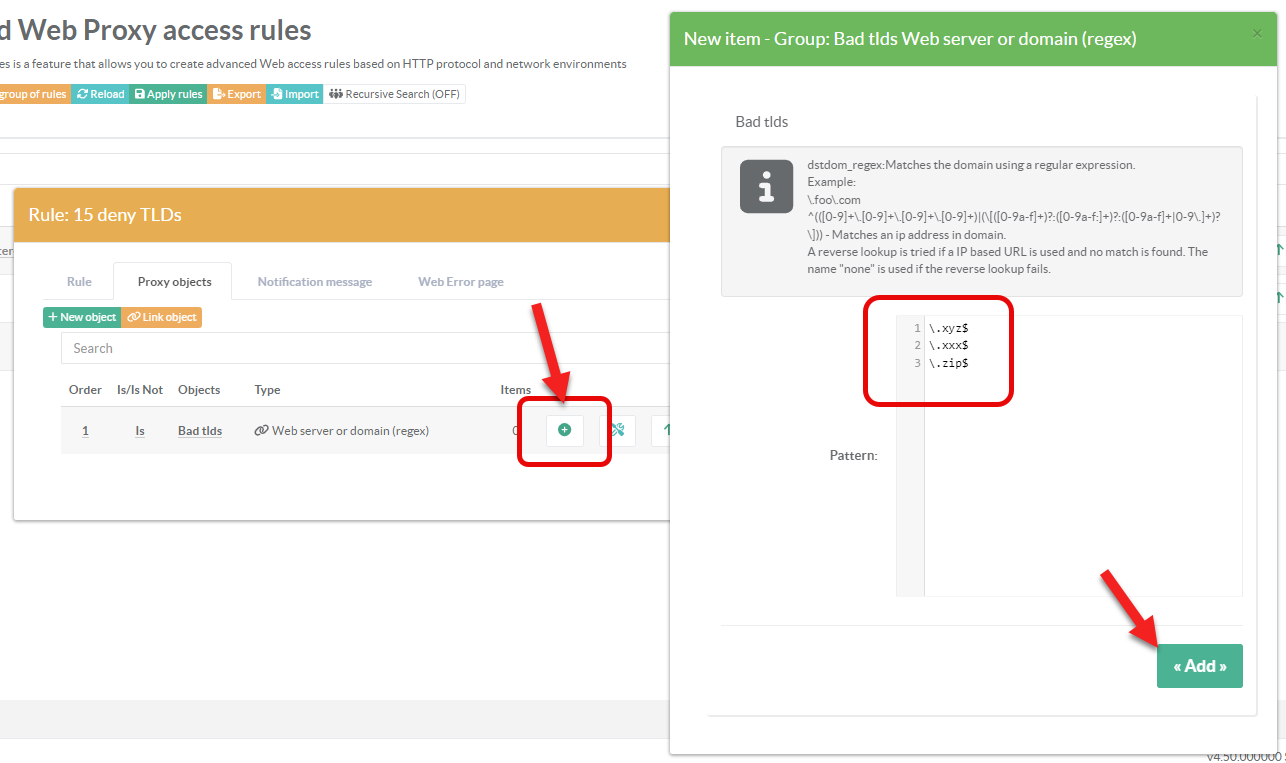
- Click on the green plus button.
- Add the value
\.xyz$ \.xxx$ \.zip$separated by a carriage return. - Click on Add button
- Click on “Apply rules” button to make your rule in production mode