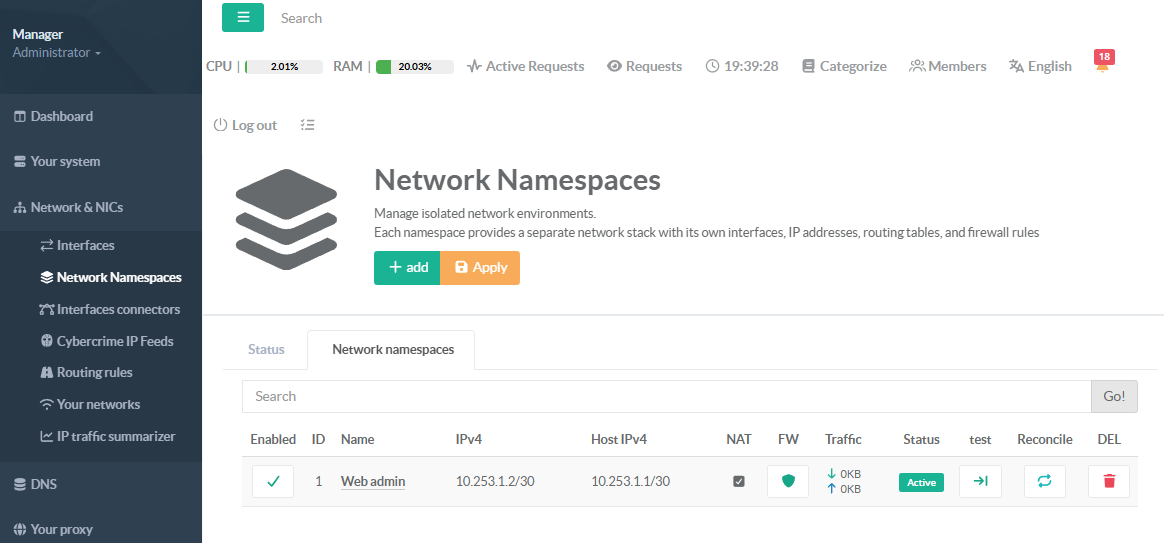
Create a network namespace to run isolated network environments, each with its own network interfaces, routing tables, and firewall rules operating independently.
In this example, we will create a dedicated network namespace to secure the administration console.
The web engine of the administration console will run inside an isolated network, 10.300.1.2/30.
In this configuration, the console engine is aware only of this isolated network, while the production network remains 192.168.3.0/24.
A firewall rule will be used to allow the console to reach external networks through a specific host interface if required.
To access the console interface, a DNAT rule must be created to forward incoming packets from an external port to the dedicated network namespace.
- On the left menu, go to
Network & NICS > Network Namespace. - Select the Network namespace tab.
- Click on Add buton
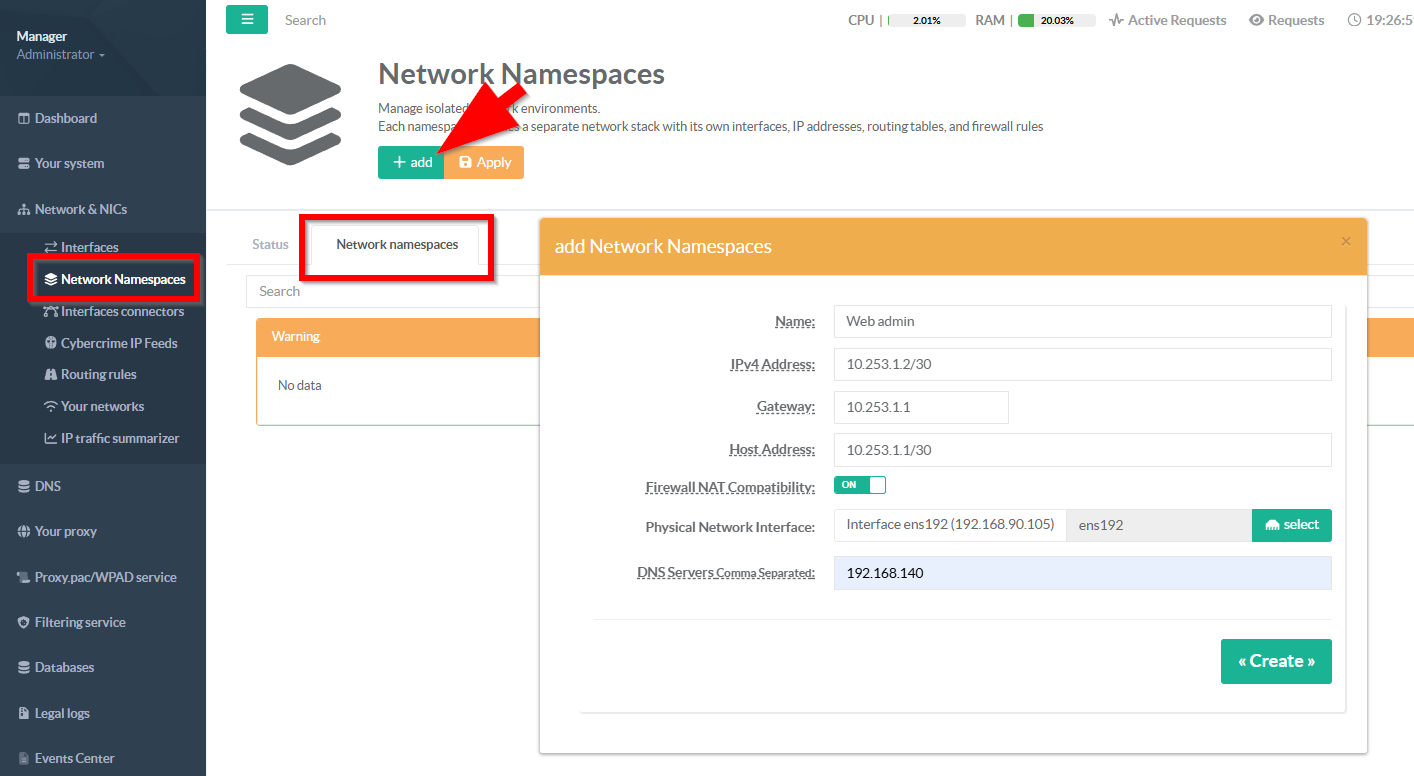
- Name:
Choose a short, descriptive name that identifies the purpose of this isolated network environment.
This name appears in every management screen, health report, and log entry related to this namespace.
It must be unique — no two namespaces can share the same name on the system.
Use lowercase letters, numbers, and hyphens for consistency (e.g., dmz-web, guest-wifi, vpn-exit).
The name is purely cosmetic and can be changed later without affecting the underlying namespace configuration.
- IPv4 Address:
in CIDR notation. This is the IP address that processes running inside the namespace will use.
Enter the IPv4 address for the namespace in CIDR notation (e.g., `10.200.1.2/30`).
This address is assigned to the virtual interface inside the isolated network namespace.
The prefix length (after the `/`) defines the subnet shared between the host and the namespace.
Use a `/30` prefix for point-to-point links (2 usable IPs) or a larger subnet if multiple routes are needed.
This address must not conflict with any other namespace or existing host network interface.
- Gateway (optional):
Enter the IP address that the namespace should use as its default gateway for outbound traffic.
This is typically the host-side veth address (e.g., if namespace is `10.200.1.2/30`, gateway is `10.200.1.1`).
The gateway must be within the same subnet as the namespace IPv4 address — the system validates this automatically.
Without a gateway, the namespace cannot route traffic beyond its local subnet (host-only communication).
Leave empty only if the namespace does not need to reach external networks or the internet.
- Host address (optional):
in CIDR notation. Enter the IPv4 address for the host end of the virtual link, in CIDR notation (e.g., `10.200.1.1/30`).
This address is assigned to the host-facing veth interface and serves as the reachable endpoint from the host side.
It should be in the same subnet as the namespace IPv4 address so both ends can communicate directly.
When NAT is enabled, the host-side address acts as the namespace's gateway for all outbound traffic.
Leave empty if the host does not need a dedicated address on this link (rare — usually required for routing).
- Enable NAT (optional, default off):
EnablesMASQUERADE(source NAT) for traffic leaving the namespace.
When enabled, the backend creates iptables rules so that namespace traffic going to the outside world has its source IP rewritten to the host's outgoing interface IP.
This allows namespace processes to reach the internet.
- Physical interface
The physical network interface to use forMASQUERADE.
This is the interface connected to the external network (e.g., the internet-facing interface).
- DNS Servers:
Comma-separated list of DNS server IPs to use inside the namespace.
- Your namespace is now added, you can now create Add a Firewall Rule for Inbound Access