Macvlan
Create a new Macvlan interface
The macvlan interface in Linux is a powerful way to create multiple virtual network interfaces with different MAC addresses on a single physical NIC. However, it comes with some limitations
- Requires Promiscuous Mode on the NIC (in some setups)
On some hardware/drivers, promiscuous mode may be required for traffic to route correctly.
This could have performance or security implications.
- Limited Port Mirroring / Filtering Support
Since macvlan relies on MAC address separation, tools that monitor or filter packets per interface (like tcpdump or iptables) “may” not work as expected.
Create a macvlan interface
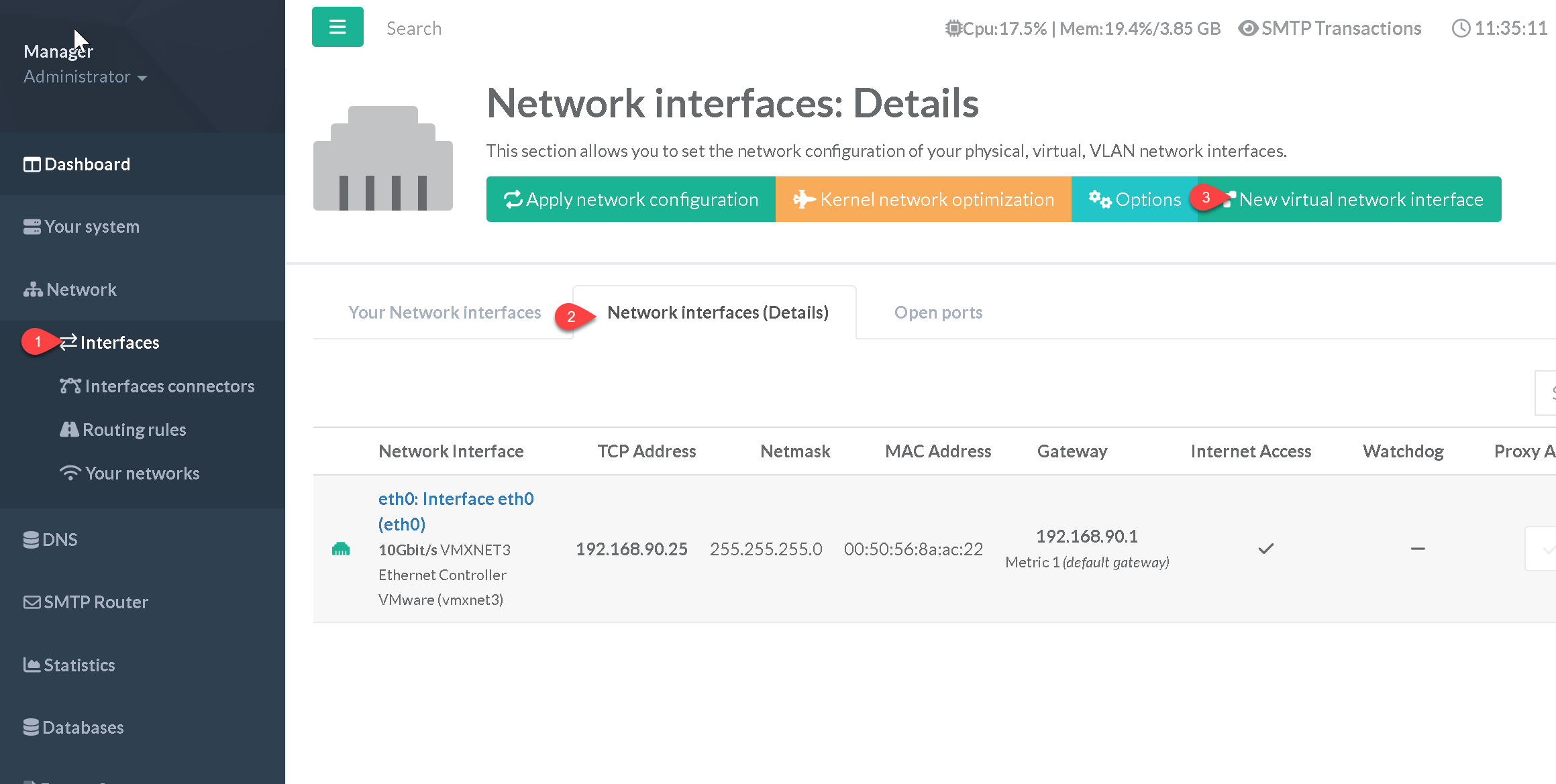
- On the left menu, choose “
Interfaces” > “Network interfaces ( details )” - Click on the “New virtual network interface” button
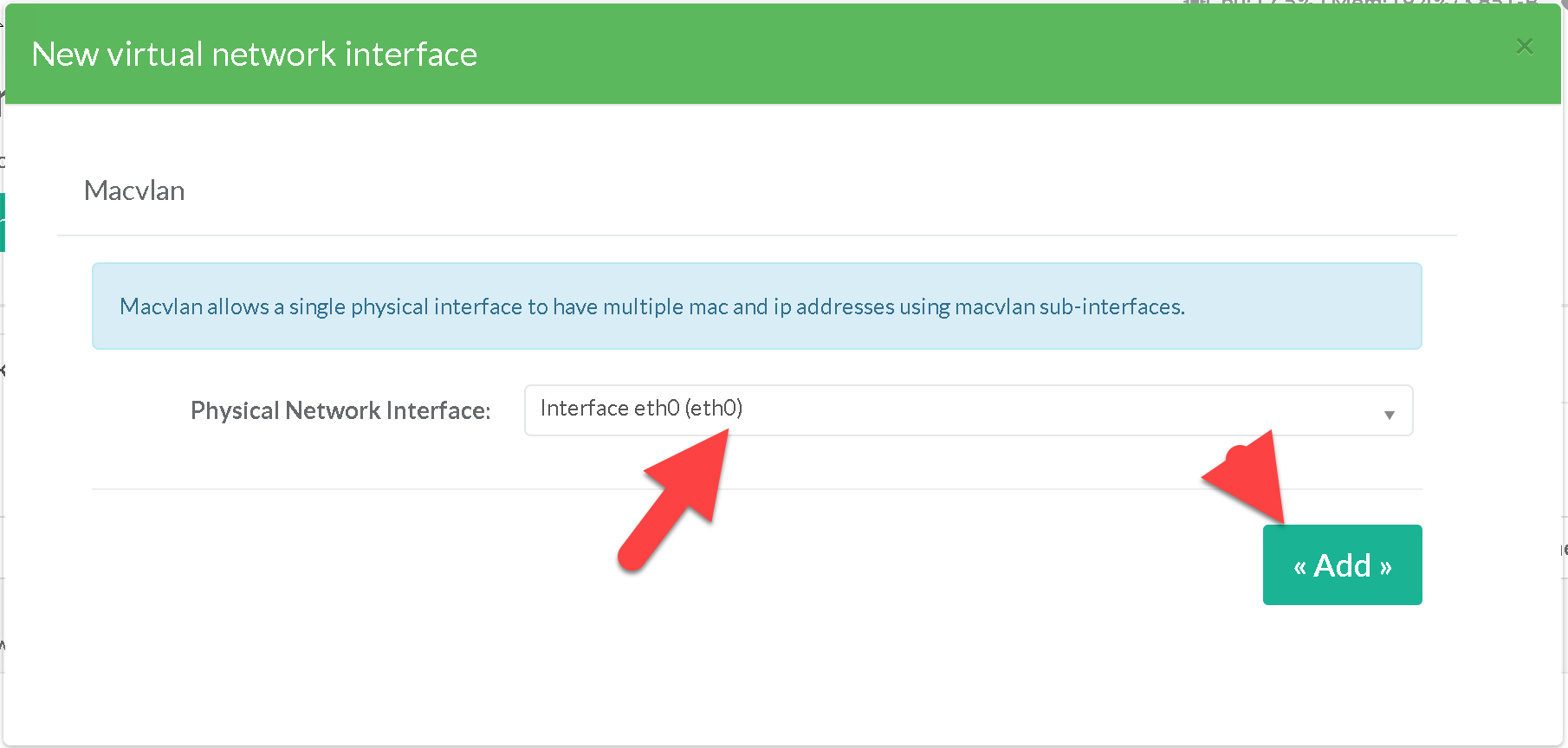
- Select the physical interface that will support this new network interface
- Click on Add button
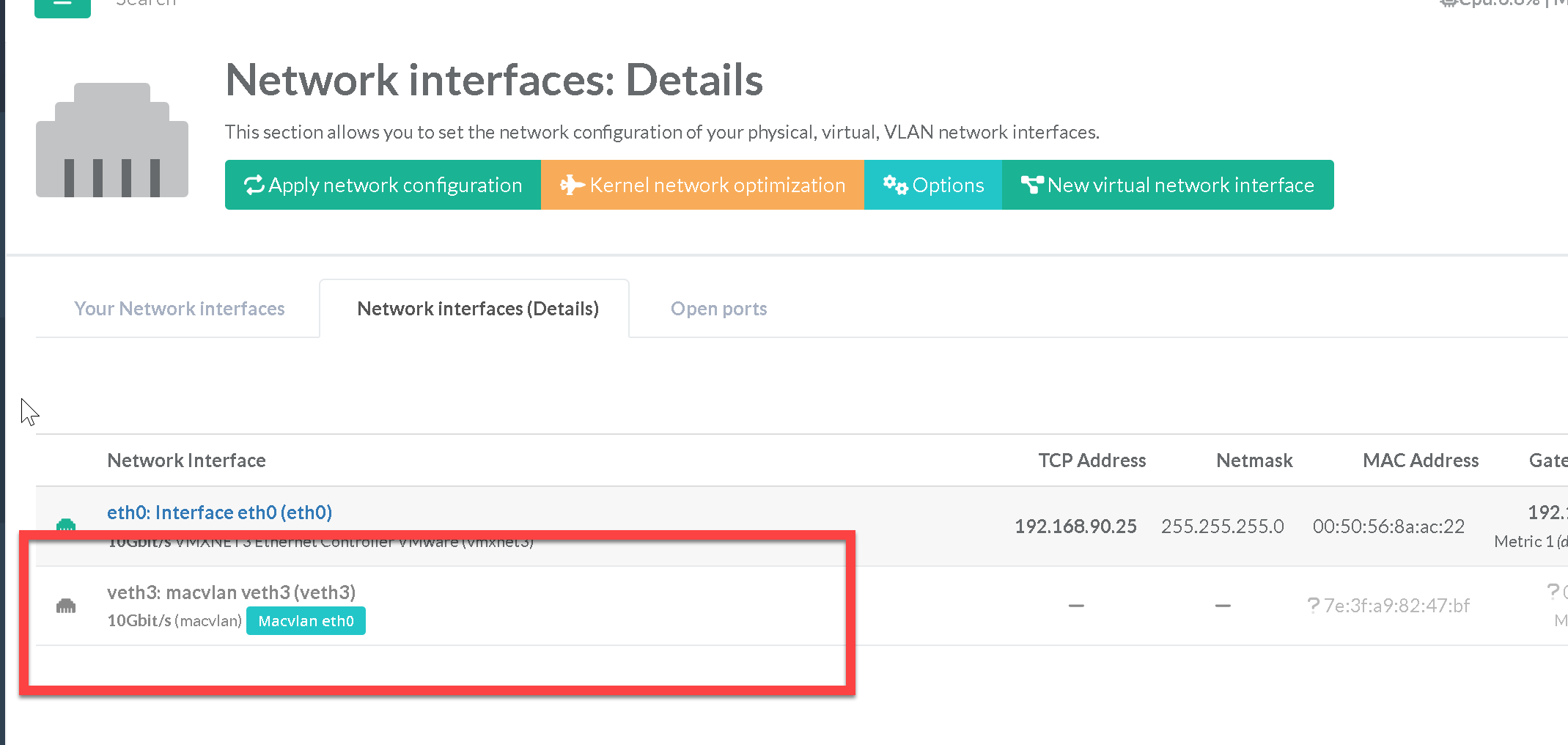
- Your new virtual interface is added on the main table.
- Click on it to edit network settings.
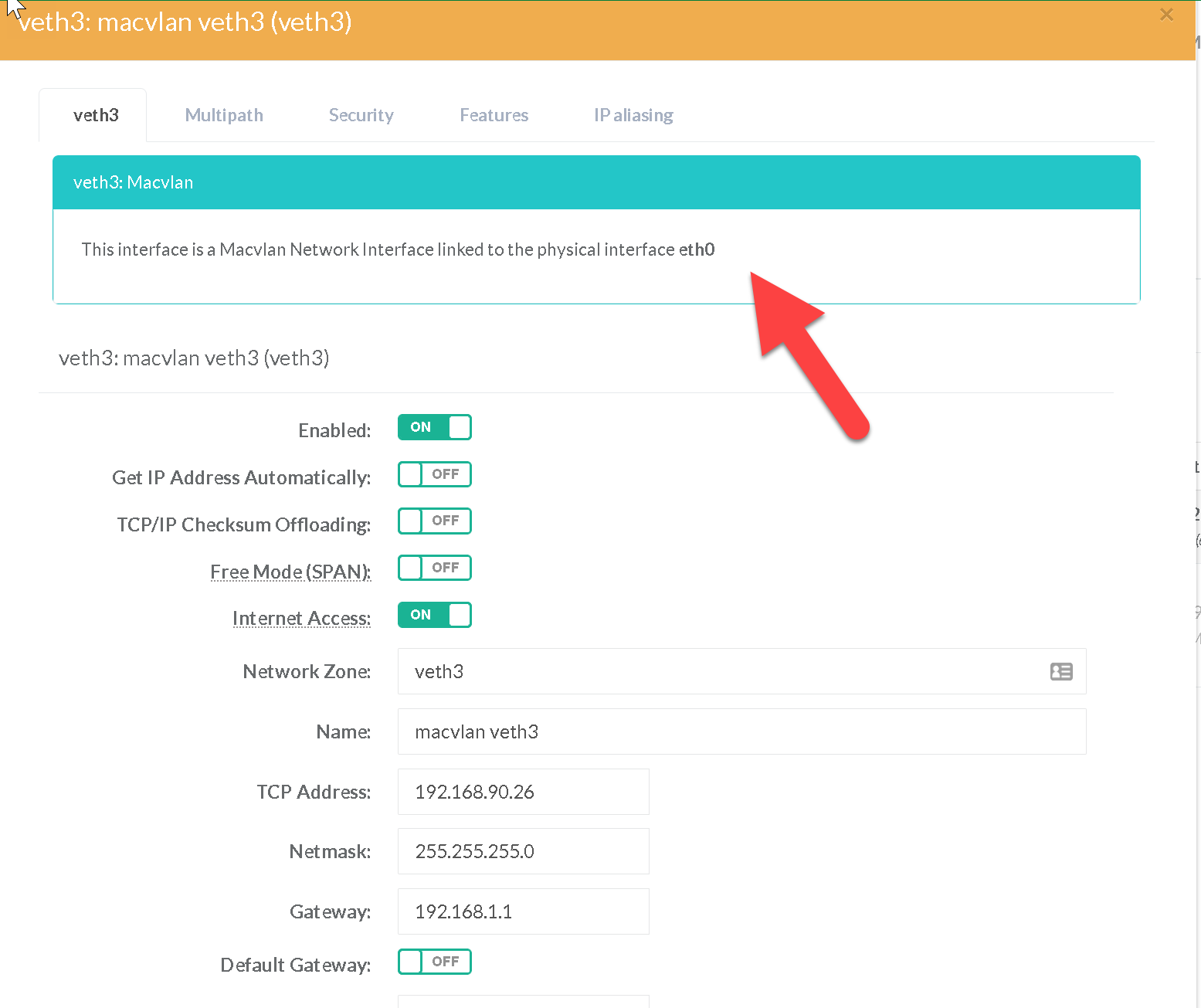
- You can setup the interface like a standard one except it notify you that is binded to a physical interface and you can remove it.
- You must apply network configuration to apply changes.