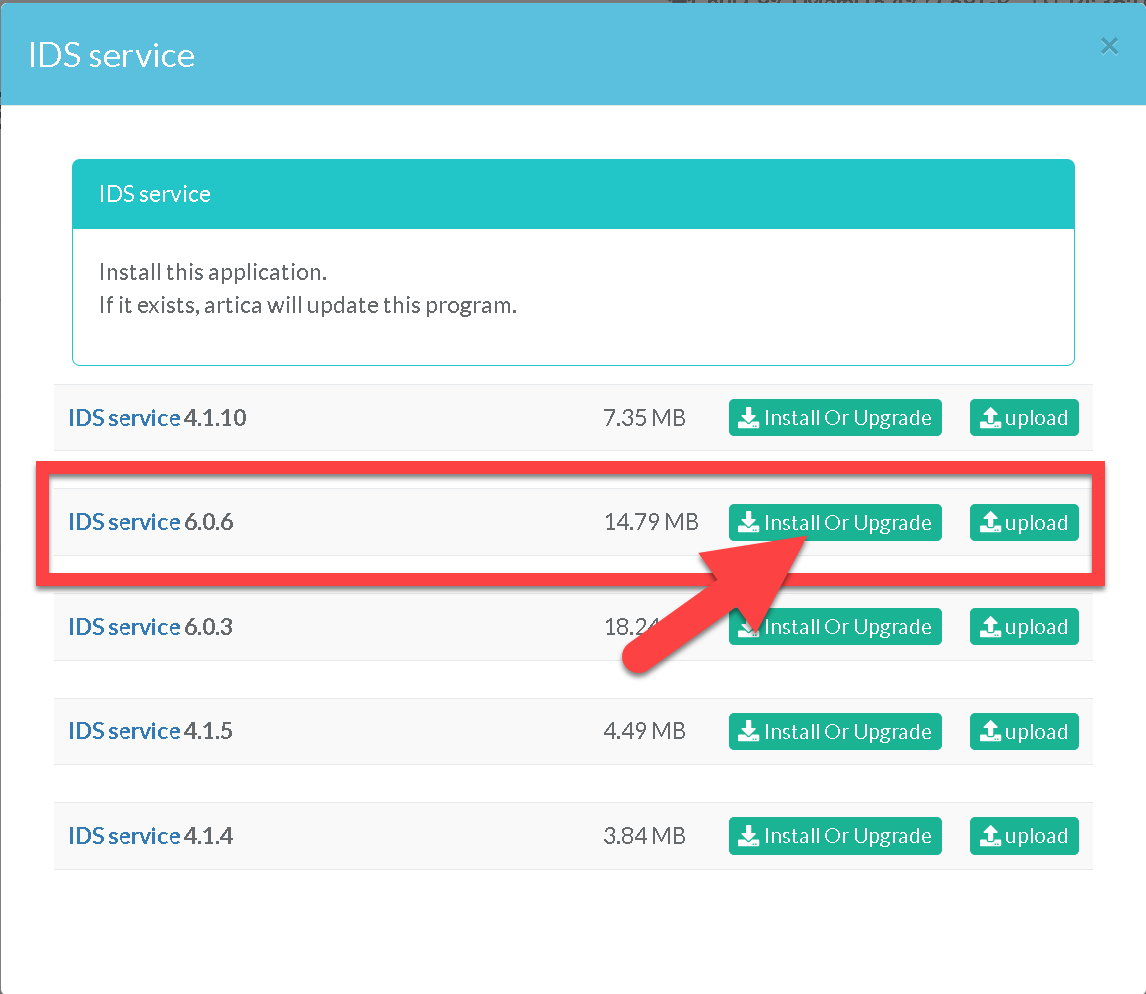
Install or update the IDS service to the latest version
The IDS service is a dedicated service compiled by the Artica Tech teams, it is located in the software center section
By default, the intrusion detection engine binaries and libraries are not installed.
This method allows you to install or update the IDS engine package
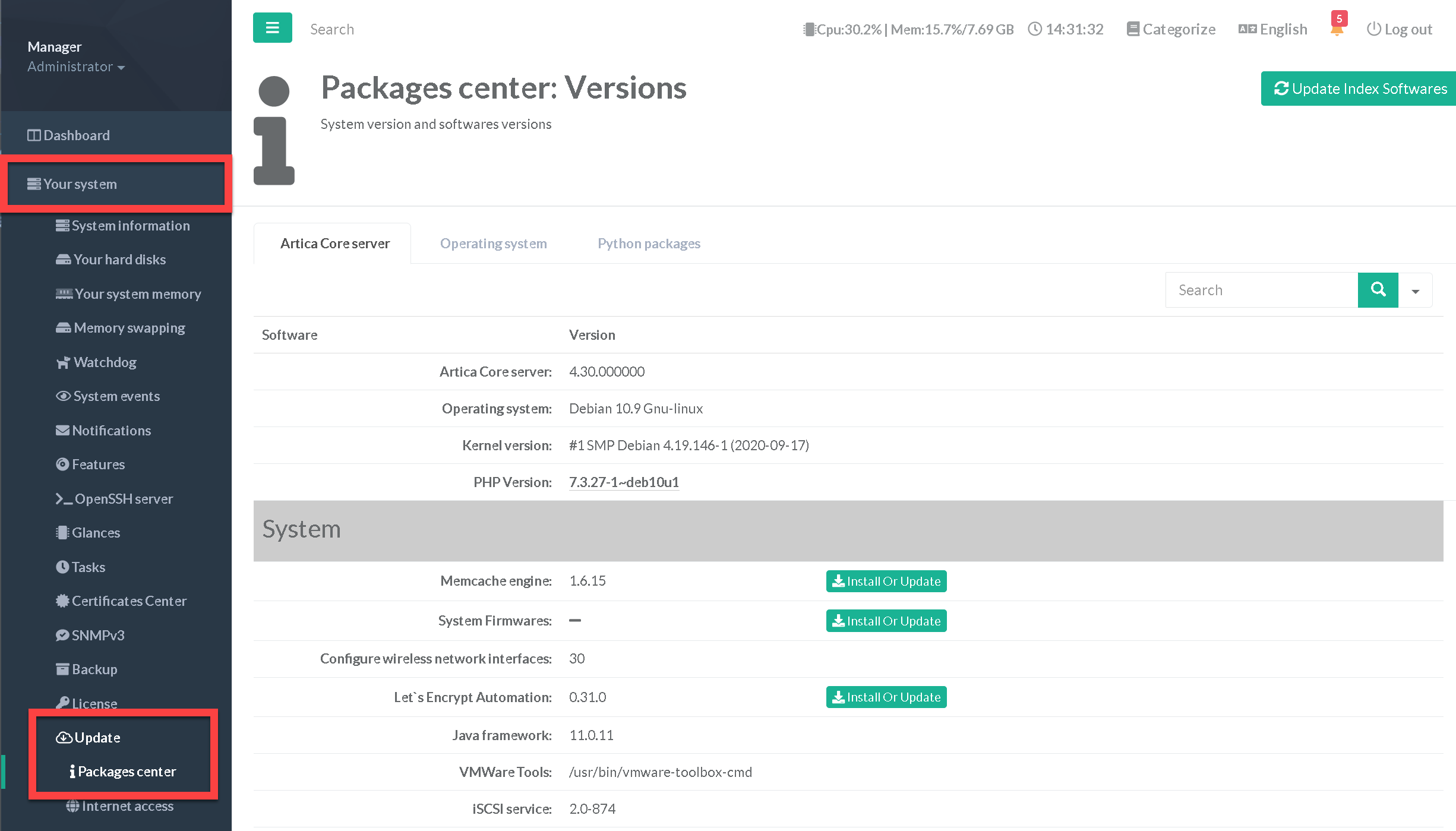
- On the left menu, go to “Your system” / “Update” / “Packages Center”
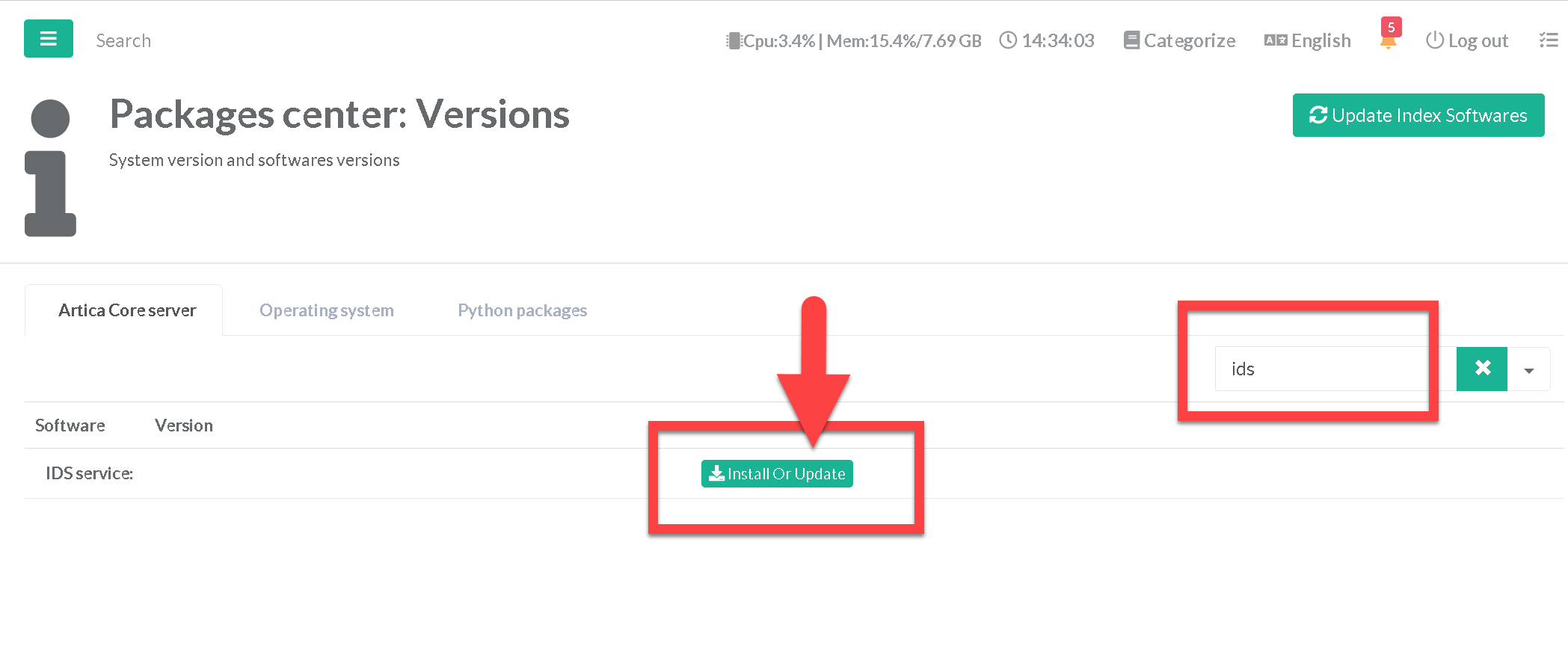
- On the search field, type “ids”
- Click on the “Install Or Update” button on the “IDS Service” row
- Choose the latest version and click on “Install Or Upgrade”