How to setup SPAN (Port Mirroring) on Fortigate ?
The Switch Port Analyzer (SPAN) feature is now available for hardware switch interfaces on FortiGate models with built-in hardware switches (for example, the FortiGate-100D, 140D, and 200D etc.)
Setting up SPAN (Switched Port Analyzer) or Port Mirroring on a FortiGate firewall allows you to monitor network traffic by copying packets from one or more source ports to a destination port (usually connected to a monitoring device like Artica IDS/IPS). FortiGate refers to this feature as Traffic Sniffing.
- Go to
System > Network > Interfaces
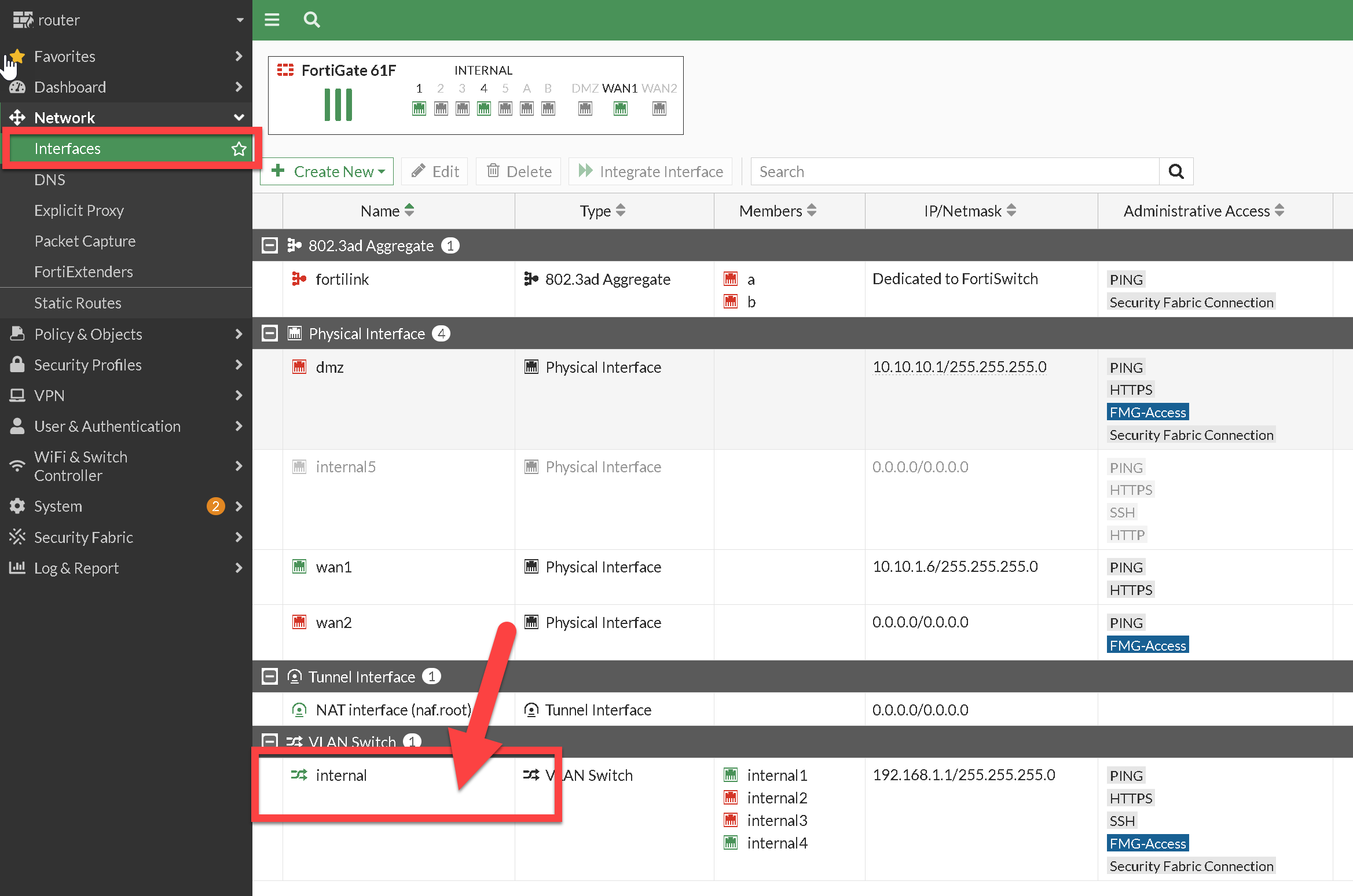
Edit a hardware switch interface.
By default the system may have a hardware switch interface called LAN.
A new hardware switch interface can also be created.
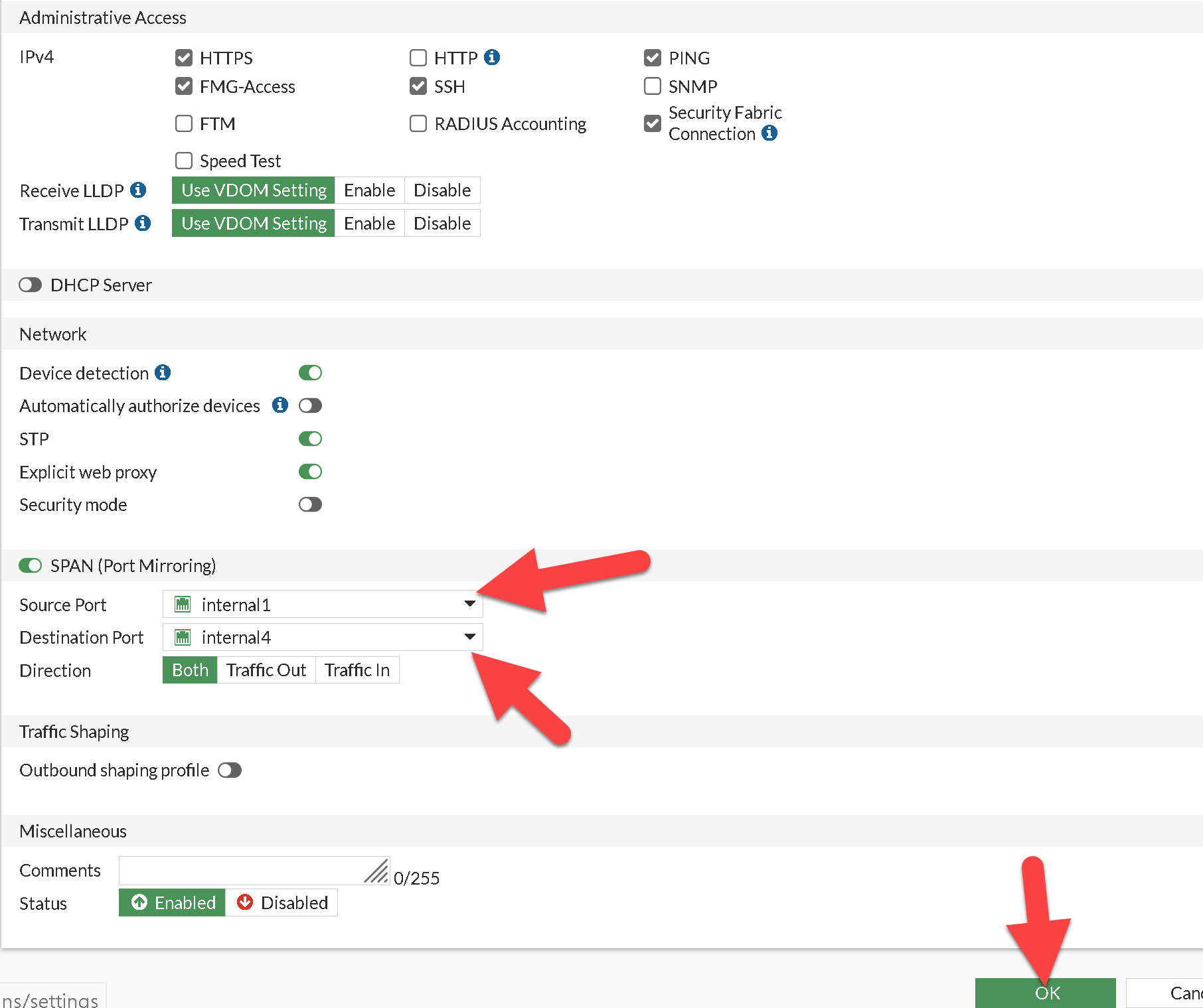
- Select the SPAN check box, then select a source port from which traffic will be mirrored.
- Select the destination port to which the mirrored traffic is sent.
- Select to mirror traffic received, traffic sent, or both.