What is KVNO in Active Directory status ?
In Kerberos, KVNO stands for Key Version Number. It is a number associated with a particular encryption key for a Kerberos principal (such as a user, service, or host).
In Kerberos, KVNO stands for Key Version Number.
It is a number associated with a particular encryption key for a Kerberos principal (such as a user, service, or host).
The KVNO helps Kerberos distinguish between different versions of a principal's key when it changes.
In the context of Active Directory (AD), which is Microsoft’s implementation of Kerberos as part of its authentication system, KVNO (Key Version Number) plays a similarly critical role as in any Kerberos environment.
It tracks the version of encryption keys for a principal (such as users or services) and ensures that the correct key version is used when tickets are issued or validated.
The KVNO is incremented by Active Directory whenever the password for an account is changed (including user, service, or computer accounts).
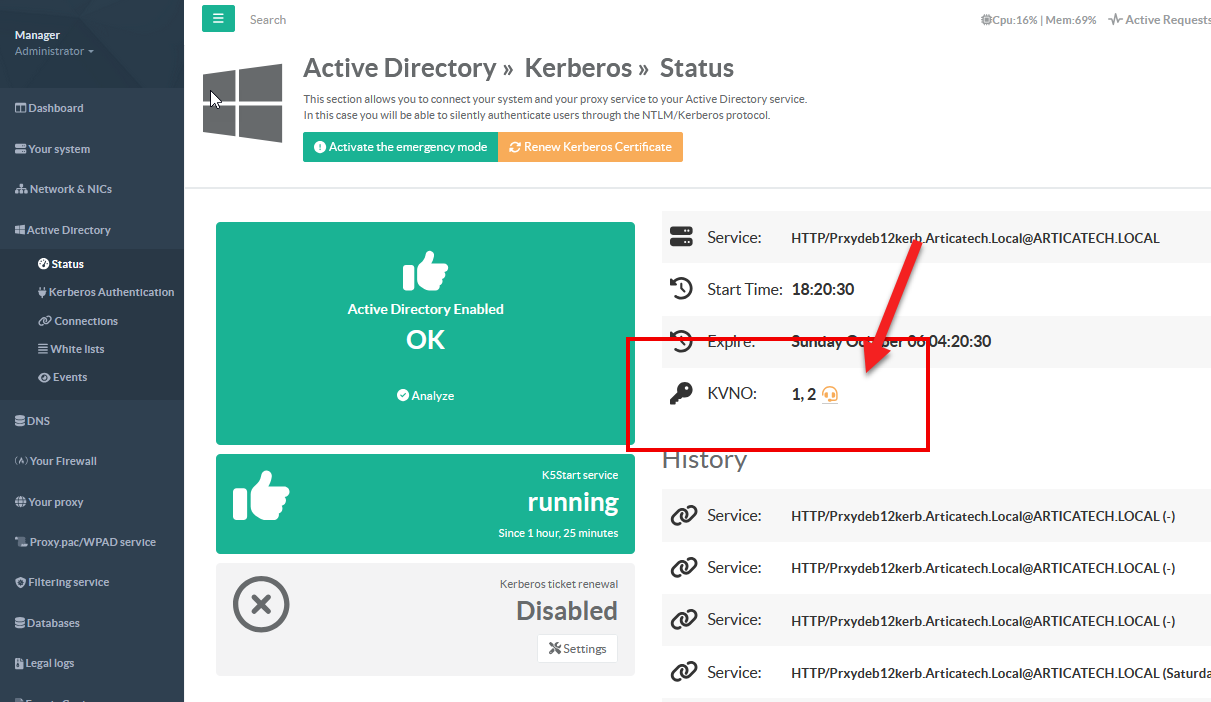
You can see the KVNO number in the Active Directory status page
- Key Version in AD:
In Active Directory, each user, service, or computer account has an associated encryption key, and the Key Version Number (KVNO) is stored along with this key.
The KVNO is used to keep track of key changes, such as when a password is changed.
- Password or Key Changes:
When a user or service account password is changed in Active Directory, a new encryption key is generated for the account, and the KVNO is incremented.
This ensures that the KDC (Key Distribution Center) and other services know which key version to use for authenticating and decrypting Kerberos tickets.
- Kerberos Tickets:
When Active Directory issues a Kerberos ticket, it includes the KVNO in the ticket.
The KVNO tells the service (or KDC) which version of the key should be used to decrypt the ticket.
- Active Directory Service Accounts:
Service accounts (such as those used by Artica services ) also have their keys stored in Active Directory.
If a service's account password is changed, the KVNO for the service's account is incremented.
When the service receives a Kerberos ticket, it checks the KVNO to ensure it uses the correct key version to decrypt the ticket.
- Managing Service Principal Names (SPNs):
In Active Directory, a Service Principal Name (SPN) is a unique identifier for services running on servers.
SPNs are tied to accounts (e.g., a service account) and their associated keys.
The KVNO for a given SPN helps ensure that the proper key version is used to authenticate a service.
- Misaligned KVNO Issues:
When the KVNOs between the KDC and the client or service are out of sync (for instance, when a password has been changed but the service is still using an old key), Kerberos authentication can fail with errors like KRB_AP_ERR_MODIFIED.
This happens when a service attempts to decrypt a ticket using an old key, but the ticket was encrypted with a new key (due to a KVNO mismatch).
Methods to Check KVNO in Active Directory
Use this command using PowerShell
Get-ADComputer -Identity [computer_account] -Properties msDS-KeyVersionNumber | Select-Object Name, msDS-KeyVersionNumber

This will show the key version number for that user in Active Directory