The blacklist is a soft deny mechanism that prevents Artica software packages from being pushed to a specific agent node, while leaving all monitoring, operational, and binary upgrade capabilities intact.
In this scenario, the administrator can trigger bulk updates without the risk of automatically updating a critical component that would require more advanced testing before deployment.
They may also choose to perform updates manually on specific machines when greater control is required.
This is typically the case when you operate, for example, both a validation (staging) platform and a production platform, where the production environment cannot be updated arbitrarily or without strict change management procedures.
A blacklisted node continues to:
- Report status (CPU, memory, disk)
- Serve software version info
- Allow log tail / search
- Allow webconsole proxy access
- Allow terminal shell access
- Allow services list and restart
- Receive debian-agent binary upgrades (API and SSH) — the agent process itself can still be updated
A blacklisted node will not receive:
- Artica hotfixes (via ArticaRepos)
- Artica service packs (via ArticaRepos)
- Artica major version updates (via ArticaRepos)
- Artica software packages (nginx, clamav, haproxy, etc. — via ArticaRepos push-software)
- APT package upgrades (
apt-get upgrade) apt-get update
Use the blacklist to freeze the software state of a node — for example, to hold a known-good version while an issue is investigated, or to exclude a node from a fleet-wide rollout.
¶ Deny a single Agent
On the Agents List table, select the Agent you need to deny from updates.

- In the main agent section, turn on the “Black-Listed” option.

- The status will be modified with a “Black-listed” label

¶ Deny a group
In scenarios where you operate both a validation (staging) platform and a production platform with multiple servers, it is more efficient to manage updates at the group level rather than handling each agent individually.
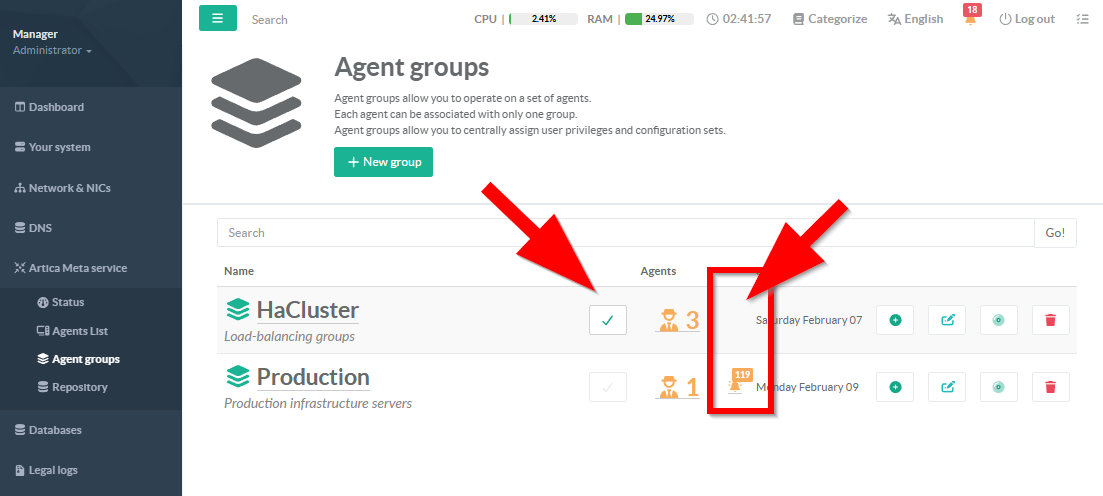
- On the Agent groups, enable the checkbox to deny the group from updates.
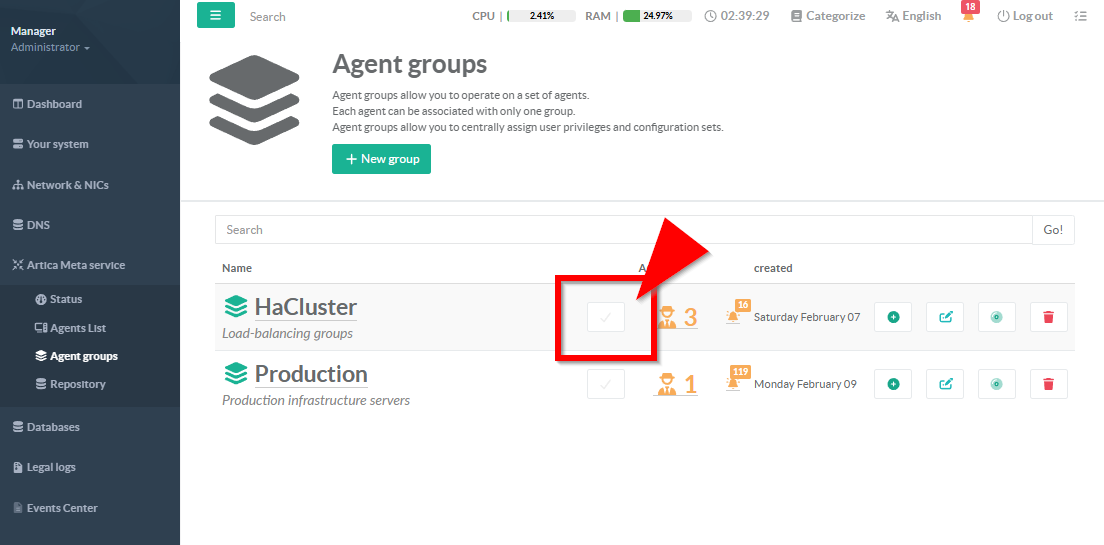
- After enabling the checkbox, the warning icon indicating a new update will no longer be displayed.