ActiveDebianSync includes a built-in web console for managing and monitoring your Debian repository through a browser interface.
This document covers installation, configuration, usage.The web console provides a graphical interface for monitoring synchronization status in real-time, viewing server statistics and client connections, uploading custom .deb packages, managing users and access control, configuring system settings and viewing event logs and package updates
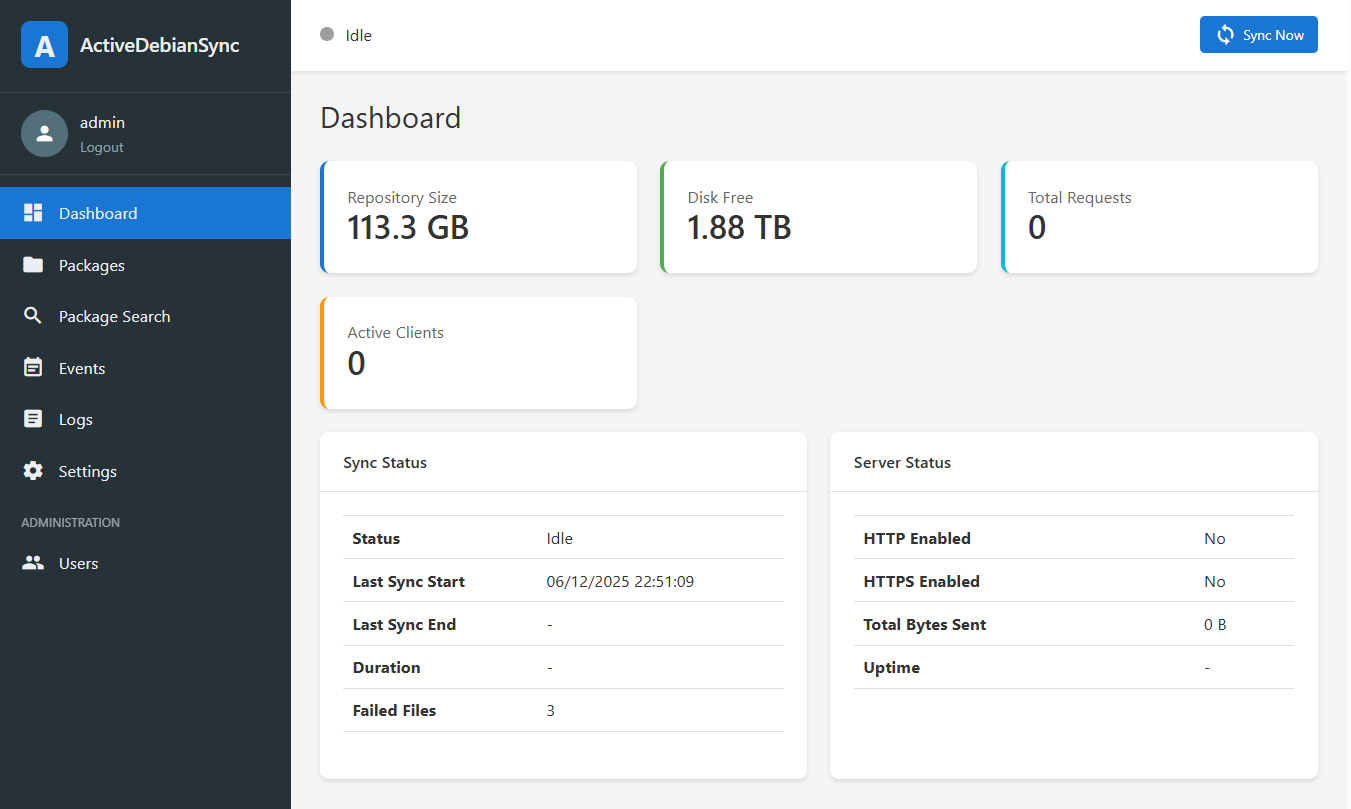
¶ Enabling the Web Console
Add the following to your /etc/ActiveDebianSync/config.json:
{
"web_console_enabled": true,
"web_console_port": 8090,
"web_console_listen_addr": "127.0.0.1",
"web_console_https_enabled": false,
"web_console_session_timeout": 60
}
Configuration Options
| Option | Type | Default | Description |
|---|---|---|---|
web_console_enabled |
bool | false |
Enable/disable the web console |
web_console_port |
int | 8090 |
Port to listen on |
web_console_listen_addr |
string | 127.0.0.1 |
Listen address (127.0.0.1 for local only, 0.0.0.0 for all interfaces) |
web_console_https_enabled |
bool | false |
Enable HTTPS |
web_console_tls_cert_file |
string | /etc/ActiveDebianSync/console.crt |
TLS certificate path |
web_console_tls_key_file |
string | /etc/ActiveDebianSync/console.key |
TLS private key path |
web_console_session_secret |
string | (auto-generated) | Secret for session encryption |
web_console_session_timeout |
int | 60 |
Session timeout in minutes |

¶ Install assets directory
- Create an assets directory where you place the configuration file ( eg:
/etc/ActiveDebianSync/assets - Download the assets content from the github repository “https://github.com/dtouzeau/activedebiansync/tree/master/assets”
- Put all files inside the
/etc/ActiveDebianSync/assets
¶ Enabling HTTPS
For production use, HTTPS is strongly recommended:
{
"web_console_enabled": true,
"web_console_port": 8090,
"web_console_listen_addr": "0.0.0.0",
"web_console_https_enabled": true,
"web_console_tls_cert_file": "/etc/ActiveDebianSync/console.crt",
"web_console_tls_key_file": "/etc/ActiveDebianSync/console.key"
}
Generate a self-signed certificate for testing:
openssl req -x509 -nodes -days 365 -newkey rsa:2048 \
-keyout /etc/ActiveDebianSync/console.key \
-out /etc/ActiveDebianSync/console.crt \
-subj "/CN=activedebiansync.local"
For production, use certificates from Let's Encrypt or your organization's CA.
¶ Create Initial Admin User
On first startup, no users exist. Create an admin user using the command line:
./activedebiansync --create-admin
Or via the REST API:
curl -X POST http://localhost:9090/api/users/create \
-H "Content-Type: application/json" \
-d '{"username":"admin","password":"secure-password","role":"admin"}'