Mesh (any-to-any) cluster replication supports synchronizing repository content and configuration across multiple nodes using a fast, compressed TCP protocol.
The mesh topology allows any node to push or pull compressed data from any other node.
Replication uses delta synchronization, meaning only changed files are transferred based on SHA256 checksums.
Each replication cycle between nodes is executed automatically after every synchronization task.Statistics tracking: All replication events are recorded in
cluster.dbdatabase
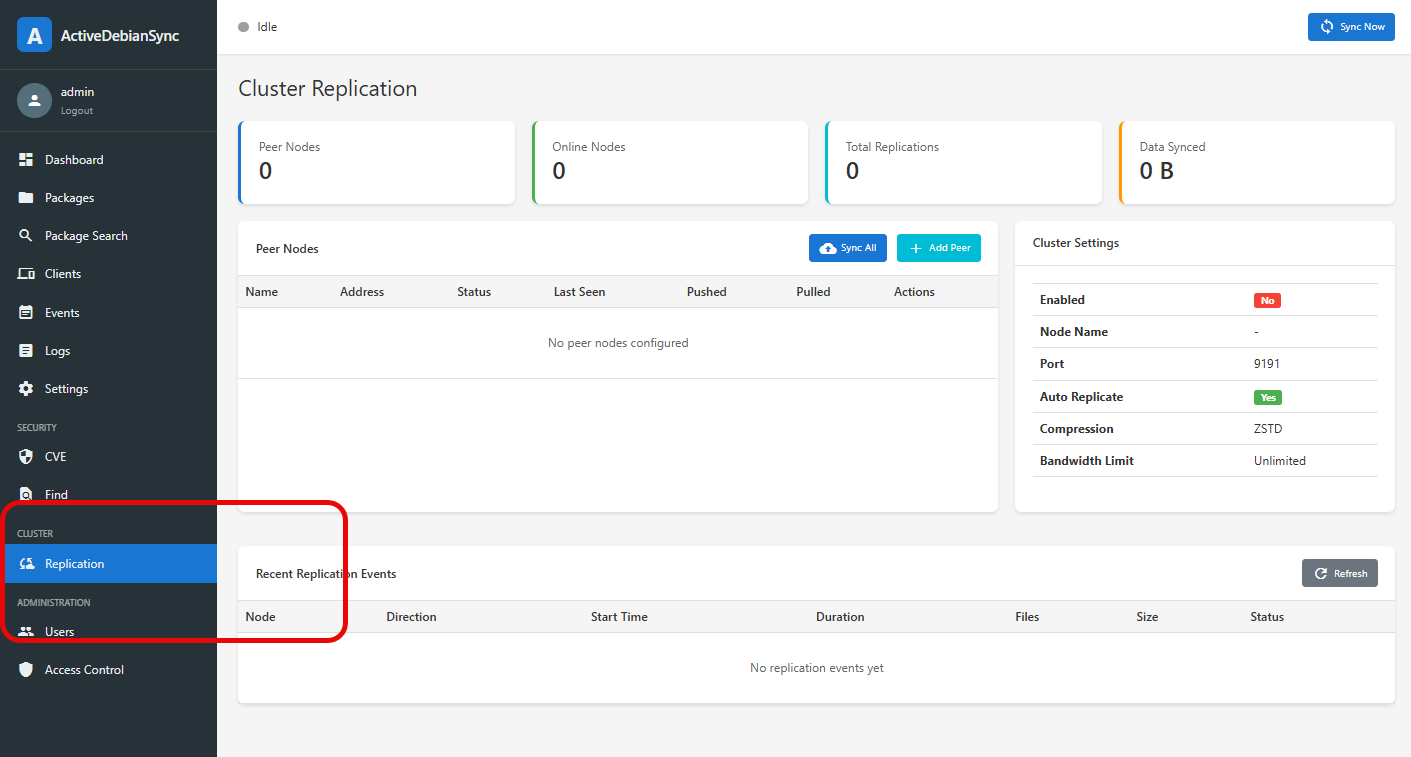
¶ Configuration via Web console

¶ Manual configuration
Add the following settings to your config.json:
{ "cluster_enabled": true, "cluster_node_name": "node1", "cluster_port": 9191, "cluster_auth_token": "your-secret-token", "cluster_peers": [ { "name": "node2", "address": "192.168.1.102:9191", "enabled": true }, { "name": "node3", "address": "192.168.1.103:9191", "enabled": true } ], "cluster_auto_replicate": true, "cluster_compression": "zstd", "cluster_bandwidth_limit": 0}
| Option | Type | Default | Description |
|---|---|---|---|
cluster_enabled |
bool | false |
Enable cluster replication |
cluster_node_name |
string | "" |
Unique identifier for this node |
cluster_port |
int | 9191 |
TCP port for replication connections |
cluster_auth_token |
string | "" |
Shared secret for authentication. This token must be identical on all nodes in the cluster. |
cluster_peers |
array | [] |
List of peer nodes |
cluster_auto_replicate |
bool | true |
Automatically replicate after sync |
cluster_compression |
string | "zstd" |
Compression method: "zstd", "gzip", "none" ( zstd is the best ) |
cluster_bandwidth_limit |
int | 0 |
Bandwidth limit in KB/s (0 = unlimited) |
Peer Configuration
Each peer in cluster_peers has:
| Field | Type | Description |
|---|---|---|
name |
string | Friendly name for the peer |
address |
string | Hostname or IP with port (e.g., "192.168.1.100:9191") |
enabled |
bool | Whether to include this peer in replication |
¶ RESTAPI
GET /api/console/cluster/status
Get Cluster Status, returns cluster configuration and current replication status.
GET /api/console/cluster/stats
Get Cluster Statistics, returns aggregated statistics:
- Total nodes
- Online nodes
- Total replications
- Total bytes synced
- Active replications
GET /api/console/cluster/nodes
List Peer Nodes, returns all configured peer nodes with their status and statistics.
POST /api/console/cluster/nodes/add
Add Peer Node
Content-Type: application/json{ "name": "node2", "address": "192.168.1.102:9191", "enabled": true}
POST /api/console/cluster/nodes/remove
Remove Peer Node
Content-Type: application/json{ "name": "node2"}
POST /api/console/cluster/replicate
Trigger Replication
Content-Type: application/json
- Replicate to all peers:
{} - Replicate to specific peer (push)
{"peer": "node2", "direction": "push"} - Pull from specific peer
{"peer": "node2","direction": "pull"}
GET /api/console/cluster/history?limit=50
Get Replication History, returns recent replication events.