Exclude a country From the Web Application Firewall To whitelist a geolocalized IP address
from Web firewall, you need to allow traffic from the specific IP address from a specific country and then ensure that reverse-proxy passes requests from that IP without applying WAF rules
To whitelist a source IP address from Web firewall, you need to allow traffic from the specific IP address and then ensure that reverse-proxy passes requests from that IP without applying WAF rules.
This feature is available with the Artica v4.50 Service Pack 1 or the v4.50 Hotfix 20240922-06
Here's a step-by-step guide to doing this
- On the left menu, choose
Web FireWall > Rules - On the Firewall rules section, click on New Rule button
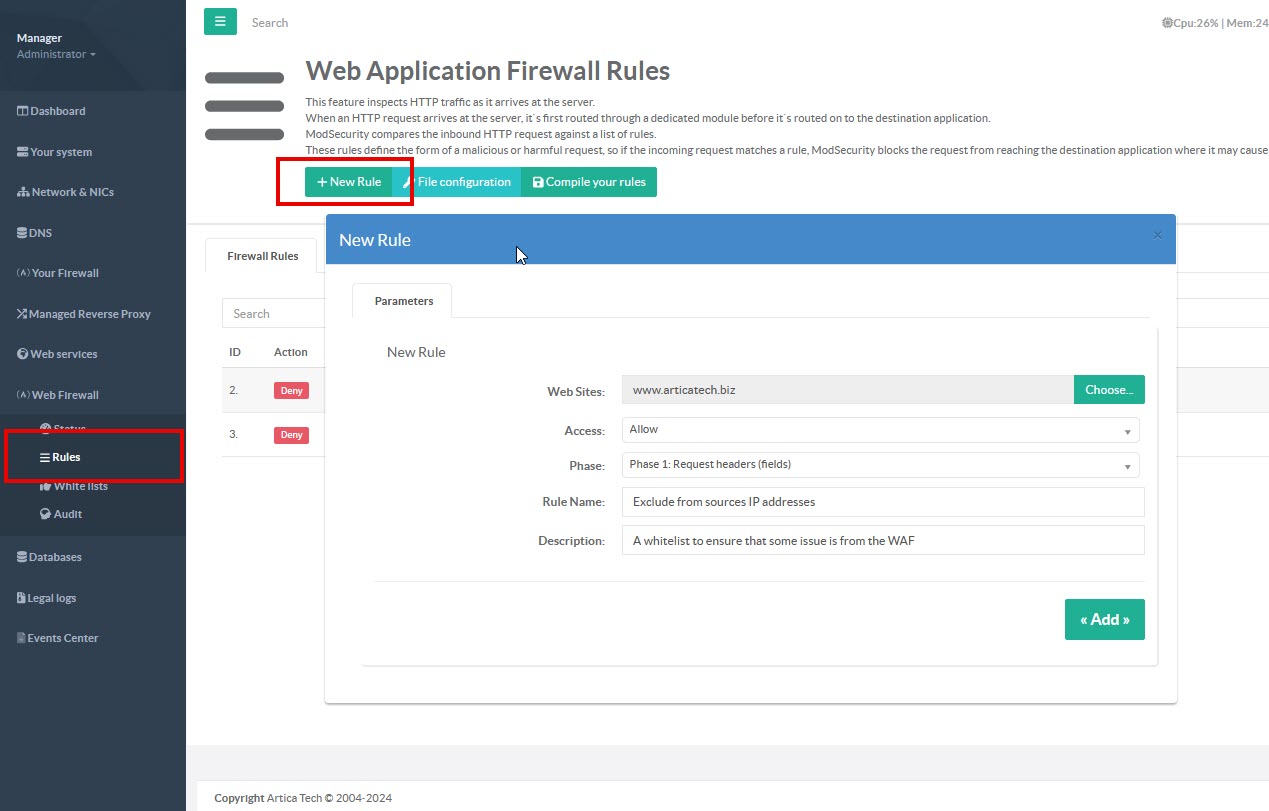
- Set the Rule name and description
- On the Access field, choose
Allow. - Select the website for which the rule will run
- Rule is added on the main table, select it
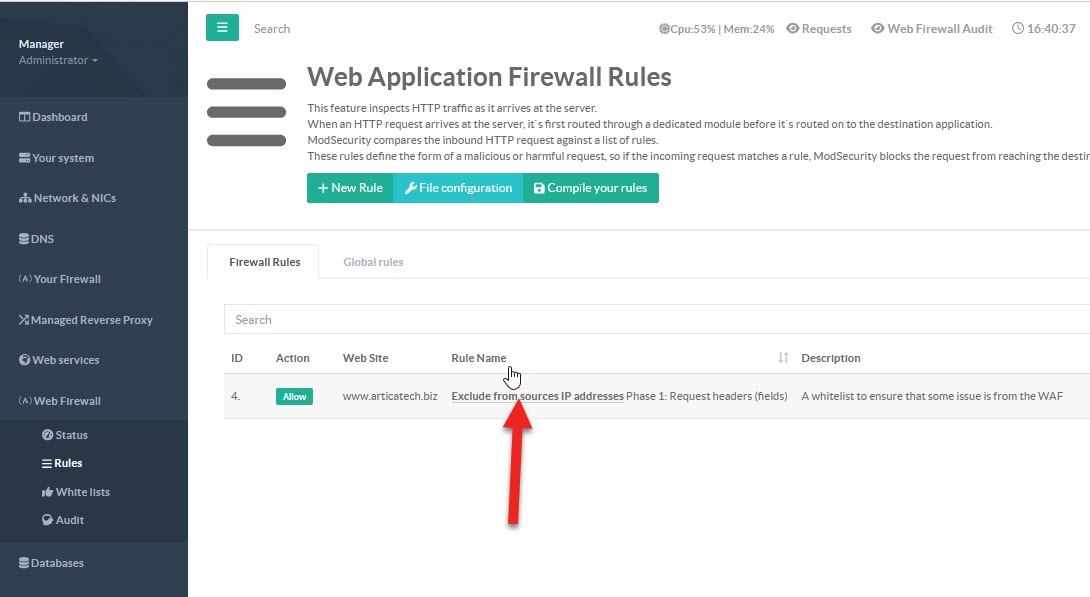
- Select the
Rulestab - Click on
New rulebutton in order to create a new free rule. - Select the new created rule.

- On the “
Operator” option, choose “Countries” - Click on the button “
Change” under the “Fields” field - Select countries you want to whitelist