Enable Artica statistics communicator
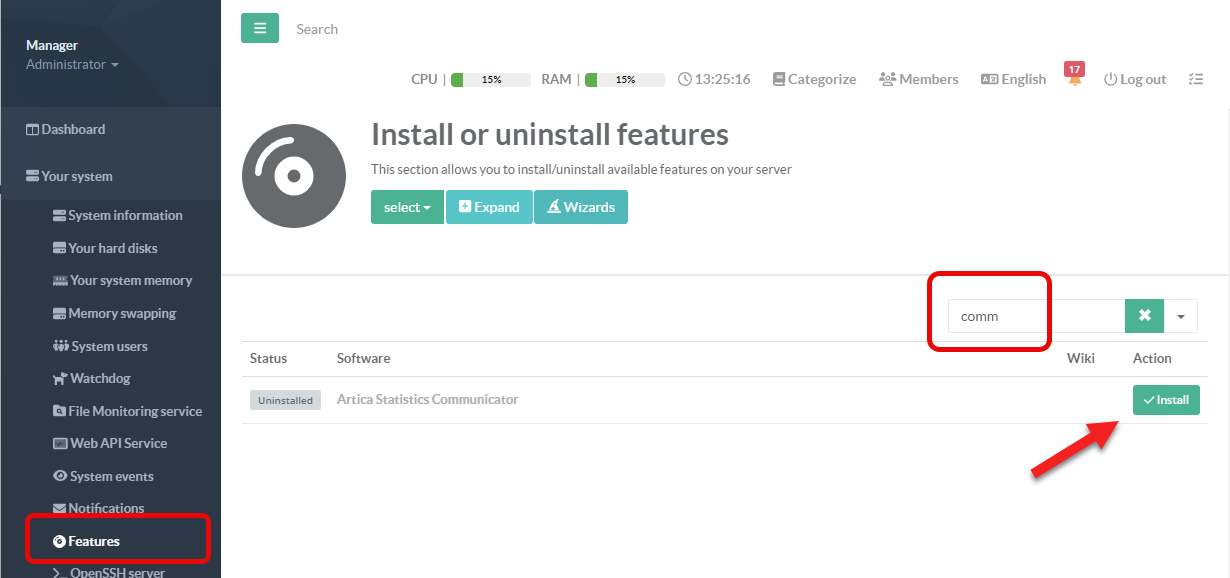
To enable statistics on your proxy, simply install the Artica Statistics Communicator.
To enable statistics on your proxy, simply install the Artica Statistics Communicator.
Activate the Proxy statistics
- On the left menu, go to
Your system > Feature - Search then entry “Artica Statistics communicator”
- Click on Install button