DNS load-balancing backend service for proxies
Artica provides an integrated DNS load-balancing system specifically designed to optimize and accelerate DNS queries generated by local backend proxy servers
Artica provides an integrated DNS load-balancing system specifically designed to optimize and accelerate DNS queries generated by local proxy servers.
This system distributes DNS requests across multiple resolvers, improving response time and enhancing overall reliability.
In addition, Artica allows administrators to define the outgoing source IP address used for DNS queries.
This capability is especially useful in multi-interface or multi-ISP environments, ensuring precise control over DNS traffic routing and compliance with upstream resolver policies.
With Artica, your proxy infrastructure gains faster name resolution, better redundancy, and more flexible DNS management.This feature has been improved with version 4.50 Service Pack 6 or v4.50 Hotfix 20260206-04
We are talking here about deploying a feature on the backend proxies — this is not a DNS load-balancing feature for your end users.
Enable the Backend DNS feature from the HaCluster
- On the left menu, go to
HaCluster > Status - Select the parameters tab
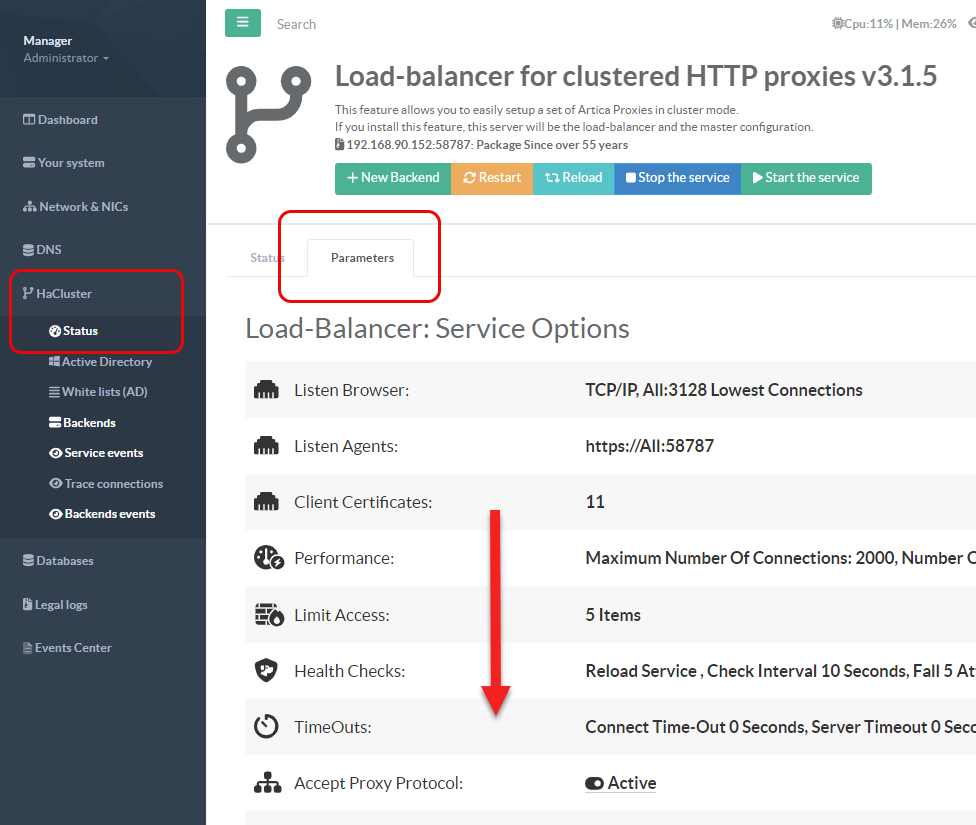
- Down to the Centralized Configuration of Backends.
- Click on the DNS servers row.
- Select the “DNS used by the proxy” tab

- Turn on the option: Proxy service use it`s own DNS servers
This option disables the use of the system’s default DNS settings and instructs the proxy to use its own DNS configuration to resolve Internet access. - Turn on the option: Uses a local DNS cache service
This option will instruct the backend to install a dedicated DNS service that uses load-balancing to resolve domain names. - Deny PTR: This option allows the backend DNS service to refuse forwarding PTR requests coming from the proxy service
- Define the DNS inside the Primary DNS server, Secondary DNS server, DNS Server 3 field.
Display Status On backends
- On the Artica web console on one of backend, go to “
Your Proxy > DNS Settings” - Choose the “Proxy service DNS settings” tab

- You will see the service status and the DNS servers you have configured, as well as, in each widget, the number of queries the proxy has sent to each DNS server