How to extend the trial period ?
By default, when you install Artica, your server has obtained an evaluation license. If you want to continue testing the enterprise features, follow this procedure.
To extend a license, you must register on the license server at https://licensing.artica.center/register in order to obtain an account.
Then send an eMail to contact@articatech.com in order to ask a trial extension with the company name entered inside the License server.In Artica there is a difference between the trial license and the evaluation license.
Trial license is an impersonal license that is not associated with a user account while evaluation license is a license obtained through your account in the license server
A) Reset the Trial license
- On the left menu, choose “
Your System” > “License” - Click on the button “Reset the current License”

- Confirm the removal operation

B) Link the server to your account
- After reset the license, the form shows you the possibility to enter credentials used for access to the license server
- Enter the email and password and click on Login button

Your server will be switched to the Evaluation License associated to your account

In Artica there is a difference between the trial license and the evaluation license.
Trial license is an impersonal license that is not associated with a user account while evaluation license is a license obtained through your account in the license server
C) Switch to the dedicated extended license.
If your account's evaluation license is insufficient, Articatech Team can provides you with a custom Corporate Evaluation license with a dedicated expiration date.
To do this, you need to assign your server to this license in your account on the license server.
- On the licensing server, click on the “chain icon” inside your Corporate Evaluation license row.
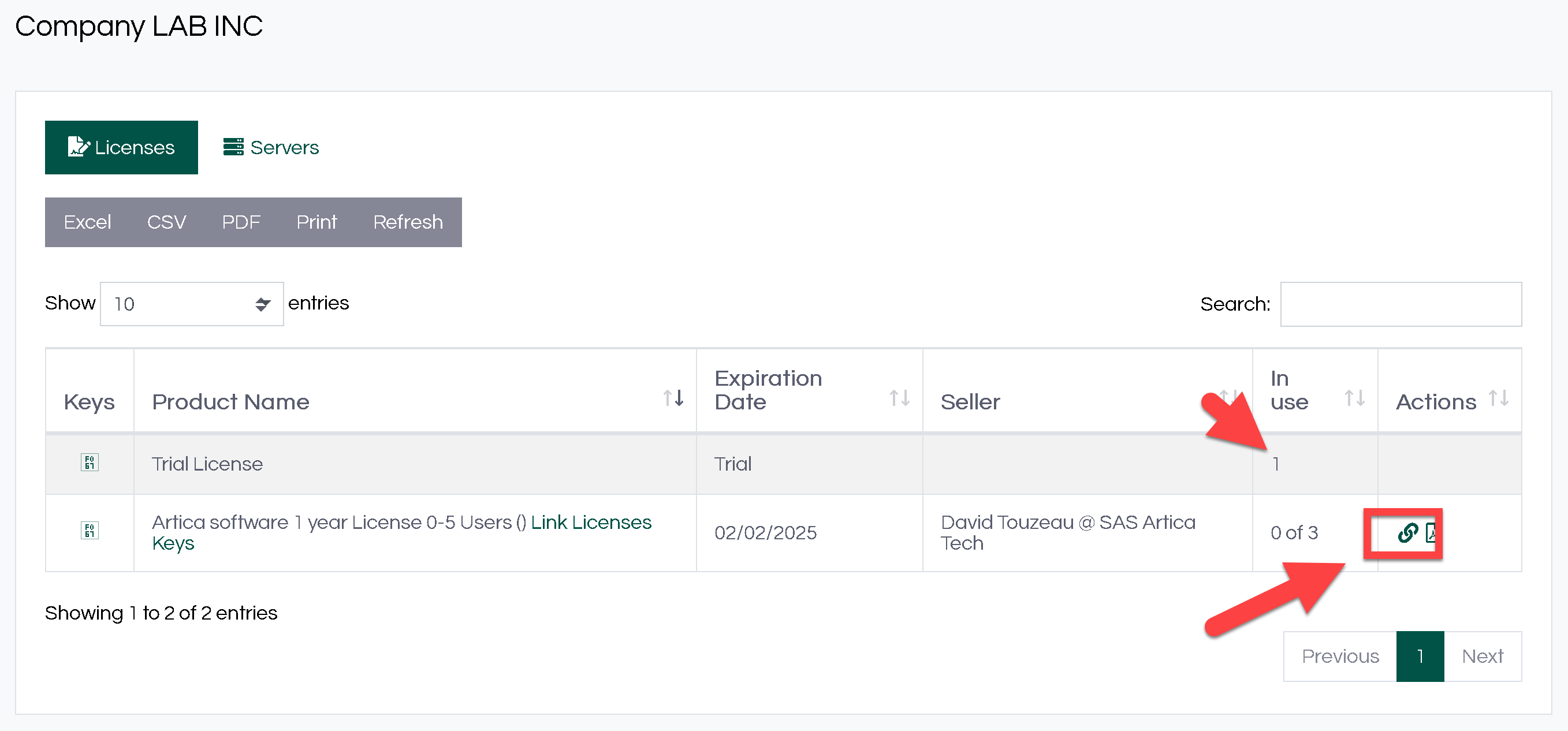
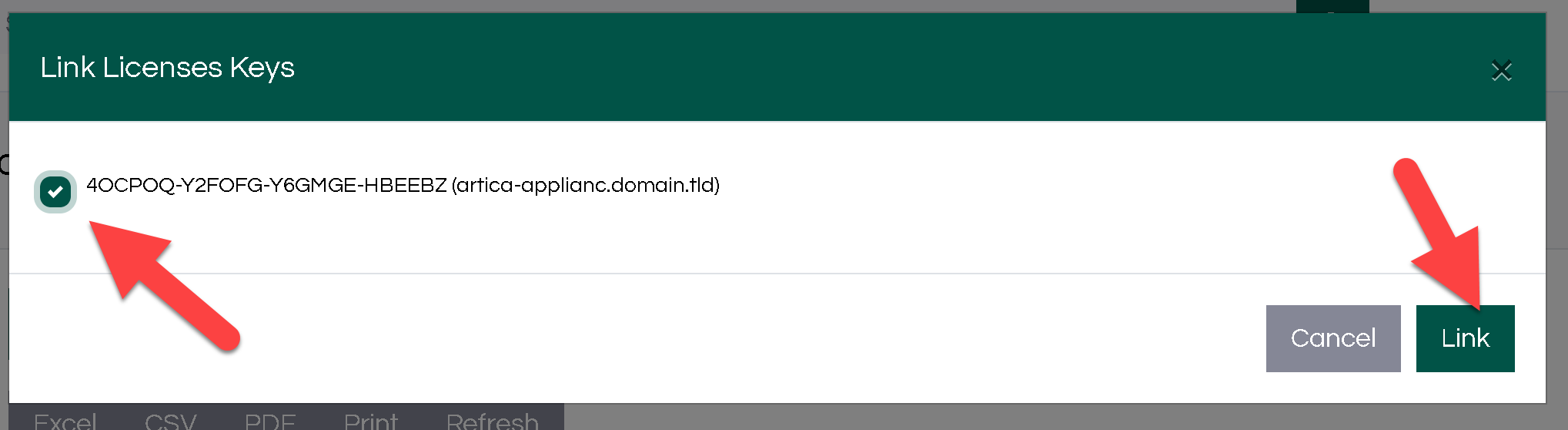
- A new window will appear offering you Artica server(s) that can be assigned to this Entreprise license.
- Select the server by clicking on the associated checkbox and click on Link button.
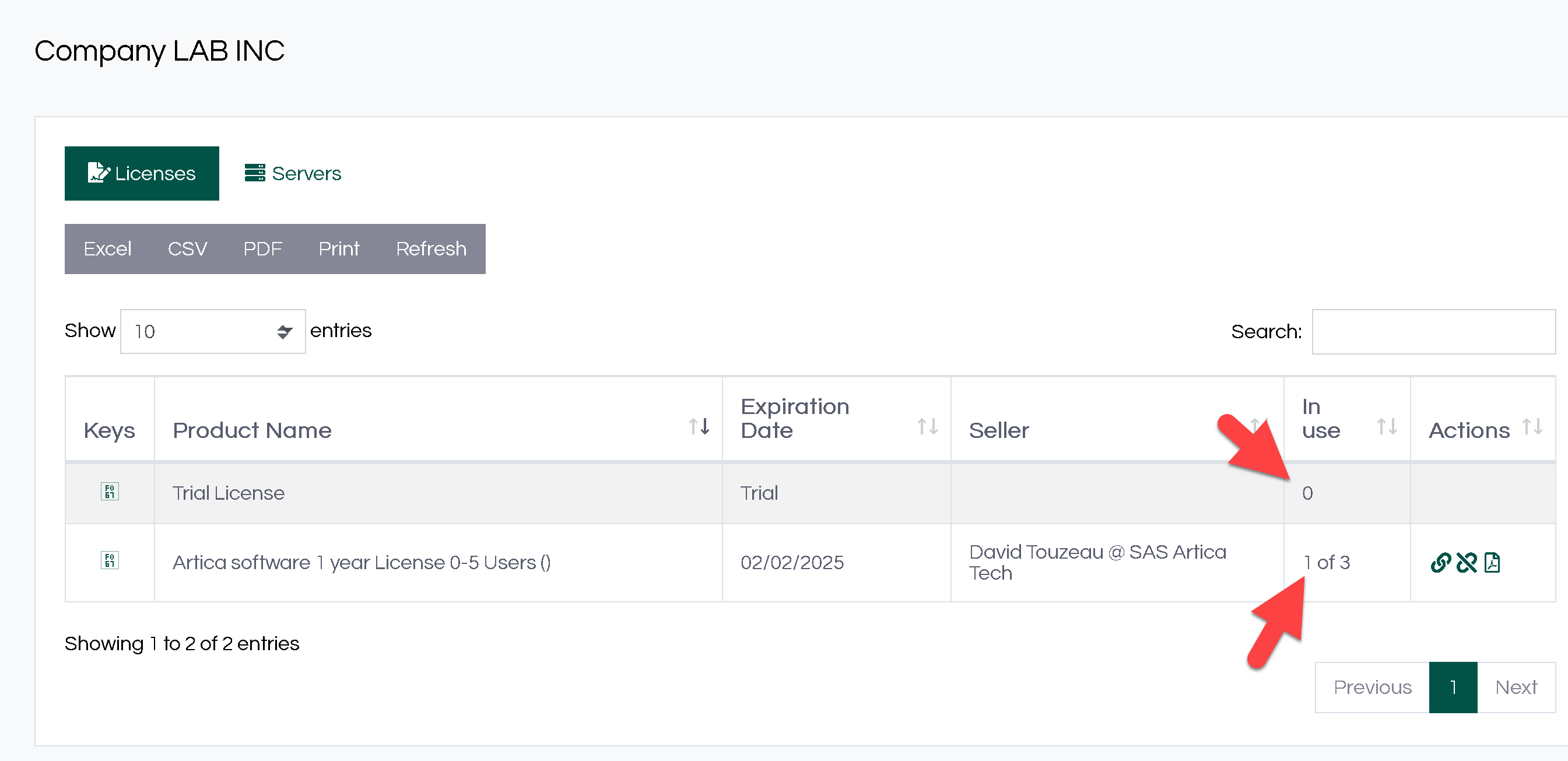
- Now you can see that the Trial license have 0 server in use and your Corporate Evaluation license is now affected to 1 server.
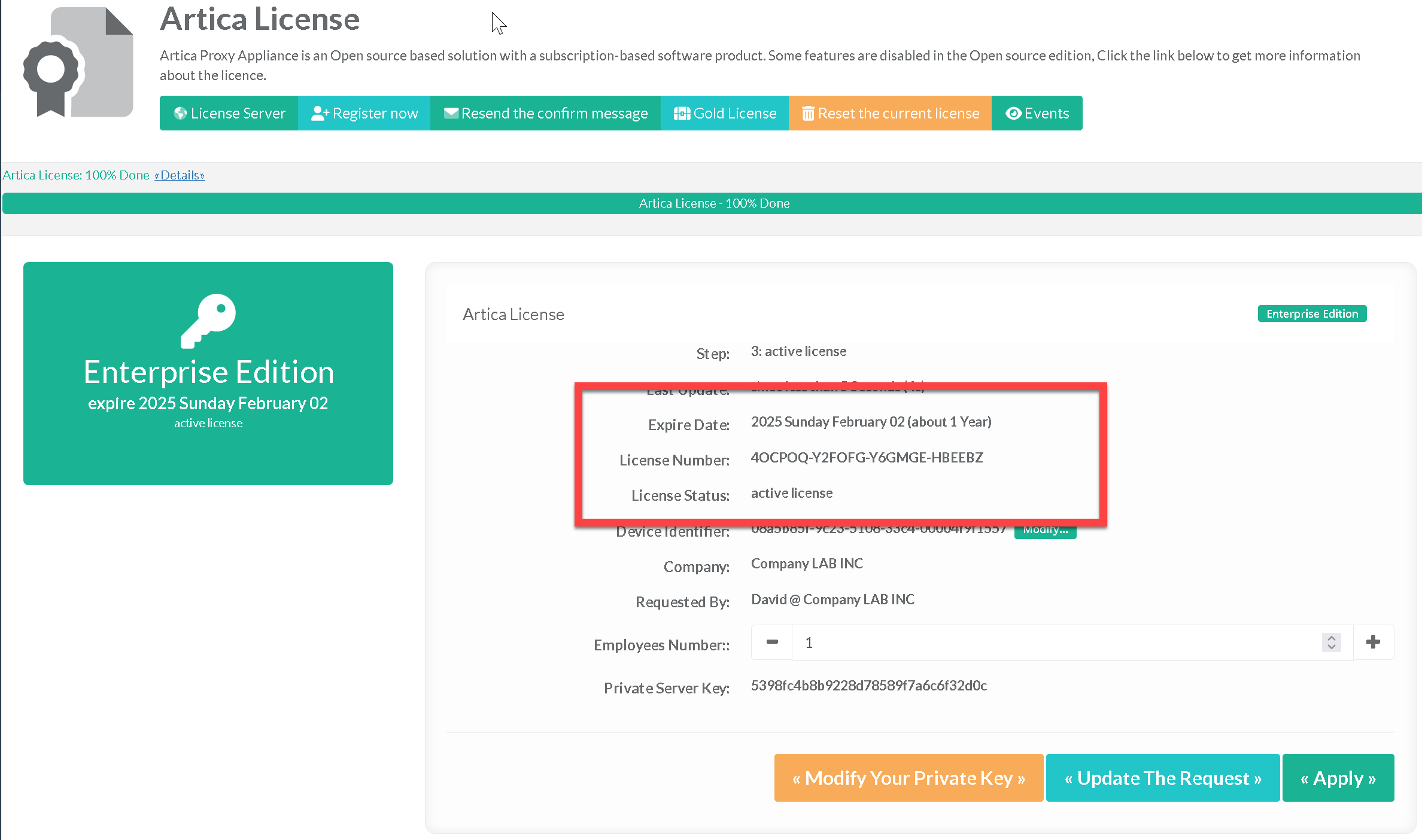
- On the Artica server, inside the license section, click on Update the Request
(This operation is not mandatory because Artica periodically requests the license server and updates itself if necessary)
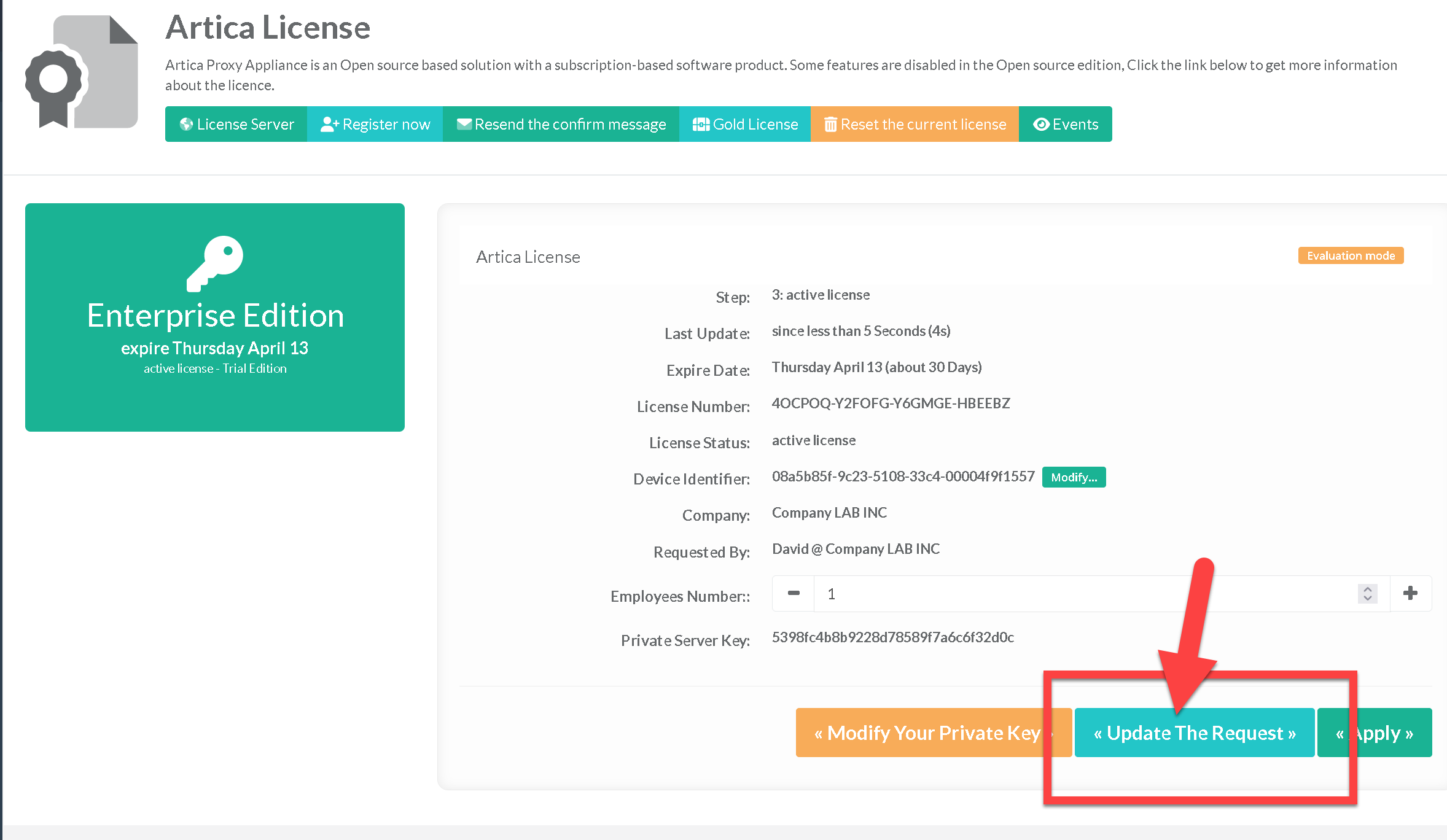
- After clicking on the “Update the Request” button, you should see your Artica server with the new license.