Centralizing events
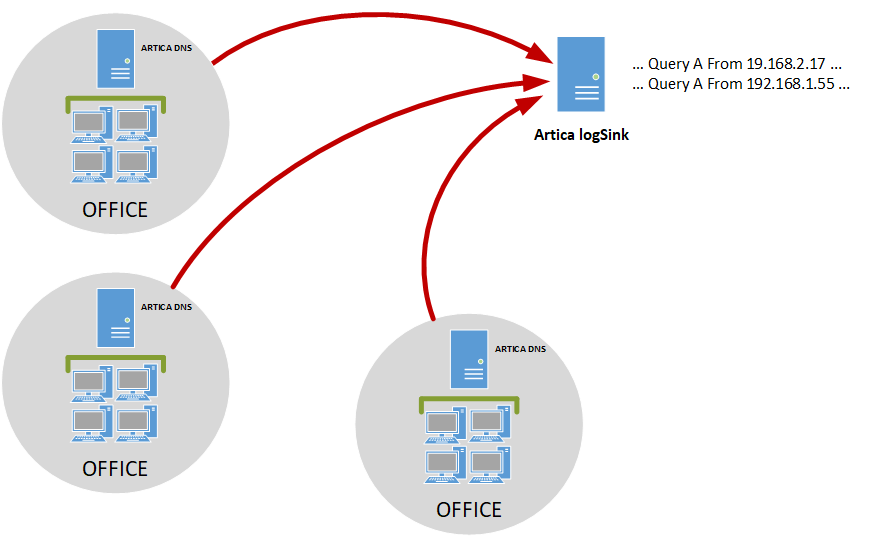
Through the Artica LogSink product (service entirely available in community mode) you are able to centralize DNS requests from several DNS Cache servers.
Through the Artica LogSink product (service entirely available in community mode) you are able to centralize DNS requests from several DNS Cache servers.
This feature is available with Artica v4.50 Service Pack 1 or Artica v4.50 Hotfix 20240607-01
If you have several remote sites and using Artica DNS Cache service on each remote site, you can centralize DNS requests using the Artica LogSink in order to view all requests from a single point and legally stores events from a single point.
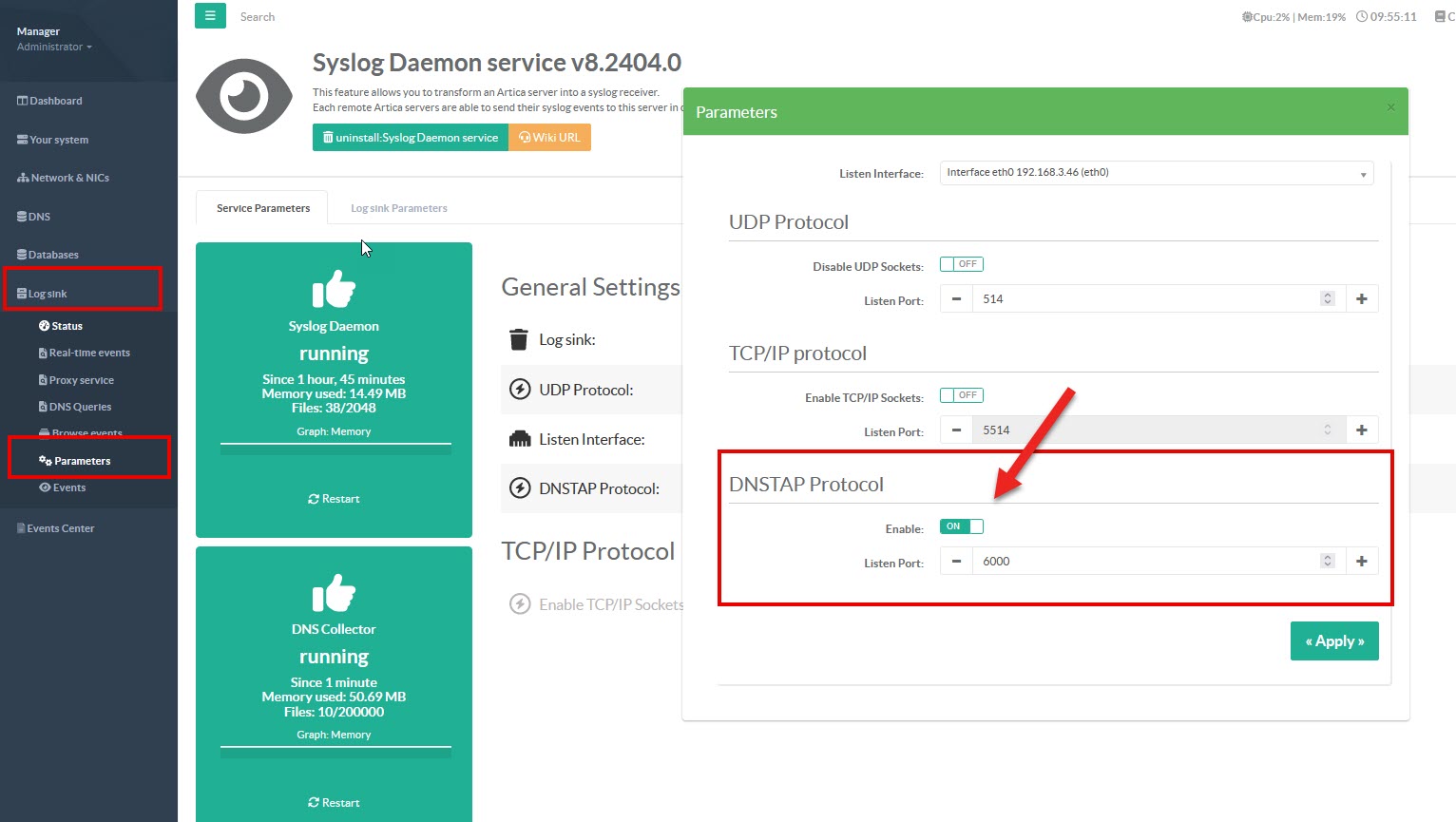
Enable DNSTAP protocol on your Log Sink server
- On the left menu, go to
LogSink > Parameters - Click on the
DNSTAPprotocol option. - Turn on the DNSTAP protocol feature and set your desired port
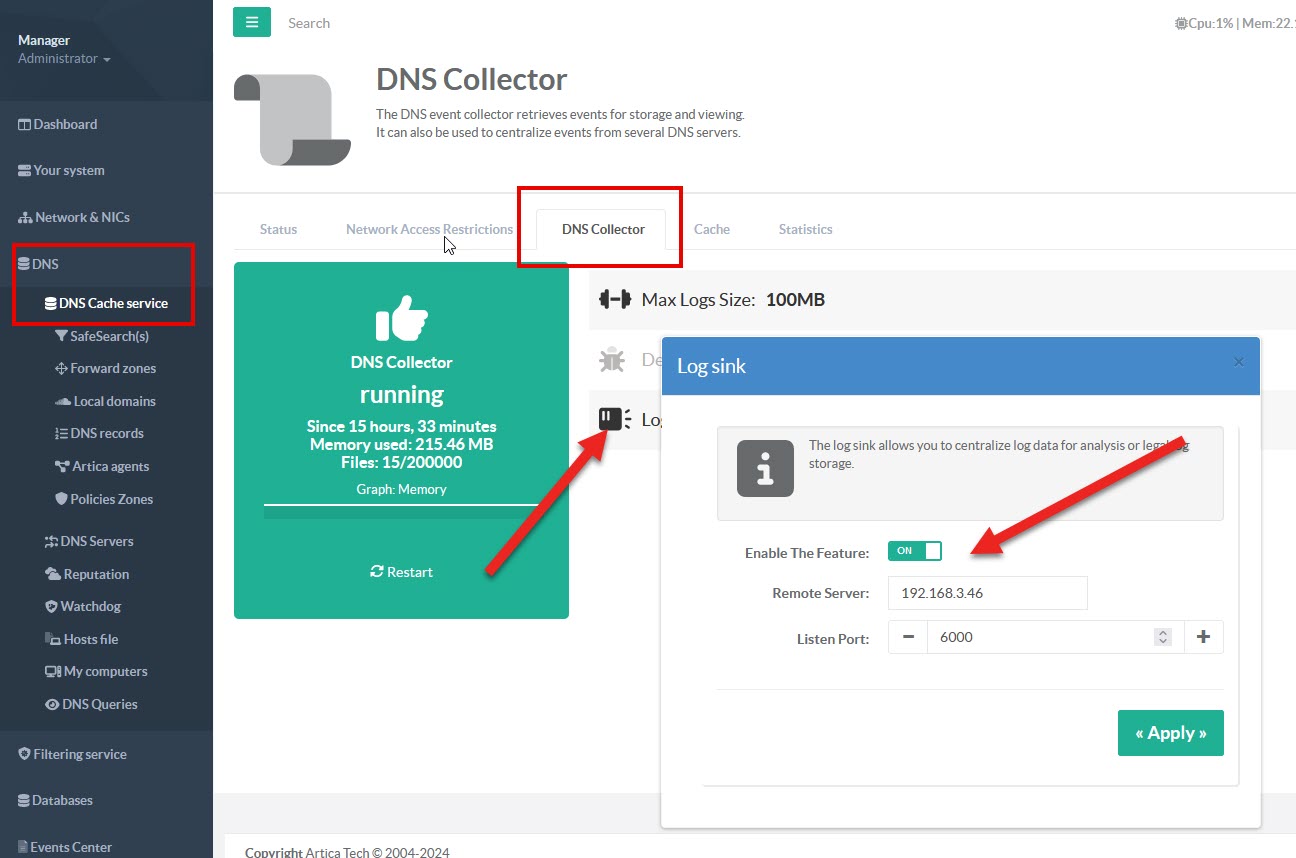
Send events from your Artica DNS server
- On the left menu
Choose DNS > DNS Cache service. - Click on the
DNS Collectortab. - Click on the LogSink option
- Turn on the “Enable the feature” option and set the adresse and port of your LogSink server
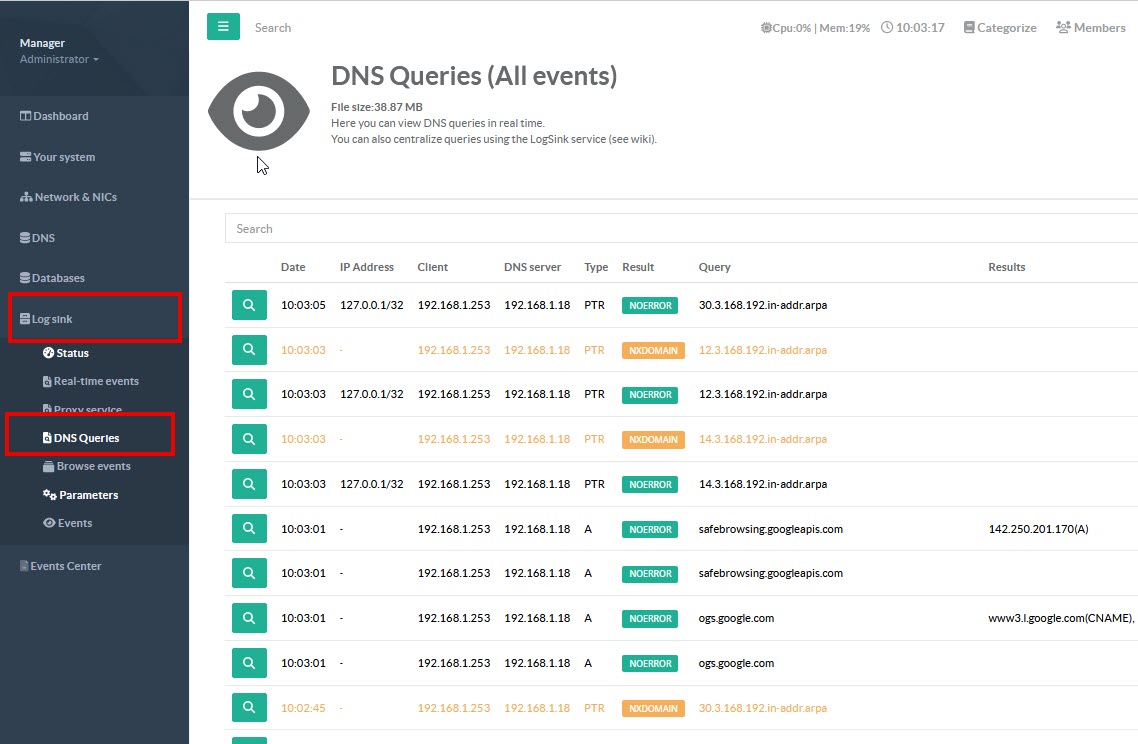
Display events on your LogSink server
- On your Artica LogSink server, in the left menu, go to
LogSink > DNS Queries - You will see all events sent by all your Artica DNS servers.